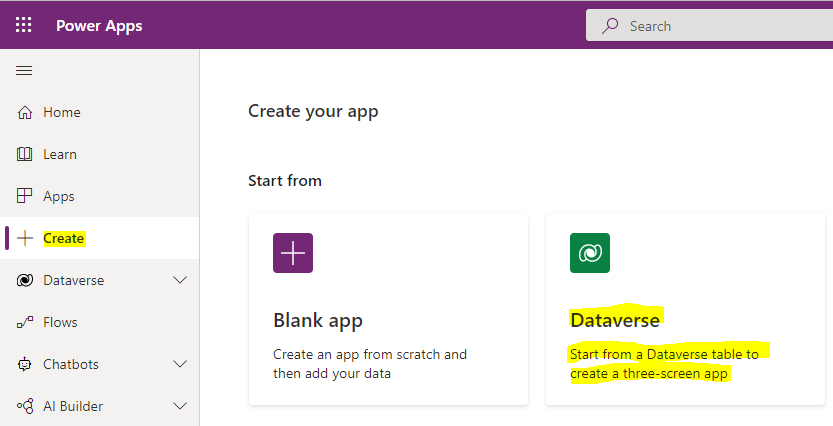
In this post, we will look at the Power Apps Maker functionality to create a 3-screen app from a Dataverse table. Go to https://make.powerapps.com/ and select Create->Dataverse:
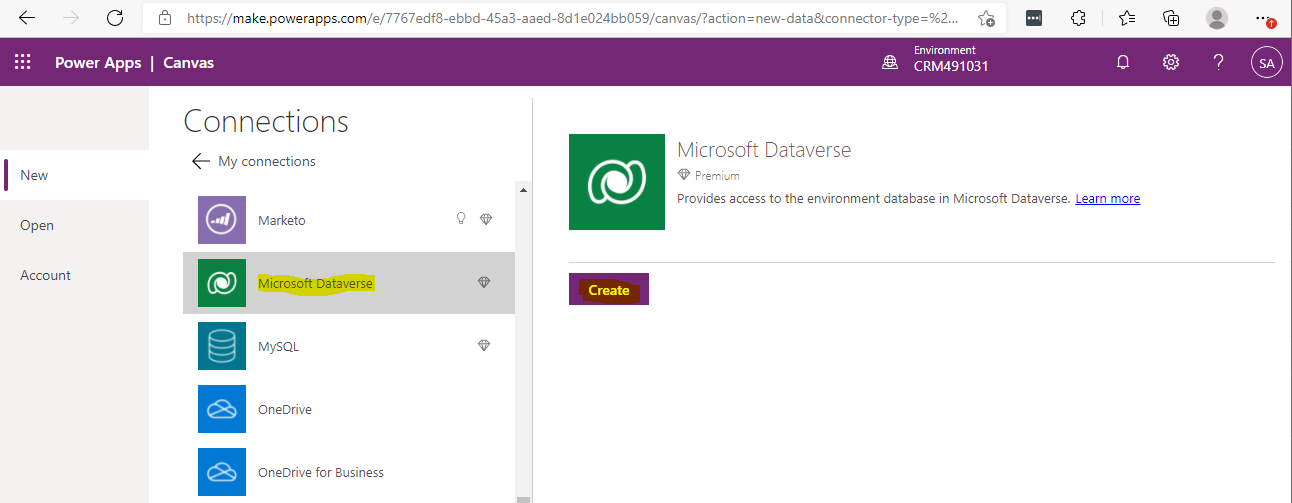
Ensure Dataverse is selected under Connections and click Create:
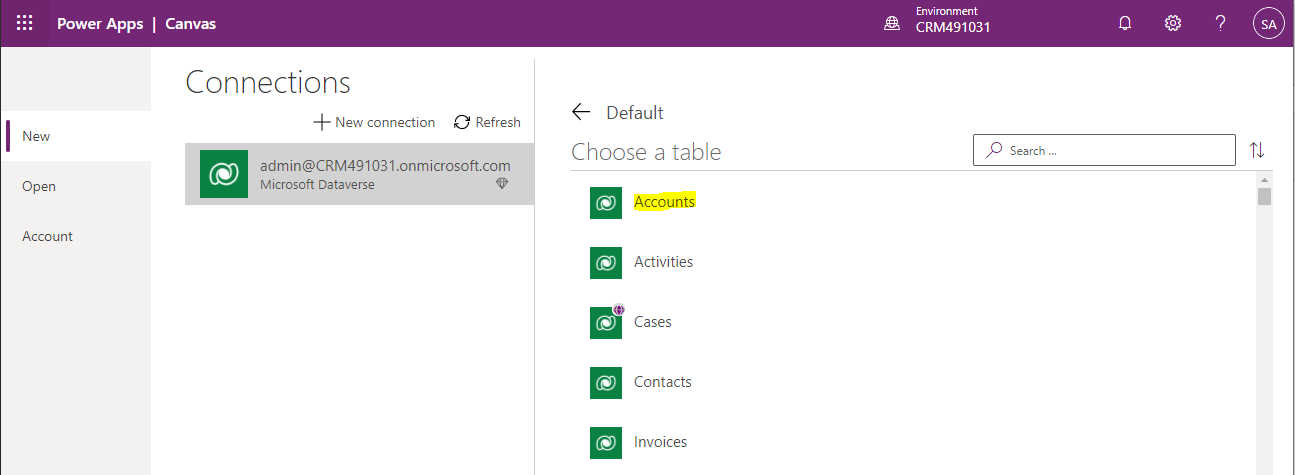
Now choose a table. We will select Accounts:
And click Connect in the bottom right:

Our app is created. Click the Play button in the top right:
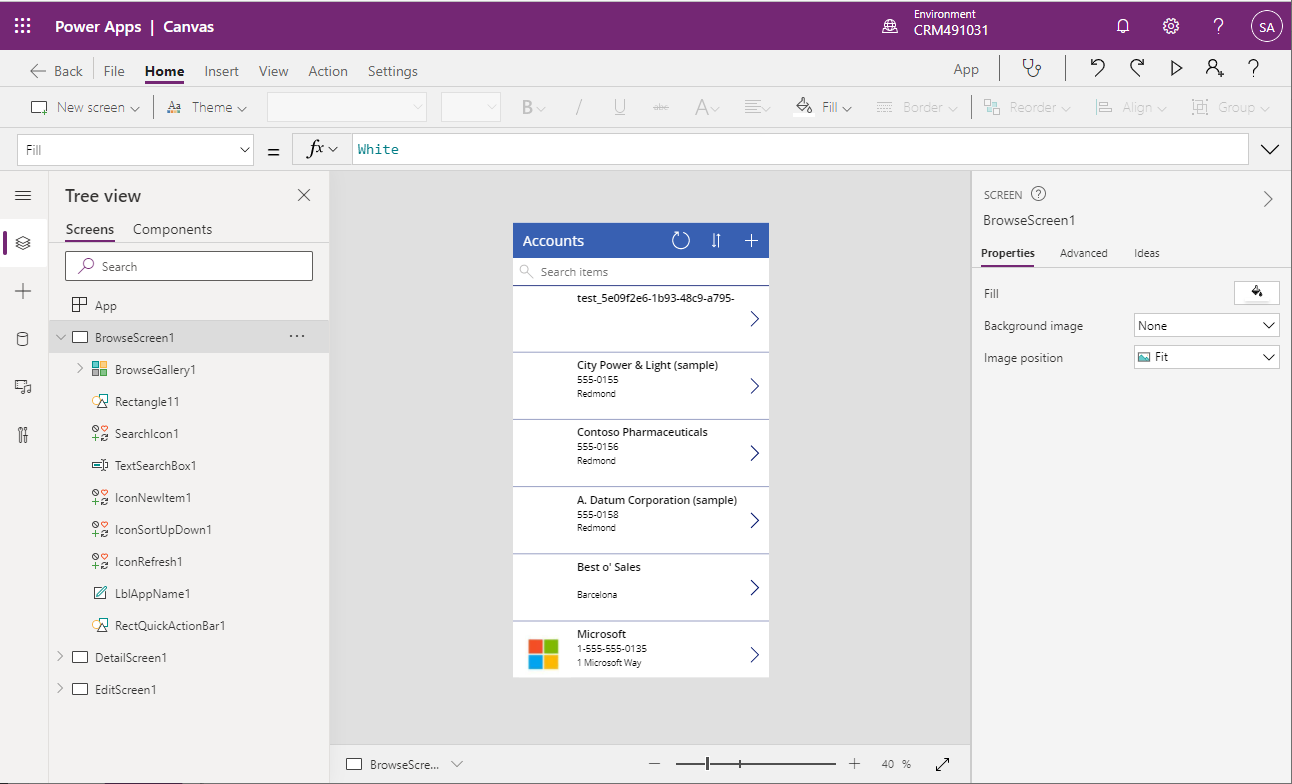
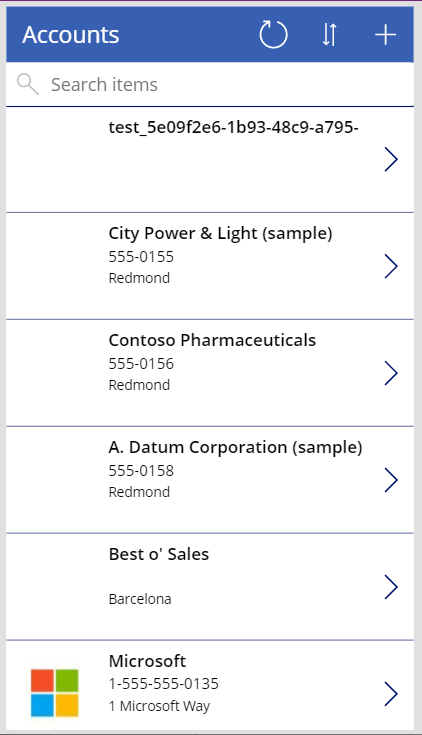
The app is launched. We see some pieces of functionality, including:
- Refresh button
- Sort button (alphabetical order)
- + button to add a new account
- Search box to type in an account to filter the results
- List of accounts showing 3 fields – Name, Phone, Location
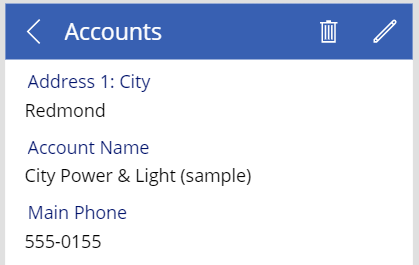
On selecting an account, we get the account page, where we can view, delete and edit the account:
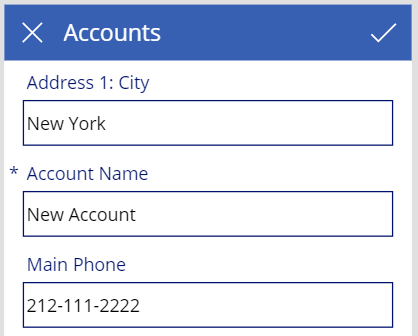
Creating a new account looks like this:
We get a decent base app scaffolded for us, and from here we can customize the app as we need to.
I AM SPENDING MORE TIME THESE DAYS CREATING YOUTUBE VIDEOS TO HELP PEOPLE LEARN THE MICROSOFT POWER PLATFORM.
IF YOU WOULD LIKE TO SEE HOW I BUILD APPS, OR FIND SOMETHING USEFUL READING MY BLOG, I WOULD REALLY APPRECIATE YOU SUBSCRIBING TO MY YOUTUBE CHANNEL.
THANK YOU, AND LET'S KEEP LEARNING TOGETHER.
CARL
