Business Rules are a way in Dynamics 365 to add actions to events that occur in the user interface.
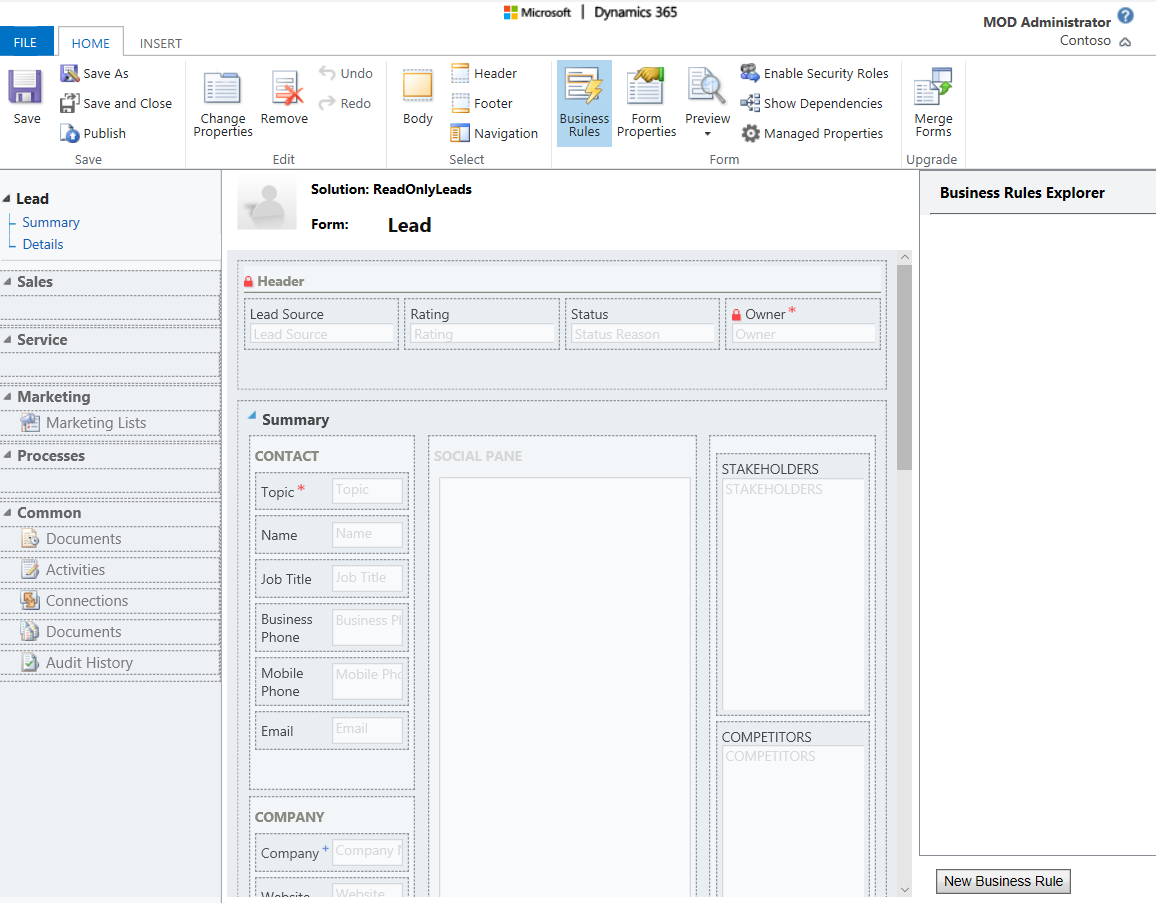
Let’s go through an example with the Leads form. Select Business Rules from the navigation bar and then New Business Rule:
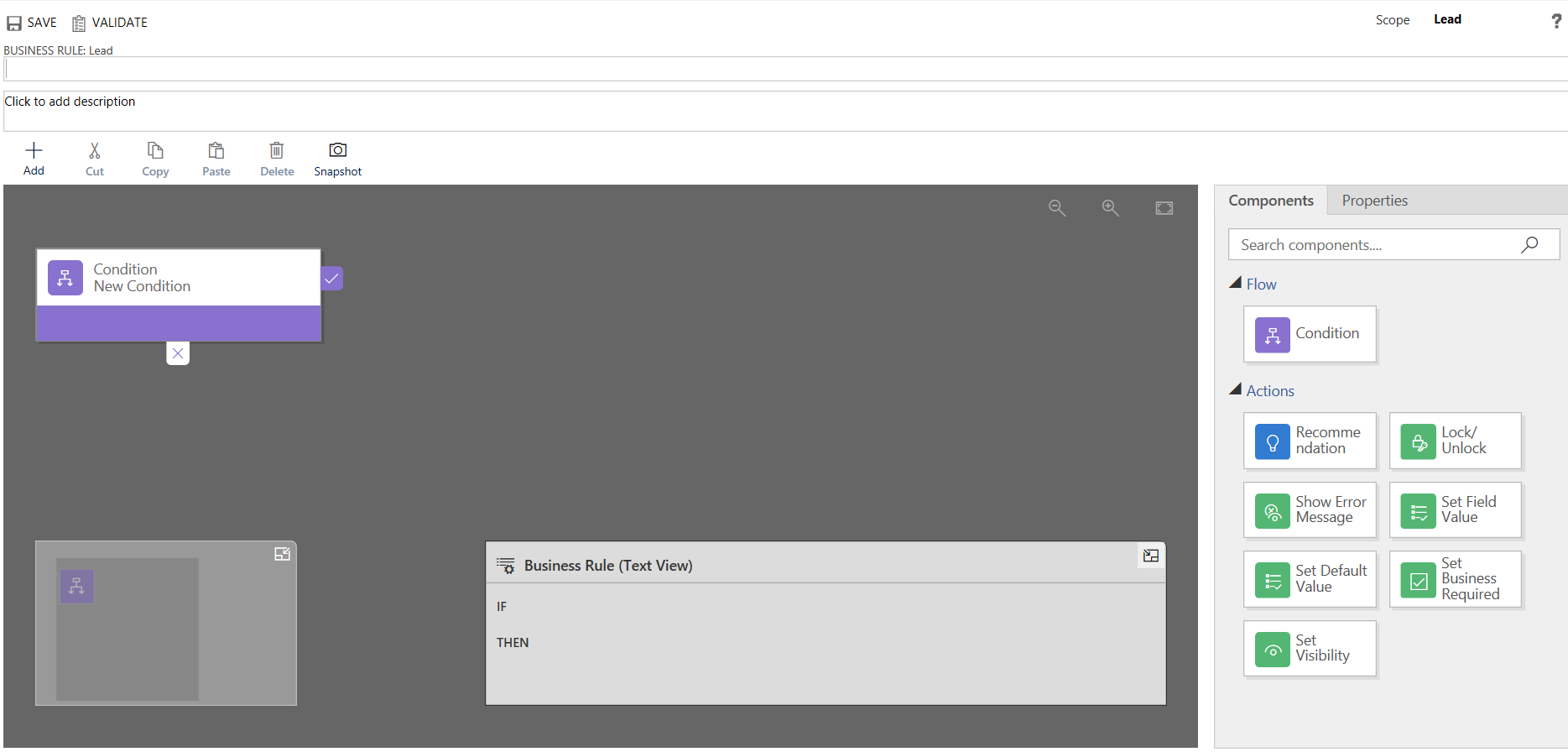
This will open a blank template.
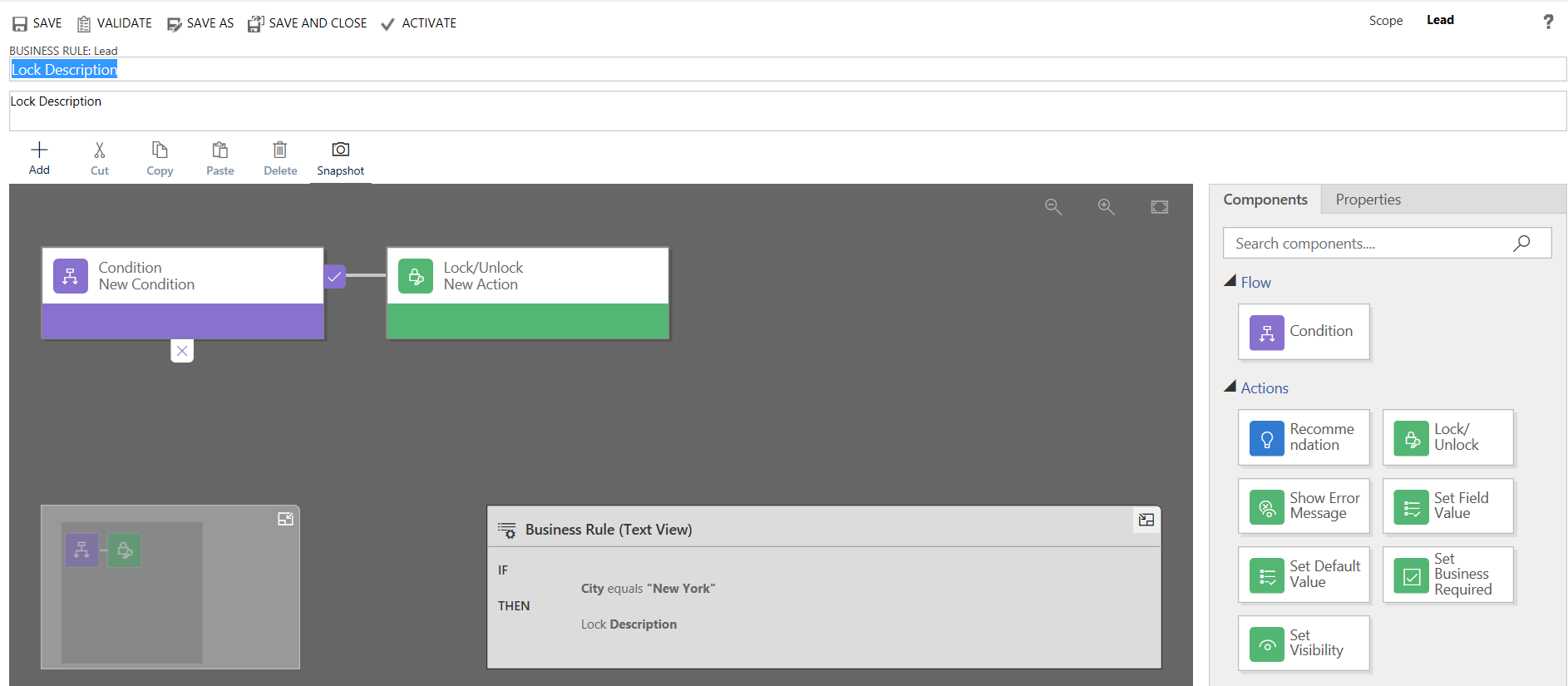
Let’s add a condition that if the City = “New York”, then lock the description field. Click Activate:
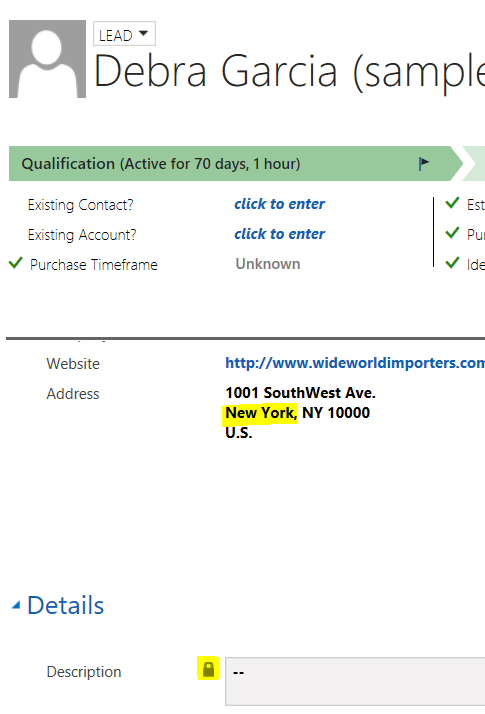
As soon as the City is set, the description field is locked:

Keep learning. Keep building.
Explore AI, agents & Microsoft technology.
I share practical ideas, tutorials, and videos about AI, AI agents, Microsoft technologies, and the Power Platform.
Subscribe on YouTube →Carl de Souza Enterprise Architect at Microsoft · AI Technology Expert