In this example, we will create a Hello World application for Node.js.
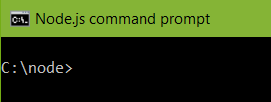
Let’s start with a simple example. I have installed Node.js on Windows and have a Node directory in C:\ drive. In command prompt, cd to this directory.
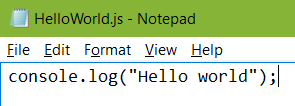
In that directory is a JavaScript file that writes out a console log “Hello World”:
To run the file, enter:
node HelloWorld.js
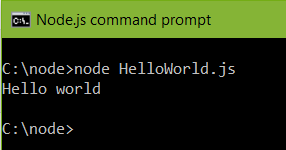
Hello World is returned by Node.
Now create a new file HelloWorldWS.js to run a web server. Enter the following code:
const http = require('http');

const hostname = '127.0.0.1';
const port = 7000;

const server = http.createServer((req, res) => {
 res.statusCode = 200;
 res.setHeader('Content-Type', 'text/plain');
 res.end('Hello World\n');
});

server.listen(port, hostname, () => {
 console.log(`Server running at http://${hostname}:${port}/`);
});
Run the code. Node returns:

If we go to a web browser, we can see the web server is running:
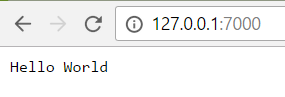
Pressing CTRL-C will stop the code from running. Refreshing the web browser will produce an error as the web server is now not running.
I AM SPENDING MORE TIME THESE DAYS CREATING YOUTUBE VIDEOS TO HELP PEOPLE LEARN THE MICROSOFT POWER PLATFORM.
IF YOU WOULD LIKE TO SEE HOW I BUILD APPS, OR FIND SOMETHING USEFUL READING MY BLOG, I WOULD REALLY APPRECIATE YOU SUBSCRIBING TO MY YOUTUBE CHANNEL.
THANK YOU, AND LET'S KEEP LEARNING TOGETHER.
CARL
