In this post, we will use the Speech Synthesizer in the System.Speech.Synthesis namespace to convert text to speech.
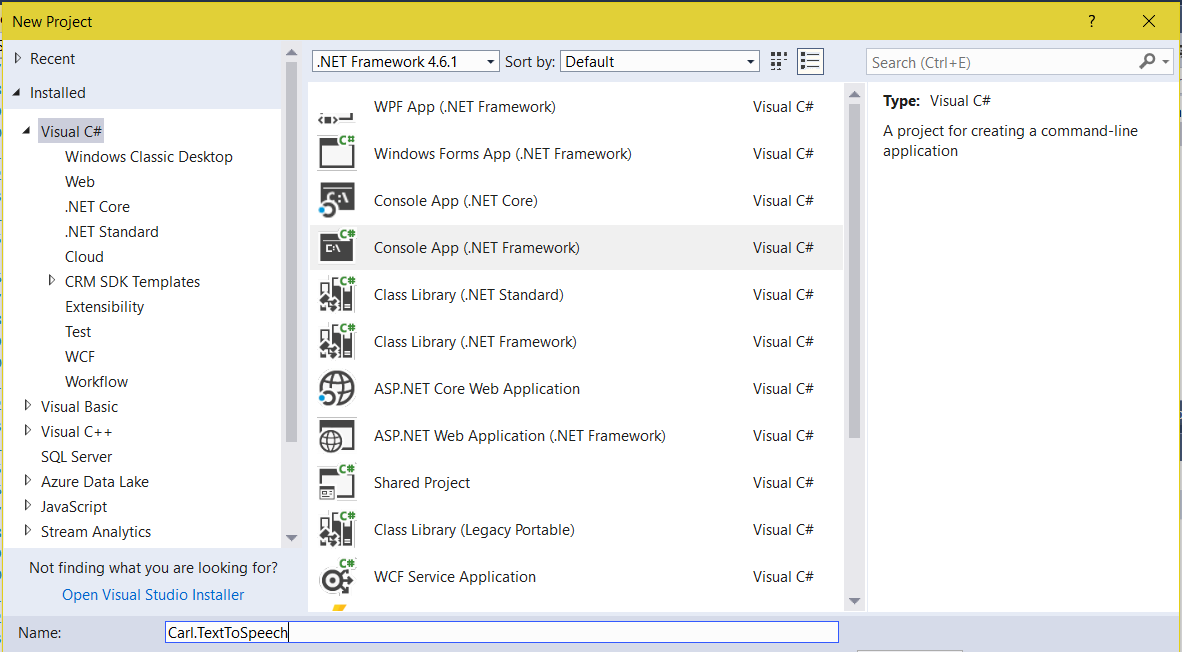
Create a new console app in Visual Studio:
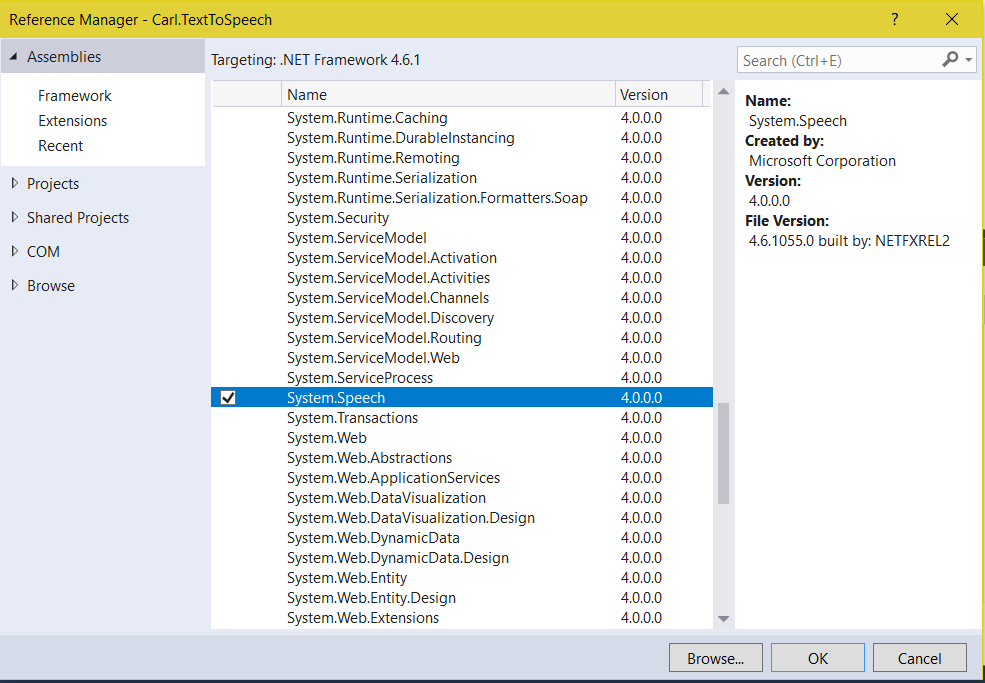
Add a reference to System.Speech:
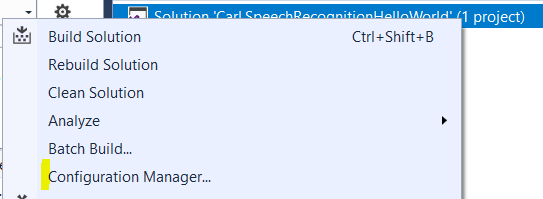
Click on the Solution->Configuration Manager:
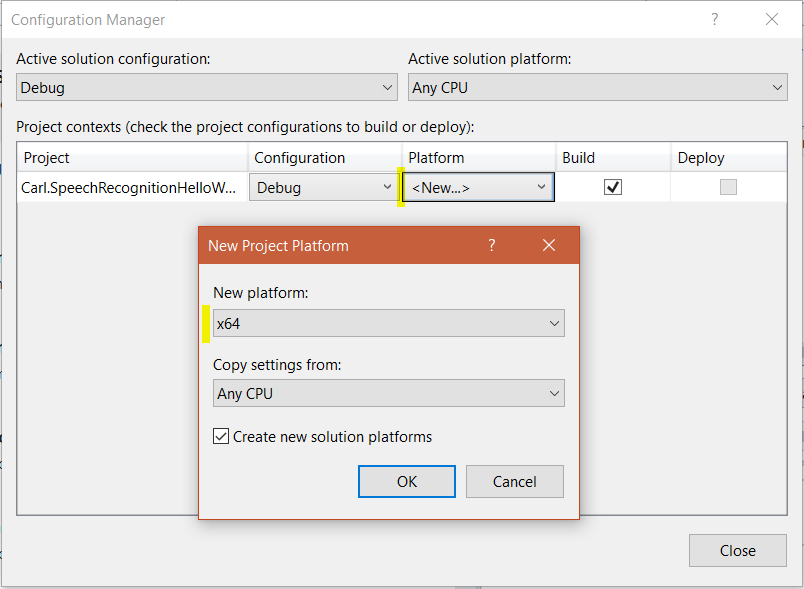
Change the platform to your current platform:
Add the code:
[sourcecode language=”CSharp”] using System;
using System.Collections.Generic;
using System.Linq;
using System.Text;
using System.Threading.Tasks;
using System.Speech.Synthesis;
namespace Carl.TextToSpeech
{
class Program
{
static void Main(string[] args)
{
using (SpeechSynthesizer synth = new SpeechSynthesizer())
{
synth.Speak("Hello World");
}
}
}
}
[/sourcecode]
On running this, your computer will say “Hello World”.
To change the voice to another voice, we can set it using SelectVoice:
[sourcecode language=”CSharp”] using System;using System.Collections.Generic;
using System.Linq;
using System.Text;
using System.Threading.Tasks;
using System.Speech.Synthesis;
namespace Carl.TextToSpeech
{
class Program
{
static void Main(string[] args)
{
using (SpeechSynthesizer synth = new SpeechSynthesizer())
{
synth.SelectVoice("Microsoft Zira Desktop");
synth.Speak("Hello World");
}
}
}
}
[/sourcecode]
This will say Hello World in the voice specified.
I AM SPENDING MORE TIME THESE DAYS CREATING YOUTUBE VIDEOS TO HELP PEOPLE LEARN THE MICROSOFT POWER PLATFORM.
IF YOU WOULD LIKE TO SEE HOW I BUILD APPS, OR FIND SOMETHING USEFUL READING MY BLOG, I WOULD REALLY APPRECIATE YOU SUBSCRIBING TO MY YOUTUBE CHANNEL.
THANK YOU, AND LET'S KEEP LEARNING TOGETHER.
CARL
