Dynamics 365 has the ability to store many different types of records. However, the system is designed to make the most of the Account entity, and have this entity be used to store various different relationships.
For example, Dynamics 365 doesn’t have a “Vendor” entity. Instead, vendors would be stored against the Account entity and then utilized as needed.
To set this up, go to Accounts and create a new record. You will see the Relationship Type field:

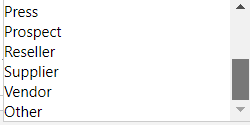
On selecting the field, you can see the options available:
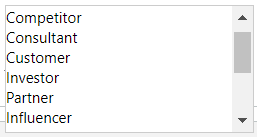
- Competitor
- Consultant
- Customer
- Investor
- Partner
- Influencer
- Press
- Prospect
- Reseller
- Supplier
- Vendor
- Other
Once you have a record set up, you can use relationships to relate records together.

Keep learning. Keep building.
Explore AI, agents & Microsoft technology.
I share practical ideas, tutorials, and videos about AI, AI agents, Microsoft technologies, and the Power Platform.
Subscribe on YouTube →Carl de Souza Enterprise Architect at Microsoft · AI Technology Expert
