In this post we will go through signing up for a Bing Custom Search key using the Azure portal.
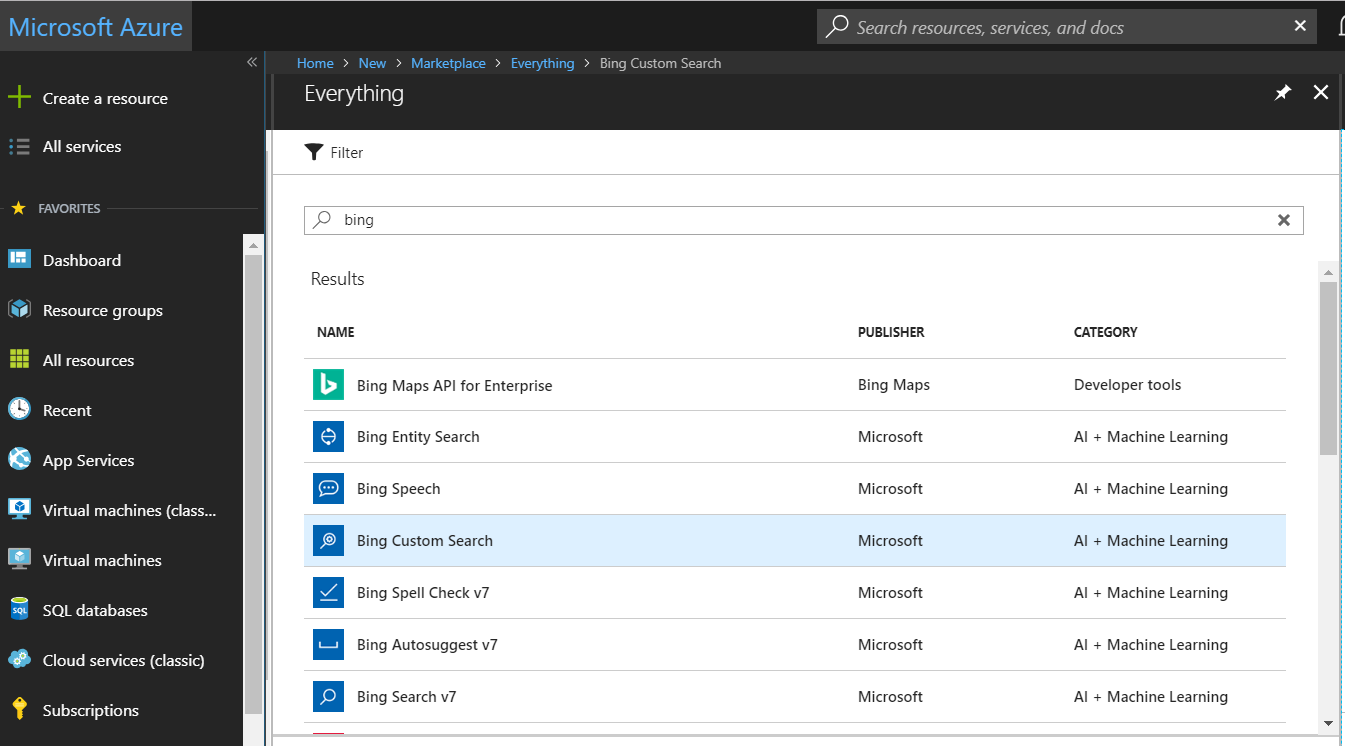
Go to https://portal.azure.com and search for Bing Custom Search:
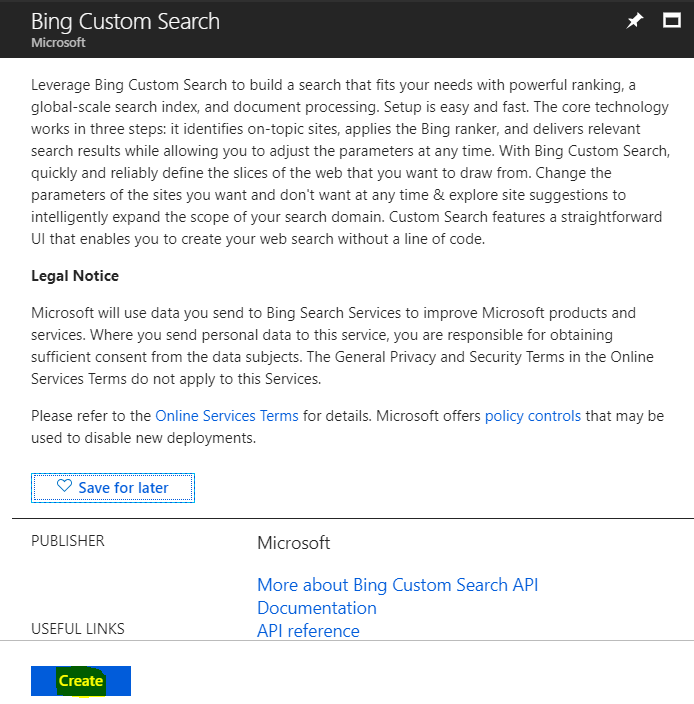
Click Create:
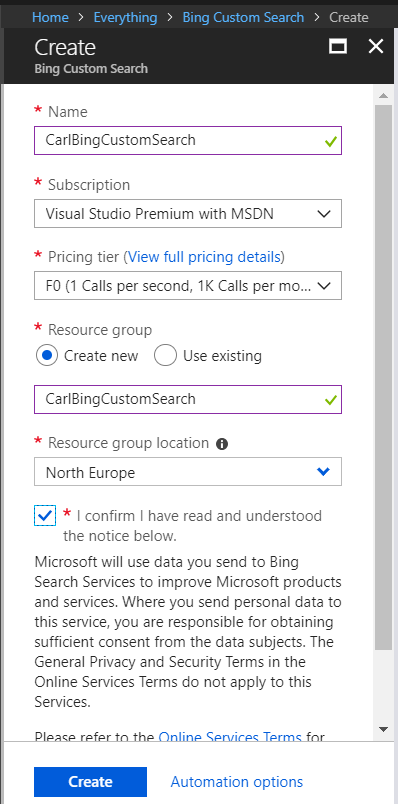
Enter details including the name and pricing tier. Click Create:
You will see below, with the endpoint, e.g. https://api.cognitive.microsoft.com/bingcustomsearch/v7.0
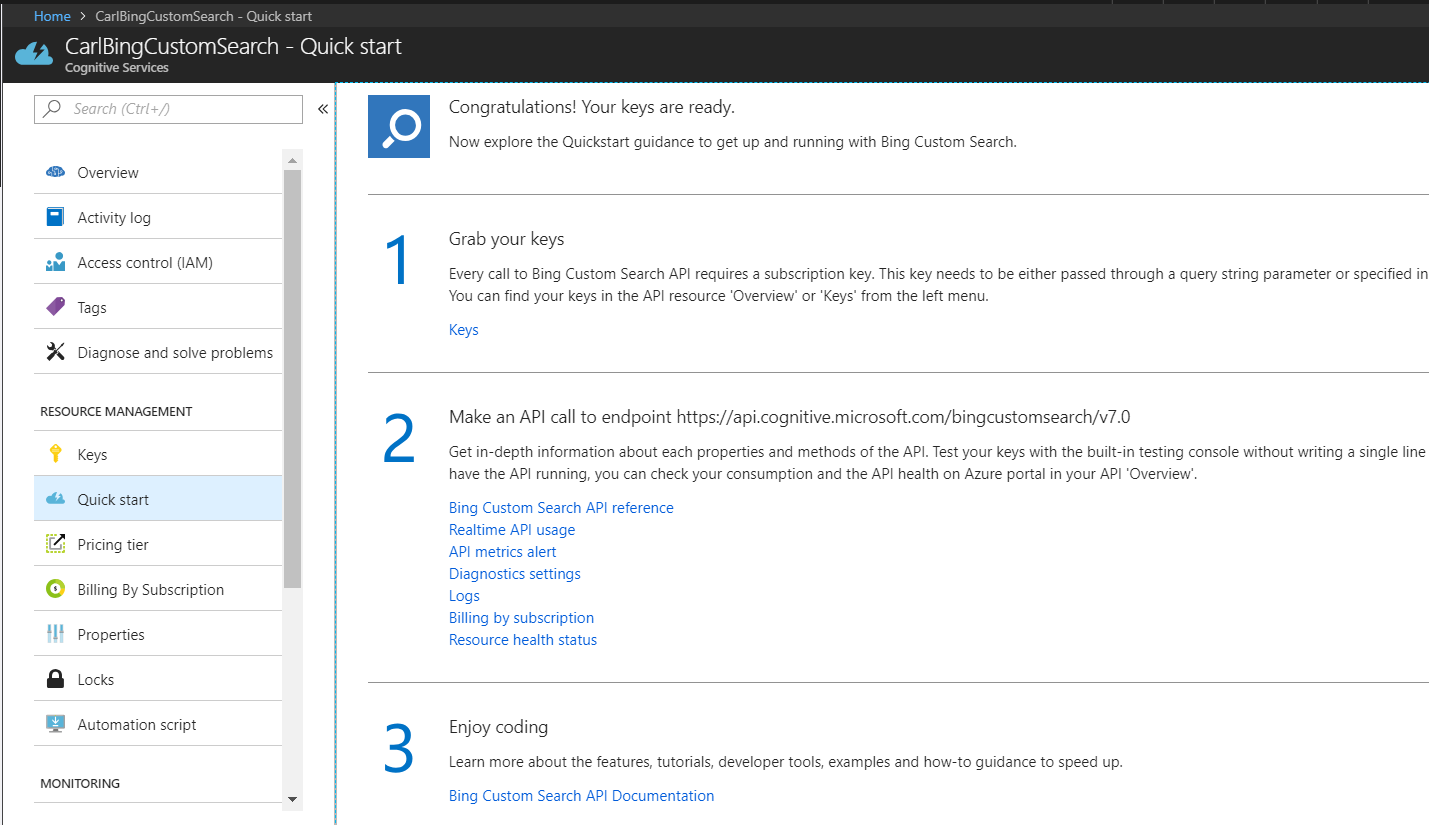
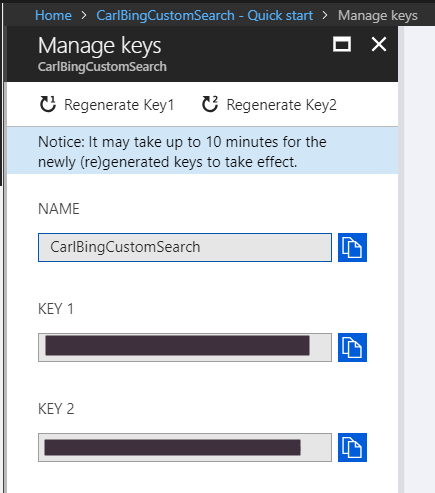
Click on Keys and note the keys for use in your apps:
THANKS FOR READING. BEFORE YOU LEAVE, I NEED YOUR HELP.
I AM SPENDING MORE TIME THESE DAYS CREATING YOUTUBE VIDEOS TO HELP PEOPLE LEARN THE MICROSOFT POWER PLATFORM.
IF YOU WOULD LIKE TO SEE HOW I BUILD APPS, OR FIND SOMETHING USEFUL READING MY BLOG, I WOULD REALLY APPRECIATE YOU SUBSCRIBING TO MY YOUTUBE CHANNEL.
THANK YOU, AND LET'S KEEP LEARNING TOGETHER.
CARL
