In Dynamics 365, we can open Quick Create forms through JavaScript.
Through Xrm.Utility, we can call openQuickCreate. This takes the parameters:
Xrm.Utility.openQuickCreate(entityLogicalName,createFromEntity,parameters).then(successCallback, errorCallback);
From the documentation, we can see the parameters required:
| Name | Type | Required | Description |
|---|---|---|---|
| entityLogicalName | String | Yes | The logical name of the entity to create. |
| createFromEntity | Lookup | No | Designates a record that will provide default values based on mapped attribute values. A lookup object has the following String properties:
|
| parameters | Object | No | A dictionary object that passes extra query string parameters to the form. Invalid query string parameters will cause an error. Valid extra query string parameters are:
|
| successCallback | Function | No | The function that will be called when a record is created. This function is passed an object as a parameter. This object has a savedEntityReference property with the following properties to identify the record created:
|
| errorCallback | Function | No | A function to call when the operation fails. An object with the following properties will be passed:
|
For example, if we want to open the Account quick create form, without setting any parameters, the code is:
var params = {};

 Xrm.Utility.openQuickCreate("account", null, params).then(function () { console.log("Success"); }, function (error) {
    console.log(error.message);
 });
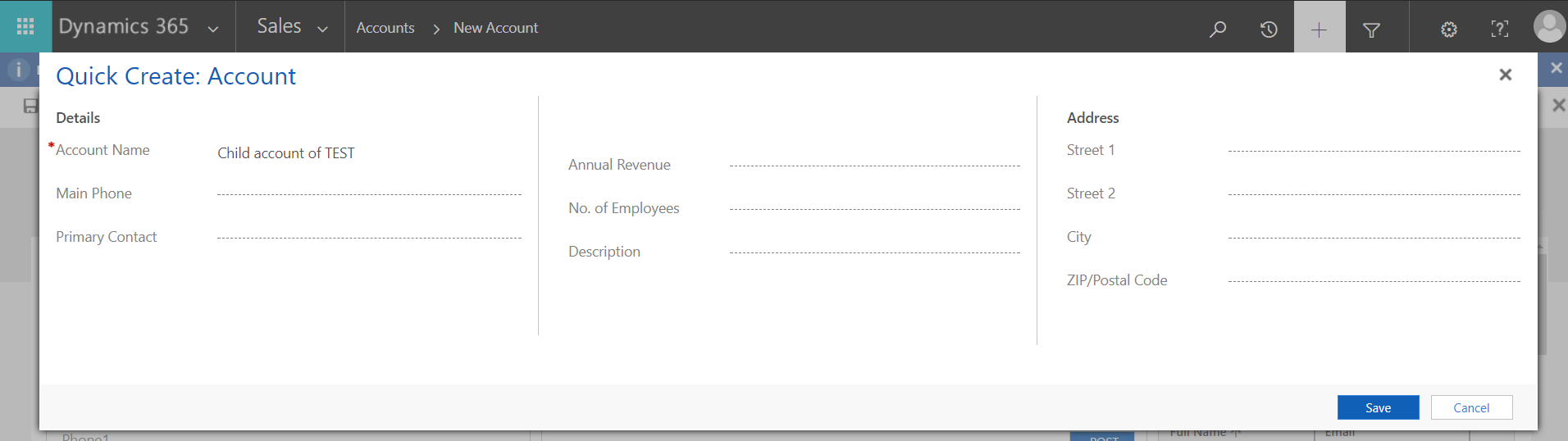
In the first example, let’s say when creating an Account, we would like to create a child account through Quick Create after we tab off the Account field.
Create a new web resource to hold our JavaScript code:
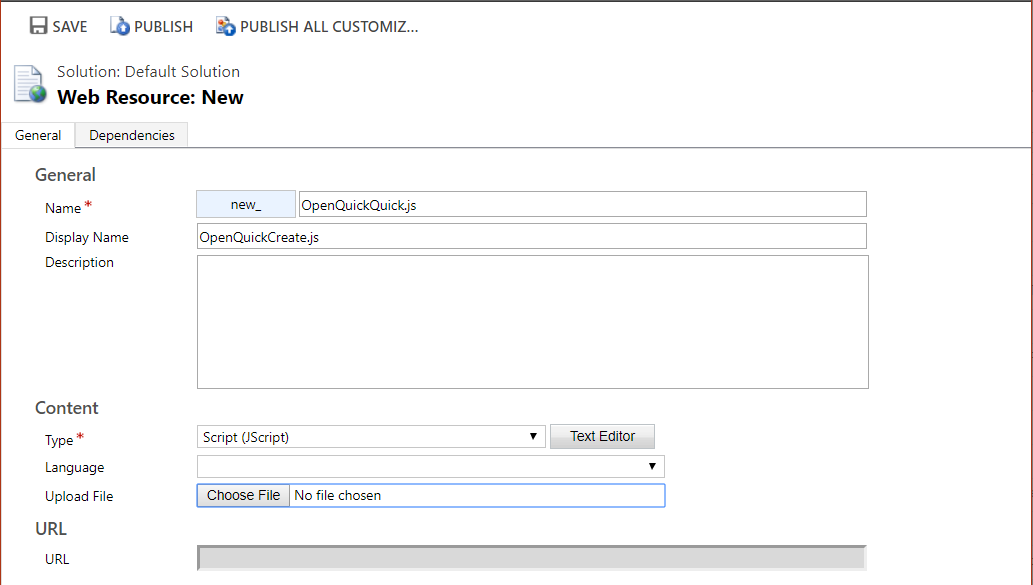
In our code, we will set the name of the child account to “Child account of ” and then get the name of the account entered on the page:
function OpenQC() {

 var thisAccount = {
    entityType: "account",
    id: Xrm.Page.data.entity.getId()
 };
 var callback = function (obj) {
    console.log("Created new " + obj.savedEntityReference.entityType + " named '" + obj.savedEntityReference.name + "' with id:" +
 obj.savedEntityReference.id);
 }
 var setName = { name: "Child account of " + Xrm.Page.getAttribute("name").getValue() };
 Xrm.Utility.openQuickCreate("account", thisAccount, setName).then(callback, function (error) {
    console.log(error.message);
 });

 }
Attach the code to the Account field:
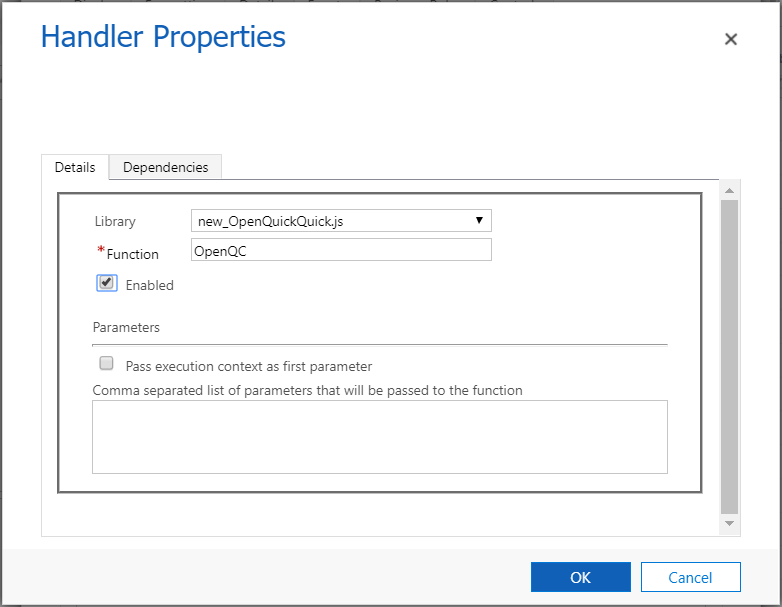
Now create a new account. After typing the name, the Quick Create will open:
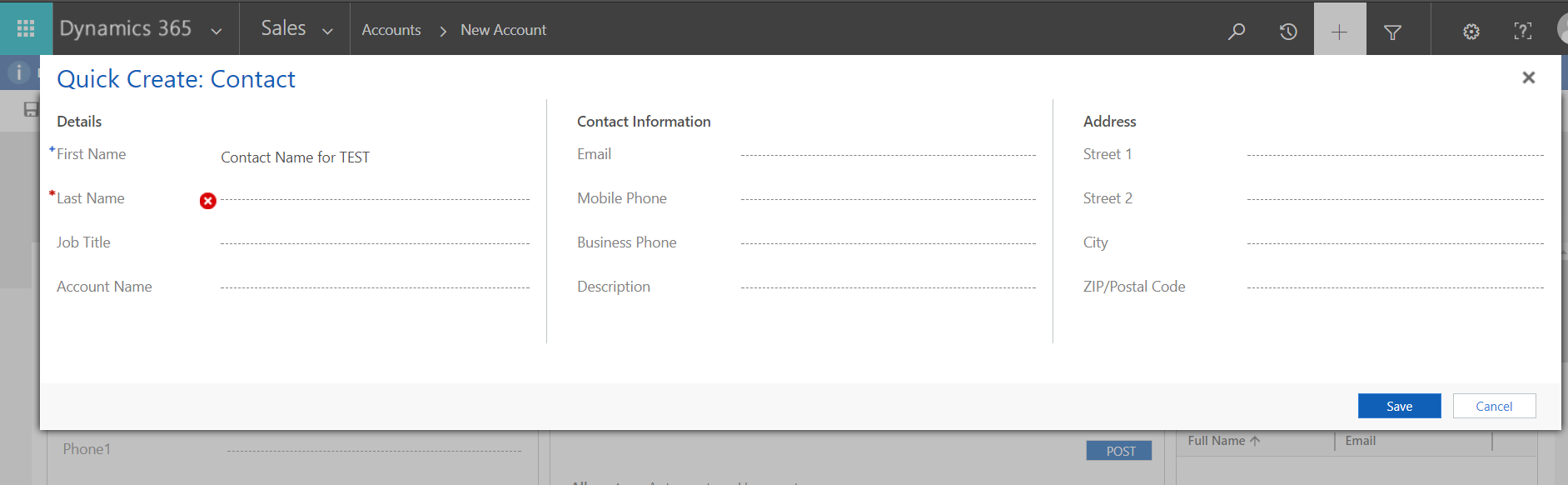
Now let’s say we want to open the Contact Quick Create instead. We can change the code to set the parameters of the first name of the contact:
function OpenQC() {
 var thisAccount = {
    entityType: "account",
    id: Xrm.Page.data.entity.getId()
 };
 var callback = function (obj) {
    console.log("Created new " + obj.savedEntityReference.entityType + " named '" + obj.savedEntityReference.name + "' with id:" +
 obj.savedEntityReference.id);
 }
 var setName = { firstname: "Contact Name for " + Xrm.Page.getAttribute("name").getValue() };
 Xrm.Utility.openQuickCreate("contact", thisAccount, setName).then(callback, function (error) {
    console.log(error.message);
 });

 }
Now entering an account brings up the contact quick create form:
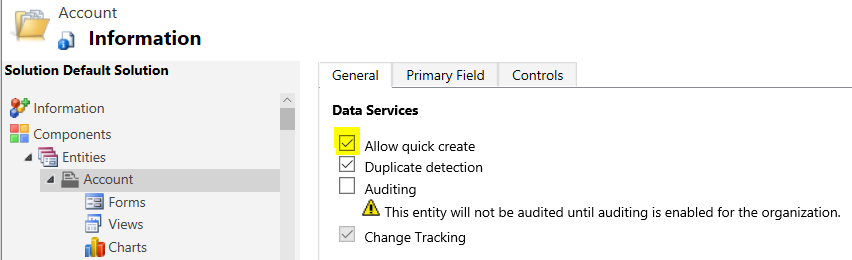
Note you must have the Allow quick create check box checked on the entity in Customizations:
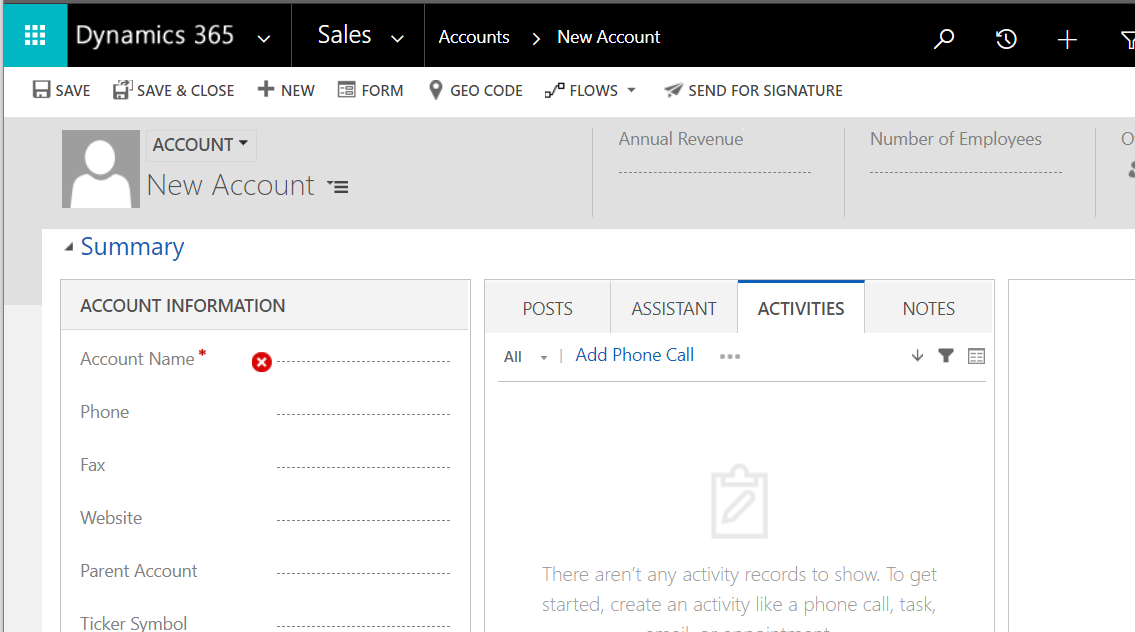
If you do not have this checked and you try to run the JavaScript, the create will open in it’s own browser window, e.g. for account:

Explore AI, agents & Microsoft technology.
I share practical ideas, tutorials, and videos about AI, AI agents, Microsoft technologies, and the Power Platform.
Subscribe on YouTube →