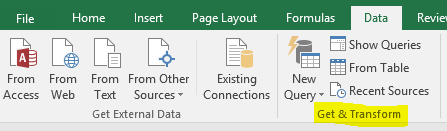
Excel 2016 has built in BI capabilities. To get data from an external data source, go to the Data tab:

Under Get and Transform, select New Query:
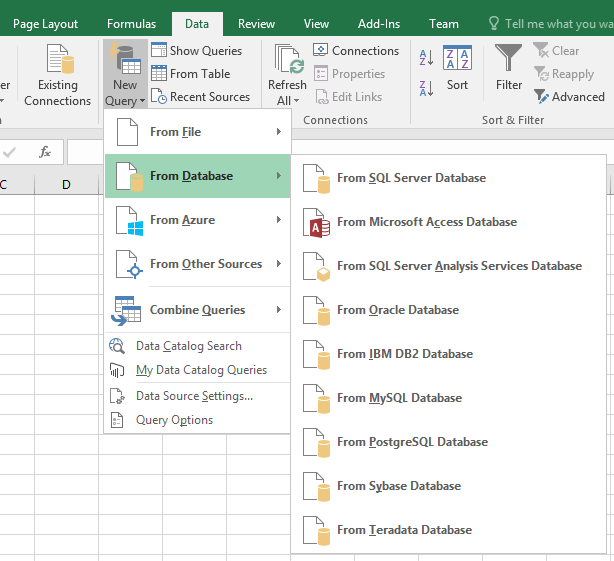
We will get data from a local SQL database:
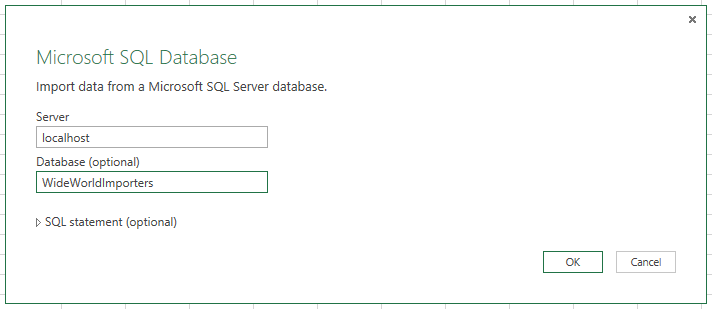
Enter the database details:
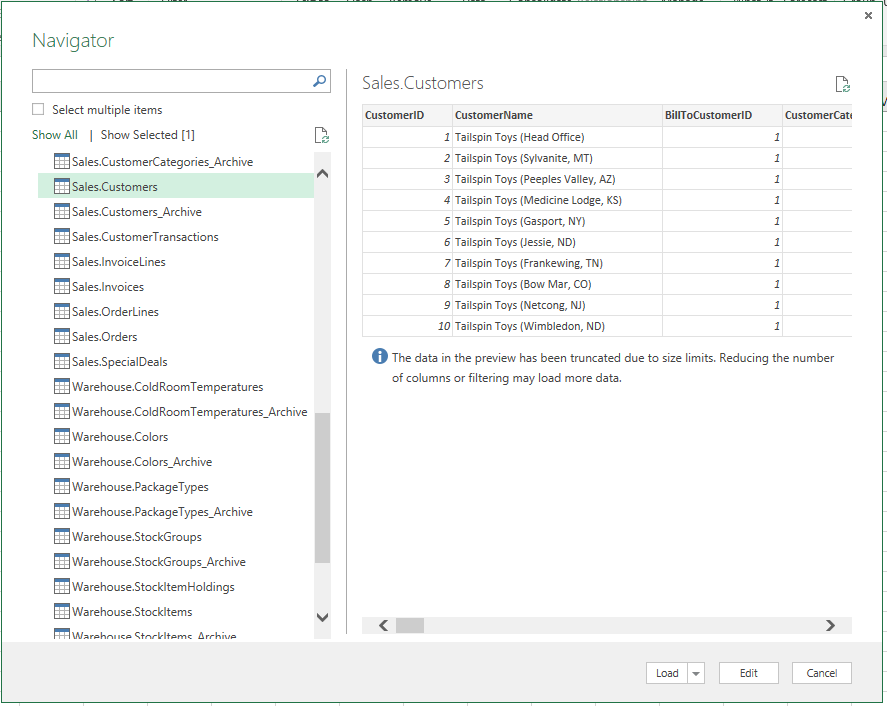
Select a table and click Edit:
This opens the Query Editor:
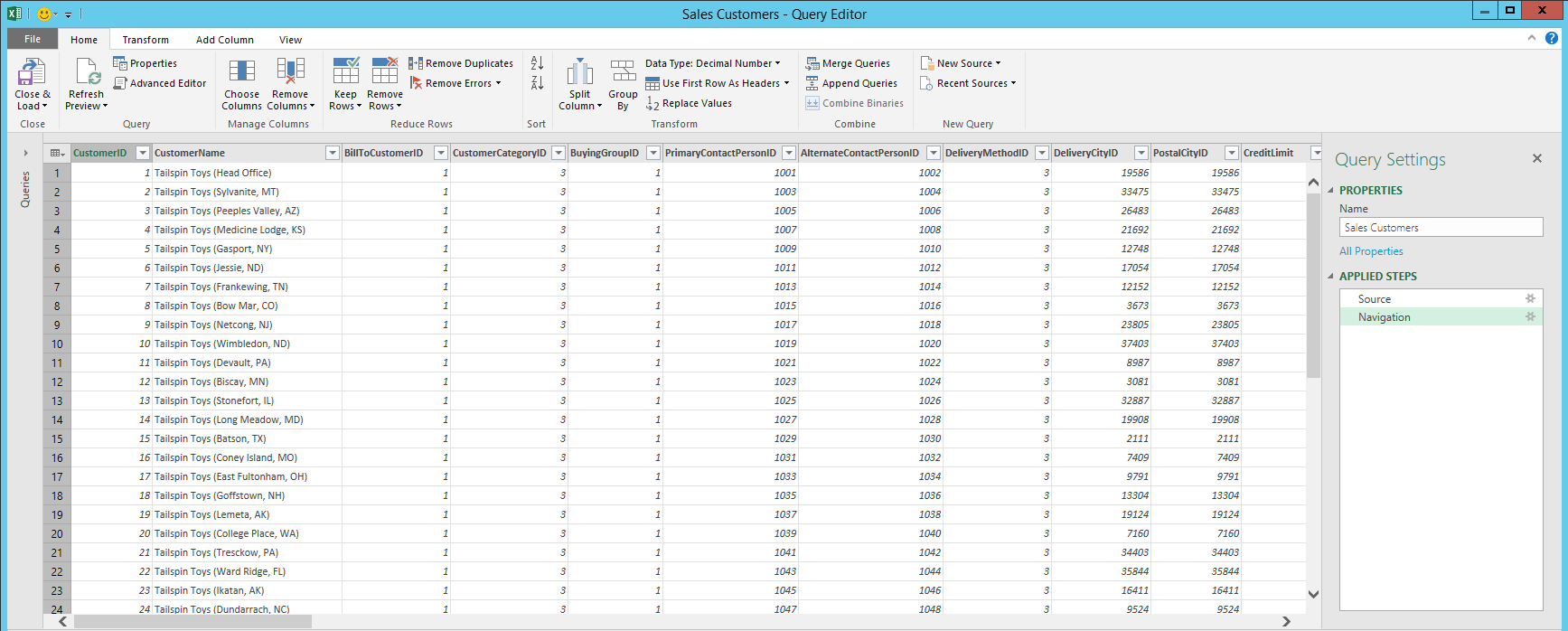
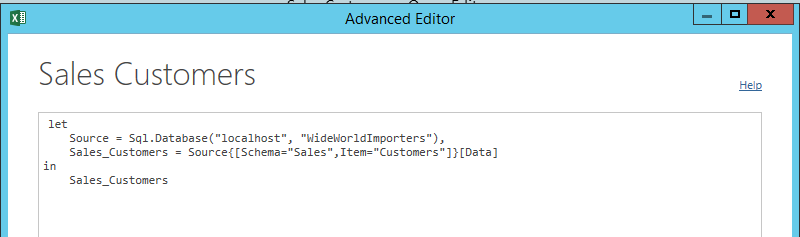
Click the Advanced Editor to see the connection details:
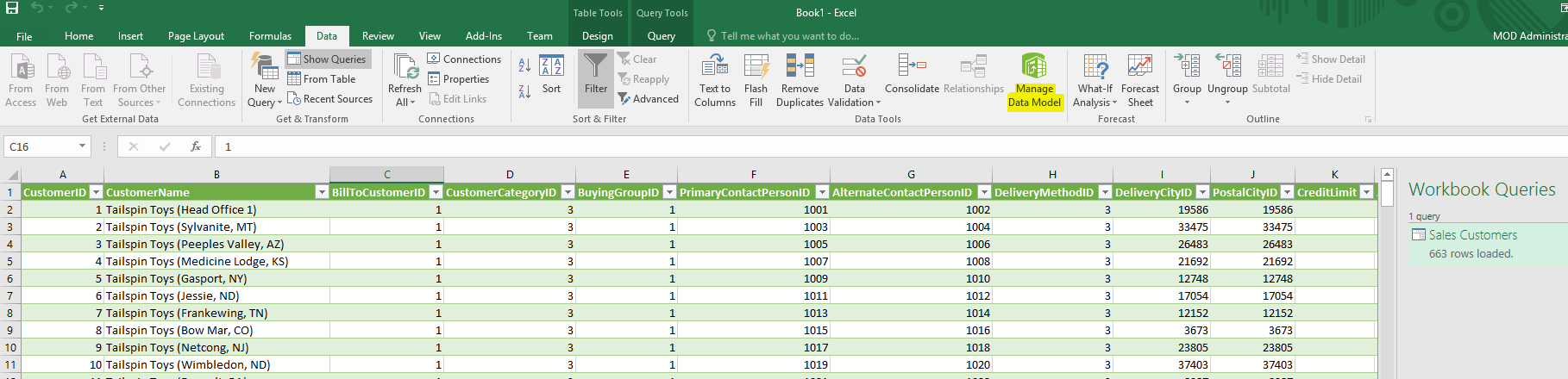
Click OK to close the Query Editor. The data is loaded to the spreadsheet. Select Manage Data Model:
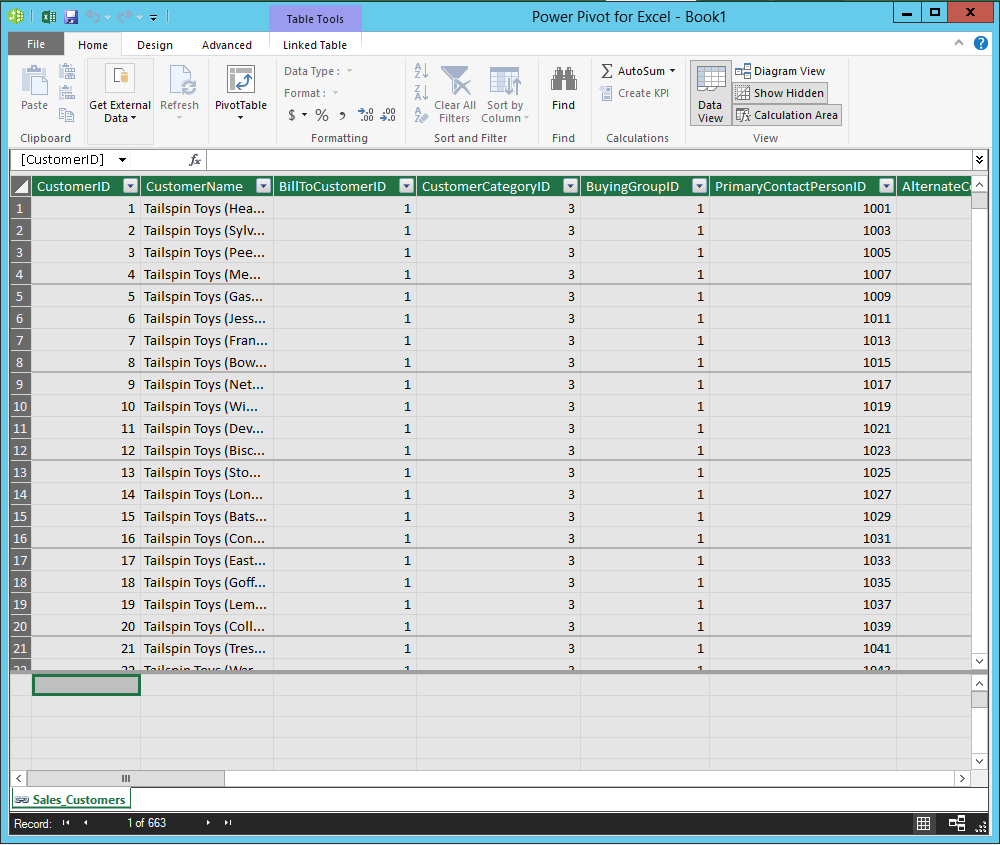
To add to the data model, go to the Power Pivot tab and select Add to Data Model:

I AM SPENDING MORE TIME THESE DAYS CREATING YOUTUBE VIDEOS TO HELP PEOPLE LEARN THE MICROSOFT POWER PLATFORM.
IF YOU WOULD LIKE TO SEE HOW I BUILD APPS, OR FIND SOMETHING USEFUL READING MY BLOG, I WOULD REALLY APPRECIATE YOU SUBSCRIBING TO MY YOUTUBE CHANNEL.
THANK YOU, AND LET'S KEEP LEARNING TOGETHER.
CARL
