In this post, we will create a console app that performs a CRUD operation on Dynamics 365.
In Visual Studio, create a new Console App:
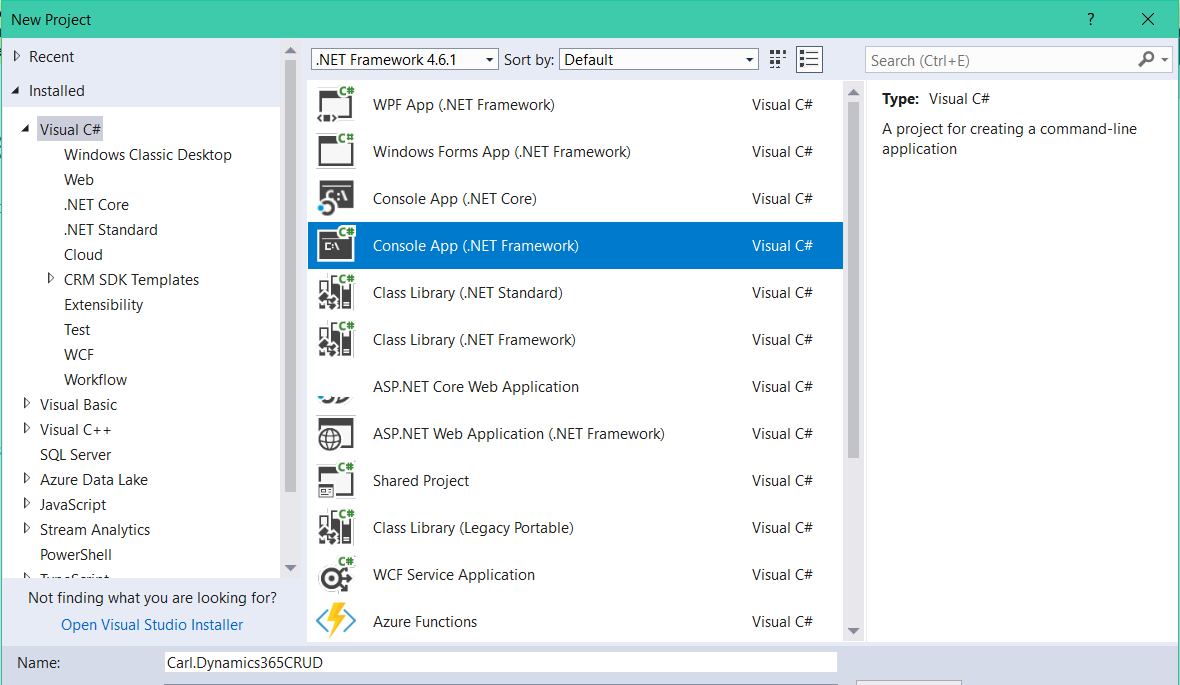
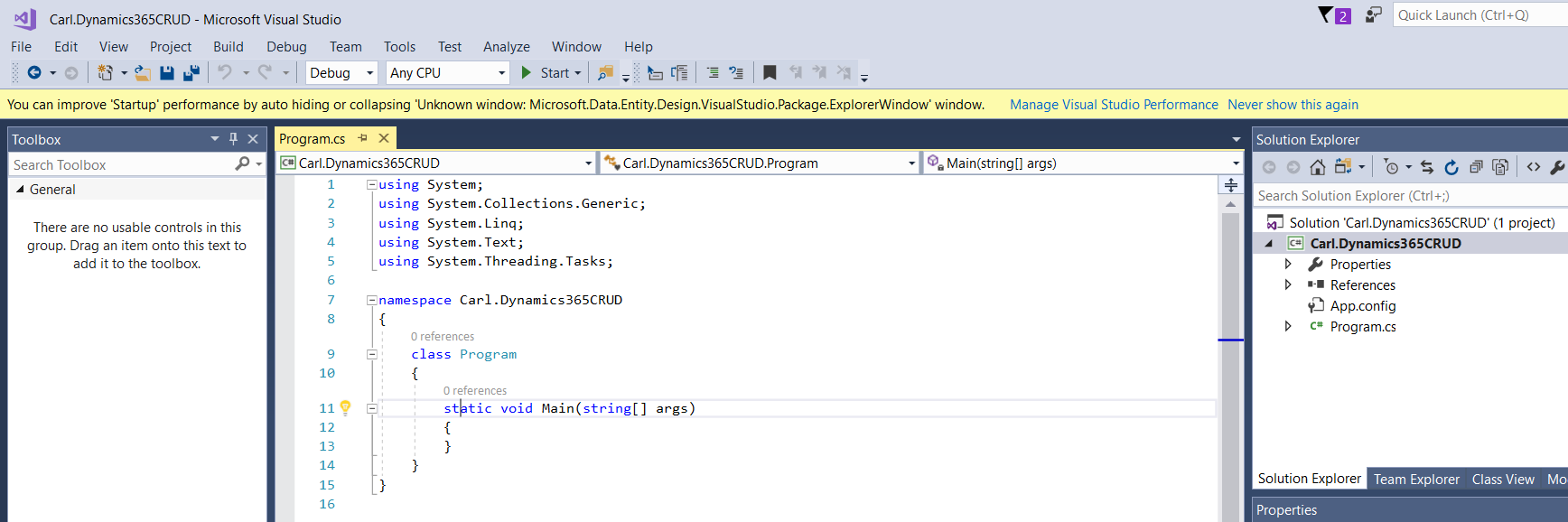
You will see:
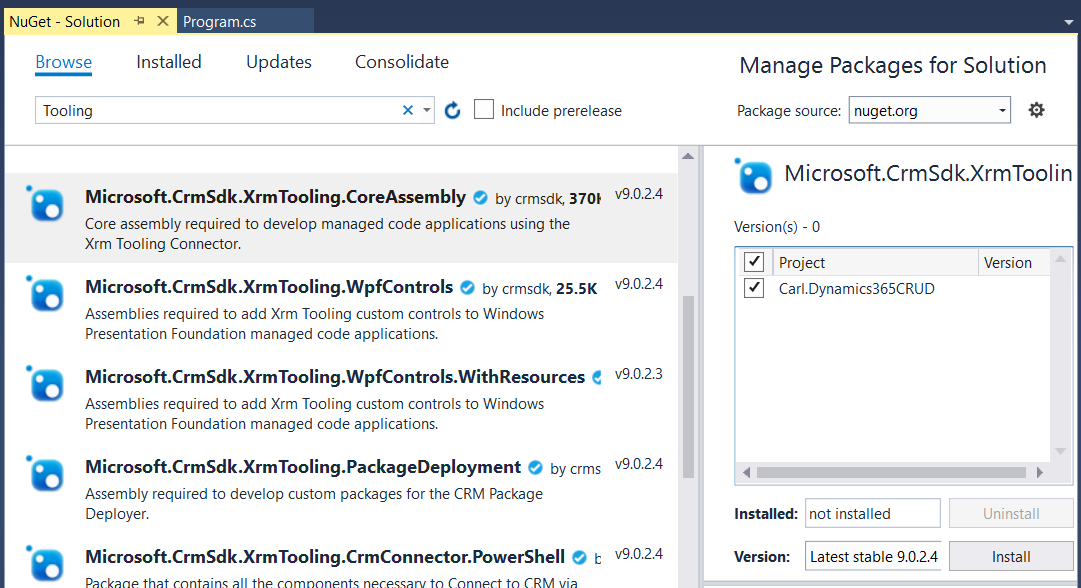
Add Microsoft.CrmSdk.Xrm.Tooling.CoreAssembly using NuGet:
Code:
[sourcecode language=”CSharp”] using System;using System.Collections.Generic;
using System.Linq;
using System.Text;
using System.Threading.Tasks;
using Microsoft.Xrm.Tooling.Connector;
using Microsoft.Xrm.Sdk;
using Microsoft.Crm.Sdk.Messages;
using Microsoft.Xrm.Sdk.Query;
namespace Carl.Dynamics365CRUD
{
class Program
{
static void Main(string[] args)
{
try
{
var connectionString = @"AuthType = Office365; Url = https://yourorg.crm.dynamics.com/;Username=youremail;Password=yourpwd";
CrmServiceClient conn = new CrmServiceClient(connectionString);
IOrganizationService service;
service = (IOrganizationService)conn.OrganizationWebProxyClient != null ? (IOrganizationService)conn.OrganizationWebProxyClient : (IOrganizationService)conn.OrganizationServiceProxy;
// Create a new record
Entity contact = new Entity("contact");
contact["firstname"] = "Bob";
contact["lastname"] = "Smith";
Guid contactId = service.Create(contact);
Console.WriteLine("New contact id: {0}.", contactId.ToString());
// Retrieve a record using Id
Entity retrievedContact = service.Retrieve(contact.LogicalName, contactId, new ColumnSet(true));
Console.WriteLine("Record retrieved {0}", retrievedContact.Id.ToString());
// Update record using Id, retrieve all attributes
Entity updatedContact = new Entity("contact");
updatedContact = service.Retrieve(contact.LogicalName, contactId, new ColumnSet(true));
updatedContact["jobtitle"] = "CEO";
updatedContact["emailaddress1"] = "test@test.com";
service.Update(updatedContact);
Console.WriteLine("Updated contact");
// Retrieve specific fields using ColumnSet
ColumnSet attributes = new ColumnSet(new string[] { "jobtitle", "emailaddress1" });
retrievedContact = service.Retrieve(contact.LogicalName, contactId, attributes);
foreach (var a in retrievedContact.Attributes)
{
Console.WriteLine("Retrieved contact field {0} – {1}", a.Key, a.Value);
}
// Delete a record using Id
service.Delete(contact.LogicalName, contactId);
Console.WriteLine("Deleted");
Console.ReadLine();
}
catch (Exception ex)
{
Console.WriteLine(ex.Message);
Console.ReadLine();
}
}
}
}
[/sourcecode]
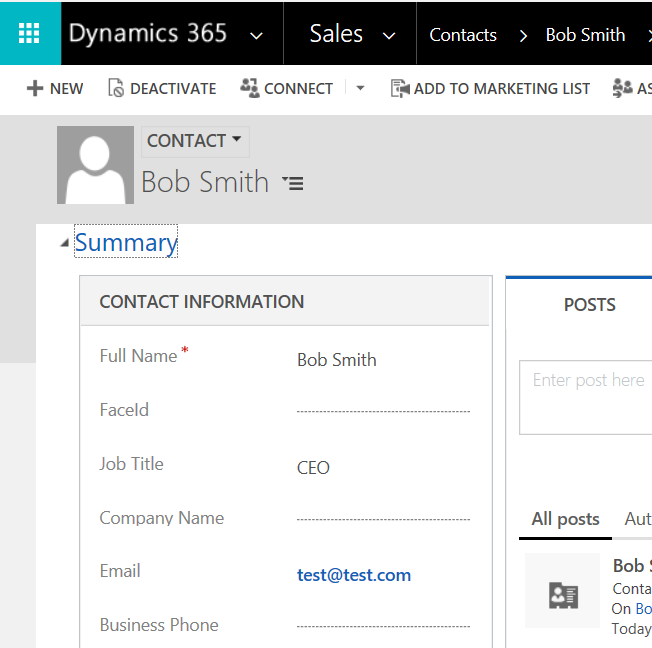
This produces:
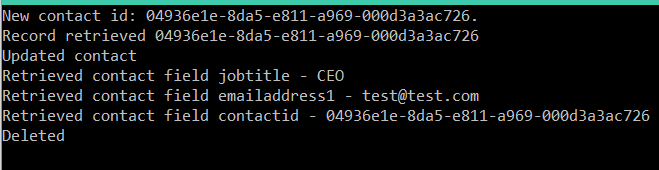
With the record before being deleted:
I AM SPENDING MORE TIME THESE DAYS CREATING YOUTUBE VIDEOS TO HELP PEOPLE LEARN THE MICROSOFT POWER PLATFORM.
IF YOU WOULD LIKE TO SEE HOW I BUILD APPS, OR FIND SOMETHING USEFUL READING MY BLOG, I WOULD REALLY APPRECIATE YOU SUBSCRIBING TO MY YOUTUBE CHANNEL.
THANK YOU, AND LET'S KEEP LEARNING TOGETHER.
CARL

Hi,
I followed the same step and tried to do the same in Dynamics CRM 365 Online contacts. Its says “cannot find record to be updated” ? But we are trying to create ?
hi, CARL DE SOUZA
Thank you for the taking time to share the knowledge really appreciate your efforts most helpful,
i am facing below error kindly suggest if any.
Thanks in advance
// Create a new record
Entity contact = new Entity(“contact”);
contact[“firstname”] = “Bob”;
contact[“lastname”] = “Smith”;
Guid contactId = service.Create(contact);
service.Create(contact);
Console.WriteLine(“New contact id: {0}.”, contactId.ToString());
}
catch (Exception ex)
{
Console.WriteLine(ex.Message);
Console.ReadLine();
}
ERROR:
“Object reference not set to an instance of an object.”
I’m also getting same error , anyone help to get through this error.
I followed the same steps
I am getting the same error. Please if any one can help.
hello did you get the solution i am also facing same problem
Excellent explanation