In Dynamics 365, setSubmitMode allows you to define for a field whether it is saved to the database.
For example, let’s say on the Account we do not want the Phone field saved when the user presses save on the form. To do this, we can create a web resource and add it to the OnLoad event of the Account form.
Note there are 3 options:
- never
- always
- isdirty
We will set the field to “never”:
function OnLoad()) {
   Xrm.Page.getAttribute("telephone1").setSubmitMode("never");
}
Enter a new account and enter a phone number:
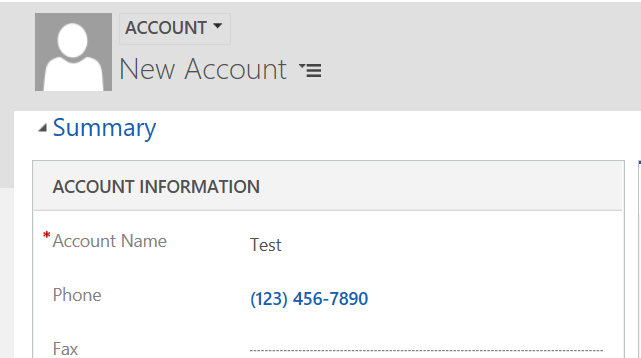
Click Save. After saving, the screen will refresh and the field will show as blank, i.e. not saved:
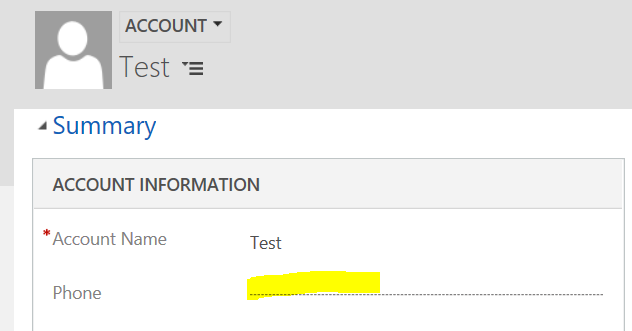
For more information: https://docs.microsoft.com/en-us/dynamics365/customer-engagement/developer/clientapi/reference/attributes/setsubmitmode

Explore AI, agents & Microsoft technology.
I share practical ideas, tutorials, and videos about AI, AI agents, Microsoft technologies, and the Power Platform.
Subscribe on YouTube →