Dapper is a lightweight ORM. Here we will go through an example of connecting Dapper to SQL Server in a C# application.
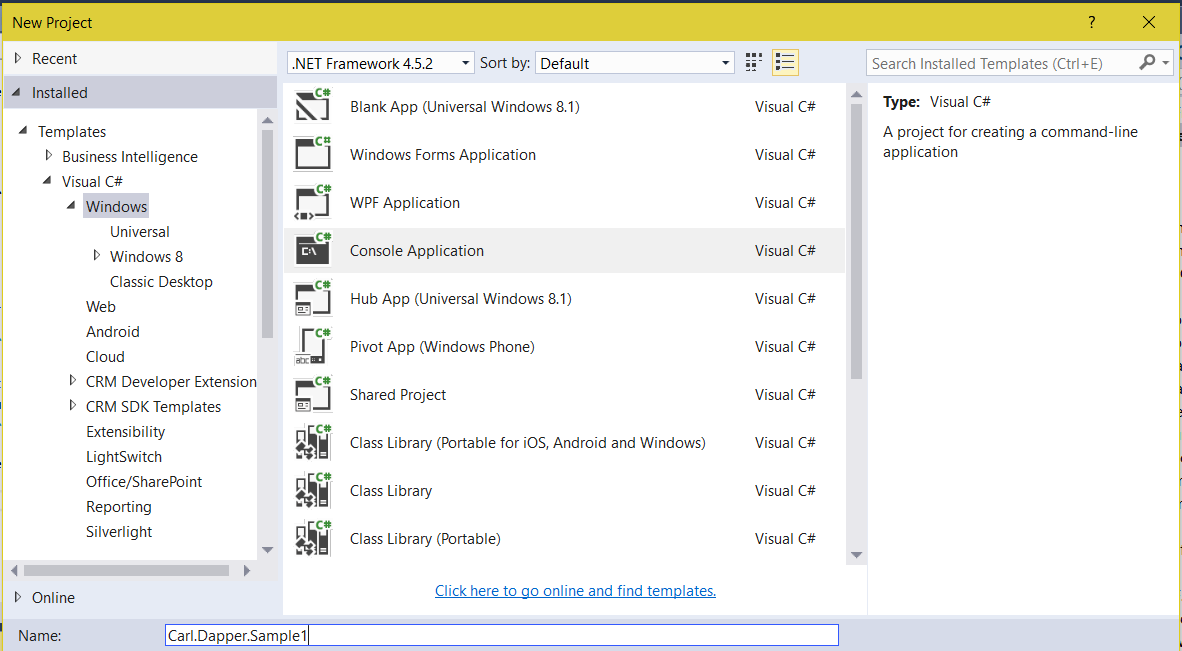
First, we will create a new Windows Console App:
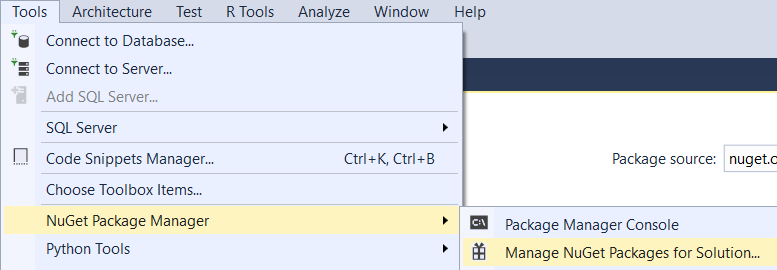
Go to Tools, NuGet Package Manager:
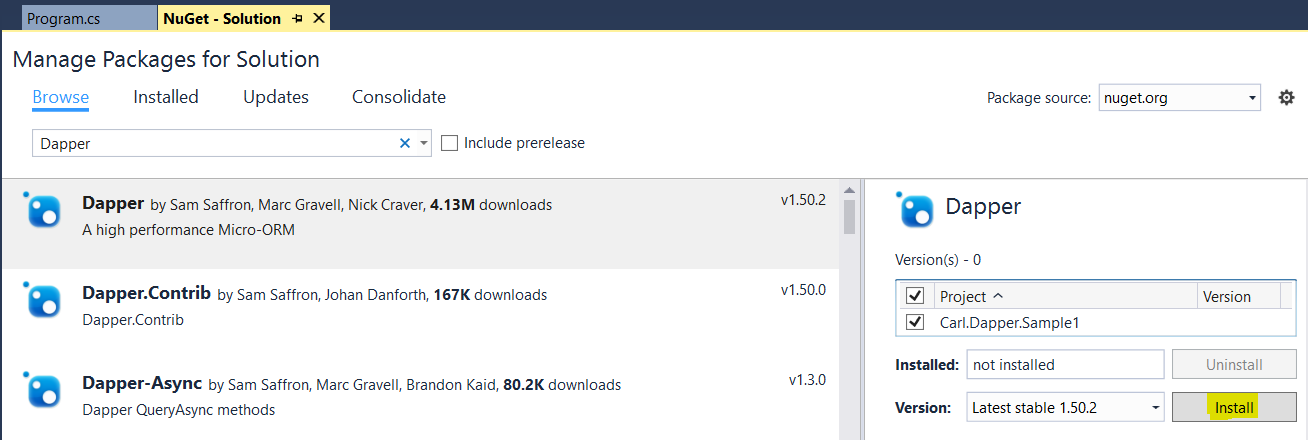
Search for Dapper and select Install:
You will see the following output:

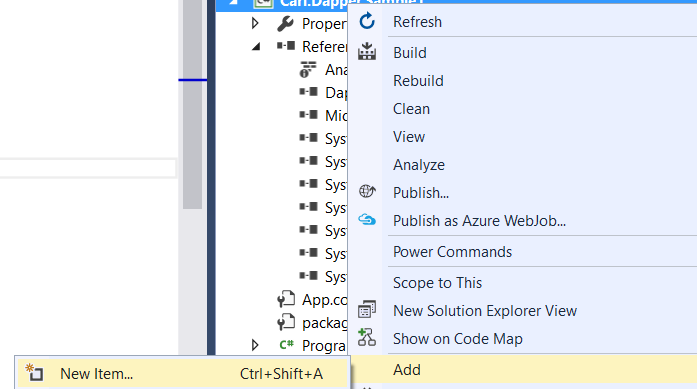
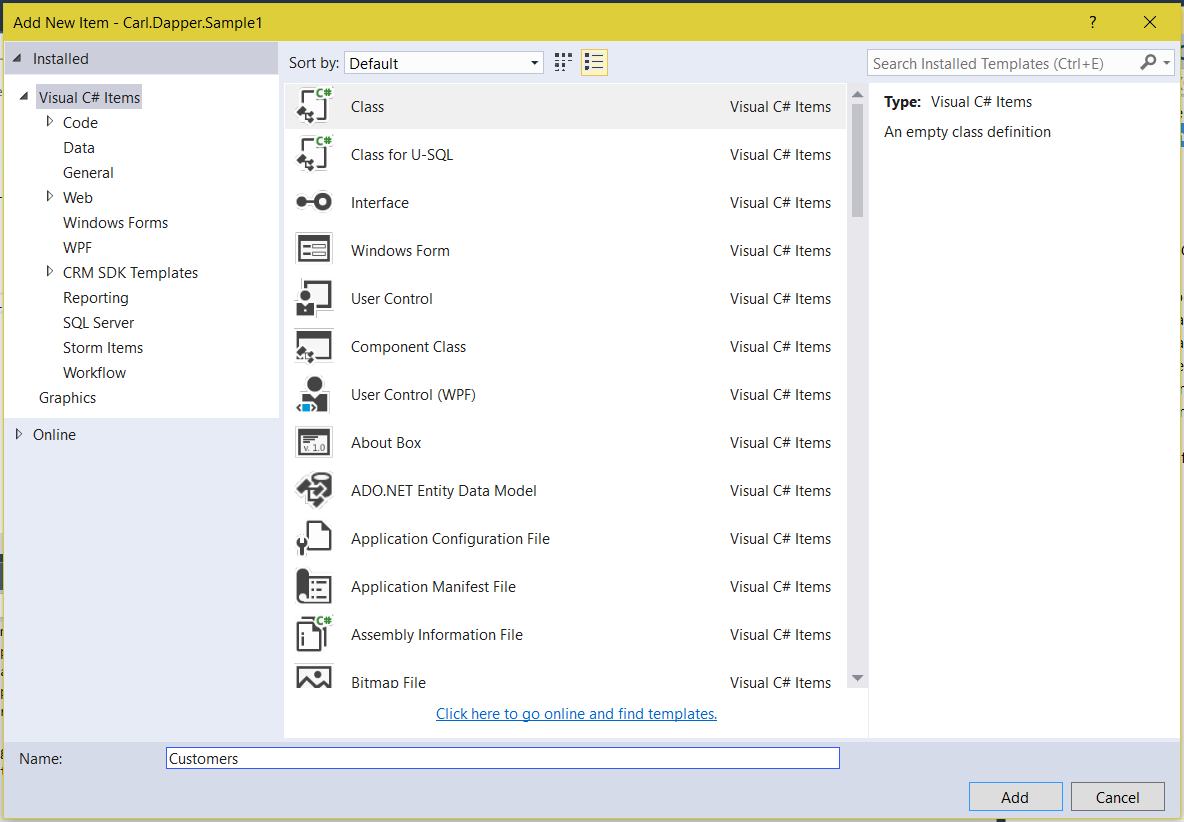
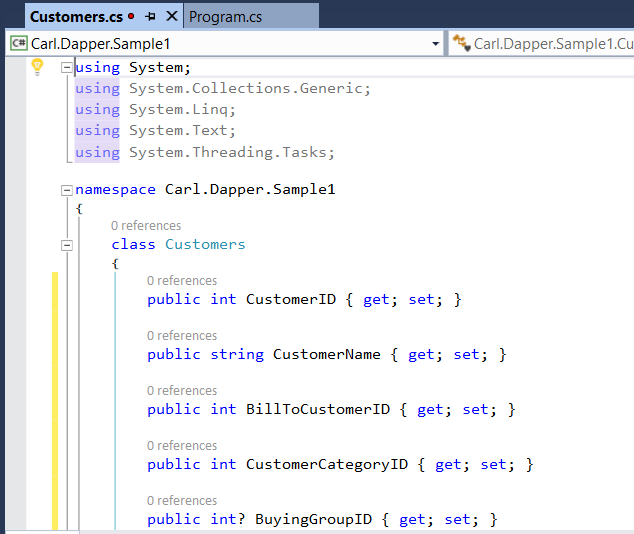
Next, create a class for the database object you will be connecting to. In our case, we will connect to the Sales.Customers table in the WideWorldImporters database. Select Add->New Item and select Class:
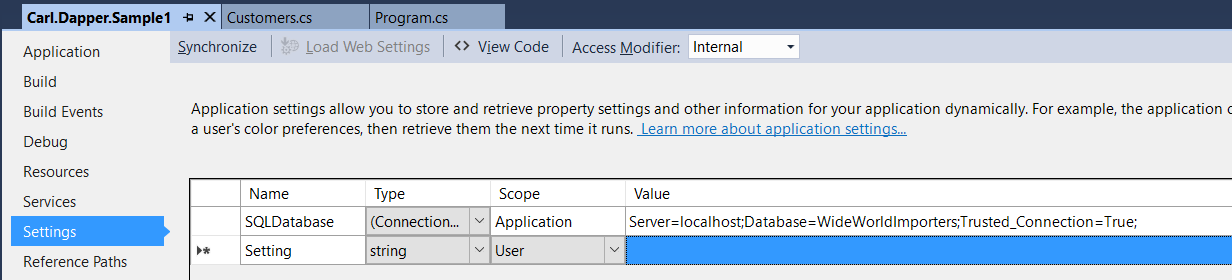
Next, create a connection string to the database:
We can now write code.
Add the following using statements:
using Dapper;
using System.Data;
using System.Data.SqlClient;
using System.Configuration;
And add a reference to the SystemConfiguration.dll.
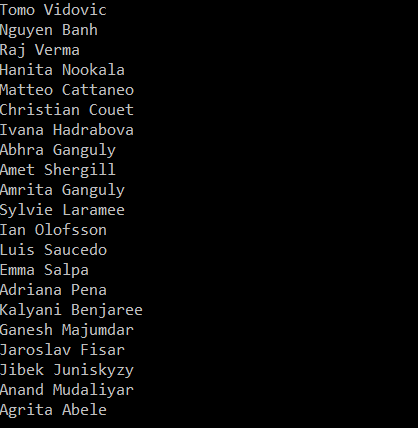
Now, add some code to read from the Sales.Customers table. We can return a list and loop through it to display the results.
using System;
using System.Collections.Generic;
using System.Linq;
using System.Text;
using System.Threading.Tasks;
using Dapper;
using System.Data;
using System.Data.SqlClient;
using System.Configuration;

namespace Carl.Dapper.Sample1
{
    class Program
    {
        static void Main(string[] args)
        {
            SqlConnection conn = new SqlConnection(ConfigurationManager.ConnectionStrings["SQLDatabase"].ConnectionString);
            string sql = "select * from Sales.Customers";

            using (conn)
            {
                conn.Open();
                var custList = (List<Customers>)conn.Query<Customers>(sql);
                foreach (Customers c in custList)
                {
                    Console.WriteLine(c.CustomerName);
                }
                Console.ReadLine();
            }


        }
    }
}
I AM SPENDING MORE TIME THESE DAYS CREATING YOUTUBE VIDEOS TO HELP PEOPLE LEARN THE MICROSOFT POWER PLATFORM.
IF YOU WOULD LIKE TO SEE HOW I BUILD APPS, OR FIND SOMETHING USEFUL READING MY BLOG, I WOULD REALLY APPRECIATE YOU SUBSCRIBING TO MY YOUTUBE CHANNEL.
THANK YOU, AND LET'S KEEP LEARNING TOGETHER.
CARL
