To create a new record of an entity in Dynamics 365, use the code below:
var account = {};
account.Name = "Sample Account";
var jsonAccount = window.JSON.stringify(account);

if (typeof($) === 'undefined') {
 $ = parent.$;
 jQuery = parent.jQuery;
}

$.ajax({
 type: "POST",
 contentType: "application/json; charset=utf-8",
 datatype: "json",
 url: Xrm.Page.context.getClientUrl() + "/XRMServices/2011/OrganizationData.svc/AccountSet",
 data: jsonAccount,
 beforeSend: function (XMLHttpRequest) {
 //Specifying this header ensures that the results will be returned as JSON.
 XMLHttpRequest.setRequestHeader("Accept", "application/json");
 },
 success: function (data, textStatus, XmlHttpRequest) {
 account = data.d;
 alert("Success");
 },
 error: function (XMLHttpRequest, textStatus, errorThrown) {
 errorHandler(XMLHttpRequest, textStatus, errorThrown);
 }
});
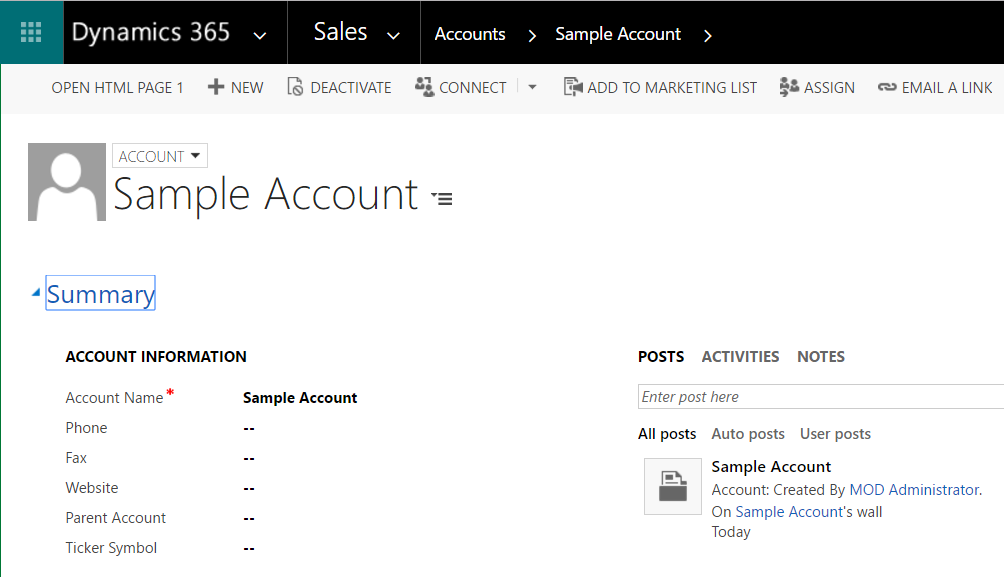
This will create the account in Dynamics 365:
THANKS FOR READING. BEFORE YOU LEAVE, I NEED YOUR HELP.
I AM SPENDING MORE TIME THESE DAYS CREATING YOUTUBE VIDEOS TO HELP PEOPLE LEARN THE MICROSOFT POWER PLATFORM.
IF YOU WOULD LIKE TO SEE HOW I BUILD APPS, OR FIND SOMETHING USEFUL READING MY BLOG, I WOULD REALLY APPRECIATE YOU SUBSCRIBING TO MY YOUTUBE CHANNEL.
THANK YOU, AND LET'S KEEP LEARNING TOGETHER.
CARL
