You can query Dynamics 365 data by using jQuery. Here we will go through an example.
We will be connecting to the OData Web service. The URL will be:
https://yourcrm.crm.dynamics.com/XRMServices/2011/OrganizationData.svc/
To access the AccountSet data, the URL will be:
https://yourcrm.crm.dynamics.com/XRMServices/2011/OrganizationData.svc/AccountSet
We can pass parameters to the OData to filter the data if required.
Add the following JavaScript code to somewhere in CRM. This will retrieve all accounts using jQuery and display the first one it finds:
function GetAccounts() {
 var serverUrl = Xrm.Page.context.getClientUrl();
 var odataSelect = serverUrl + "/XRMServices/2011/OrganizationData.svc/AccountSet";
 $.ajax(
 {
   type: "GET",
   async: false,
   contentType: "application/json; charset=utf-8",
   datatype: "json",
   url: odataSelect,
   beforeSend: function (XMLHttpRequest) {
    XMLHttpRequest.setRequestHeader("Accept", "application/json");
 },
 success: function (data, textStatus, XmlHttpRequest) {
   alert(data.d.results[0].Name);
 },
 error: function (XmlHttpRequest, textStatus, errorThrown) {
   alert('OData Select Failed: ' + textStatus + errorThrown + odataSelect);
 }
 }
 );
}
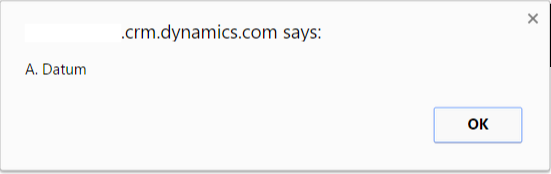
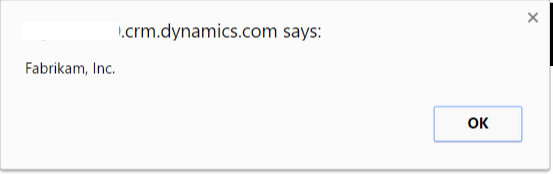
To loop through multiple entities, you can use the code below, which also filters accounts:
function run()
{
var serverUrl = Xrm.Page.context.getClientUrl();
var odataSelect = serverUrl + "/XRMServices/2011/OrganizationData.svc/AccountSet?$filter=Address1_City eq 'Redmond'";

if (typeof($) === 'undefined') {
 $ = parent.$;
 jQuery = parent.jQuery;
}

 $.ajax(
 {
 type: "GET",
 async: false,
 contentType: "application/json; charset=utf-8",
 datatype: "json",
 url: odataSelect,
 beforeSend: function (XMLHttpRequest) {
 XMLHttpRequest.setRequestHeader("Accept", "application/json");
 },
 success: function (data, textStatus, XmlHttpRequest) {

for( i=0; i< data.d.results.length; i++)
 {
 var result = data.d.results[i];
 alert(result.Name);
 }

 },
 error: function (XmlHttpRequest, textStatus, errorThrown) {
 alert('OData Select Failed: ' + textStatus + errorThrown + odataSelect);
 }
 }
 );
}
This will display multiple alerts of account names:

Explore AI, agents & Microsoft technology.
I share practical ideas, tutorials, and videos about AI, AI agents, Microsoft technologies, and the Power Platform.
Subscribe on YouTube →
Thanks ! This is really great stuff.
I can see this working from a html webresource, but can it also work from a Jscript associated to a CRM Form (in general)?
Thank you.