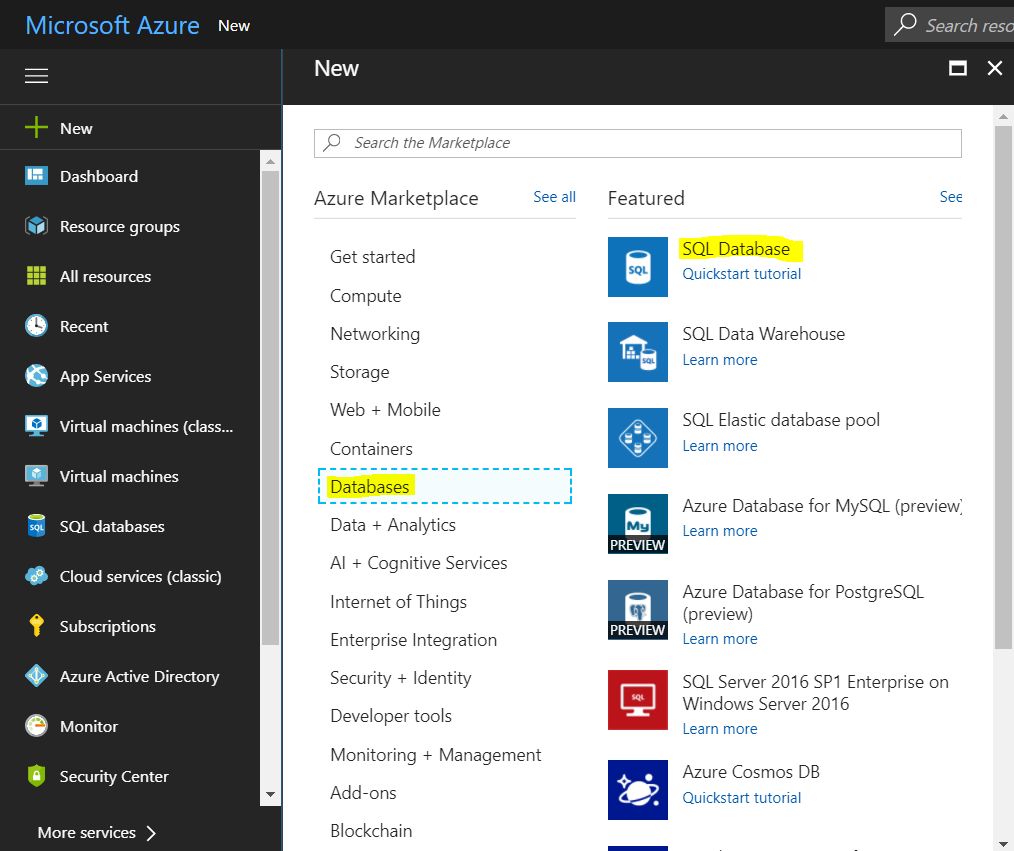
To create an Azure SQL Database, go to portal.azure.com and select New->Databases->SQL Database:
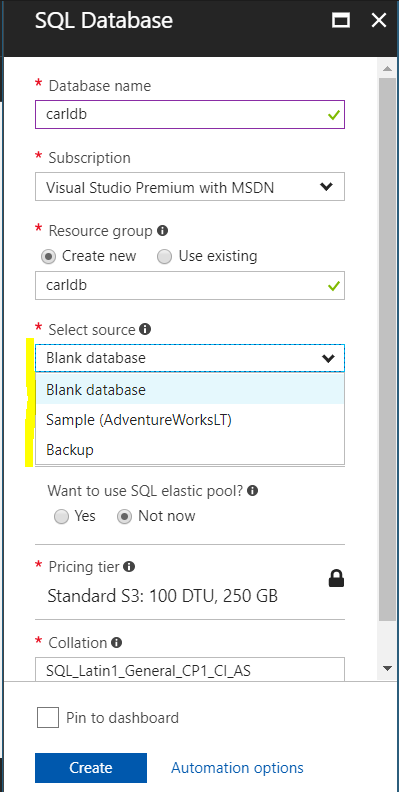
Enter a name and select the source. You can select:
- Blank database
- Sample (AdventureWorksLT)
- Backup
We will select Sample (AdventureWorksLT):
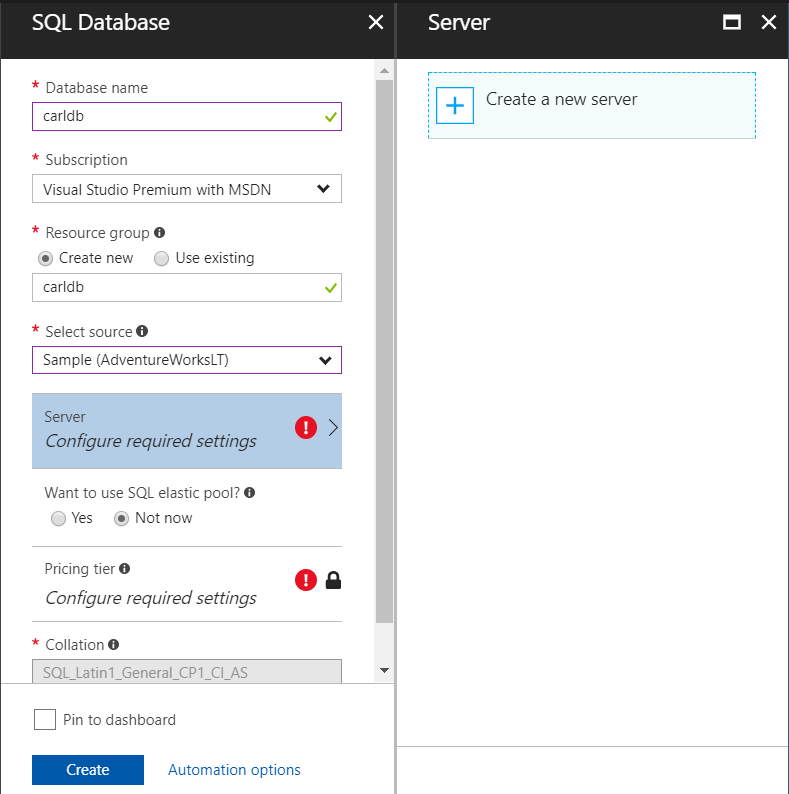
Select to create a new server:
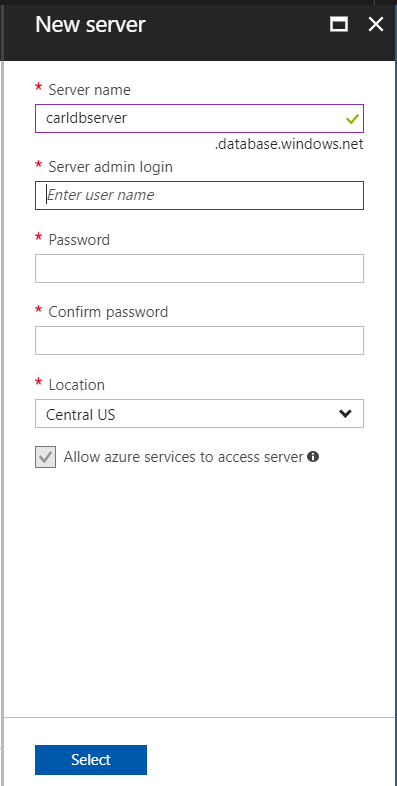
Enter the server name and enter a login name and credentials:
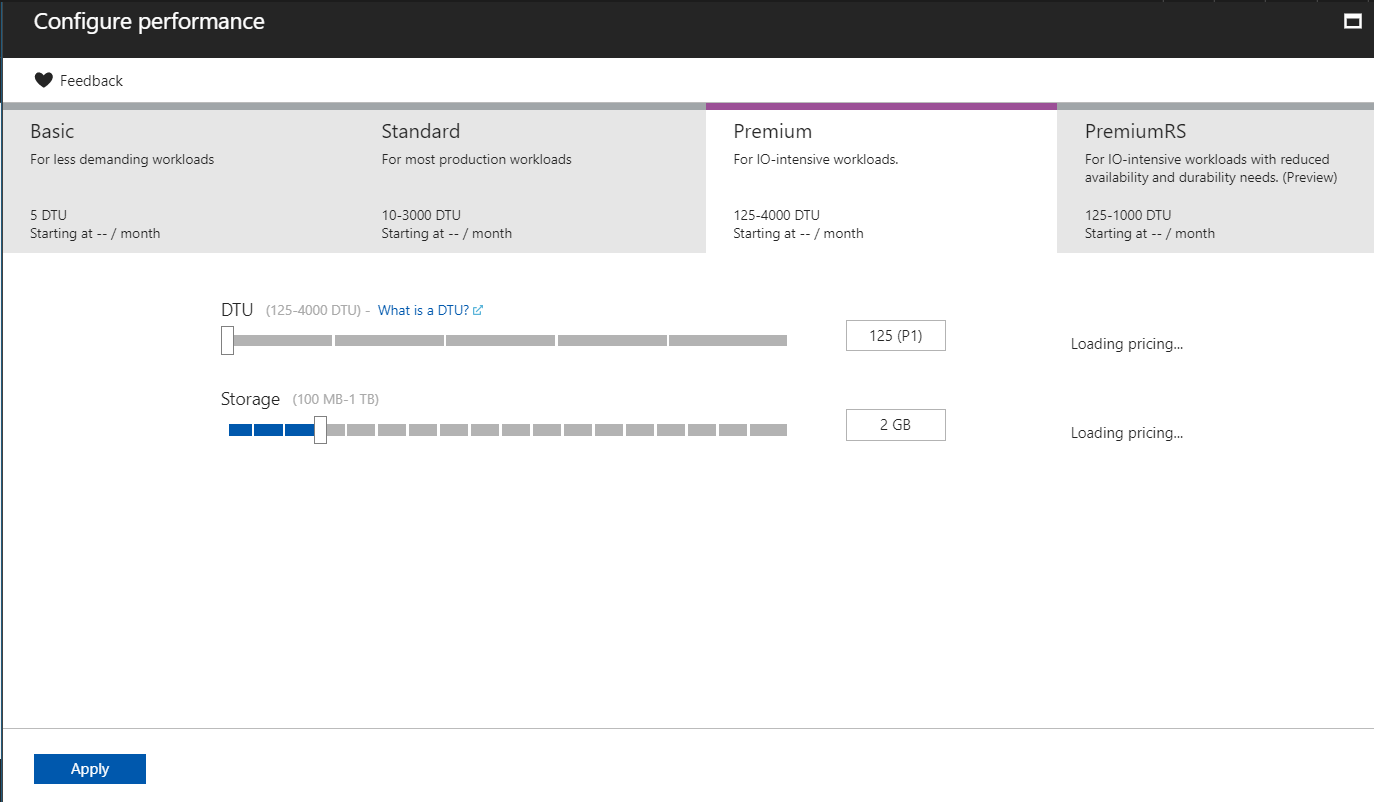
Click to select the type of SQL Server. Select the DTUs:
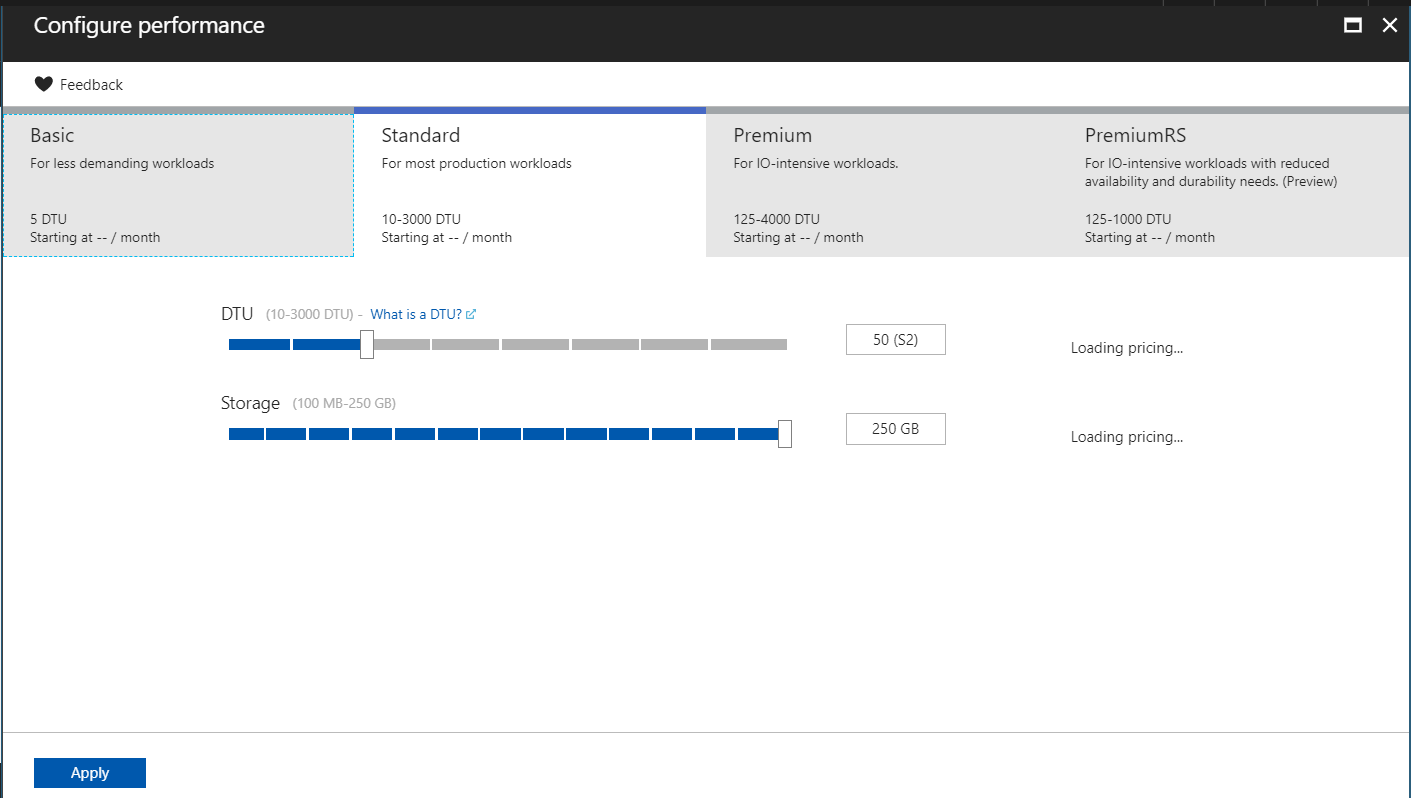
Click Apply and Create.
Once the server has been deployed, you can see the full server name:
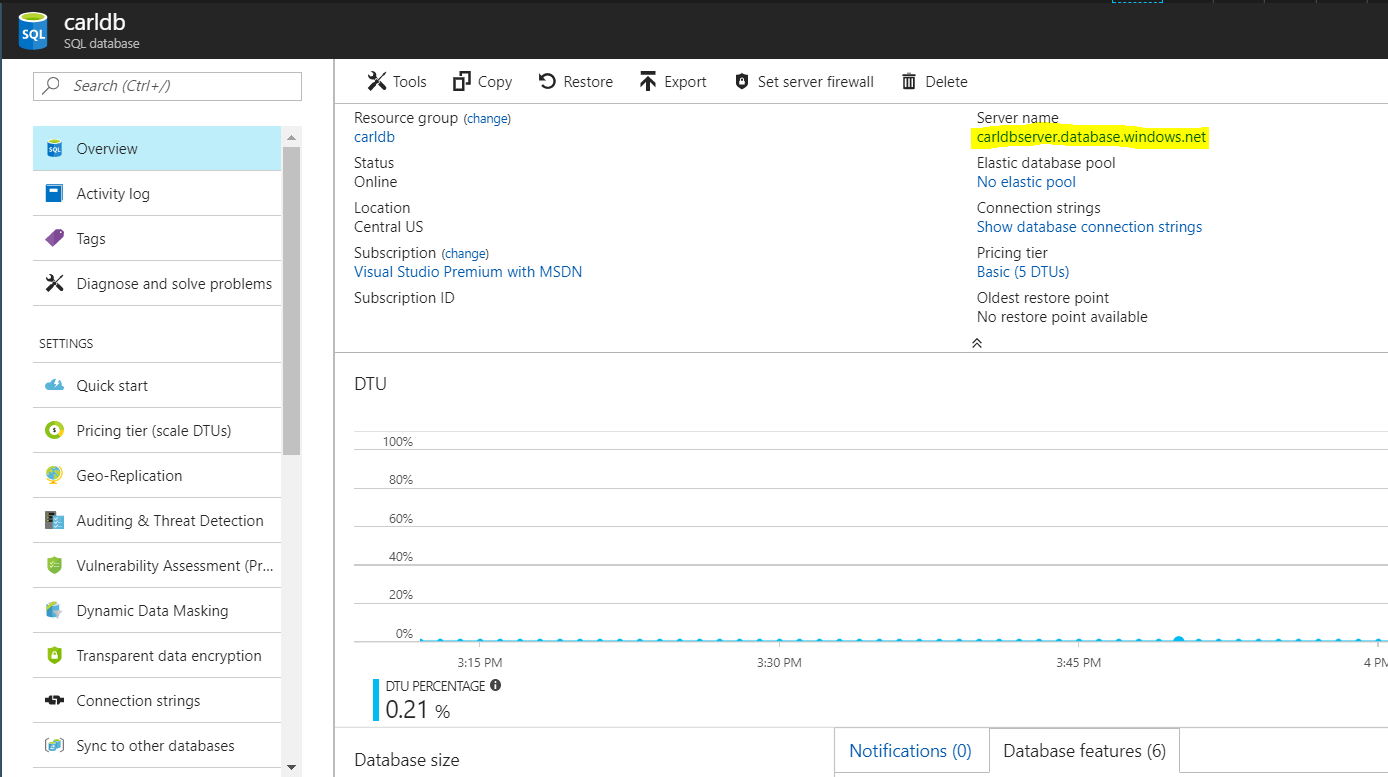
You can now connect to it from SQL Server Management Studio.
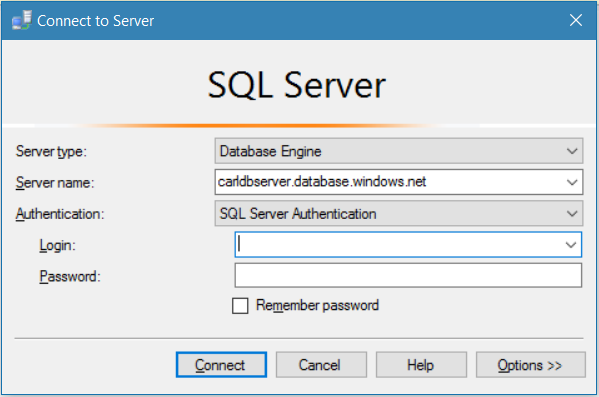
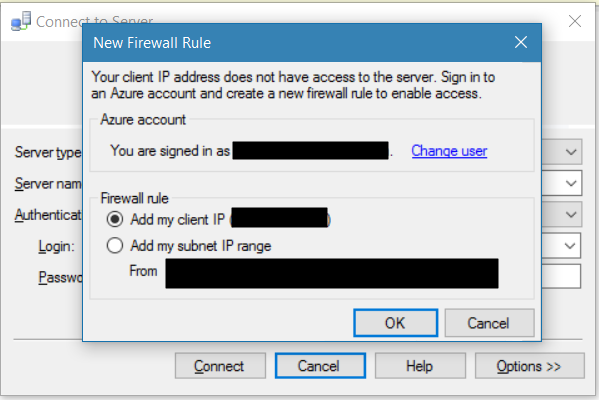
You will see the message:
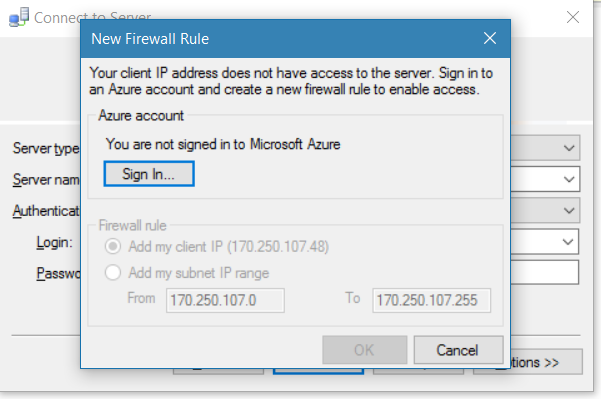
Select to add your IP:
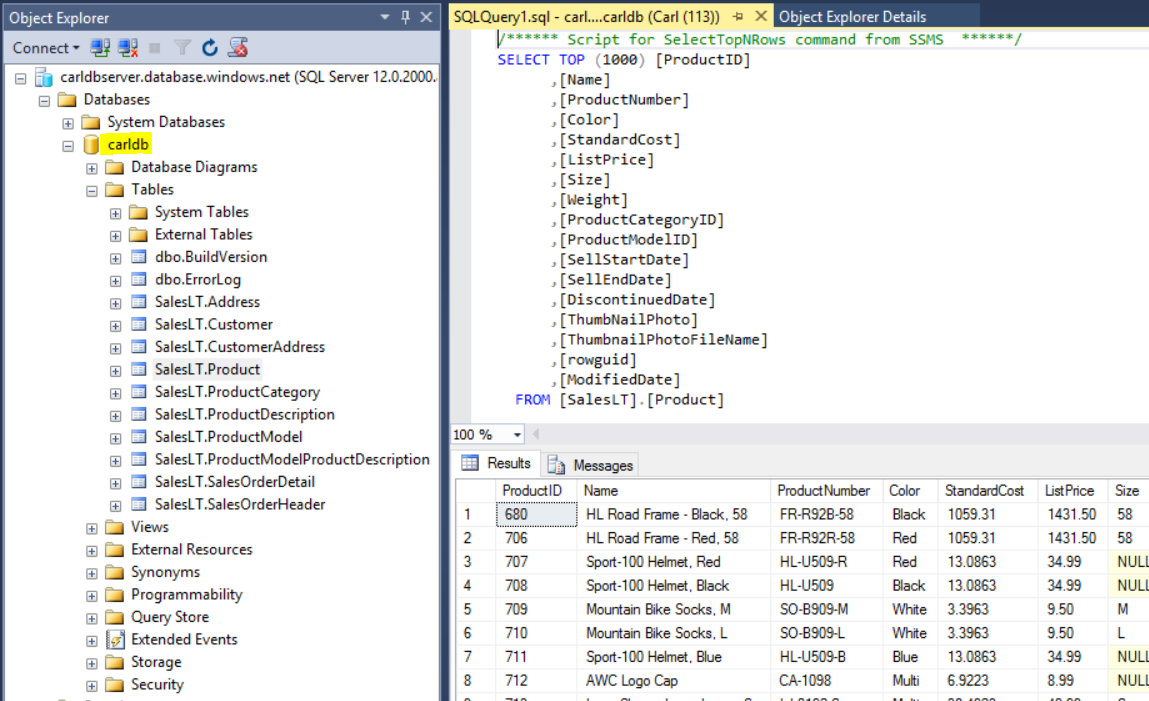
Expand the carldb database we created above to see the sample data:
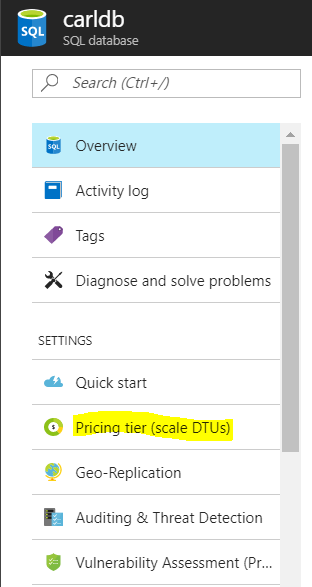
To change the SQL Server performance, in Azure portal:
I AM SPENDING MORE TIME THESE DAYS CREATING YOUTUBE VIDEOS TO HELP PEOPLE LEARN THE MICROSOFT POWER PLATFORM.
IF YOU WOULD LIKE TO SEE HOW I BUILD APPS, OR FIND SOMETHING USEFUL READING MY BLOG, I WOULD REALLY APPRECIATE YOU SUBSCRIBING TO MY YOUTUBE CHANNEL.
THANK YOU, AND LET'S KEEP LEARNING TOGETHER.
CARL
