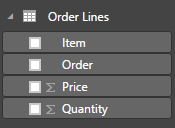
Let’s start with a dataset that has sales orders. There are sales order lines:
And the data looks like this:
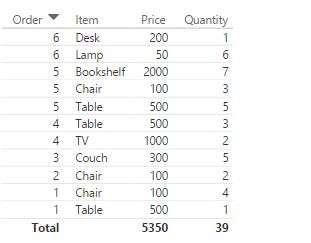
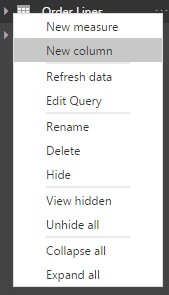
However, there is no extended price in this dataset. To calculate it, let’s add a new calculated column. Click on the ellipse on the dataset:

And select New column:
Add the formula:

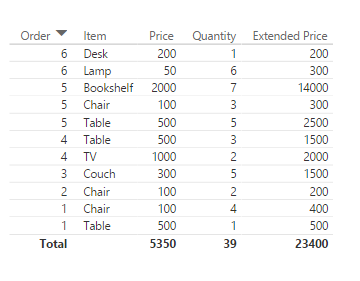
The new column will appear in the dataset:
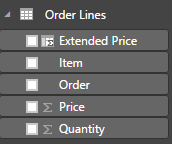
And the new column can be added to our Power BI table:
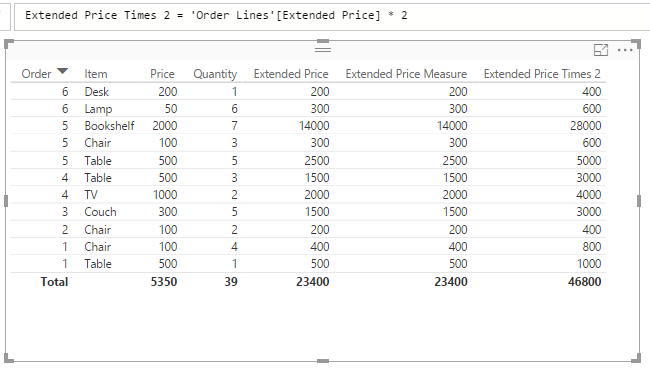
You can then use that calculated column in measures:

And other calculated column calculations:
I AM SPENDING MORE TIME THESE DAYS CREATING YOUTUBE VIDEOS TO HELP PEOPLE LEARN THE MICROSOFT POWER PLATFORM.
IF YOU WOULD LIKE TO SEE HOW I BUILD APPS, OR FIND SOMETHING USEFUL READING MY BLOG, I WOULD REALLY APPRECIATE YOU SUBSCRIBING TO MY YOUTUBE CHANNEL.
THANK YOU, AND LET'S KEEP LEARNING TOGETHER.
CARL
