In this post we will look at how to add a function to field in Dynamics 365 / Power Apps, so when a form loads, the function will run on change of the field. We can do this by using addOnChange.
Let’s say I have a field called My Optional Field (new_myoptionalfield) which is on an entity called My New Entity. The field is on the main form:
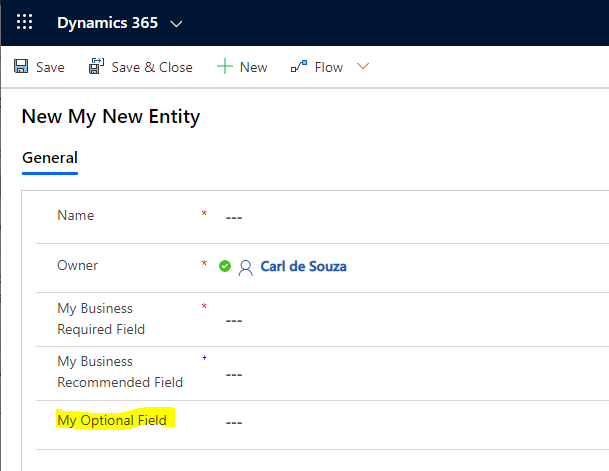
Now let’s say when this form loads, we want to bind a JavaScript function to this field. The function will simply display an alert to the user, “Field has changed”.
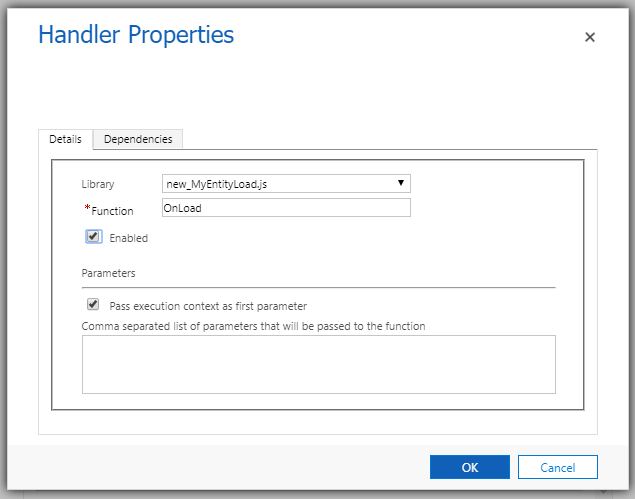
On the form, let’s create a new script on load of the form. We will use the context to get the field, new_myoptionalfield, then use addOnChange to bind our function, DisplayAlert, to the field. Note the execution context is passed automatically as the first parameter to the function in case we need it:
[sourcecode language=”JavaScript”] function OnLoad(executionContext) {var formContext = executionContext.getFormContext();
formContext.getAttribute("new_myoptionalfield").addOnChange(DisplayAlert)
}
function DisplayAlert(executionContext) {
alert("Field has changed");
}
[/sourcecode]
Add this to the form OnLoad:
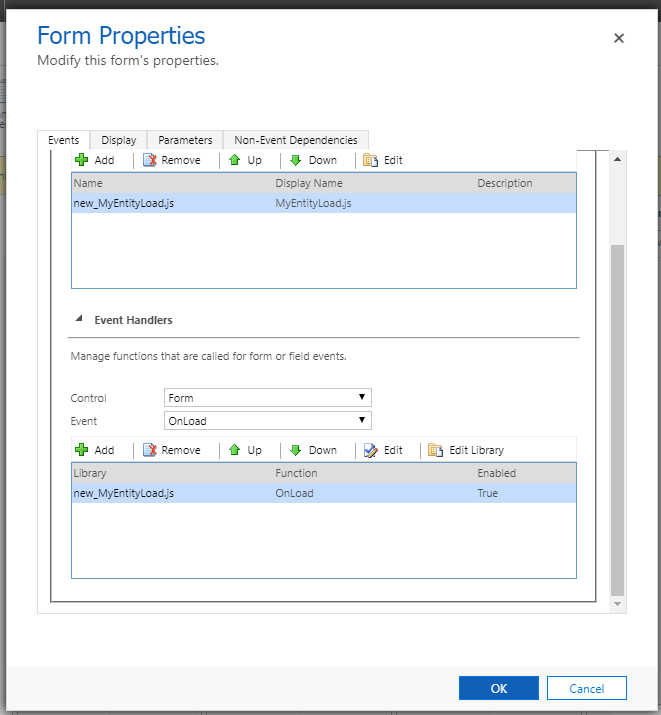
Passing the Context:
Publish the customization.
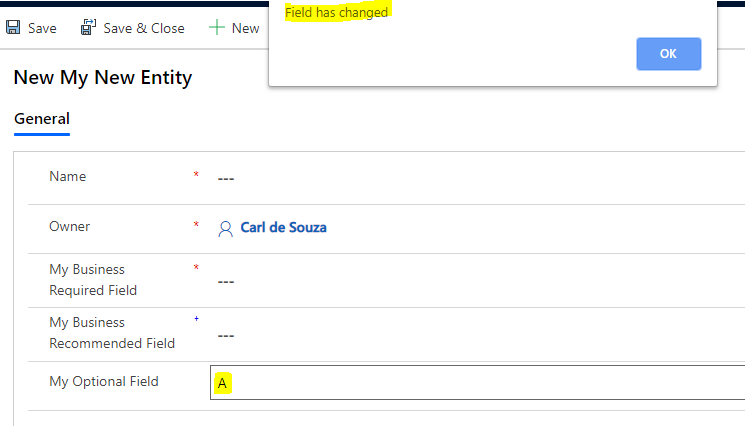
Now, go to the form, and add a value to the field My Optional Field. We see our alert displayed. If we tab in and out of the field, this will not run, only on field changing:
I AM SPENDING MORE TIME THESE DAYS CREATING YOUTUBE VIDEOS TO HELP PEOPLE LEARN THE MICROSOFT POWER PLATFORM.
IF YOU WOULD LIKE TO SEE HOW I BUILD APPS, OR FIND SOMETHING USEFUL READING MY BLOG, I WOULD REALLY APPRECIATE YOU SUBSCRIBING TO MY YOUTUBE CHANNEL.
THANK YOU, AND LET'S KEEP LEARNING TOGETHER.
CARL

I am using a decimal number type filed. If I add text value to the field, the validation triggers before the onChange event. Does the default validation fire before the onChange event? If so, how do I handle it? Thank you.
[…] execution context of Dynamics 365. This means that we can set & get a shared variable whenever a JavaScript function is called using the form’s event […]