In this post, we will create a console app that accepts arguments or switches.
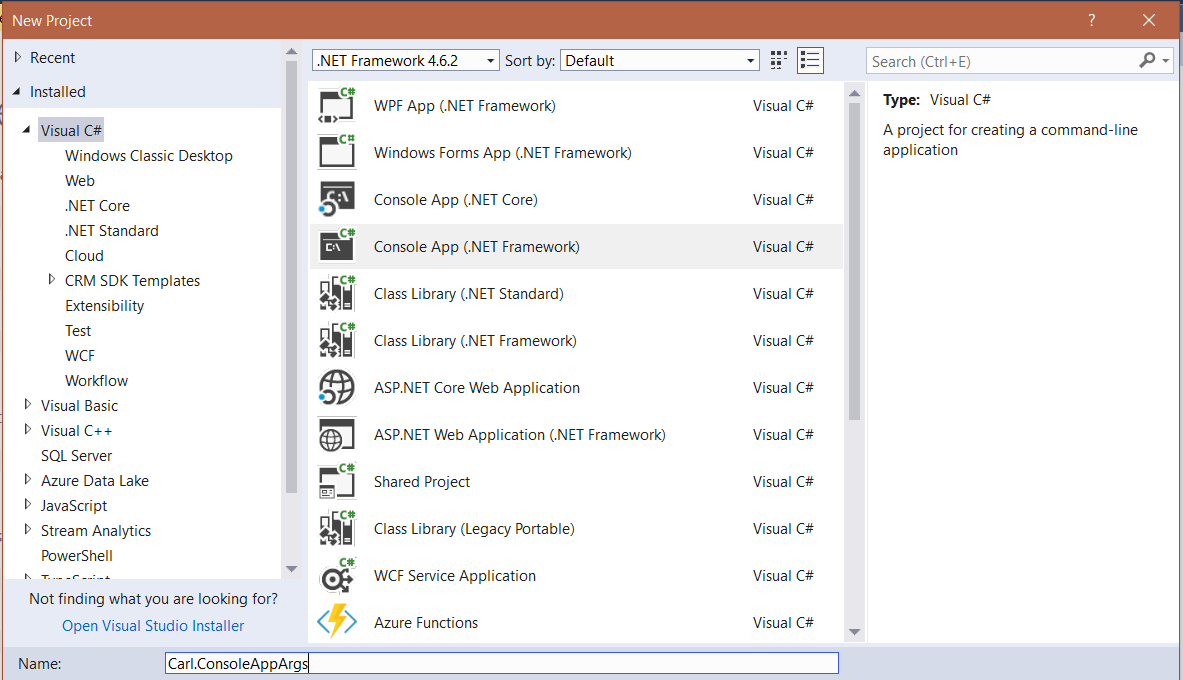
In Visual Studio, create a new console app:
The args parameter gives us what the user has entered, e.g:
sampleapp.exe -something /i dosomething
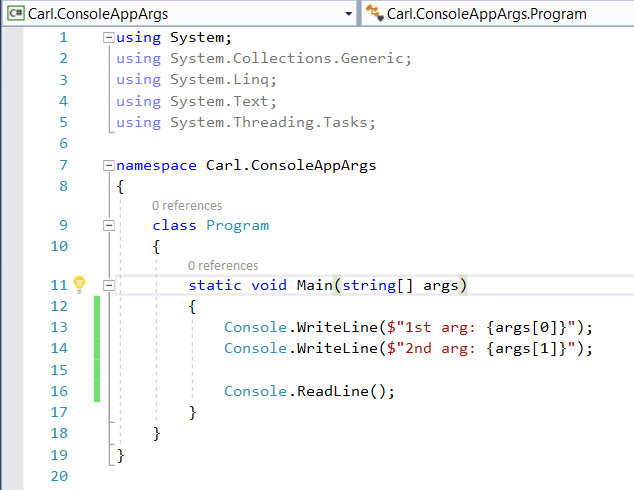
Add some code to print the arguments the user has provided. We will print the first 2 arguments:
Now, run the app and provide 2 arguments. We can see when we provide SampleArg1 and SampleArg2 as the first 2 arguments, these are printed out:

Knowing this, we can add switch or if statements to determine what to do when we encounter certain parameters, with prefixes such as “-“, “/” etc. For example, we can add code to look for a switch, such as “/l”:
[sourcecode language=”CSharp”] using System;using System.Collections.Generic;
using System.Linq;
using System.Text;
using System.Threading.Tasks;
namespace Carl.ConsoleAppArgs
{
class Program
{
static void Main(string[] args)
{
foreach (string arg in args)
{
if (arg.StartsWith("/"))
{
switch (arg.Substring(1))
{
case "j":
Console.WriteLine("You entered /j");
break;
case "l":
Console.WriteLine("You entered /l");
break;
default:
break;
}
}
}
Console.ReadLine();
}
}
}
Running this, if we enter an unknown switch, nothing will happen. With a known switch such as /j, we get a response:

I AM SPENDING MORE TIME THESE DAYS CREATING YOUTUBE VIDEOS TO HELP PEOPLE LEARN THE MICROSOFT POWER PLATFORM.
IF YOU WOULD LIKE TO SEE HOW I BUILD APPS, OR FIND SOMETHING USEFUL READING MY BLOG, I WOULD REALLY APPRECIATE YOU SUBSCRIBING TO MY YOUTUBE CHANNEL.
THANK YOU, AND LET'S KEEP LEARNING TOGETHER.
CARL
