“use strict” is a feature of JavaScript that tells the compiler to use a strict context. For example, consider the code below. This code produces no errors, and displays “1” in the console:
[sourcecode language=”JavaScript”] "use strict";try
{
var i = 1;
console.log(i);
}
catch(e)
{
console.error(e);
}
[/sourcecode]
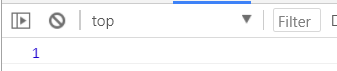
However, let’s say we didn’t include “var” before our variable. In normal JavaScript without using “use strict”, this would be fine. However, with “use strict”, it throws an error:
[sourcecode language=”JavaScript”] "use strict";try
{
i = 1;
console.log(i);
}
catch(e)
{
console.error(e);
}
[/sourcecode]

For more information: https://developer.mozilla.org/en-US/docs/Web/JavaScript/Reference/Strict_mode
I AM SPENDING MORE TIME THESE DAYS CREATING YOUTUBE VIDEOS TO HELP PEOPLE LEARN THE MICROSOFT POWER PLATFORM.
IF YOU WOULD LIKE TO SEE HOW I BUILD APPS, OR FIND SOMETHING USEFUL READING MY BLOG, I WOULD REALLY APPRECIATE YOU SUBSCRIBING TO MY YOUTUBE CHANNEL.
THANK YOU, AND LET'S KEEP LEARNING TOGETHER.
CARL
