To set up a new currency in the system, go to Settings->Business Management and select Currencies:
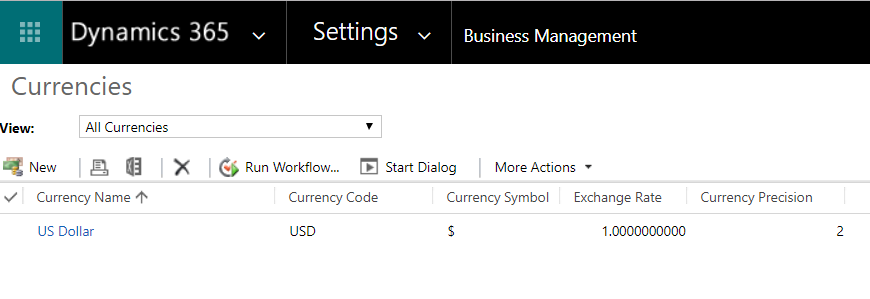 Click New:
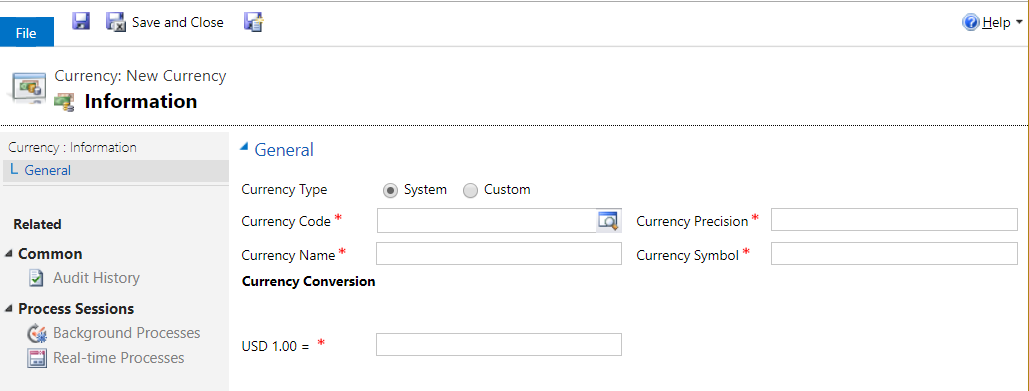
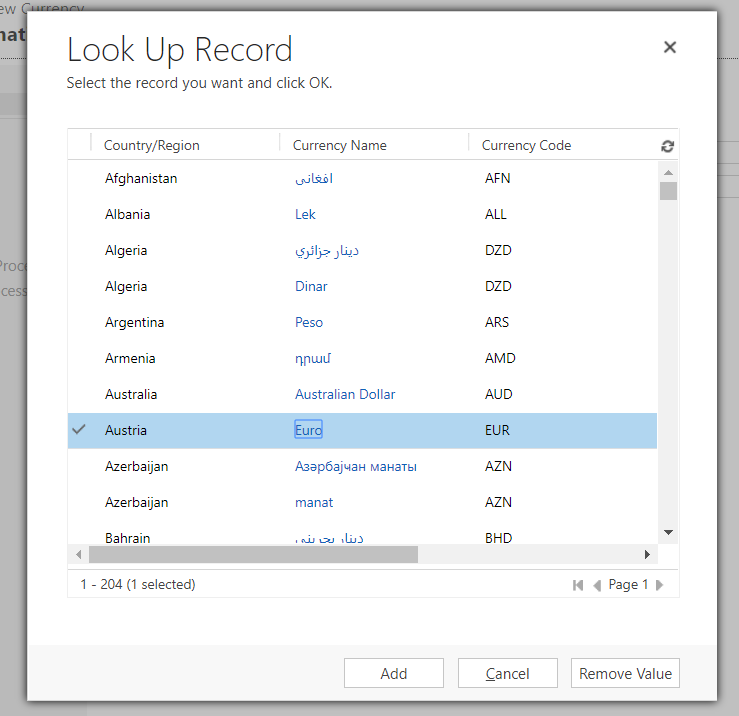
Use the currency code lookup to select a currency:
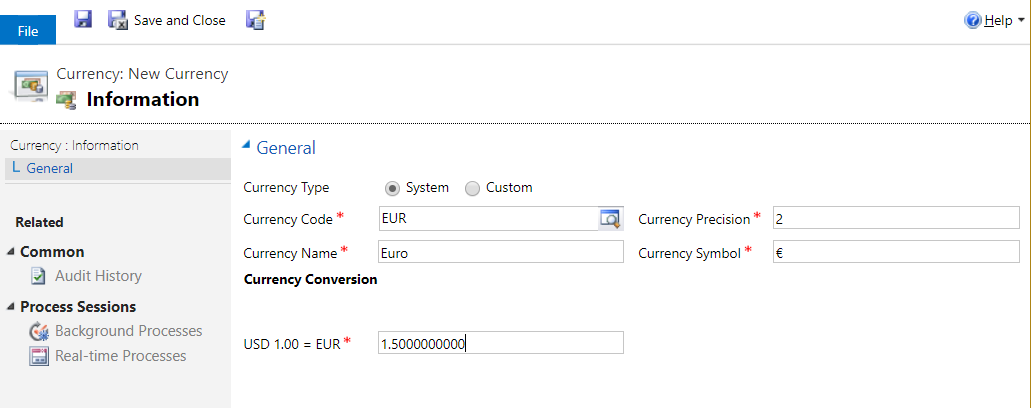
Set the conversion rate:
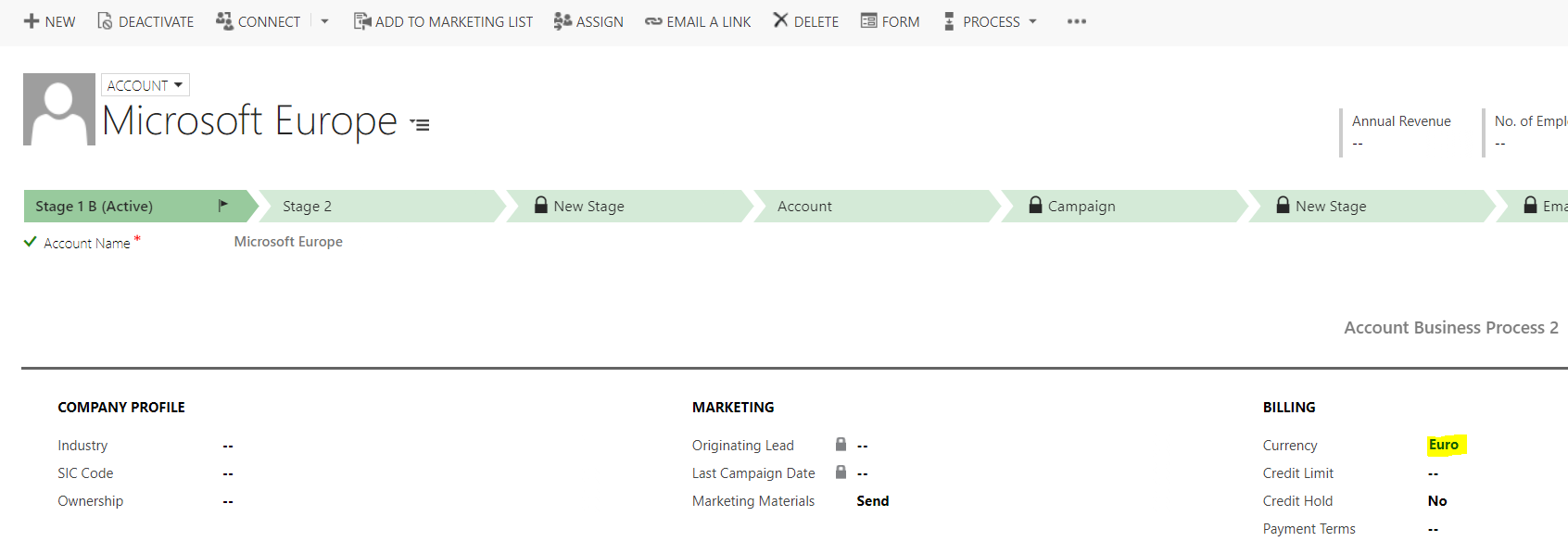
Now, on the Account record, you can set the account’s currency:
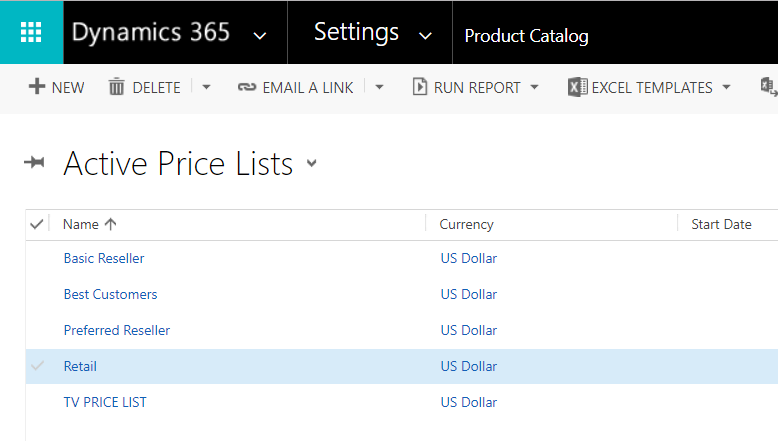
Now, go to Settings->Product Catalog and select Price Lists:
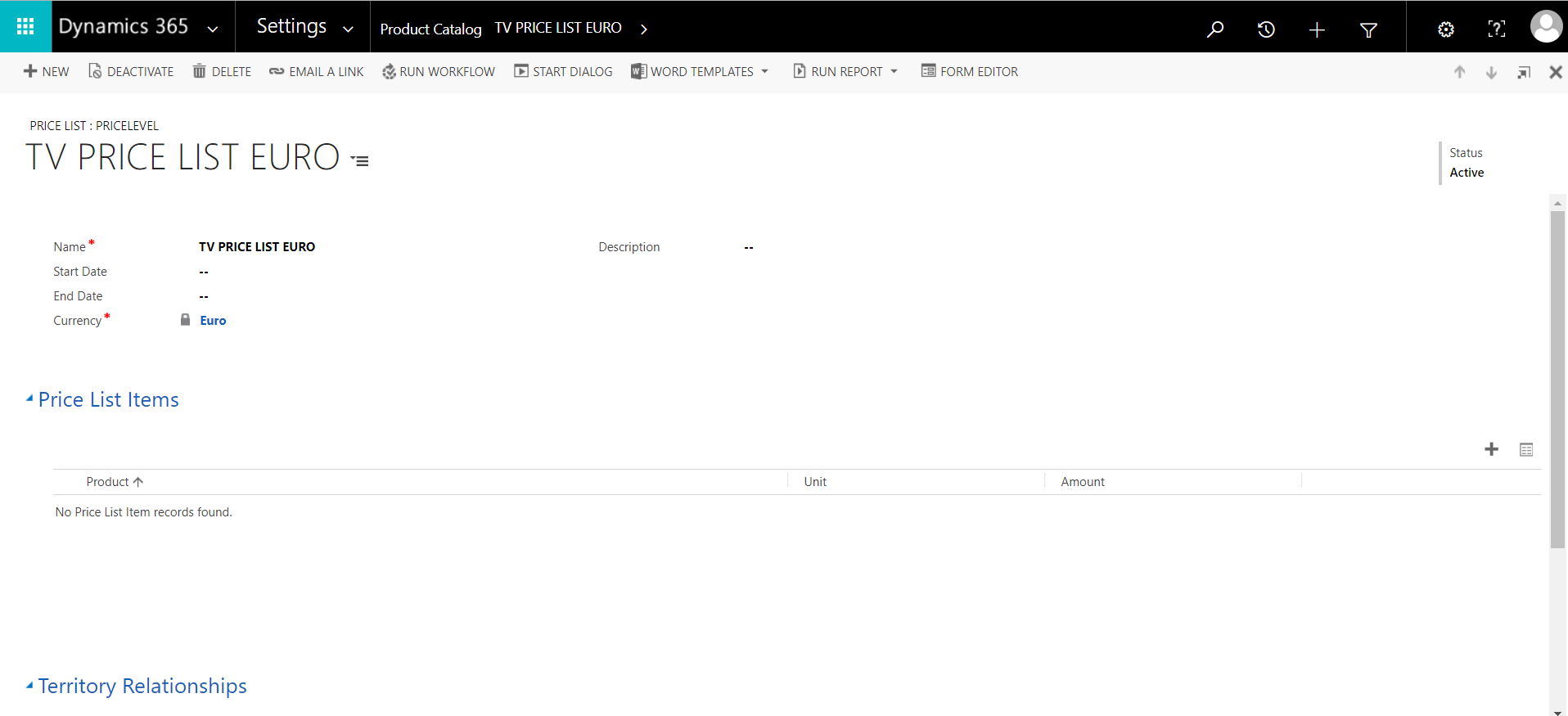
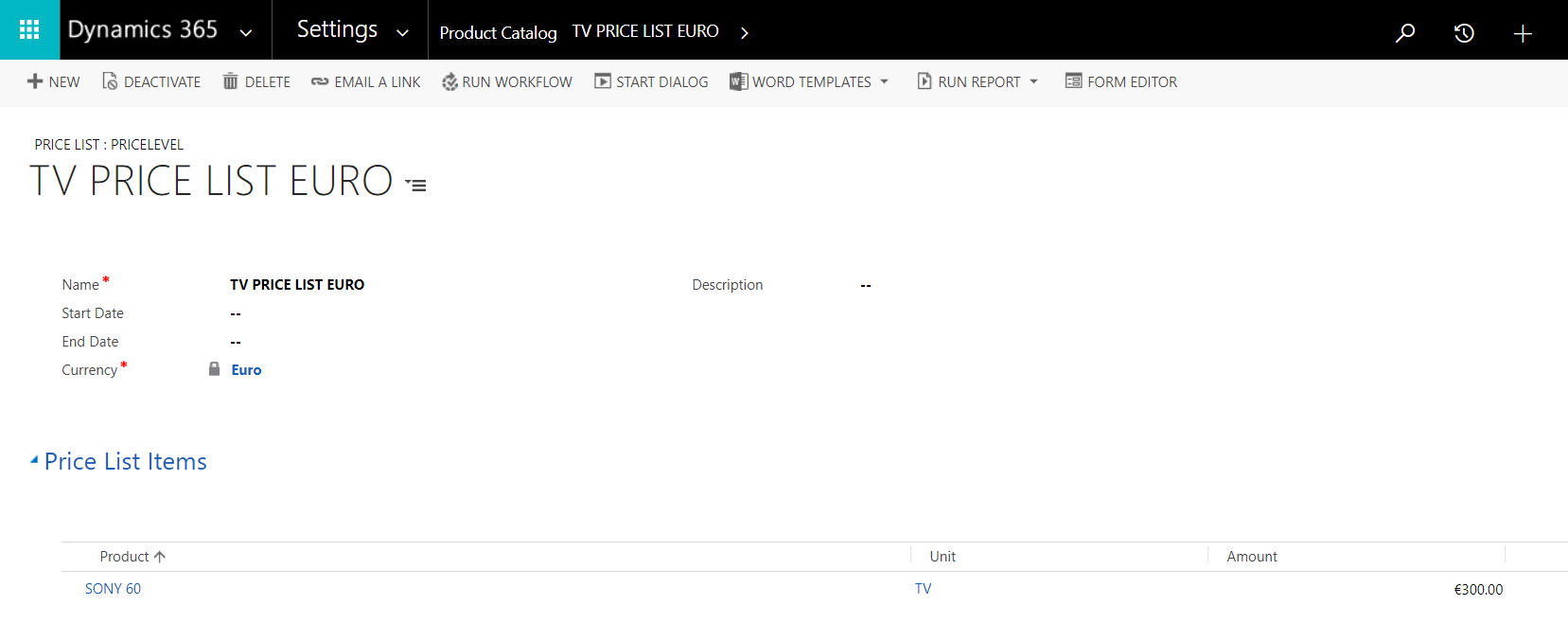
Create a new price list. Set the currency to Euro:
Add a price list:
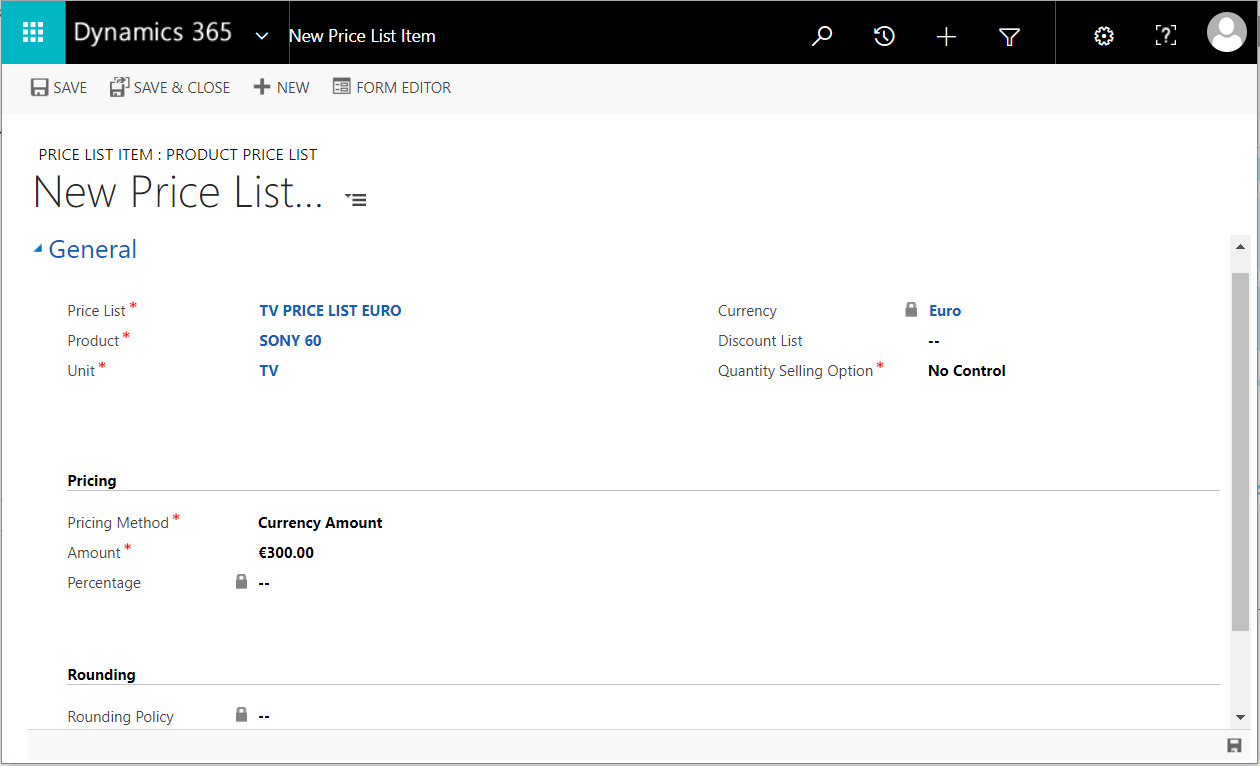
Save the price list to add it to the Product Catalog:
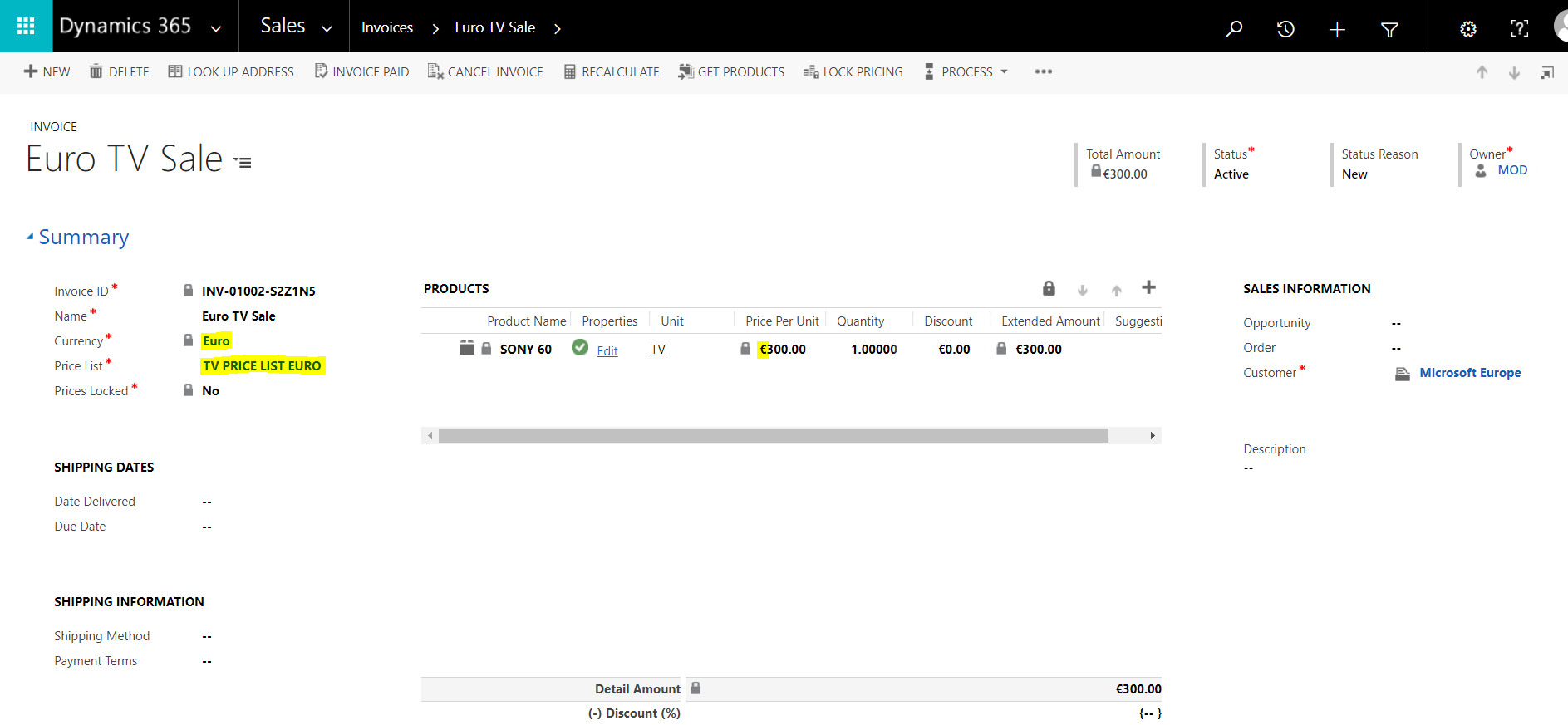
Now, when you create a transaction such as an invoice, you will be able to select the currency and also the price list. The products will then be in that currency:
I AM SPENDING MORE TIME THESE DAYS CREATING YOUTUBE VIDEOS TO HELP PEOPLE LEARN THE MICROSOFT POWER PLATFORM.
IF YOU WOULD LIKE TO SEE HOW I BUILD APPS, OR FIND SOMETHING USEFUL READING MY BLOG, I WOULD REALLY APPRECIATE YOU SUBSCRIBING TO MY YOUTUBE CHANNEL.
THANK YOU, AND LET'S KEEP LEARNING TOGETHER.
CARL
