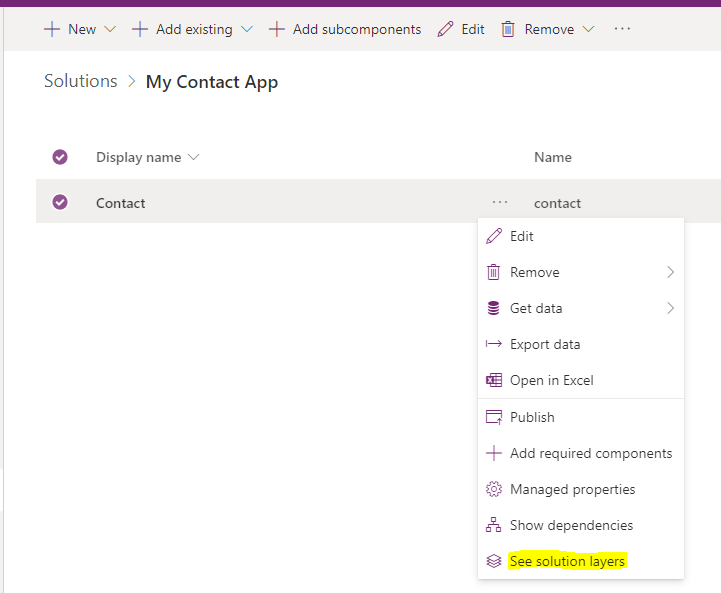
To find which layer a component belongs to in the Power Platform, open the component and select it, then go to See solution layers:
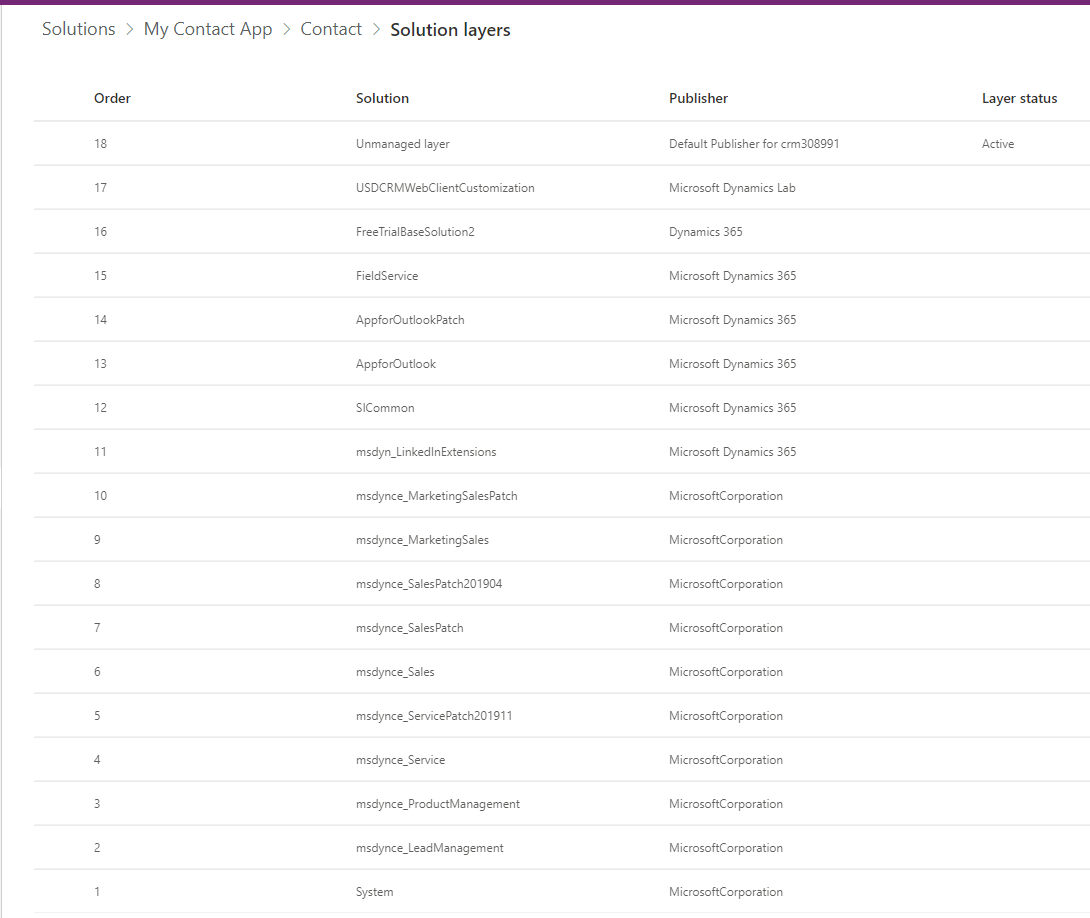
We see the order of each later, starting with the System layer at number 1. Then each solution has a layer number, and at the top we have the active layer, in this case at number 18:
For more information on layering of solutions, see this post on Patching of Solutions in the Microsoft Power Platform.

Keep learning. Keep building.
Explore AI, agents & Microsoft technology.
I share practical ideas, tutorials, and videos about AI, AI agents, Microsoft technologies, and the Power Platform.
Subscribe on YouTube →Carl de Souza Enterprise Architect at Microsoft · AI Technology Expert
