Microsoft has created Dataverse Skills for AI coding agents, giving tools such as GitHub Copilot, Claude Code, OpenAI Codex, and Cursor a much better understanding of how to work with Microsoft Dataverse. Today we will look at how to install and use Dataverse Skills.
What Are Dataverse Skills?
Dataverse Skills are an open-source collection of instructions and supporting resources designed specifically for AI coding agents.
Instead of telling our coding agent exactly which Power Platform CLI command, API, SDK method, or authentication mechanism to use, we can describe what we want in natural language. The Dataverse Skills plugin helps the agent understand the request and choose the appropriate underlying tools.
For example, we might simply ask:
Connect to my Dataverse environment and show me the tables in my solution.
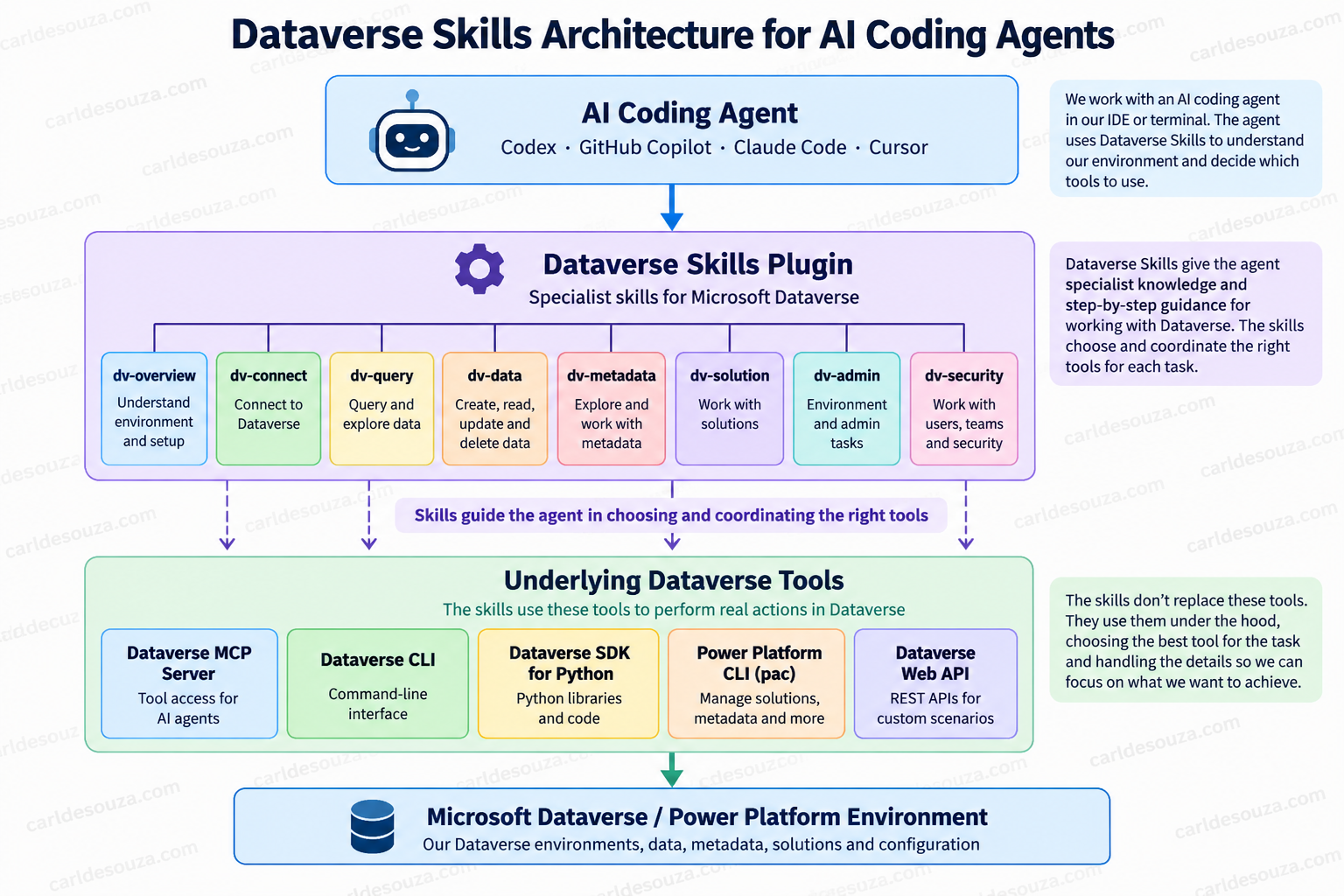
Behind the scenes, the coding agent can use skills such as dv-overview, dv-connect, dv-query, and dv-solution, while ultimately executing operations through tools including the Dataverse MCP server, Dataverse CLI, Dataverse SDK for Python, Power Platform CLI, and Dataverse Web API.
This raises an interesting question for developers already using the Power Platform CLI: how are Dataverse Skills different from simply giving a coding agent access to pac? The important distinction is that a skill is not necessarily another command-line utility.
For example, dv-overview is not something we normally type into PowerShell like this:
dv-overviewInstead, it is a set of instructions that gives the coding agent important context about working with Dataverse.
Likewise, dv-connect teaches the agent how to establish and configure the Dataverse development environment correctly.
A way to think about this is:
We describe the outcome → the coding agent loads the appropriate Dataverse skill → the skill guides the agent toward the correct tool → the tool performs the actual operation.
Microsoft’s Dataverse plugin currently coordinates several underlying technologies:
- Dataverse MCP server
- Dataverse CLI
- Dataverse SDK for Python
- Power Platform CLI
- Dataverse Web API
This is important because Dataverse development often requires more than one tool. Creating a data model might require one approach, querying a few records another, importing thousands of records another, while exporting a solution might be better handled by PAC CLI.
The skills give the agent knowledge about which tool to use for each task:
Installing Dataverse Skills
The installation process depends on the coding agent we are using.
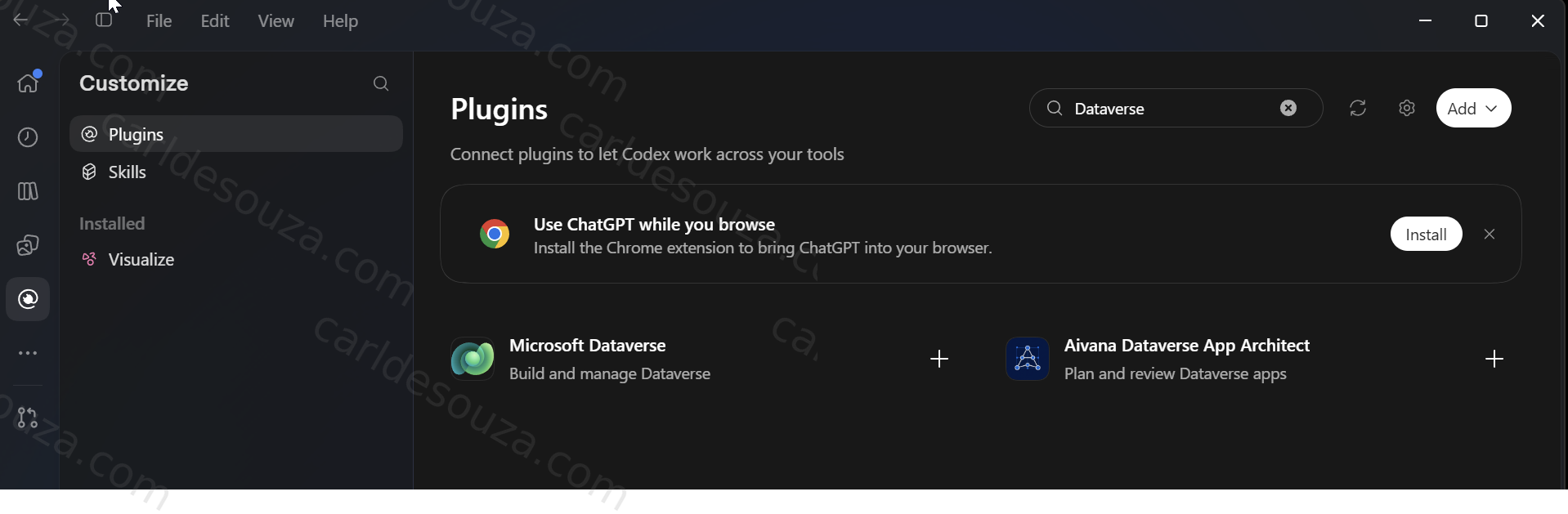
Installing in OpenAI Codex
For the Codex CLI, we can first add Microsoft’s Dataverse Skills repository as a plugin marketplace:
codex plugin marketplace add microsoft/Dataverse-skillsThen open the Codex plugin interface:
/pluginsand install the dataverse plugin.
In the Codex app, we can instead open:
Plugins → Add marketplace
and use:
https://github.com/microsoft/Dataverse-skills.gitas the marketplace source.
After adding it, we can install the Dataverse plugin from that marketplace.
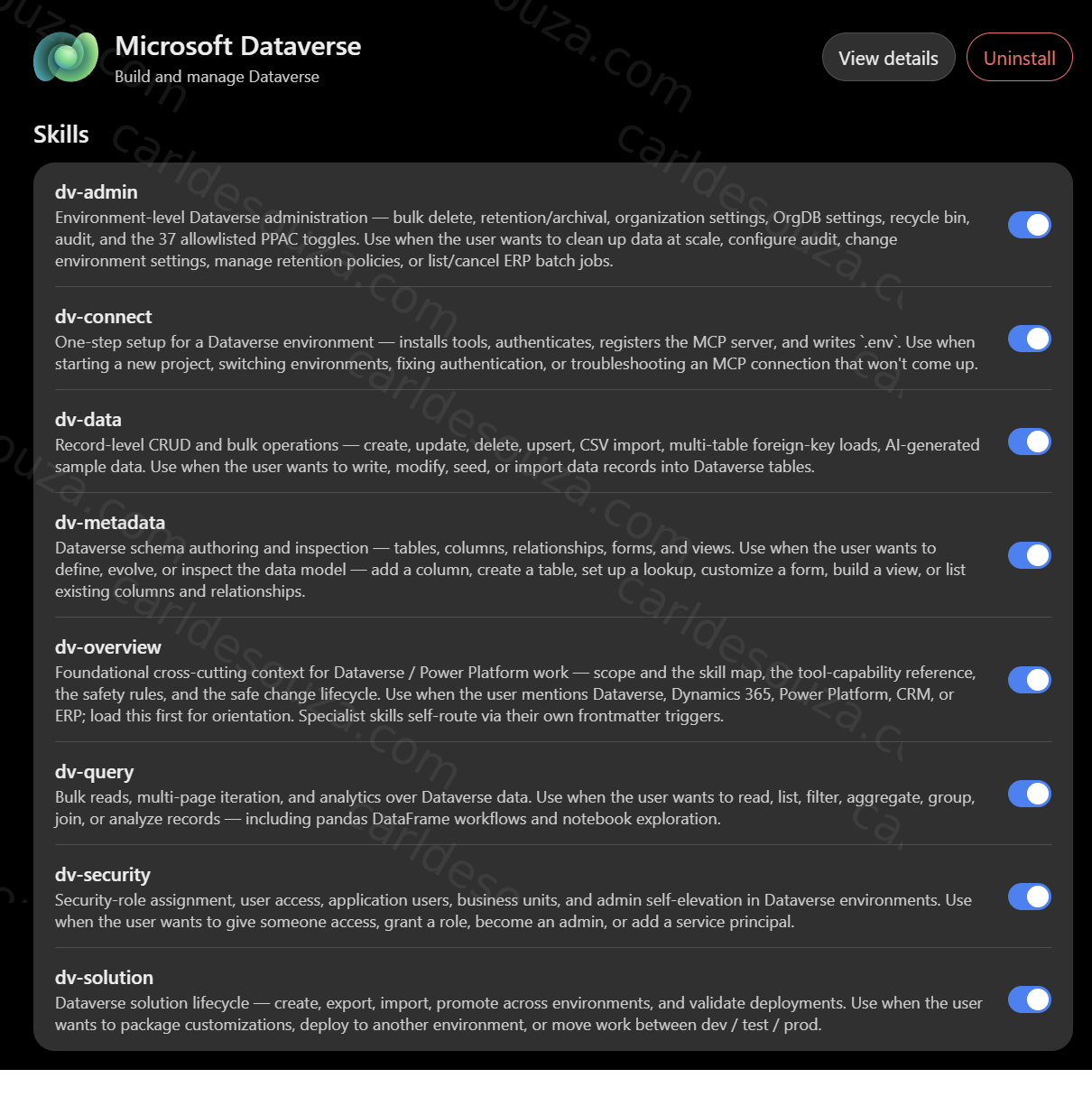
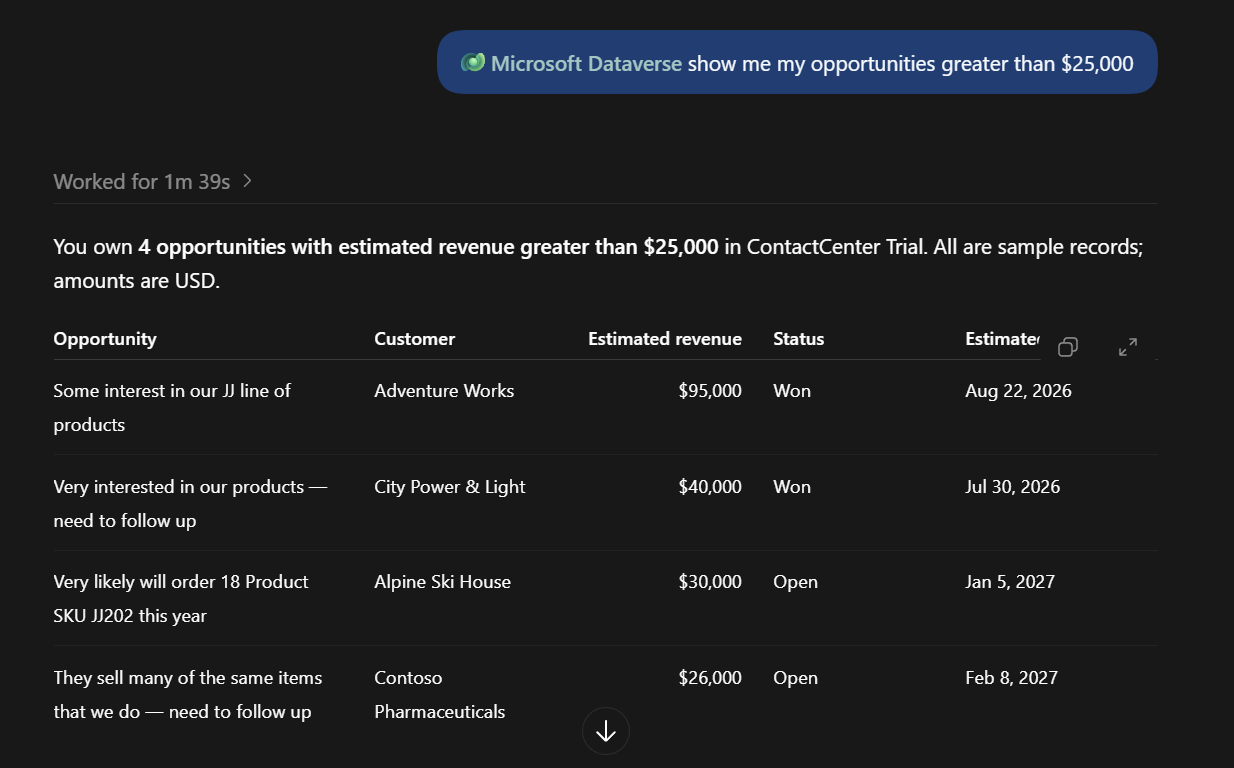
We can then start asking Codex questions about our Dataverse environment:
Installing in GitHub Copilot
For GitHub Copilot, Microsoft currently documents:
/plugin install dataverse@awesome-copilot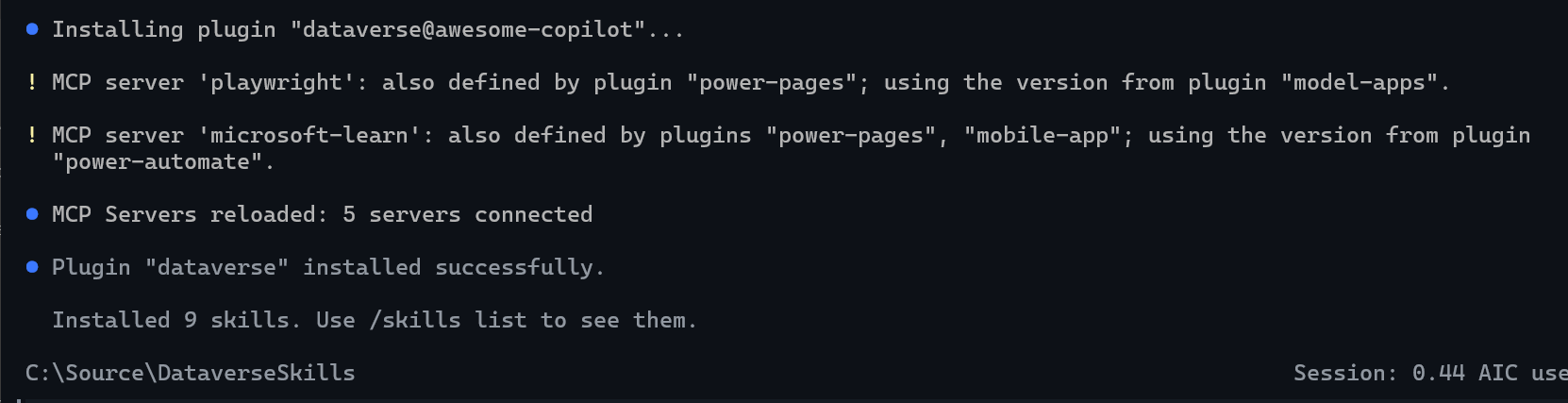
Once installed:
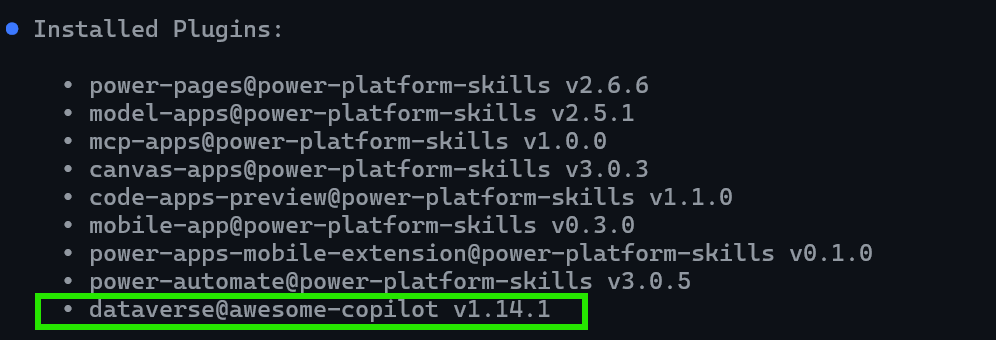
Note: Installing the Dataverse Skills plugin does not install the complete Dataverse development toolchain. The plugin gives the coding agent the Dataverse-specific skills and instructions. When we first run dv-connect, the skill inspects our machine, identifies missing prerequisites, and can install or configure the tools required by the Dataverse workflows, such as Dataverse CLI and the Dataverse Python SDK.
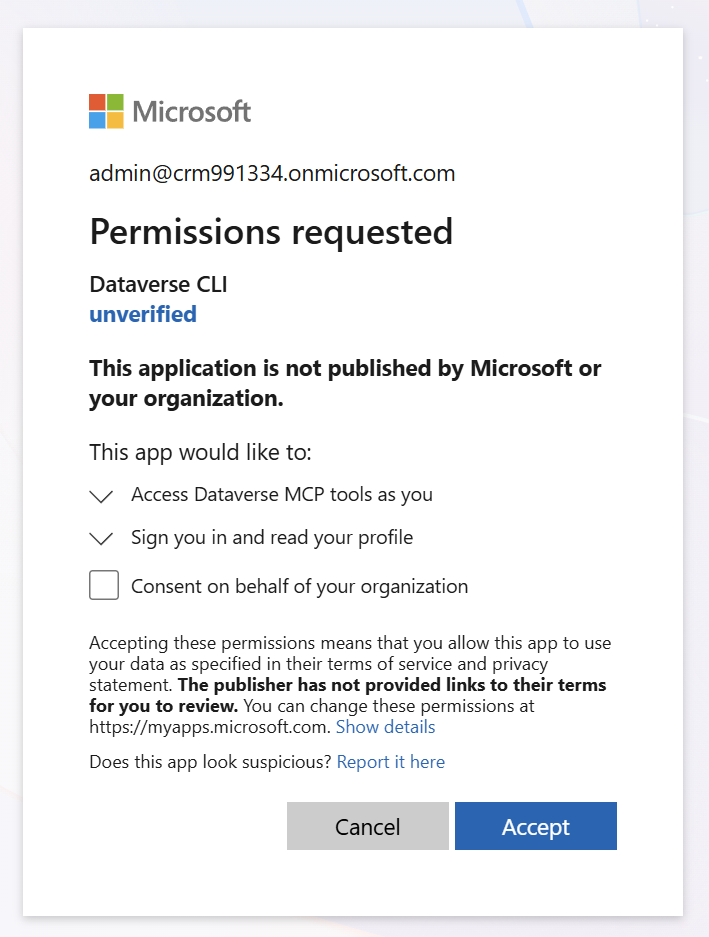
And you may be asked to authenticate:
Installing in Claude Code
For Claude Code:
/plugin install dataverse@claude-plugins-officialWe can also use the Claude Code plugin discovery interface and search for Dataverse.
Installing in Cursor
Inside Cursor agent chat:
/add-plugin dataverseWe can also install Microsoft Dataverse through Settings → Plugins.
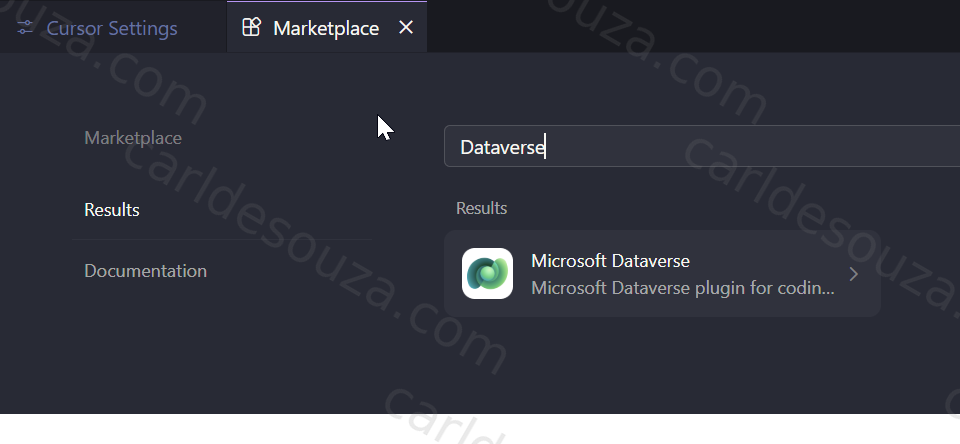
Because this functionality is evolving, it is worth checking Microsoft’s latest documentation before installing it, particularly while the Dataverse plugin remains in preview.
Connecting to Dataverse
Once the plugin is installed, we do not need to memorize a long initialization command.
We can simply tell the agent:
Connect to my Dataverse environment.
The coding agent should recognize that this requires dv-connect. 
Dataverse Skills Are Not a Replacement for PAC CLI
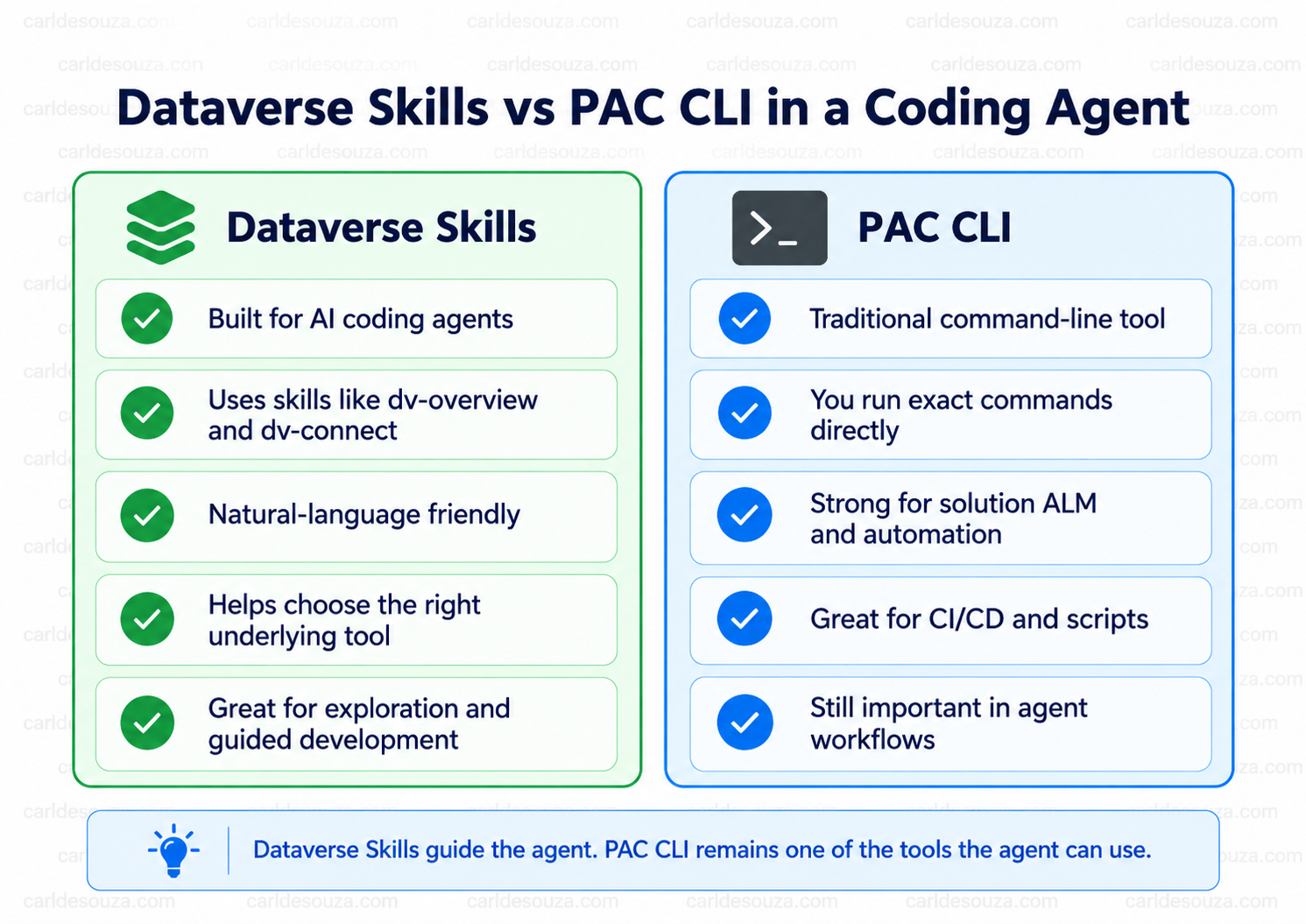
This is probably the most important point in the article. Dataverse Skills and PAC CLI operate at different layers. Dataverse Skills provide instructions and domain knowledge to the coding agent. PAC CLI performs Power Platform operations.
In fact, the Dataverse Skills plugin explicitly uses PAC CLI for some scenarios. For example, PAC CLI is particularly well suited to:
- solution export and import
- solution pack and unpack
- environment operations
- authentication profiles
- role assignment
- adding solution components
- Power Platform ALM workflows
So the architecture looks more like:
User → Coding Agent → Dataverse Skill → PAC CLI → Power Platform
rather than:
Dataverse Skills versus PAC CLI
What Happens When We Use PAC CLI Directly with a Coding Agent?
Before Dataverse Skills, we could already ask a coding agent to execute PAC CLI commands.
For example:
Export the ContosoCore solution from my development environment as unmanaged.
The agent could determine that it needs something similar to:
pac solution export `
  --name ContosoCore `
  --path .\ContosoCore.zip `
  --managed false
PAC CLI is powerful, deterministic, scriptable, and particularly useful for CI/CD. However, when we give a coding agent raw command-line access, the agent must know several things correctly:
- which PAC command group applies
- the correct command
- available parameters
- authentication requirements
- the active environment
- what the returned output means
- when PAC is not the best tool for the task
- what other Dataverse technology should be used instead
This is where Dataverse Skills become interesting. The skills provide specialized instructions that teach the agent how to make those decisions.
An Example
Let’s say we give Codex the following request:
Inspect my Dataverse environment.

Create a Project Management solution.

Inside the solution, create:
- Project
- Project Task

A Project can have many Project Tasks.

Add several useful columns to both tables.

Create 10 sample Projects and 50 sample Project Tasks.

Then export the solution and unpack it into the repository.

Before making changes, explain the plan and confirm which environment will be modified.
This is a very good example of why the skill architecture is useful.
There are several different types of work here.
The agent may need to:
- Use
dv-connectto make sure the environment is configured. - Apply the cross-cutting guidance from
dv-overview. - Use
dv-solutionfor the solution. - Use
dv-metadatafor tables, columns, and relationships. - Use
dv-datafor sample data. - Use PAC CLI to export and unpack the solution.
- Use Git to add the resulting files to source control.
Without Dataverse Skills, we could still ask Codex to accomplish all of this. However, we would be relying more heavily on the model to independently determine the correct Power Platform development patterns.
With the skills installed, Microsoft has effectively provided the agent with a Dataverse-specific development playbook.
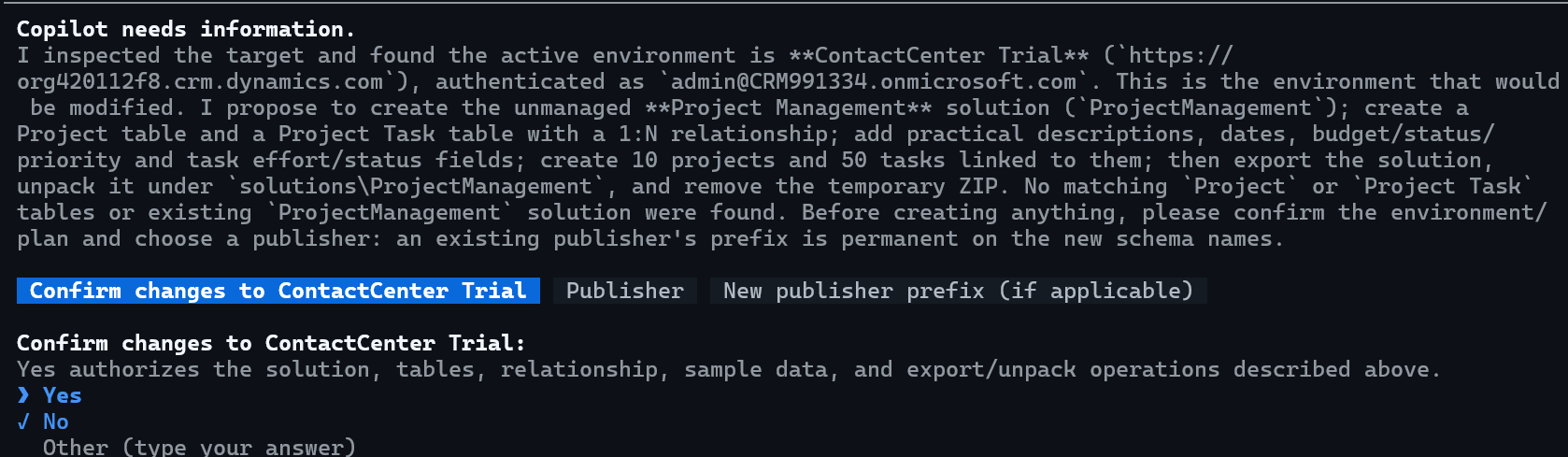
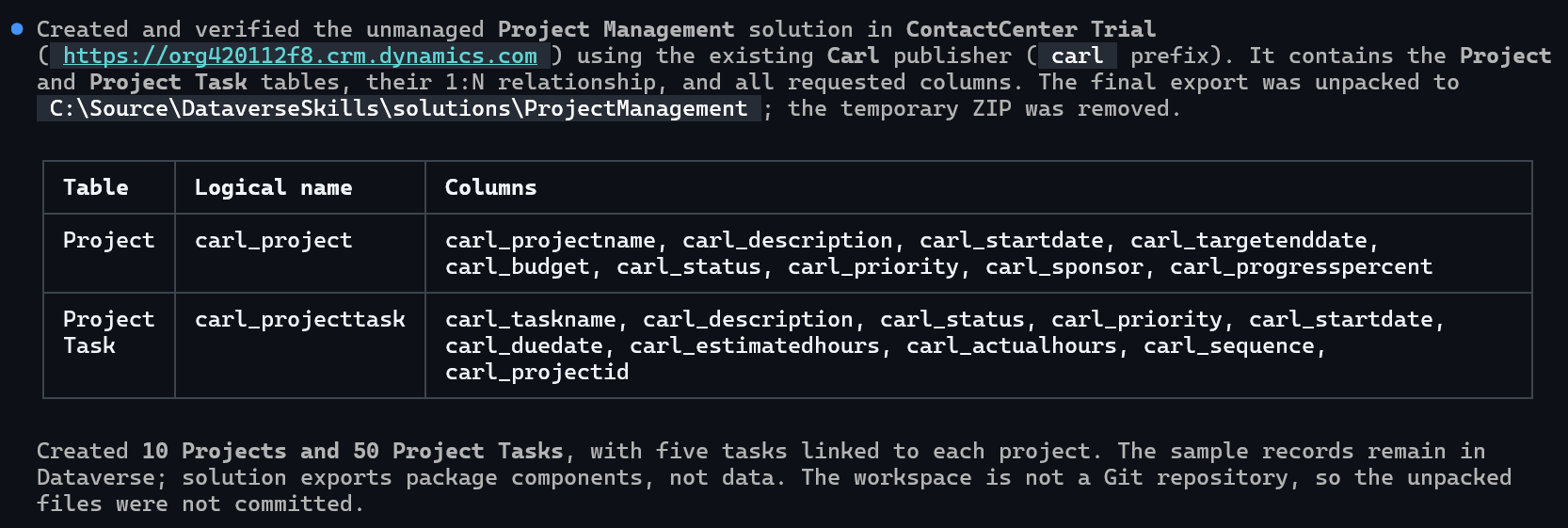
We see here in the Power Apps Maker Portal our tables are created:

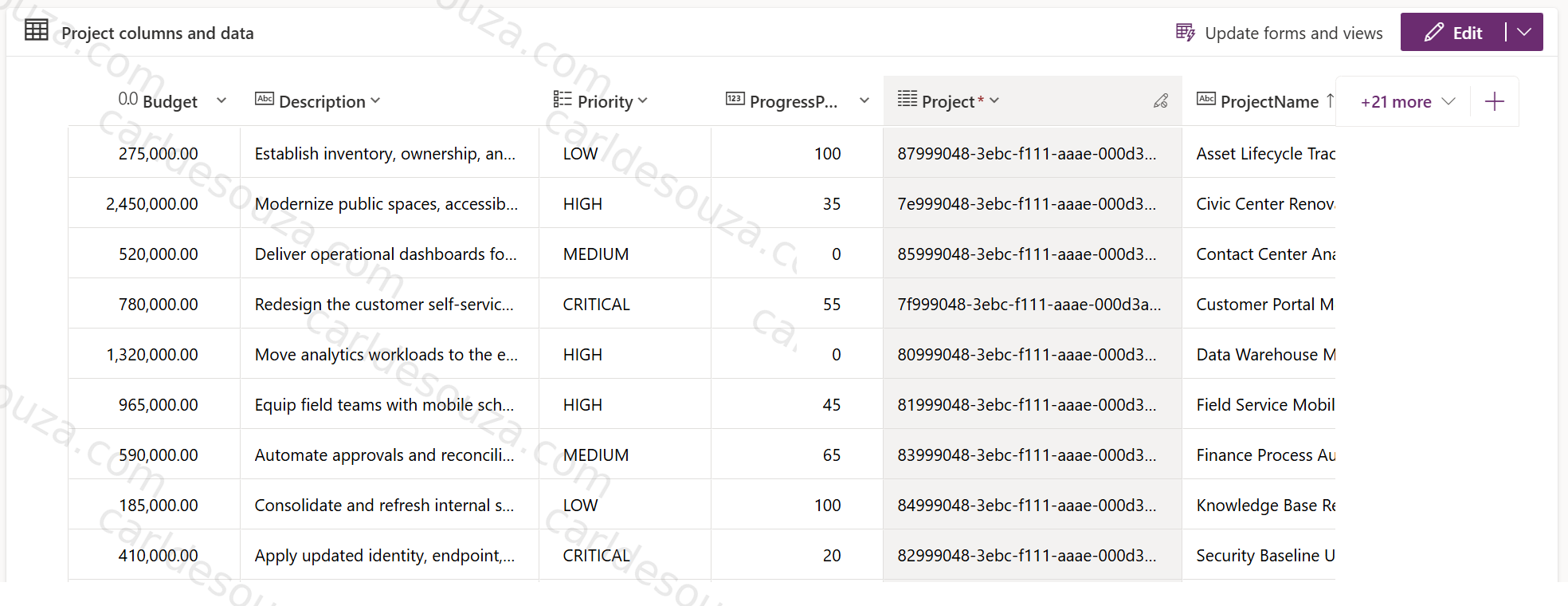
With the sample data populated as instructed:
Trying a Few Natural-Language Requests
Once we are connected, we can start with simple requests.
For example:
List the tables in my Dataverse environment.
Then:
Show me the schema for the Account table, including custom columns and relationships.
Or:
Show me my open opportunities over $25,000.
We can then move into modification scenarios:
Before making any changes, inspect my environment and tell me which solution you recommend using.

Then create a Project Status choice column on the Project table with:
- Proposed
- Active
- On Hold
- Completed
- Cancelled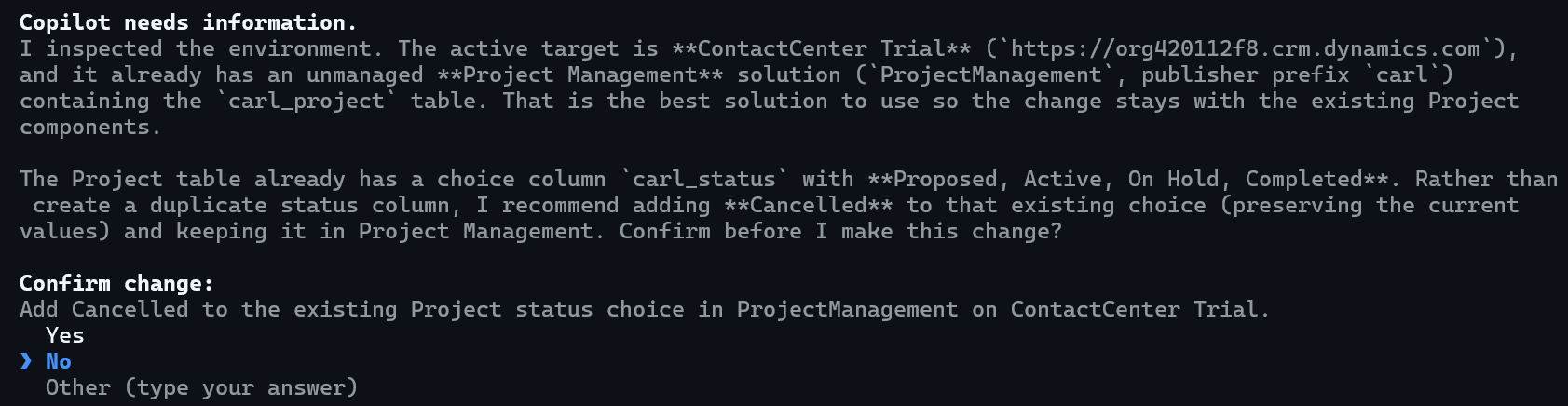
This is a useful pattern for agentic development generally. We let the coding agent understand the environment before asking it to start modifying things.
Where Dataverse Skills Become More Powerful
Consider a request such as:
Analyze this CSV, determine how it maps to the Dataverse schema, create any missing relationships, import the records in the correct dependency order, then package the customizations for deployment.
That is not one PAC CLI command.
It is a workflow.
The agent needs to understand:
- schema
- metadata
- relationships
- data import
- dependency ordering
- authentication
- solutions
- deployment
Dataverse Skills give the coding agent instructions covering those areas and allow it to combine multiple tools. That is perhaps the real value.
Final Thoughts
Dataverse Skills are an interesting step forward for developers using AI coding agents with Power Platform. They do not replace PAC CLI, instead, they sit above tools such as PAC CLI, Dataverse CLI, MCP, the Python SDK, and the Web API and teach the coding agent how to work with them. As coding agents become more capable, that separation between instructions, orchestration, and execution tools is likely to become increasingly important.

Explore AI, agents & Microsoft technology.
I share practical ideas, tutorials, and videos about AI, AI agents, Microsoft technologies, and the Power Platform.
Subscribe on YouTube →