When you create a model-driven app and deploy it to another environment such as from Dev to your Test or Production environments, your users may not see the app.
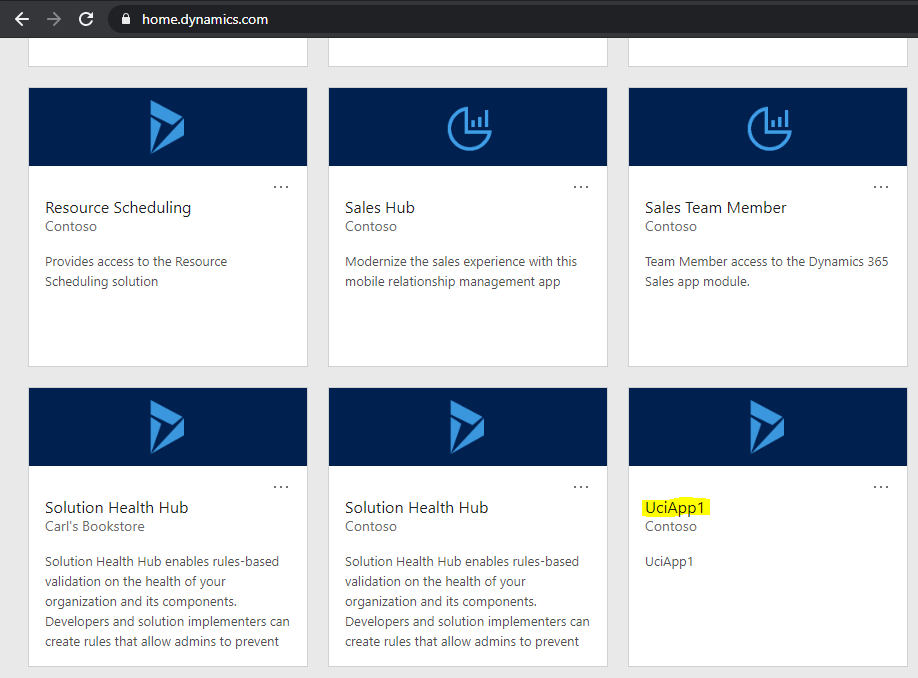
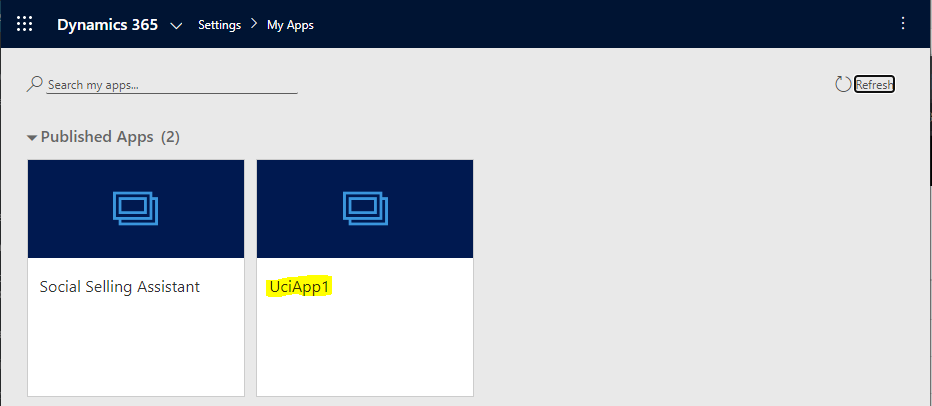
For example, in https://home.dynamics.com (soon to be located in https://www.office.com/apps) we have an app called UciApp1:
Our salesperson. Jeff, does not see the app – “We can’t find any apps for your role. To check for recently-added apps, select Refresh”:
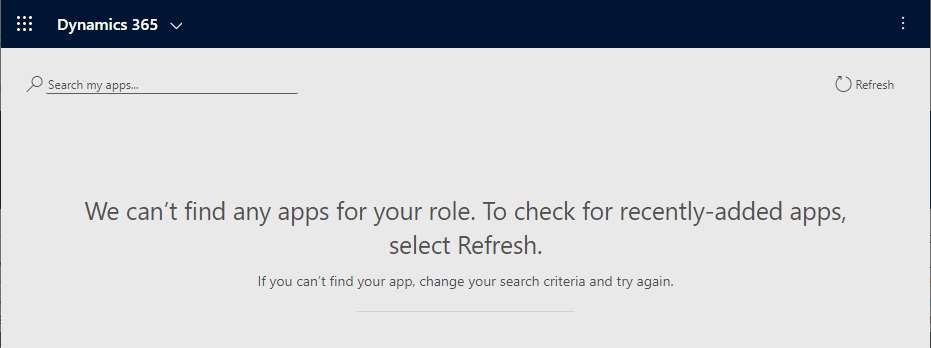
Note, Jeff has the Salesperson role in Dynamics 365.
2 things to do here.
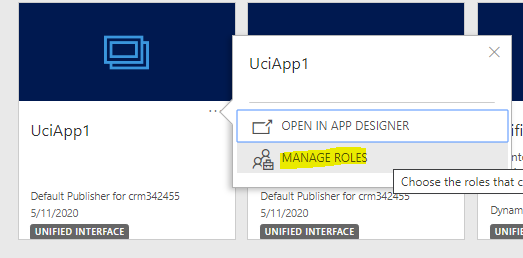
First, as an Admin, go to Manage Roles of the app:
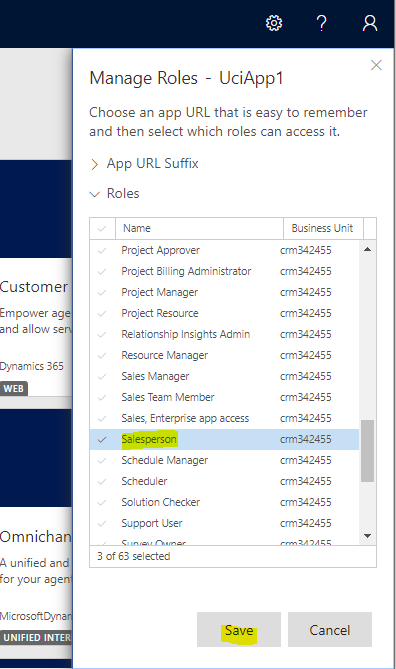
Let’s make sure anyone with the Salesperson role can see the app.
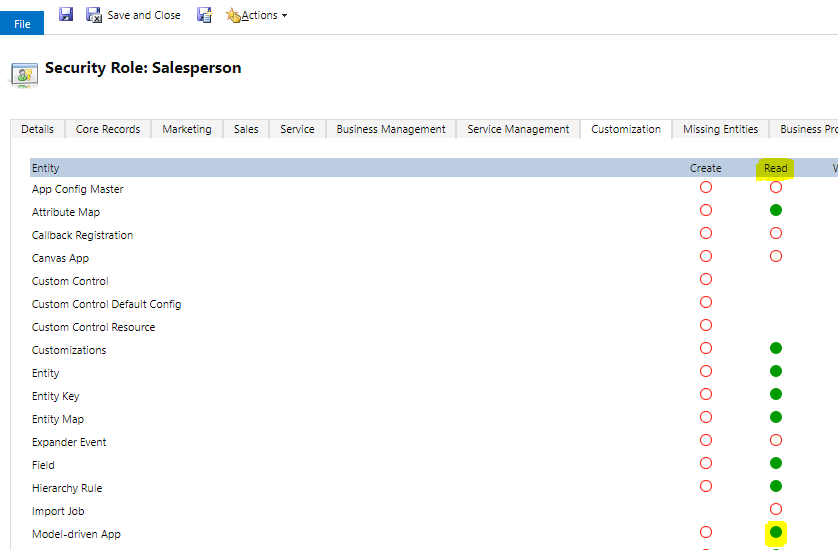
Second, he needs a role that has Model-Driven App privileges. This is located under Customization:
Now he has access.
One last note, when using Unified Service Desk with Unified Interface pages, if the page isn’t loading for a user as a UCI page, you may want to confirm the user has access to the app by going through the above steps.

Explore AI, agents & Microsoft technology.
I share practical ideas, tutorials, and videos about AI, AI agents, Microsoft technologies, and the Power Platform.
Subscribe on YouTube →
Hi Carl,
I can’t see “MANAGE ROLES” option and I’m a Power Platform Admin. In fact, I can edit Model Driven apps but I can’t share it. Do you know why.
Best regards
Model driven app.. who would have guessed lol. Thank you so much, I did subscribe 🙂
I have done everything in the article.
Still, only SystemAdmins can see the app.
The interesting thing is that on a user, who is not system admin, the error shows that “This application requires an appropriate license.”, but if I put the System Administrator role ON THE SAME USER, suddenly it works.
Any ideas?
Danai, I heard of a similar situation, where if a user does not have the proper license, then it seems assigning System Administrator role bypasses the license and “works”. Can you check the user has the correct license? In this case, Dynamics 365 Sales Enterprise Edition was assigned and it worked for the user.