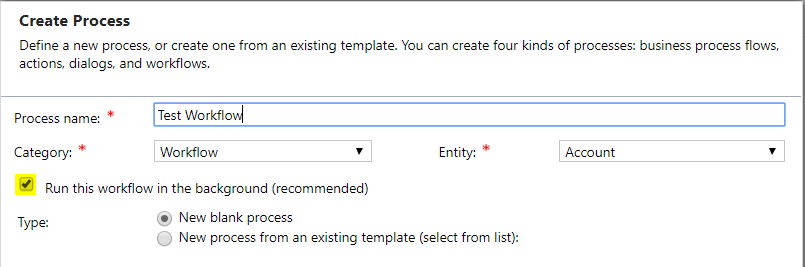
Dynamics 365 has workflows that can run either in real-time or in the background. When you create a workflow, you will be presented with this option:
View the options available:
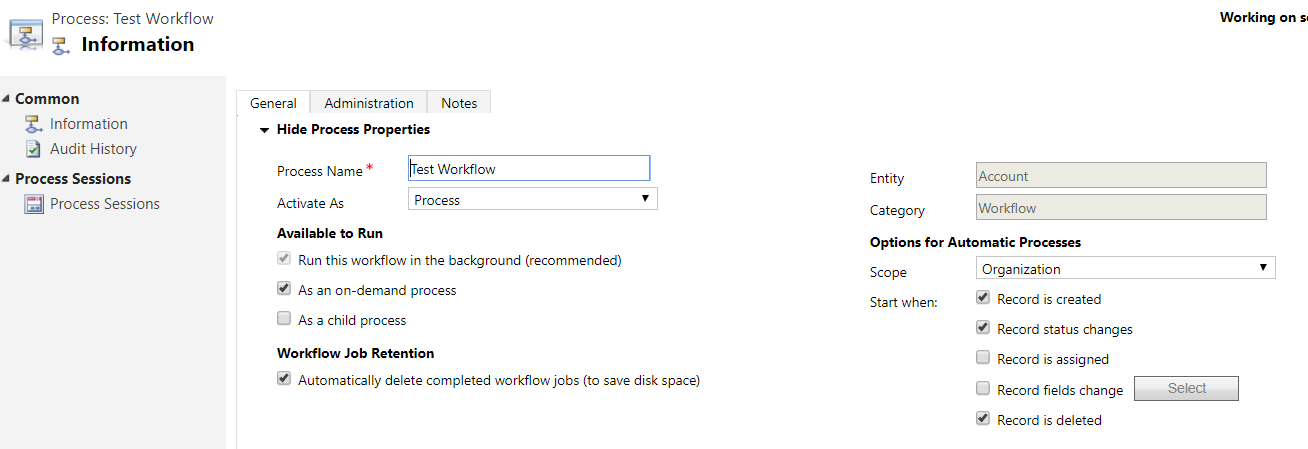
To convert to a real-time workflow, click the button in the menu:

Real-time workflows have several options:
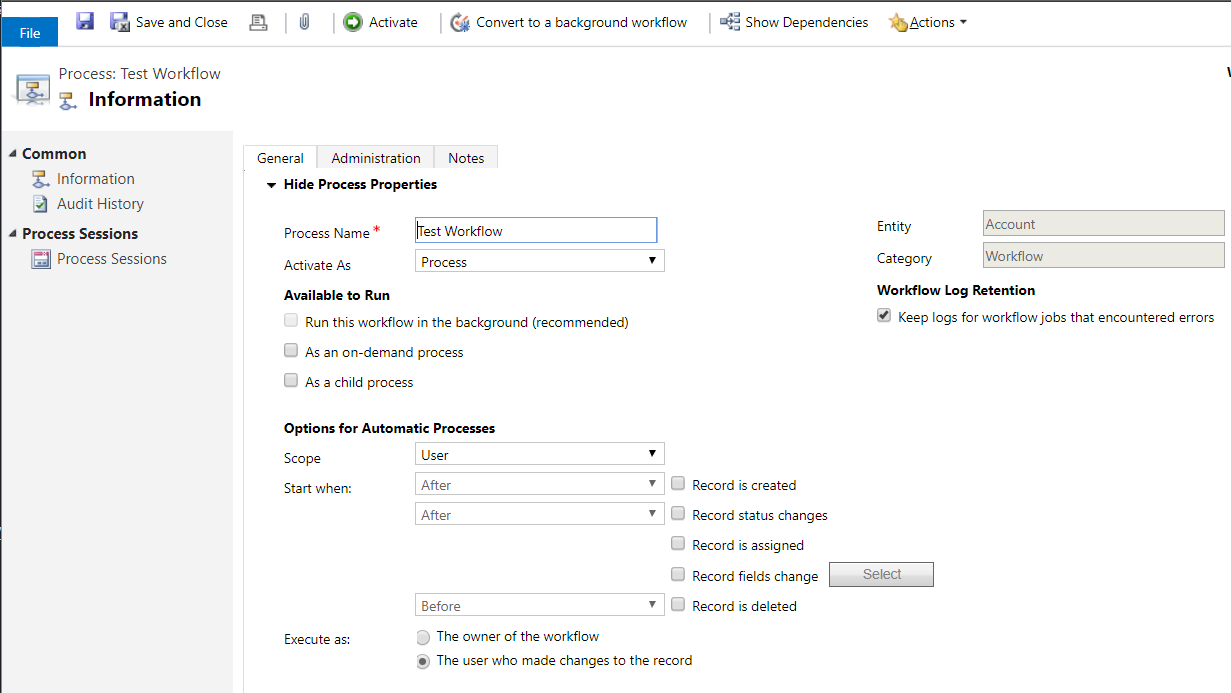
These include when to start executing the workflow (before or after record status changes for example) and who to execute the workflow as (the owner of the workflow or the user).
You can also change the workflow to a background workflow:


Keep learning. Keep building.
Explore AI, agents & Microsoft technology.
I share practical ideas, tutorials, and videos about AI, AI agents, Microsoft technologies, and the Power Platform.
Subscribe on YouTube →Carl de Souza Enterprise Architect at Microsoft · AI Technology Expert
