Adding Forms in Dynamics 365

Entities in Dynamics 365 contain forms, which display information to the user and can allow input. To view forms of an entity, in customizations, select the entity and Forms: To create a new form, select New. We will create a new Main Form: This will open the window: Note in the form properties we can set the form name: Make changes to the form, save and publish the form. Now … Continue reading Adding Forms in Dynamics 365

Dynamics 365 – Pre-validation Plugin

As per the Event Execution Pipeline for plugins in Dynamics 365, here we will look at a pre-validation plugin. These plugins execute before the main system operation and outside the database transaction. Pre-validation runs before validation occurs. You can also modify values at this stage, though this may be generally done in pre-operation. If you are creating a record, as the record is not created at this point, you will not … Continue reading Dynamics 365 – Pre-validation Plugin

Office 365 Identity Management

When working with Office 365, there are 3 ways to provide user identity: Manage all users in Azure Active Directory. In this case, there is no traditional active directory; AAD is managed in the cloud Synchronized Identity. In this case, user identity is synchronized between Azure Active Directory and traditional Active Directory. This is done by using a tool such as DirSync. For more information click here. Here, a user … Continue reading Office 365 Identity Management

Power BI Pin Visual from Dashboard to Dashboard

You can pin an existing visual in Power BI from one dashboard to another. Here, I have a dashboard called MSFT with one visual showing stock data: Hover over the visual and select pin: You will be presented with the Pin to dashboard prompt. Select an existing dashboard or create a new one: The visual will now be copied to the new or existing dashboard:  

Dynamics 365 Field Security

Field security is available in Dynamics 365. If you are dealing with sensitive information, you may want to prevent a field from displaying it’s data, unless you are a user with certain permissions. Dynamics 365 provides a capability to do this. To enable Field Security, go to an entity and create a new field. You will see a field security option. Select Enable: Add the field to your entity form … Continue reading Dynamics 365 Field Security

USD – What is the Context, Global and Session

In Unified Service Desk, there are several areas where data is stored that helps with the functioning of the application. If we open USD and go to the Debugger, we can see, depending on where we are in the application, different areas such as Context, Global and Session store different replacement parameters. These are useful for different reasons such as: Creating URLs through substituting a string Specifying strings for entity … Continue reading USD – What is the Context, Global and Session

USD – Create a UII Application from Scratch

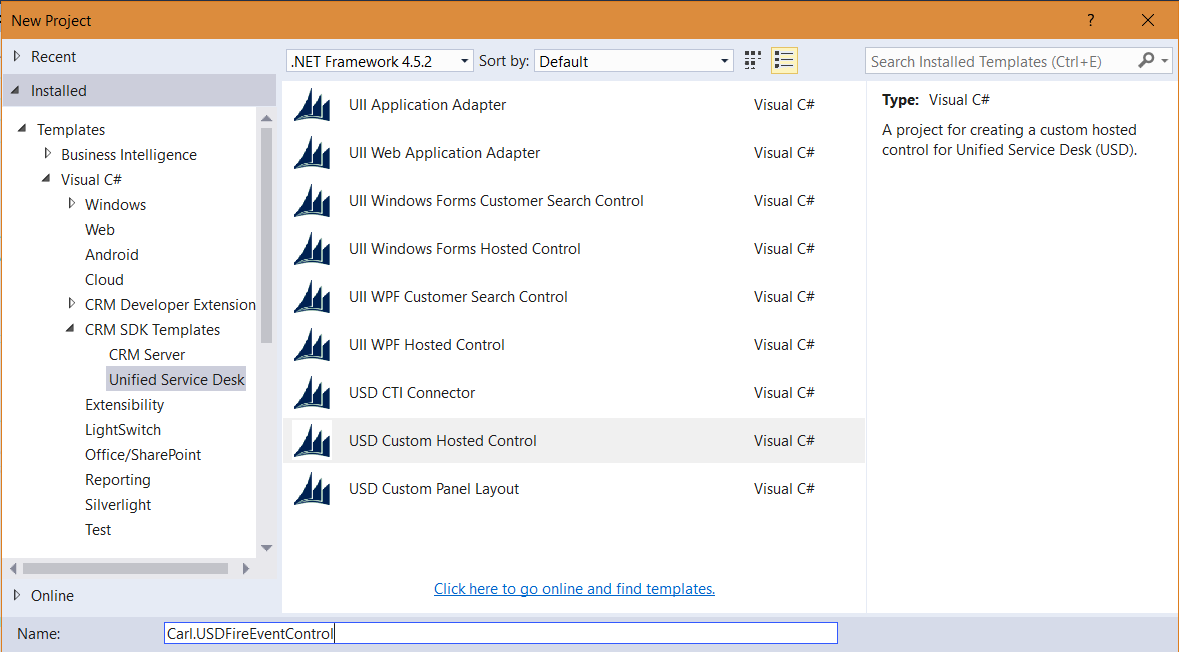
In this post, we will look at creating a new UII application from scratch, that will be used in USD. The UII application will be a Windows Forms application, where we can add fields, add any business logic, and ultimately update the $Context in USD as well as be notified when another application updates the $Context. In Visual Studio, go to File->Next Project and select UII Windows Forms Hosted Control: … Continue reading USD – Create a UII Application from Scratch

Dialogs in Dynamics 365

Dialogs are a way to guide a user through a set of interactive questions and then perform actions based on their responses. They are designed for user interaction. Let’s go through creating a dialog. Let’s say we want to create a dialog that is used for capturing information about how satisfied a customer is with our service. Go to Settings->Processes and select Category = Dialog: Click OK and it will … Continue reading Dialogs in Dynamics 365

Unified Service Desk Patterns

In Unified Service Desk, there are several scenarios you may encounter, especially when integrating with other applications. Here we will look at various ways to deal with different scenarios. Scenario Pattern You need to integrate USD with a website/web application. You do not have the source code or cannot change the source code. Create a UII Web Adapter You need to integrate USD with an external application. You do not … Continue reading Unified Service Desk Patterns