To assign a user a manager in Office 365, go through the following steps.
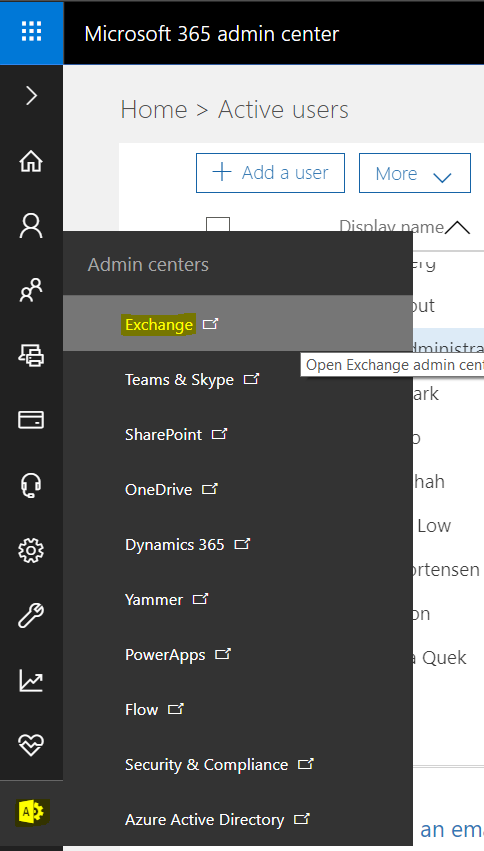
Go to https://admin.microsoft.com/ and select to manage Exchange:
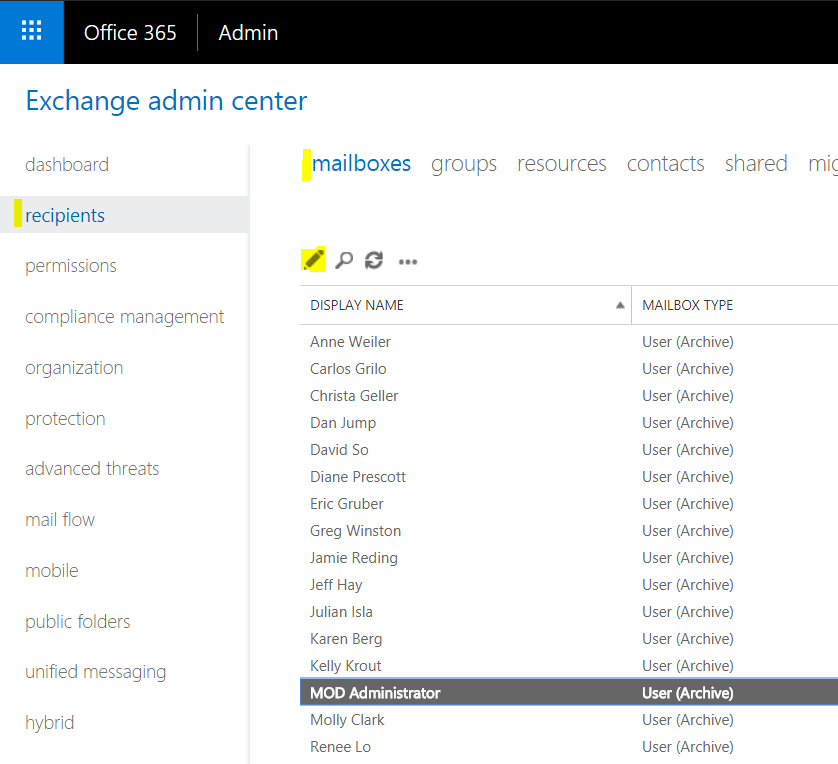
Select recipients from the left, then the user you would like to assign:
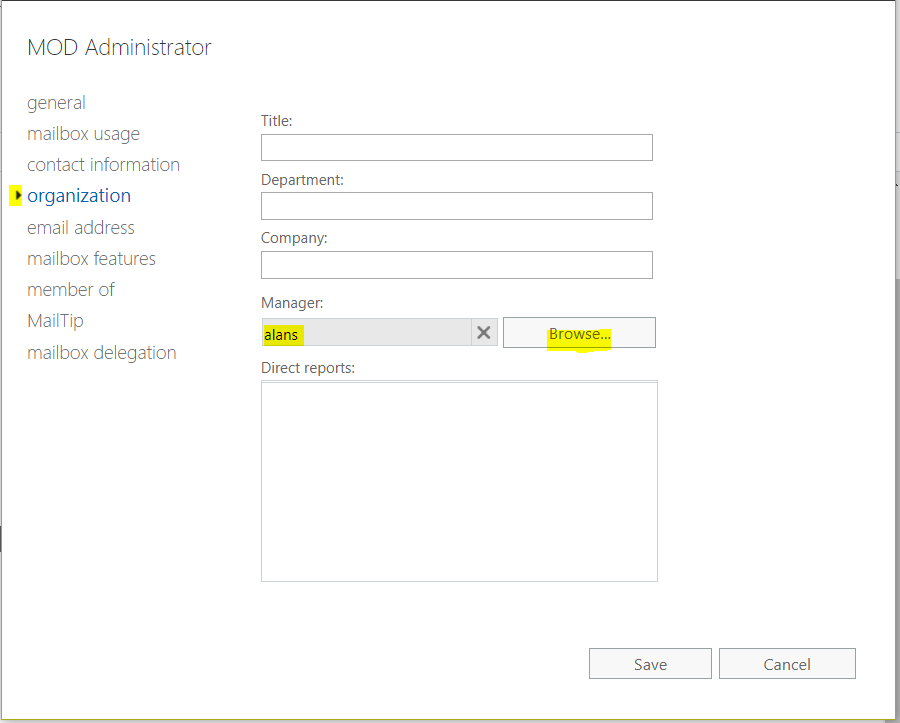
Select organization and then browse to select the manager:

Keep learning. Keep building.
Explore AI, agents & Microsoft technology.
I share practical ideas, tutorials, and videos about AI, AI agents, Microsoft technologies, and the Power Platform.
Subscribe on YouTube →Carl de Souza Enterprise Architect at Microsoft · AI Technology Expert
you are awesome. My related issue is solved