Dynamics 365 workflows can have wait conditions. For example, if you want to send a follow up email after a record has been created, you can write a workflow to do this.
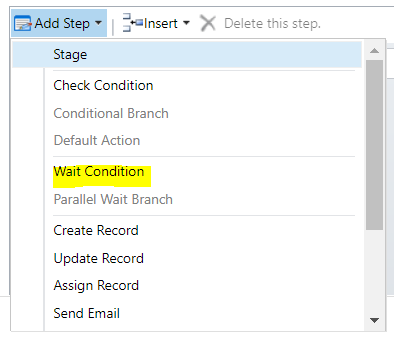
To do this, in your workflow add a Wait Condition:
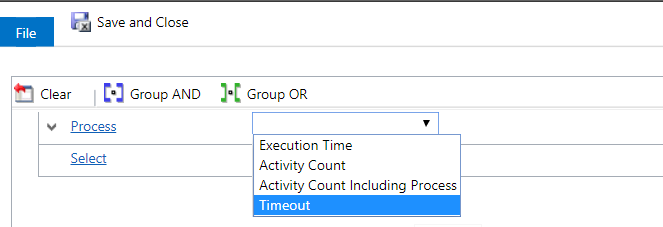
Select Process Timeout and the time period:
And enter the wait time:
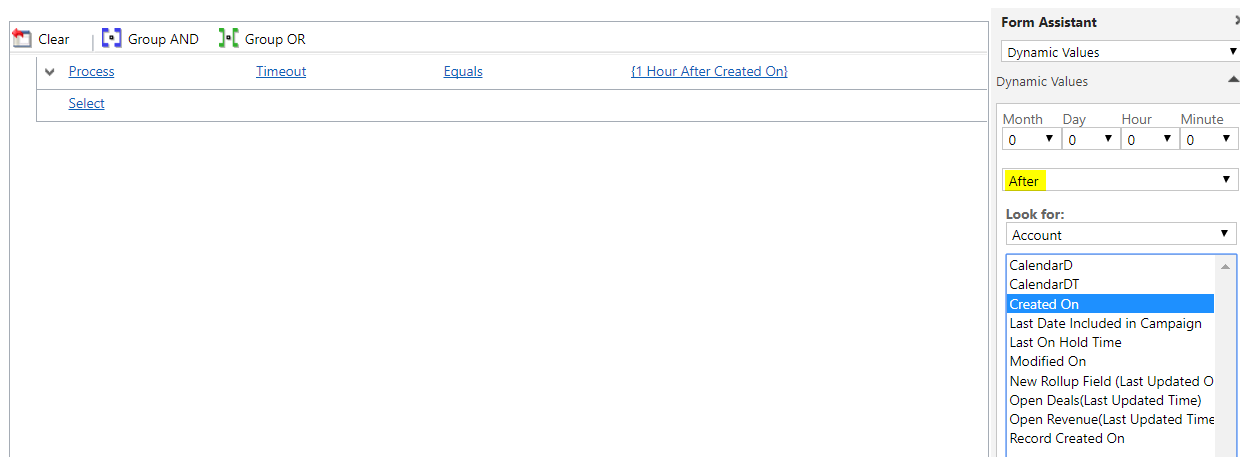
The workflow will now wait before executing the next steps.

Keep learning. Keep building.
Explore AI, agents & Microsoft technology.
I share practical ideas, tutorials, and videos about AI, AI agents, Microsoft technologies, and the Power Platform.
Subscribe on YouTube →Carl de Souza Enterprise Architect at Microsoft · AI Technology Expert

Carl,
As usual, an amazing concise post.
Thank you.
Bob