The Relationship Assistant is a feature of Relationship Insights in Dynamics 365 that tracks activity and provides intelligent feedback to the Dynamics 365 user.
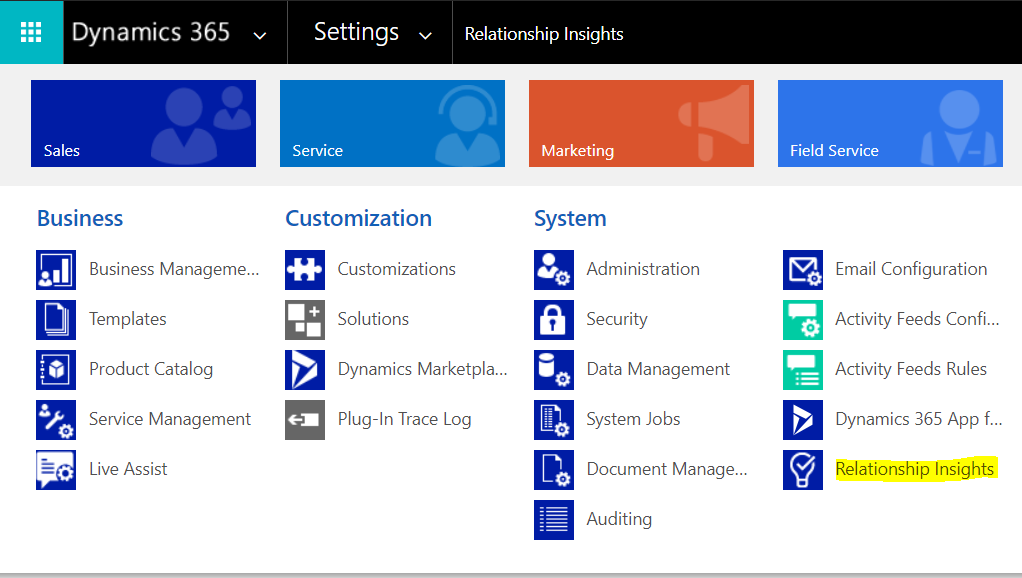
To configure it, go to Settings->Relationship Insights:
Select Relationship Assistant and click to enable.
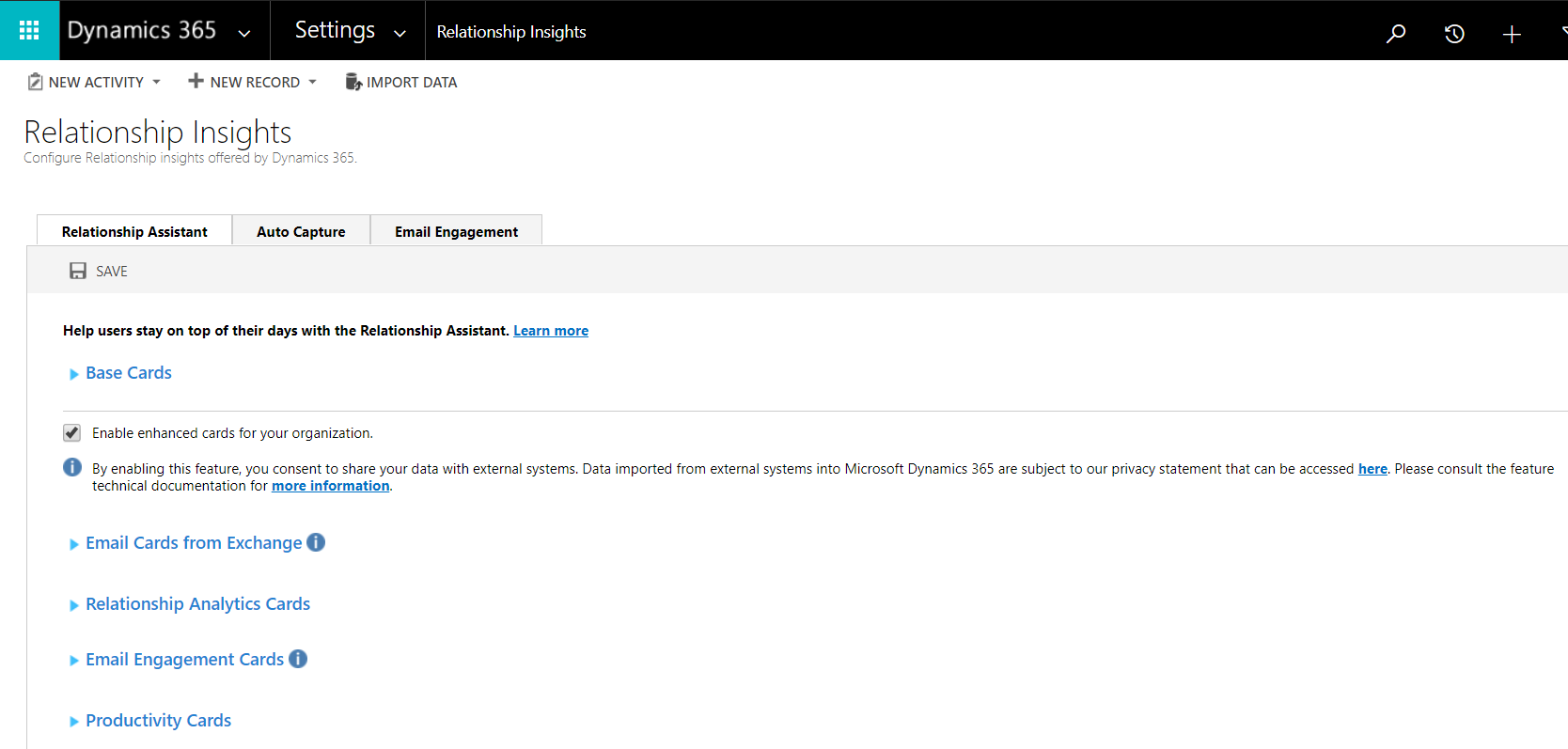
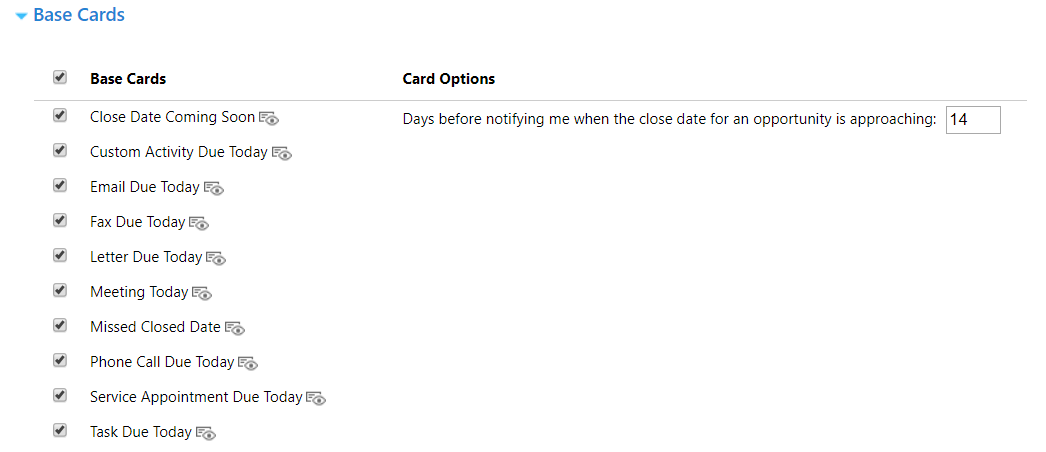
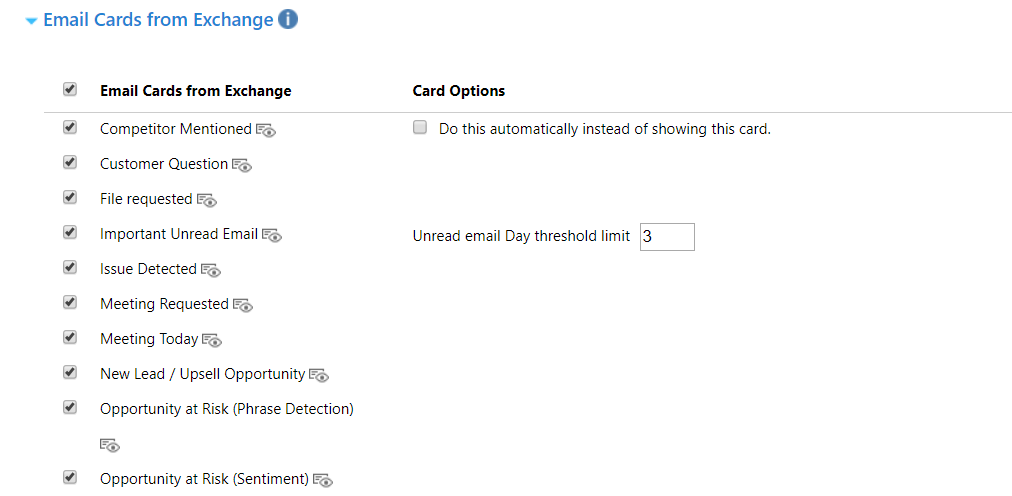
Note the options available:

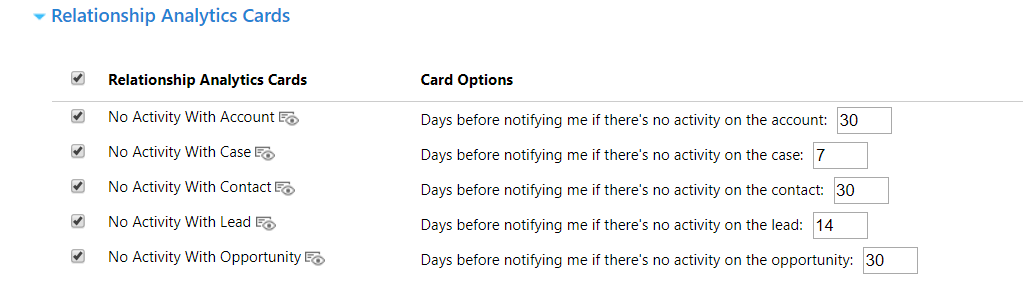

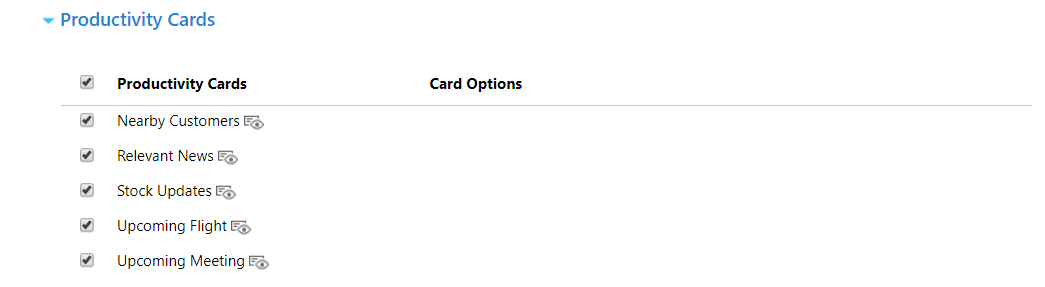
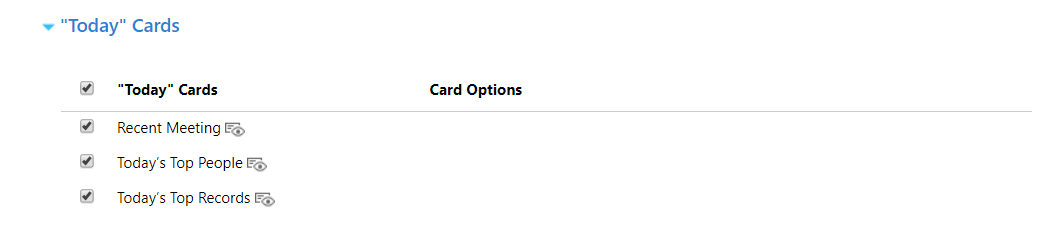
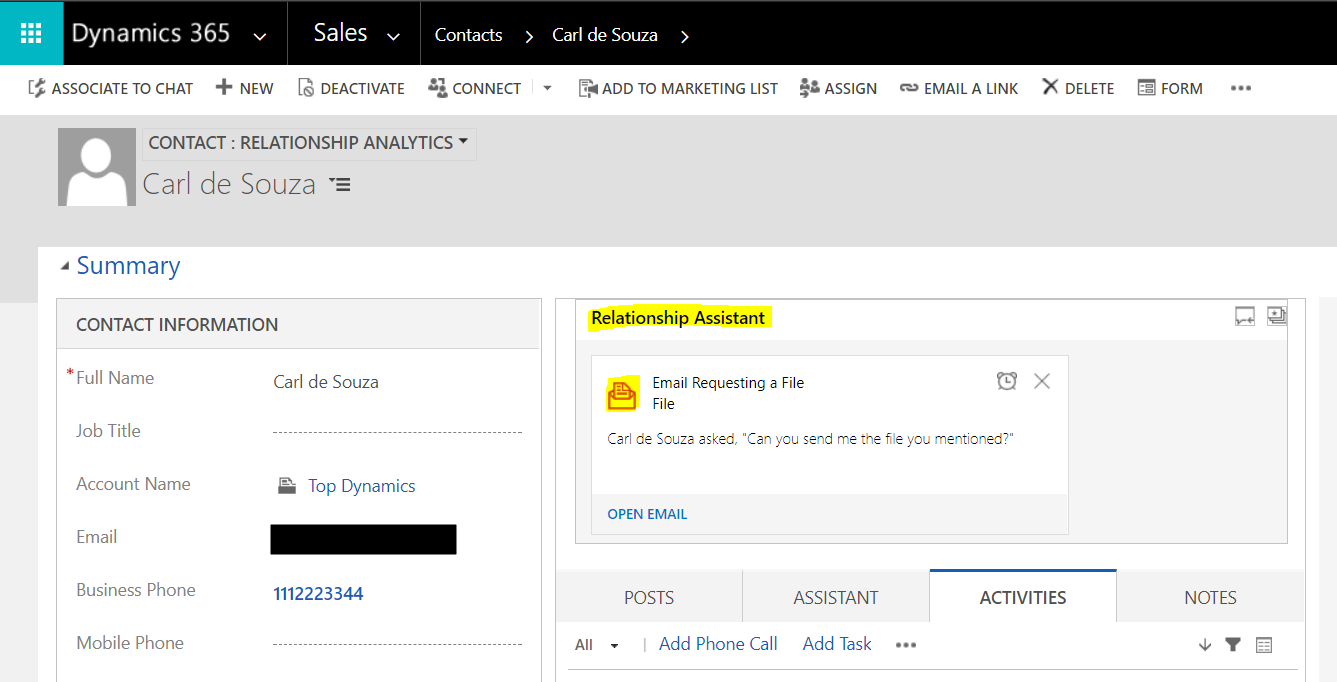
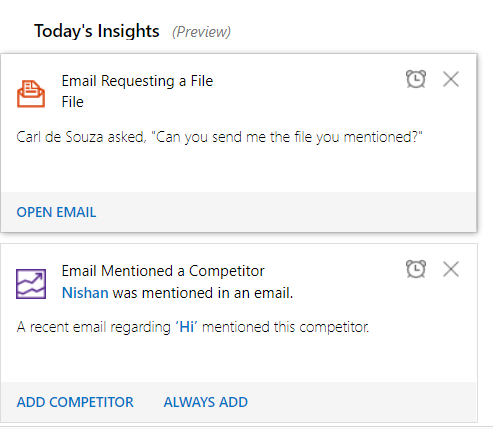
Now, we will show how this is used. When a customer sends you an email, you will be able to go into the contact record and see the relationship assistant. You will be able to see the email as it was picked up by the assistant:

Keep learning. Keep building.
Explore AI, agents & Microsoft technology.
I share practical ideas, tutorials, and videos about AI, AI agents, Microsoft technologies, and the Power Platform.
Subscribe on YouTube →Carl de Souza Enterprise Architect at Microsoft · AI Technology Expert
