In a previous post, we showed how a Power Virtual Agent can look up dataverse data and return it to the person chatting to the bot.
In this post, we will look at how the bot can ask a person questions, send the person’s answer as a parameter to the dataverse, and return data to the person. Specifically, we will look at the example where a customer asks about a case, and the bot looks asks which case, then looks it up in Dynamics 365, and finally returns case details.
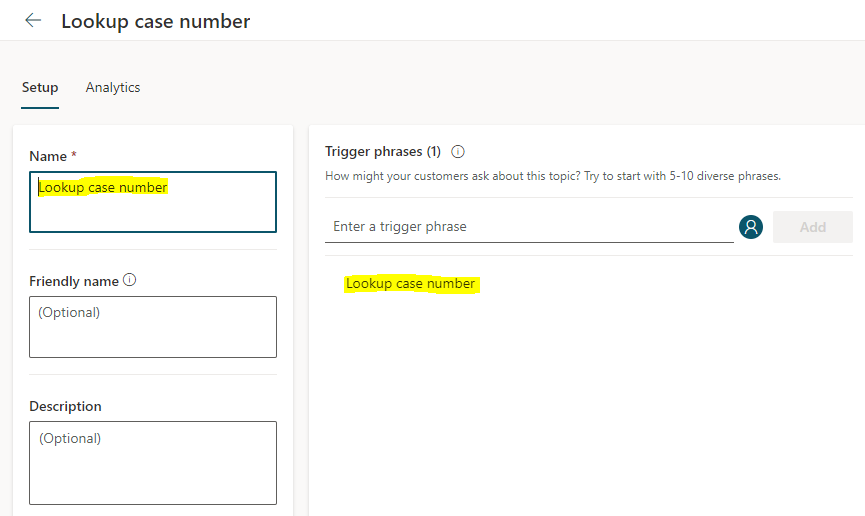
First, let’s create a new topic called Lookup Case Number:
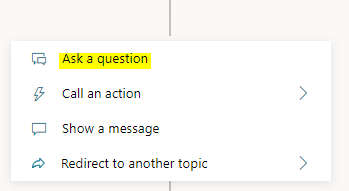
Go to the authoring canvas, add a new question:
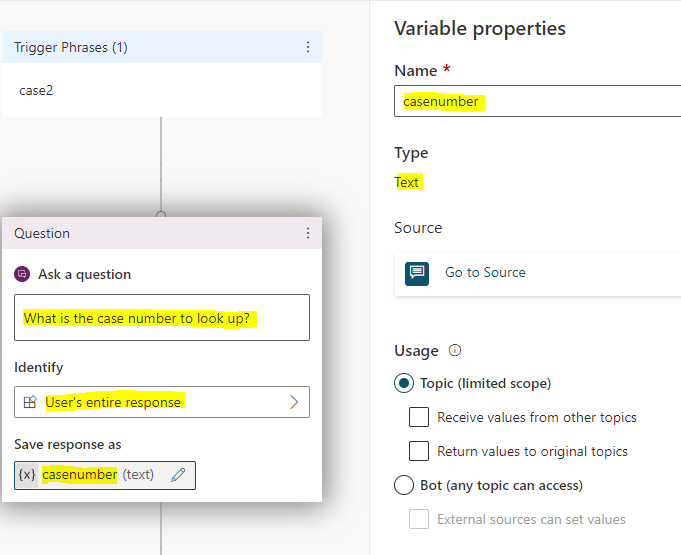
The question will be “What is the case number to look up?” and we want to identify the user’s entire response as a text string:
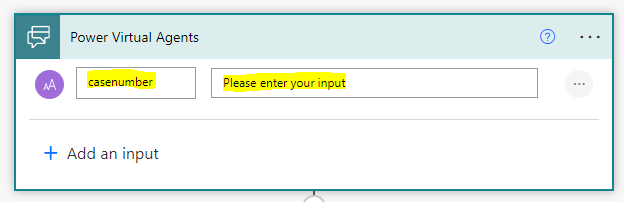
Next let’s call a new action, and we will create a new Power Automate Flow.
For the input, enter casenumber. This will be passed into our flow from the bot:
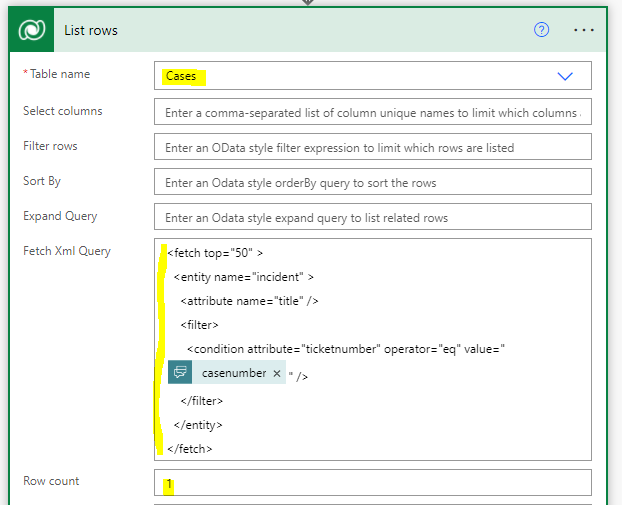
Next, add a List rows connector, with the Cases table selected. We will do a FetchXML query and pass the casenumber variable as a filter so we only return the case we are after:
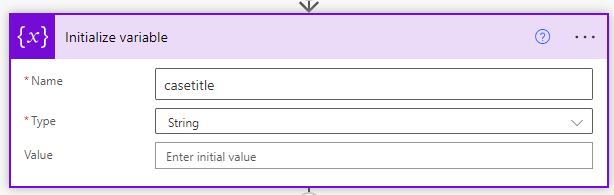
Now let’s add a variable called casetitle, which will hold the title that we will return to the bot’s chatter:
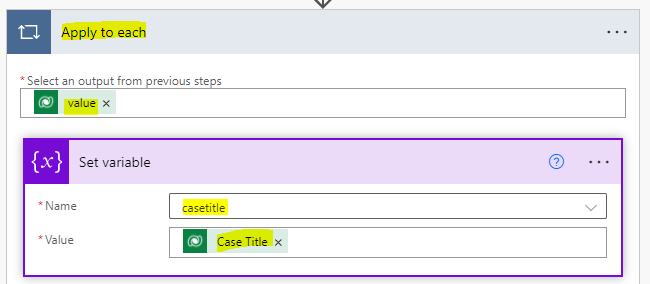
Now let’s add an Apply to each control, and we will use the value from the List Rows. We will then add a new action to set our casetitle variable to the Case Title field of the record returned:
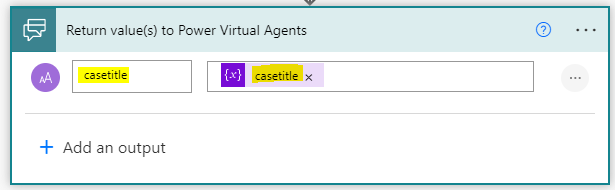
We will finally output our casetitle variable to PVA:
Save the flow.
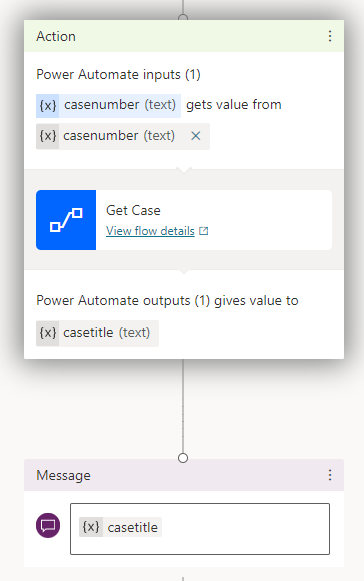
Now back on the PVA authoring canvas, we can tie the case number fields together and we see the output is case title. Let’s display this in a message to the user:
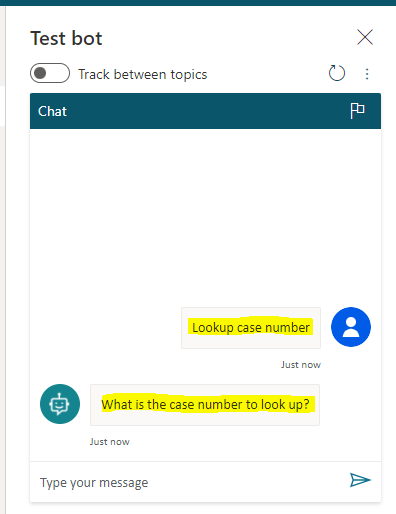
We are now ready to test this out. In the bot, enter “Lookup case number”. We get prompted to enter a case number:
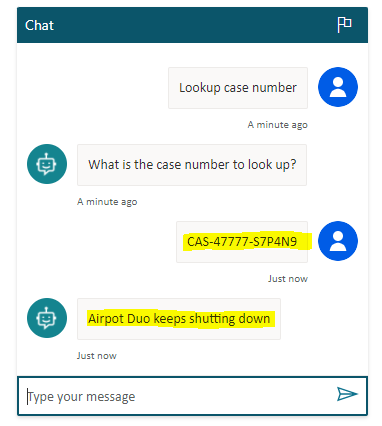
On entering a case number, the bot returns the title of the case!
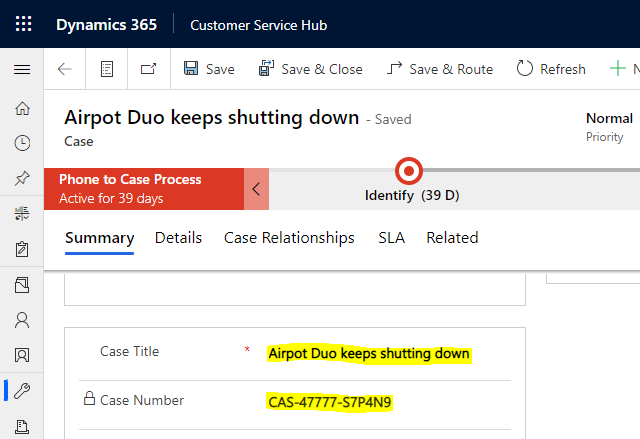
We can see this is the title for our case:
That’s it, through basically no code our PVA bot can interact with our Dataverse instance, ask and answer questions to whoever it is chatting to.

Explore AI, agents & Microsoft technology.
I share practical ideas, tutorials, and videos about AI, AI agents, Microsoft technologies, and the Power Platform.
Subscribe on YouTube →
Hello, many thanks for your lessons, they are appreciated!
Is there any possiblity that a chat’bot made with Power Virtual Agents can call up / ask the GPT-3 AI (on Playground or via an app) and receive a reply prompt from it?
Kind regards,
Dag Erik