In a previous post, we looked at installing Python on Windows. In this post, we will install Jupyter Notebook running Python 3. To do this, open a command prompt and type:
py -m pip install jupyter
This will install the packages required for Jupyter:
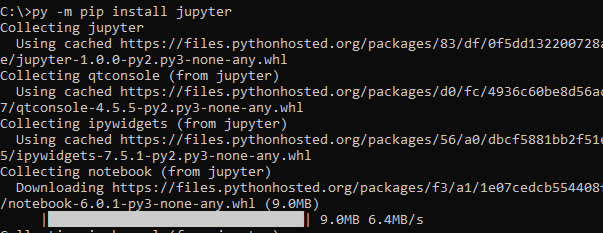
You will see something like below when complete:

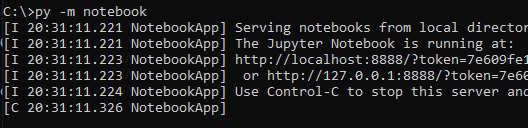
Now, to run Jupyter, run the command:
py -m notebook
This will launch a web browser with Jupyter running. Click on New to create a new Notebook (note if you do not see Python 3, check out this link):
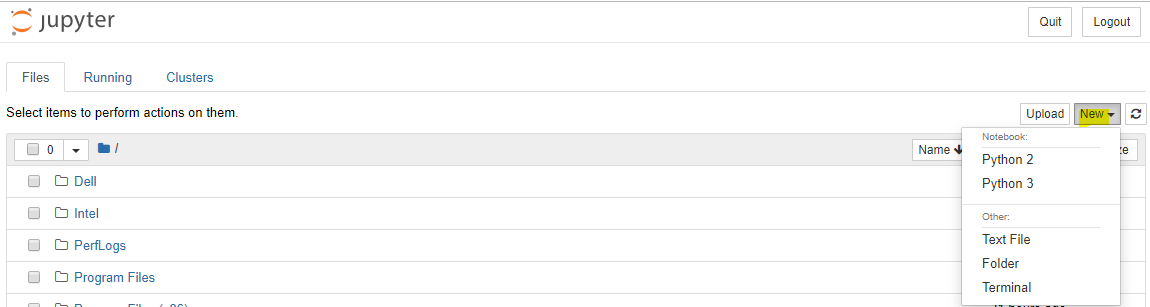
This will open below:

Add code to print Hello World:
print("Hello World!")This will print Hello World!
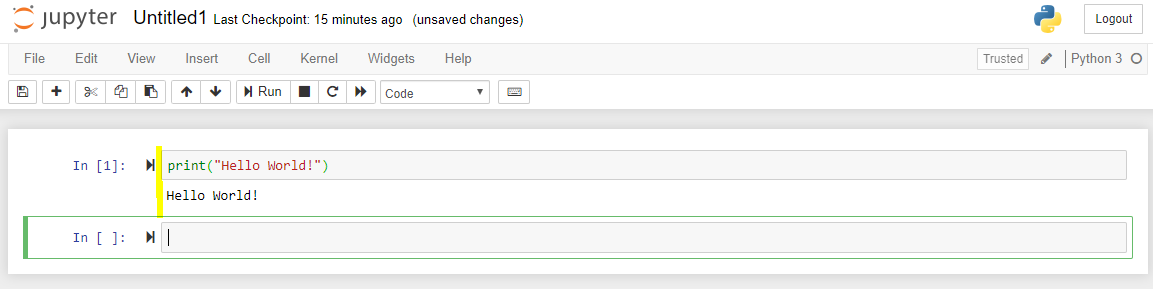
You are now using Jupyter notebook.

Keep learning. Keep building.
Explore AI, agents & Microsoft technology.
I share practical ideas, tutorials, and videos about AI, AI agents, Microsoft technologies, and the Power Platform.
Subscribe on YouTube →Carl de Souza Enterprise Architect at Microsoft · AI Technology Expert