Dynamics CRM has the ability to track emails. In doing so, it adds a tracking token to the subject line of the email message.
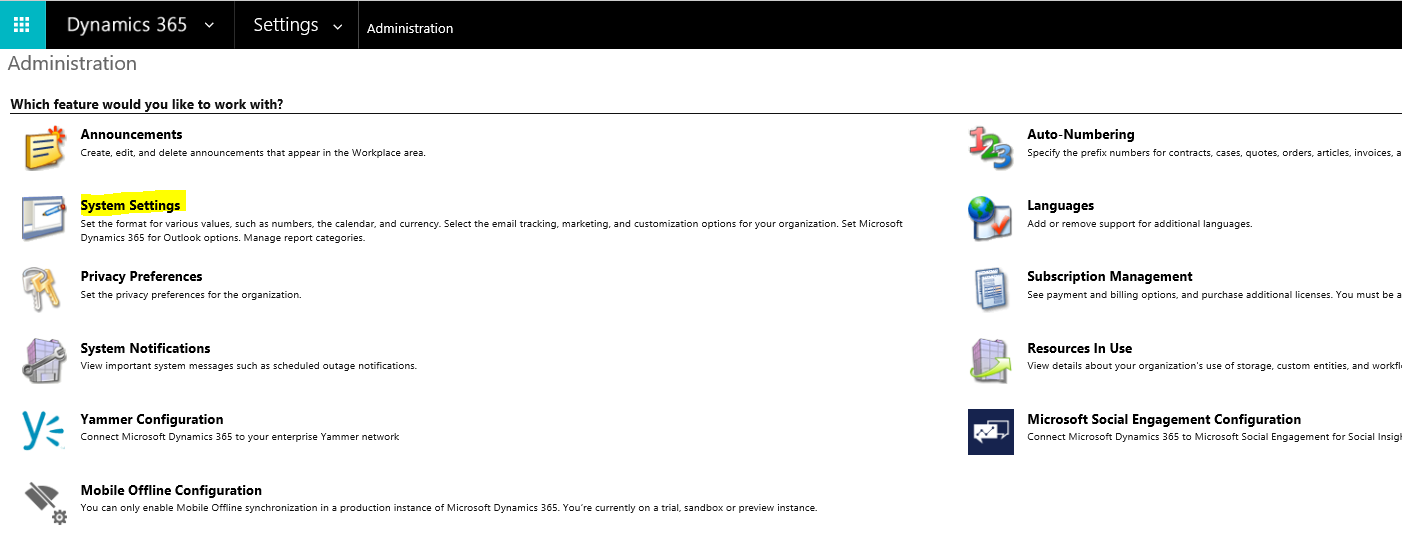
This functionality can be enabled or disabled. To turn the feature on and off, go to Settings->Administration and select System Settings:
Next, select the Email tab. Scroll down to the option “Use tracking token”. Here, you can enable, disable and configure the email token.
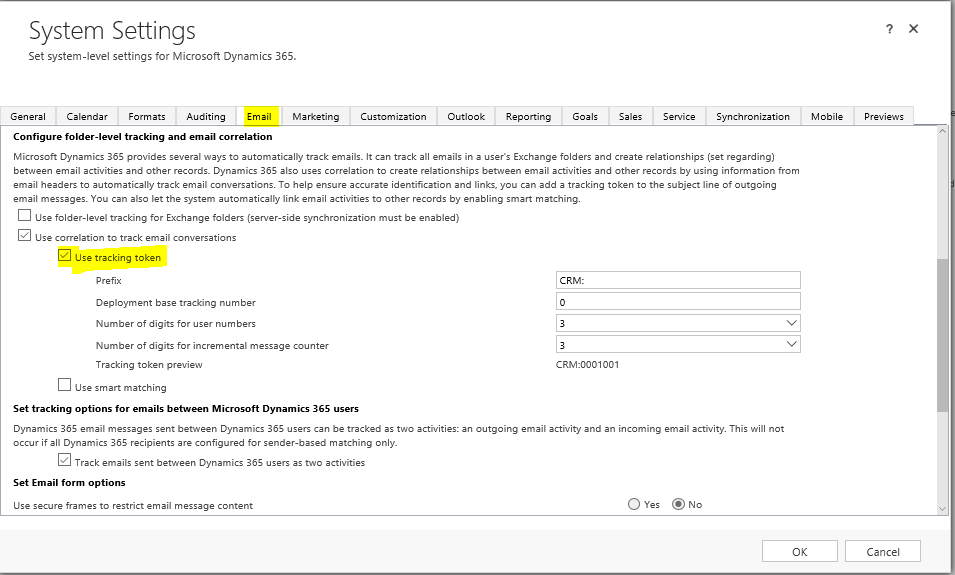
Note – enabling or disabling this feature only deals with the tracking token. Emails can still be tracked if this is disabled.

Keep learning. Keep building.
Explore AI, agents & Microsoft technology.
I share practical ideas, tutorials, and videos about AI, AI agents, Microsoft technologies, and the Power Platform.
Subscribe on YouTube →Carl de Souza Enterprise Architect at Microsoft · AI Technology Expert
