Users may create personal charts that are so useful they could become system charts. In order to convert a personal chart to a system chart, go through these steps.
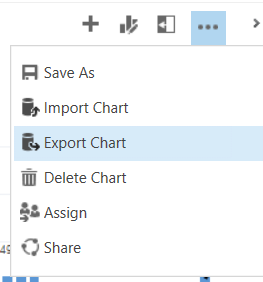
First, export the XML of the personal chart by selecting the chart and Export XML:
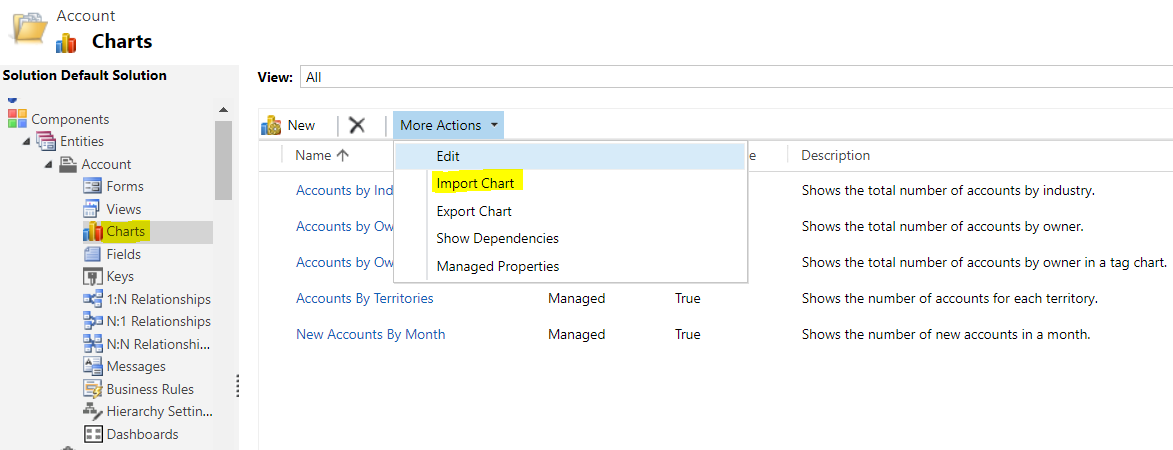
Next, go to Customizations to the entity and select Import Chart:
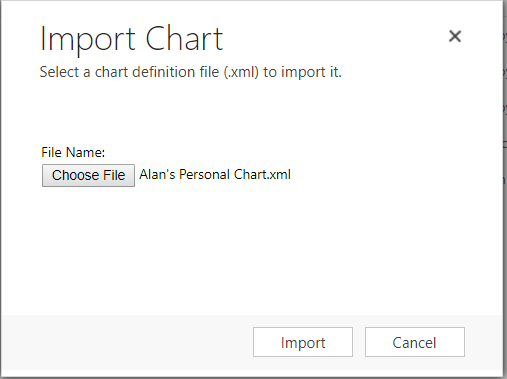
Select the XML file that was exported above. Click Import:
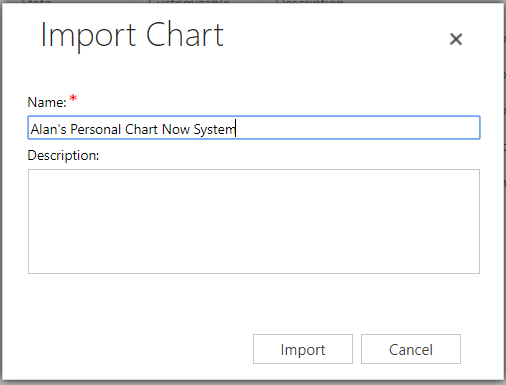
Name the chart and click Import:
Publish the customization.
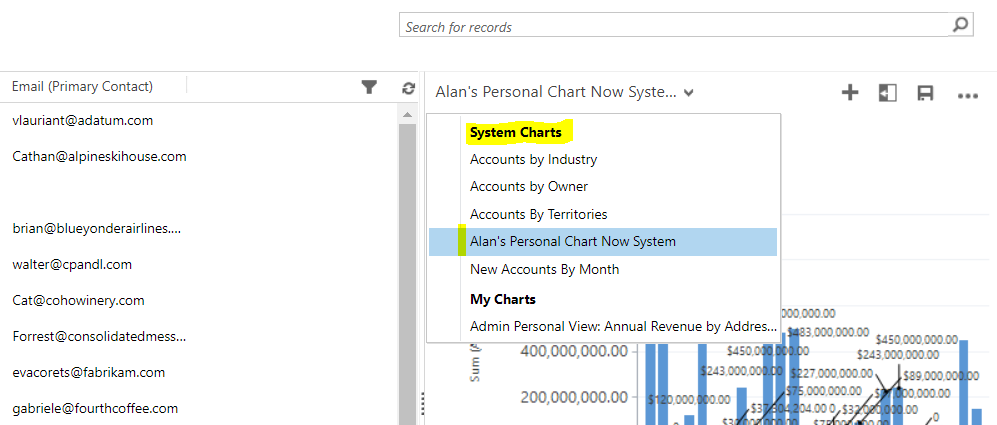
You will now see the chart as a system chart:

Keep learning. Keep building.
Explore AI, agents & Microsoft technology.
I share practical ideas, tutorials, and videos about AI, AI agents, Microsoft technologies, and the Power Platform.
Subscribe on YouTube →Carl de Souza Enterprise Architect at Microsoft · AI Technology Expert
