UII and XRM Tooling NuGet Packages

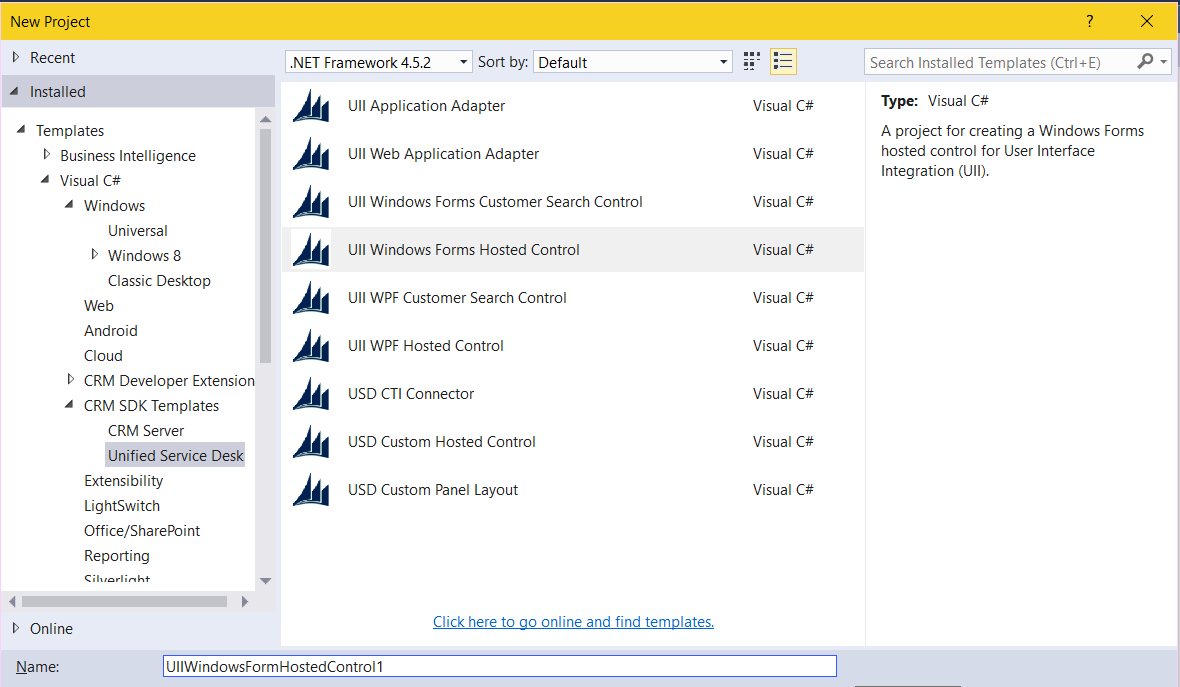
To install the UII NuGet Packages, open a Visual Studio project and open the Package Manager Console. Enter the command: Install-Package Microsoft.CrmSdk.XrmTooling.CoreAssembly This will install the following assemblies: Then, install the UII Common package: Install-Package Microsoft.CrmSdk.UII.CommonAssemblies More information: https://www.nuget.org/packages/Microsoft.CrmSdk.XrmTooling.CoreAssembly/ https://www.nuget.org/packages/Microsoft.CrmSdk.UII.CommonAssemblies/    

USD – Create Entity

In USD, there is an action call that creates an entity in CRM. Let’s go through an example of how to use it. In this example we will show how to clone an account record. Create a new Action Call. Set the hosted control to CRM Global Manager and the Action to CreateEntity. Note we are setting in the data field what entity to create (account) and passing name value pairs for … Continue reading USD – Create Entity

Dynamics 365 Activities

Activities in Dynamics 365 are ways to communicate with your customers. To access activities, go to Sales->Activities: Selecting this link takes you to the Activities view: There are different types of activities, including: tasks email appointments phone call letter fax service activity campaign response To enter a new task, select New Task and set the regarding (select the entity and record): To enter a new email, select New Email and … Continue reading Dynamics 365 Activities

USD Session New

Session New is an event that is part of the CRM Global Manager hosted control. A typical sequence of events is: User selects a link in USD USD determines if there is a Window Navigation Rule associated with the from entity clicked and the to entity. Or, if there is a navigation rule from blank entity to blank entity If there is, and the result is Create Session, then Perform the actions associated … Continue reading USD Session New

Dynamics CRM Email Tracking Token

Dynamics CRM has the ability to track emails. In doing so, it adds a tracking token to the subject line of the email message. This functionality can be enabled or disabled. To turn the feature on and off, go to Settings->Administration and select System Settings: Next, select the Email tab. Scroll down to the option “Use tracking token”. Here, you can enable, disable and configure the email token. Note – enabling … Continue reading Dynamics CRM Email Tracking Token

Dynamics 365 Add HTML Web Resource and JavaScript Button

In Dynamics 365, we can use Web Resources to add buttons to forms. To do this, go through the following steps. We will do this using Developer Extensions. First, create a new project: Right click and add a new HTML Page: We will call the page JSButton.html: This creates: Let’s add some Hello World text and deploy this to see how it looks: From the Web Resource Deployer, Connect to … Continue reading Dynamics 365 Add HTML Web Resource and JavaScript Button

Installing and Using ILSpy

ILSpy is an assembly browser and decompiler. Here we will go through installing and using ILSpy. First, download the binaries from the ILSpy website: This will download a ZIP file. Extract the file: Run the ISpy.exe: Click to open a file: Here I have selected an exe compiled from code I previously wrote. You can see we can now see the decompiled code within ILSpy:  

Advanced Find URL in Dynamics 365

The Advanced Find in Dynamics 365 can be accessed directly through a URL. That URL is: https://yourcrm.crm.dynamics.com/main.aspx?pagetype=advancedfind The advanced find page will then load:  

WCF Data Contracts and Data Members

WCF Data Contracts define the contract between client and server over what will be exchanged. Here we will go through creating a WCF service and consuming it, noting the data contracts. First, create a new WCF project: In this example we will have a data contract for a Customer class. Add code: using System; using System.Collections.Generic; using System.Linq; using System.Runtime.Serialization; using System.ServiceModel; using System.ServiceModel.Web; using System.Text; namespace Carl.WCFCRM { [ServiceContract] … Continue reading WCF Data Contracts and Data Members

Serializing an Object in C#

Serialization is the process of converting an object into a byte stream. Once serialized, it can be transmitted to a file, a database or to memory or send it across a network. For example, you may want to convert data to XML. Serialization allows you to store the state of the object; you can then recreate it as needed. Let’s go through a simple example of serializing a Car object. … Continue reading Serializing an Object in C#