CRM Global Manager Hosted Control Actions and Events

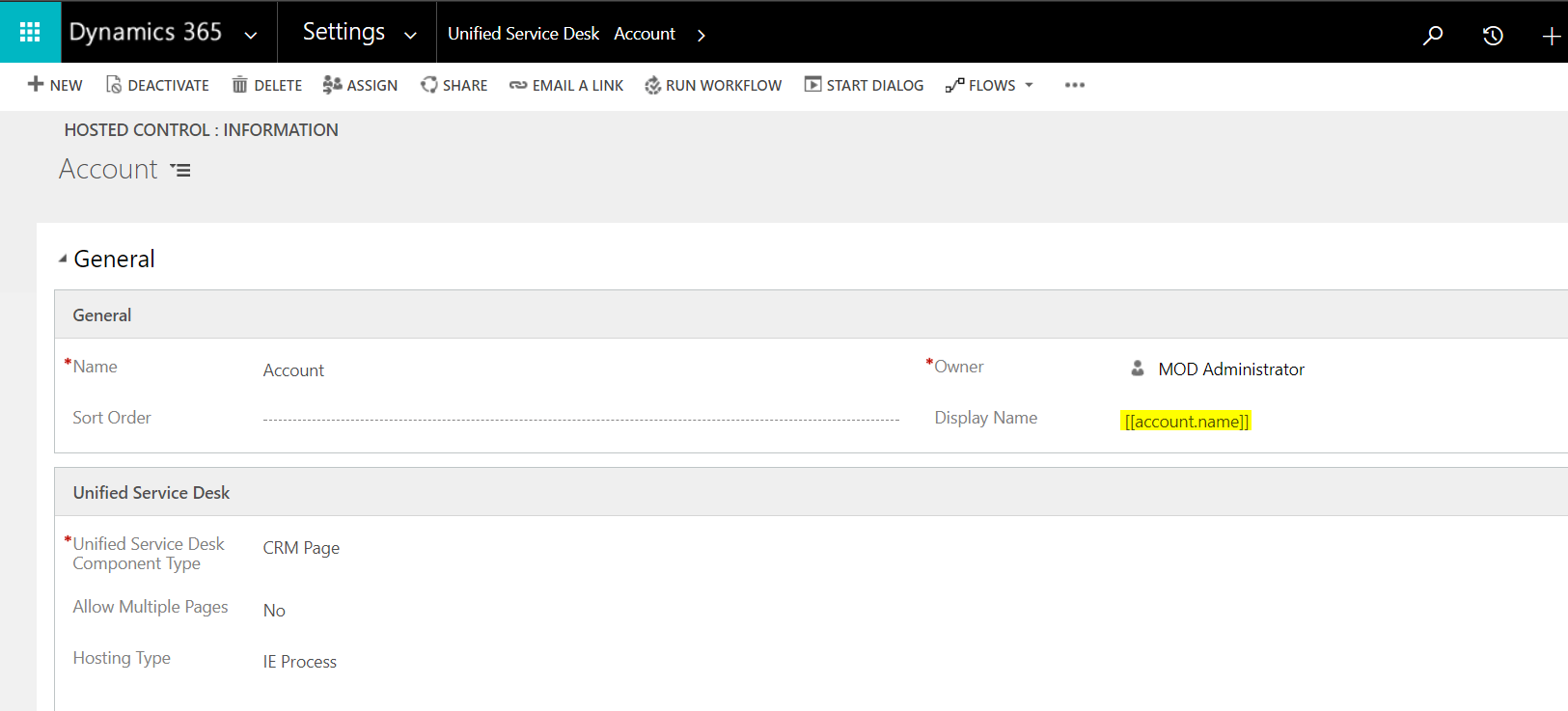
The CRM Global Manager hosted control (called the Global Manager in earlier USD versions) is a specific type of hosted control in USD. The control is required (single instance). It: loads all USD configuration at startup handles window navigation rules handles toolbar handles agent scripts handles data management The global manager provides pre-defined UII actions including: Audit CallDoAction ClearAppBar ClearEntityList Close CloseActive CopyToClipboard CopyToContext CopyLogicalEntityToContext CloseActivity CreateEntity CreateSession DeleteEntity DoRoute DoSearch … Continue reading CRM Global Manager Hosted Control Actions and Events

Ribbon Workbench for Dynamics CRM 2015

To download the Ribbon Workbench, go to: https://ribbonworkbench.uservoice.com/knowledgebase/articles/80806-download-ribbon-workbench-for-crm-2011-2013-2015   Select the download link: Select the version: Check email: This will download the file: In Dynamics CRM, go to Solutions: Select the downloaded file and Import: Select Import:   The Ribbon Workbench will be installed. Select a solution. You can now start using the Ribbon Workbench.  

Windows Navigation Rules in USD

Windows navigation rules in Unified Service Desk tell the application what to do when a user performs an action. Here we will go through an example. Let’s say when USD loads, it loads a Dynamics 365 dashboard. On that dashboard, the user has the ability to select an Account. Without any navigation rules set up, on selecting an account, the interface will open the account’s Dynamics 365 page within the … Continue reading Windows Navigation Rules in USD

Dynamics CRM Creating and Debugging JavaScript Code

One of the benefits of using Dynamics CRM is the ability to write client side JavaScript code to perform actions on the user interface. Let’s go through an example of how to do this. In this example, we will show a message box when a user changes a value on a field. We will do this on the Website field on the Accounts form: Firstly, edit the Accounts form to display the developer view: … Continue reading Dynamics CRM Creating and Debugging JavaScript Code

Data Analysis TookPak Correlation

In Excel, select Correlation from the Data Analysis TookPak: Highlight and select options: Excel will create the correlation:  

Excel Analysis ToolPak Descriptive Statistics

There is lots of functionality in the Excel Analysis ToolPak. Let’s take a look at Descriptive Statistics. Let’s apply this to my data, which is MSFT stock prices over 2016. Select the input range and check labels in first row. Check summary statistics. This will go into a new tab on the worksheet. Excel has now generated the Descriptive Statistics:  

Power BI Service Administrator Role

In order to administer Power BI, there is a role in Office 365 that allows a user to be a Power BI administrator without having to have higher admin rights in Office 365. This role is called Power BI Service Administrator. To assign the role, log into https://portal.office.com and log into the Admin portal. Select Edit a User to edit an existing user: Select the user and next to Roles select Edit: Click Save. To do … Continue reading Power BI Service Administrator Role

Excel Analysis ToolPak

Excel provides an addin called Analysis ToolPak. To access it, open Excel and go to File->Options: Select Addins->Go: Select Analysis ToolPak and the Analysis ToolPak – VBA options and click OK: Click on the Data ribbon and you will see an option for Data Analysis: Note there are many different options:  

Dynamics 365 JavaScript Subgrid Refresh

Here we will go through an example of refreshing a Dynamics 365 subgrid using JavaScript. Let’s say we want the Recent Opportunities subgrid of an Account to refresh after a user presses a button. We have a web resource with a button that will run some JavaScript code: Edit the form to look up the name of the subgrid: Now add the code to the JavaScript behind the button: parent.Xrm.Page.getControl(“accountopportunitiesgrid”).refresh(); … Continue reading Dynamics 365 JavaScript Subgrid Refresh

Fiddler Autoresponder

In Fiddler, there is a feature called Autoresponser, which allows you to replace remote resources with your own local resources. This is useful if you are not online and would like to test some code, or would like to test certain functionality. Let’s see how this works. Let’s say we go to the Instagram.com website: In Fiddler, we can see this image/jpeg is downloaded: Which maps to: We can use … Continue reading Fiddler Autoresponder