Replacement Keys in Unified Service Desk are used to provide specific logic to Replacement Parameters.
Here we will go through each of the replacement keys:
- + is used to replace a null with an empty string. E.g. if your replacement parameter [[contact.firstname]] is null, it may cause an issue if used in an action. We can change this to [[contact.firstname]+] to replace the null with an empty string
- $ is used for escaping quotes and line breaks. E.g. [[script.getaddress]$]
- ^ is used to prevent the escaping of quotes and line breaks
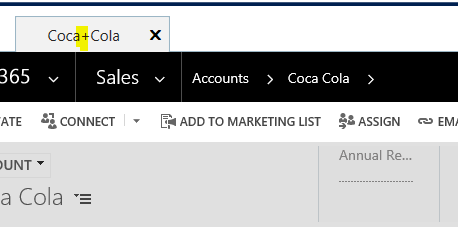
- u is used to URL encode a replacement parameter. For example, if a space appears in a URL, it is encoded as %20. So if [[account.name]] returns “My Account” it would appear in a URL as My%20Account. We can do this in USD by: [[account.name]u]
- x is used to XML encode replacement parameters, e.g. having tags < > escaped. [[account.name]x]
- g returns the value from the global session.
- a returns the value from the current session in focus.
- v returns the value, e.g. [[template.value]v]
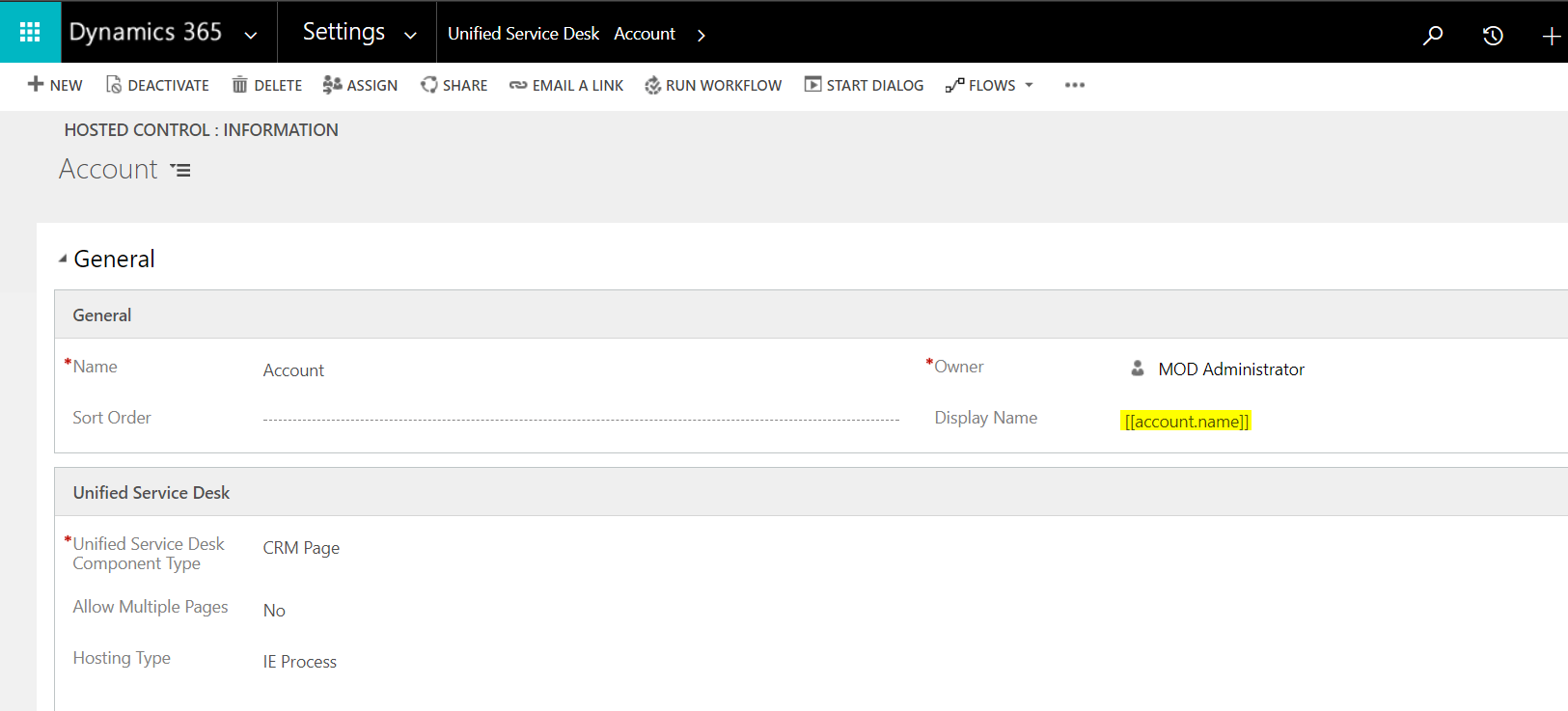
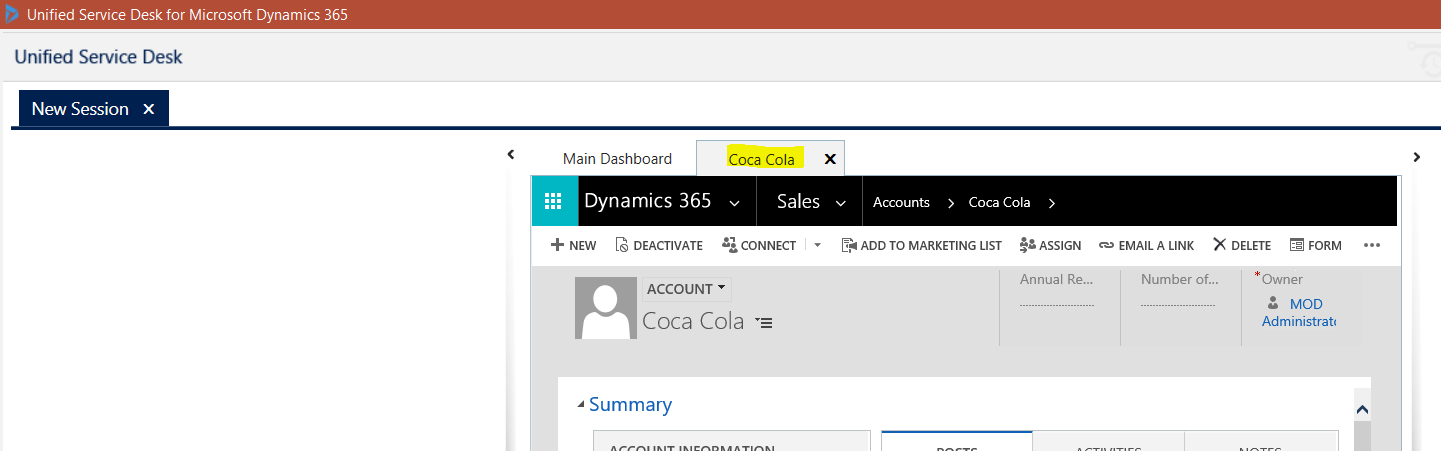
Let’s go through an example of using Replacement Keys. We have an Account hosted control of type CRM Page. In the Display Name, we can used replacement parameters. If we set the display name to [[account.name]] it will display the account’s name:
If we replace this with:
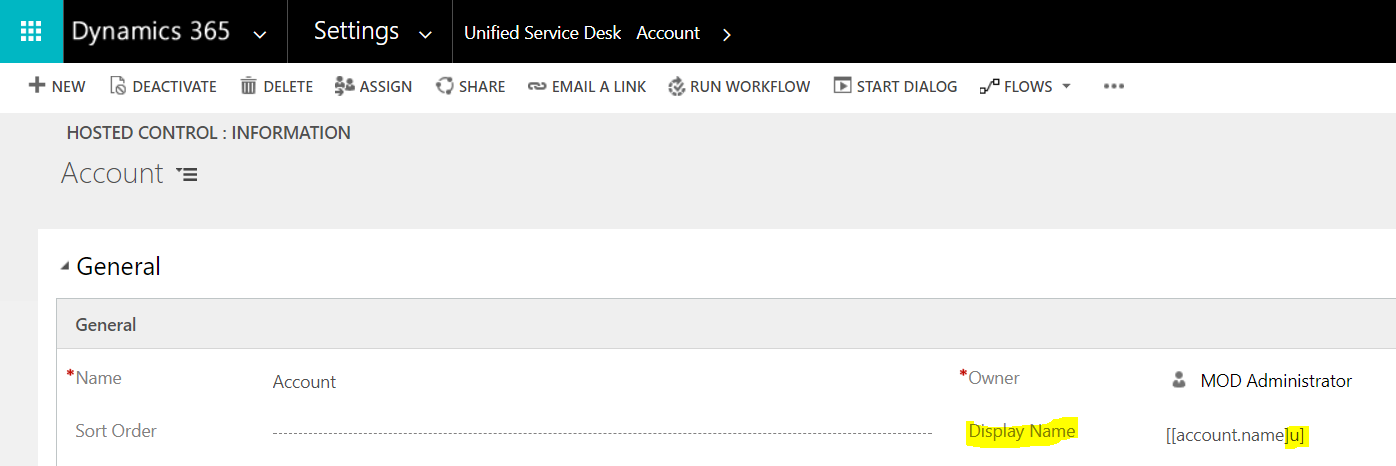
USD encodes the space to +:
You can read more about Replacement Keys here: https://msdn.microsoft.com/en-us/library/dn864934.aspx

Keep learning. Keep building.
Explore AI, agents & Microsoft technology.
I share practical ideas, tutorials, and videos about AI, AI agents, Microsoft technologies, and the Power Platform.
Subscribe on YouTube →Carl de Souza Enterprise Architect at Microsoft · AI Technology Expert
