Unified Service Desk 4.2 went general availability recently, and if you upgraded you may see that when you launch USD you are prompted to log in. Enabling the Single Sign On (SSO) settings in USD will change this so it launches the user right into USD without having to re-enter their credentials. Shout out to Microsoft superstar John Mathews for the tip on how to enable this one.
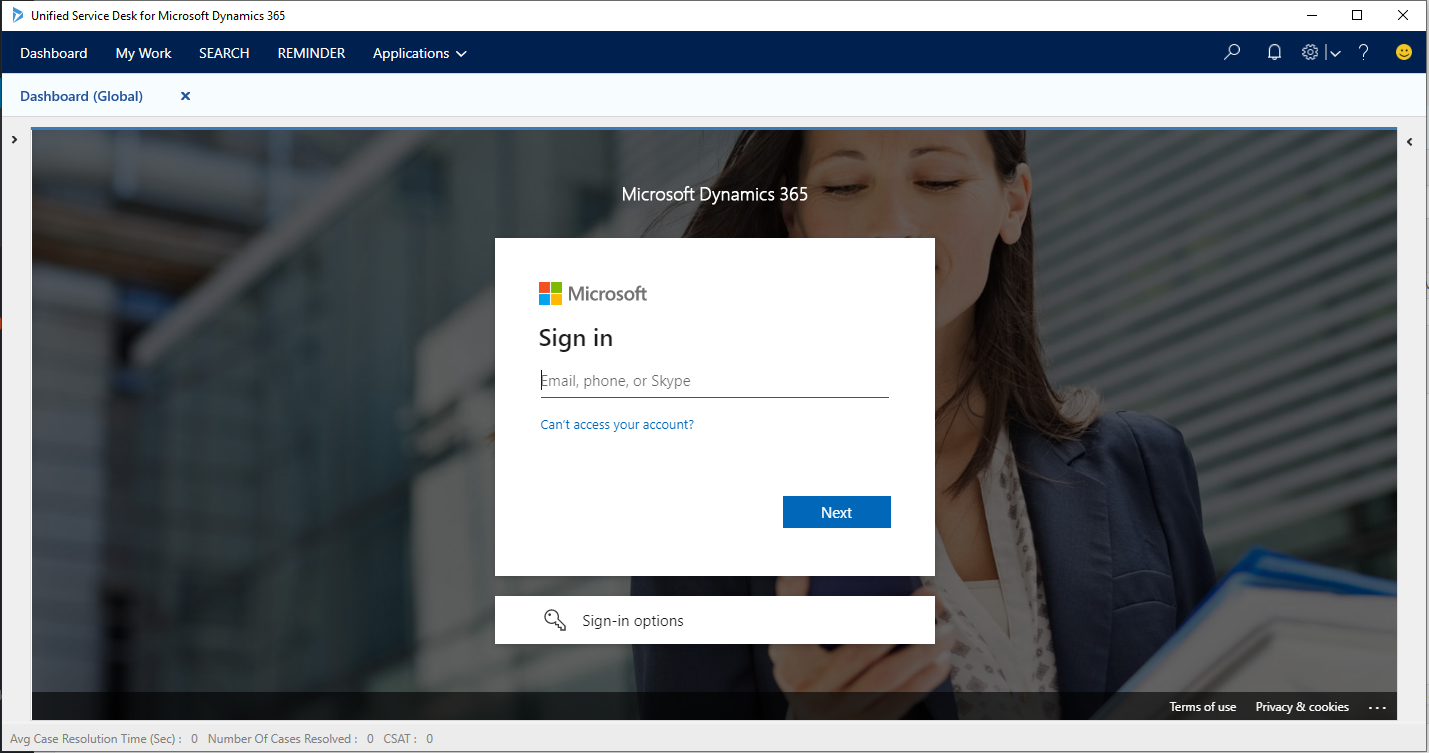
First log into the Unified Service Desk Administrator app and go to Options, then create a new option:
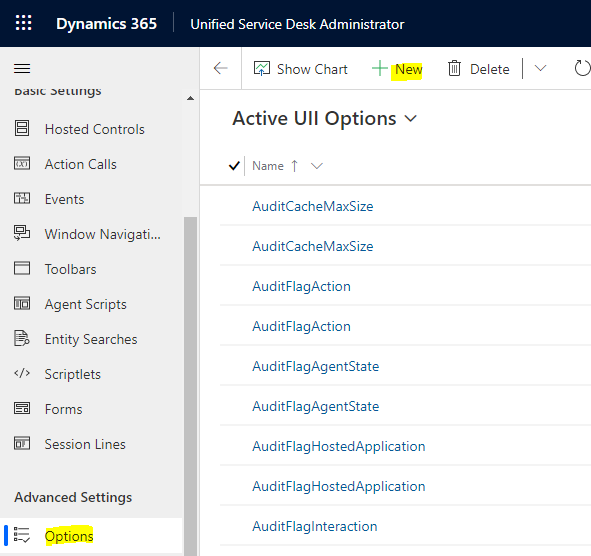
Create a new record for SingleSignOnEnabledBrowsers, and in my environment I will set it to value = Chrome:
Note the Microsoft documentation says “Both Chrome and EdgeWebView2 SSO should not be enabled at a time. If both the browsers are given in the SingleSignOnEnabledBrowsers UII option, SSO will not work. Either Chrome or EdgeWebView2 options should only be given for the UII option.”
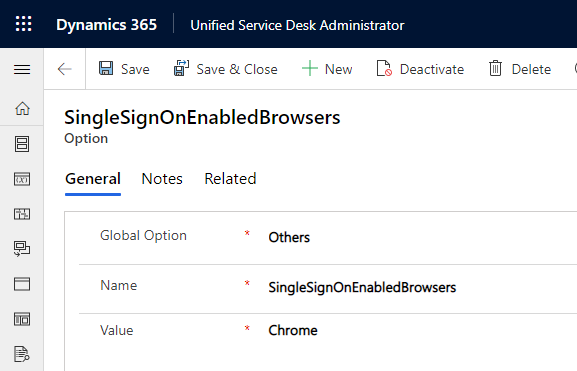
Next, you may need another record for the SingleSignOnThreshold. The value in milliseconds indicates the timeout to wait before showing a dialog box to enter credentials to sign in to the Datavserse. The default is 5 seconds. We will make ours 10 seconds, you can see the best setting for your environment:
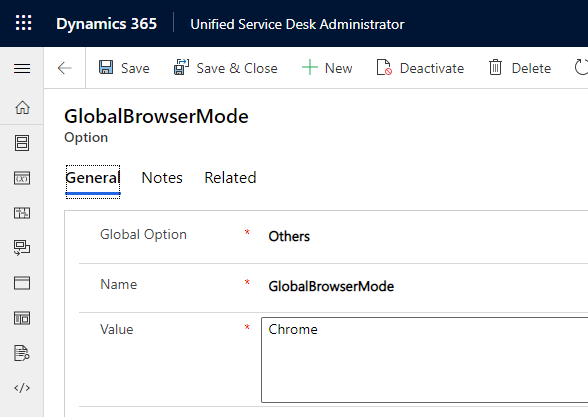
And finally, create another record with the GlobalBrowserMode set to Chrome, which sets the hosting type to Chrome for the organization:
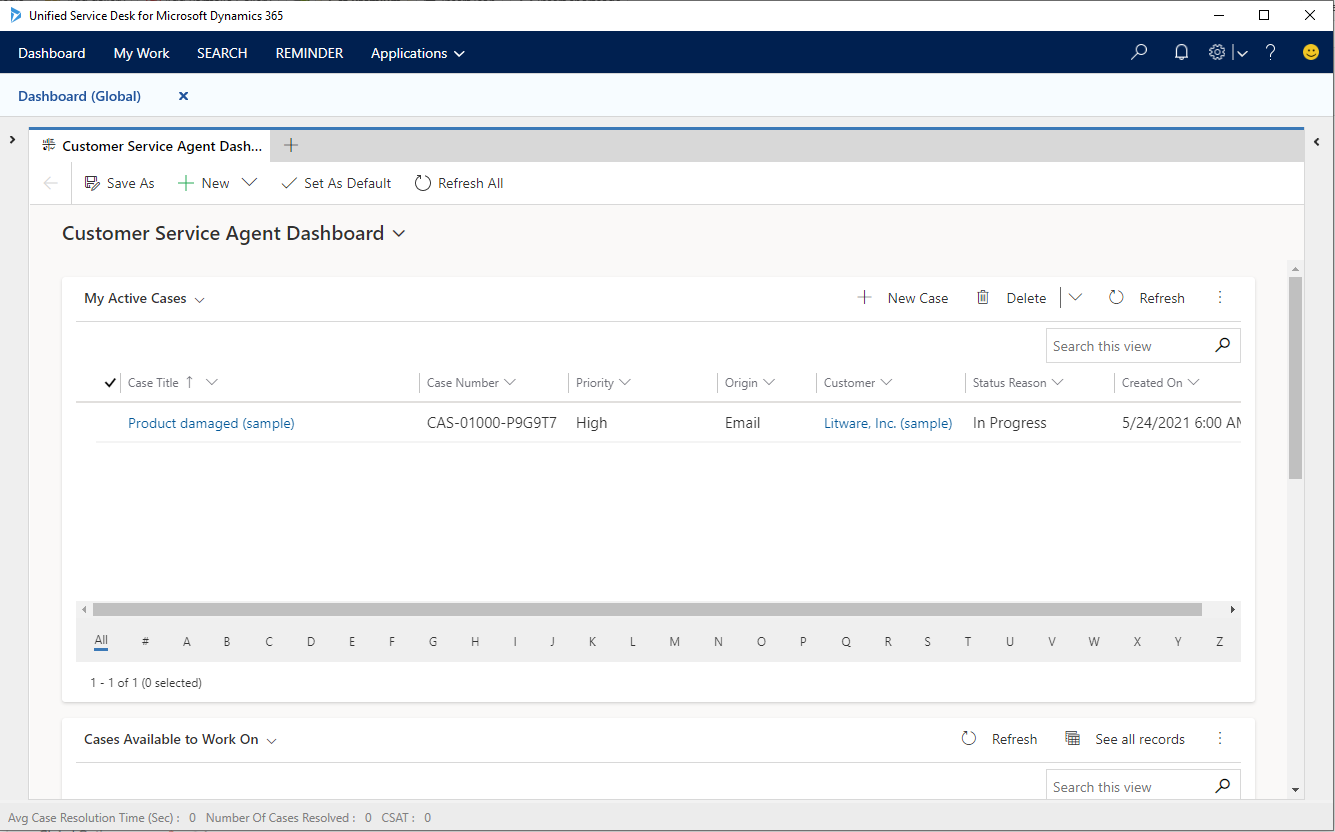
Once these are enabled, restart USD and the user should not have to re-type their credentials:
For more information check out Microsoft Docs here and here.

Explore AI, agents & Microsoft technology.
I share practical ideas, tutorials, and videos about AI, AI agents, Microsoft technologies, and the Power Platform.
Subscribe on YouTube →