Auto-numbering is a feature in Dynamics 365 for certain entities in the system. These include:
- Contracts
- Cases
- Articles
- Quotes
- Orders
- Invoices
- Campaigns
- Categories
- Knowledge Articles
To configure auto-numbering, go to Administration and select Auto-Numbering:

Then, select the entity:
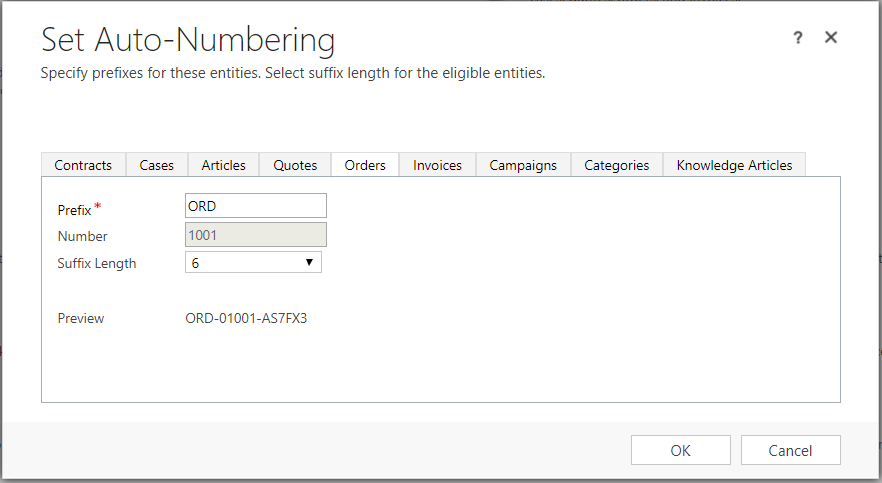
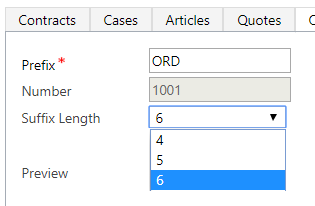
Note the different suffix lengths available:
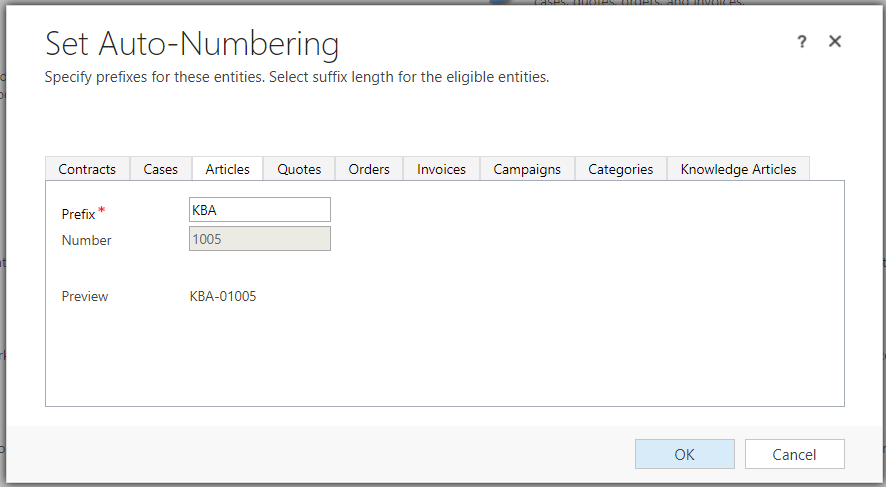
Also note Articles and Knowledge Articles do not have suffix length options:

Keep learning. Keep building.
Explore AI, agents & Microsoft technology.
I share practical ideas, tutorials, and videos about AI, AI agents, Microsoft technologies, and the Power Platform.
Subscribe on YouTube →Carl de Souza Enterprise Architect at Microsoft · AI Technology Expert
