When you create a new entity in Dynamics 365, there are some restrictions as to what you can disable if they were first enabled. Here we will take a look at these options.
When you first create a new entity, you will see the following available and pre-checked:
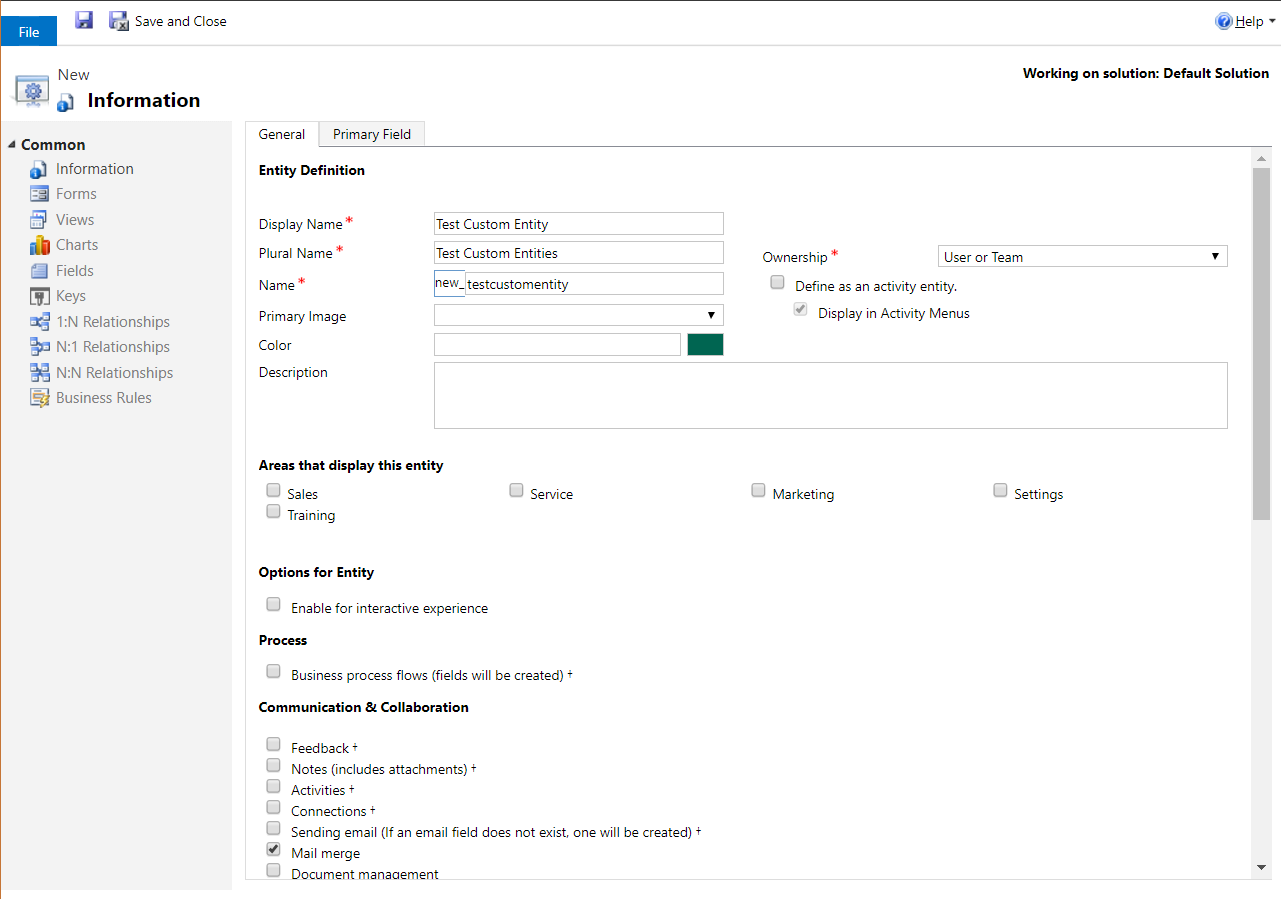
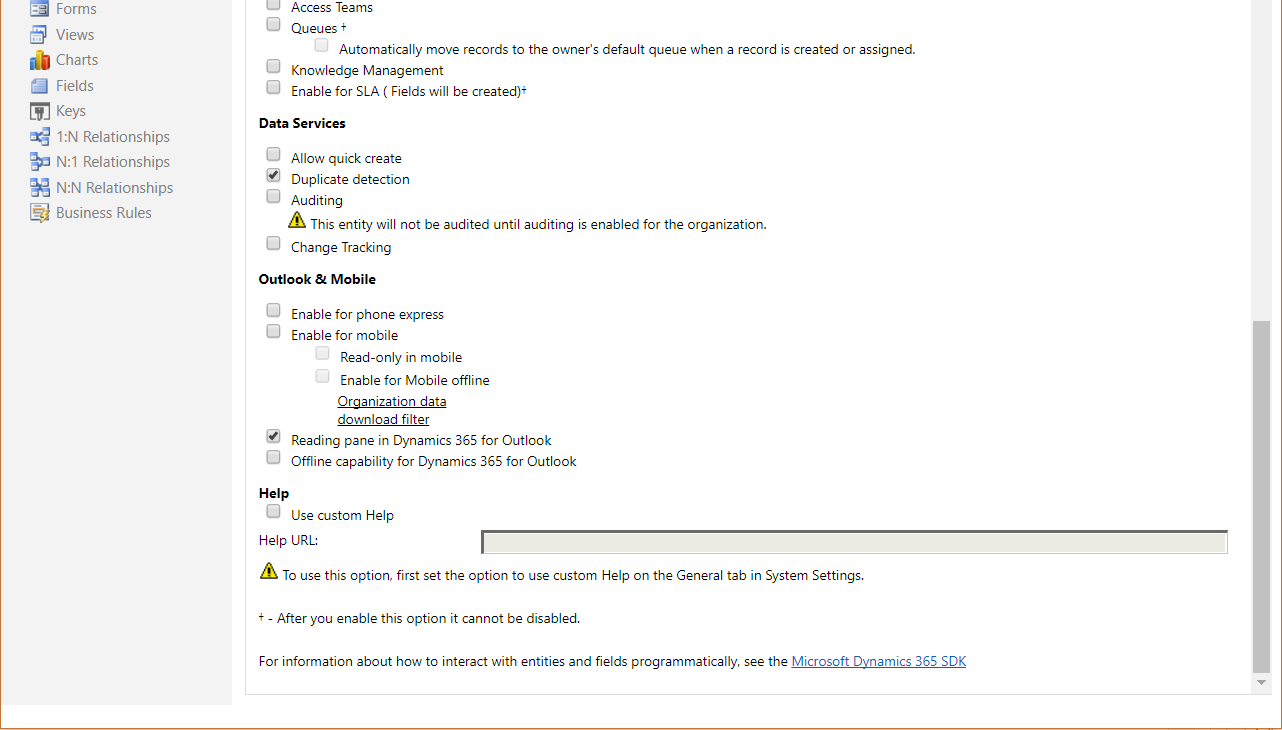
You can see at the bottom of the screen, it says “After you enable this option it cannot be disabled”. This includes:
- Business Process Flows
- Feedback
- Notes (includes attachments)
- Activities
- Connections
- Sending email (if an email field does not exist, one will be created)
- Queues
- Enable for SLA (fields will be created

Keep learning. Keep building.
Explore AI, agents & Microsoft technology.
I share practical ideas, tutorials, and videos about AI, AI agents, Microsoft technologies, and the Power Platform.
Subscribe on YouTube →Carl de Souza Enterprise Architect at Microsoft · AI Technology Expert
