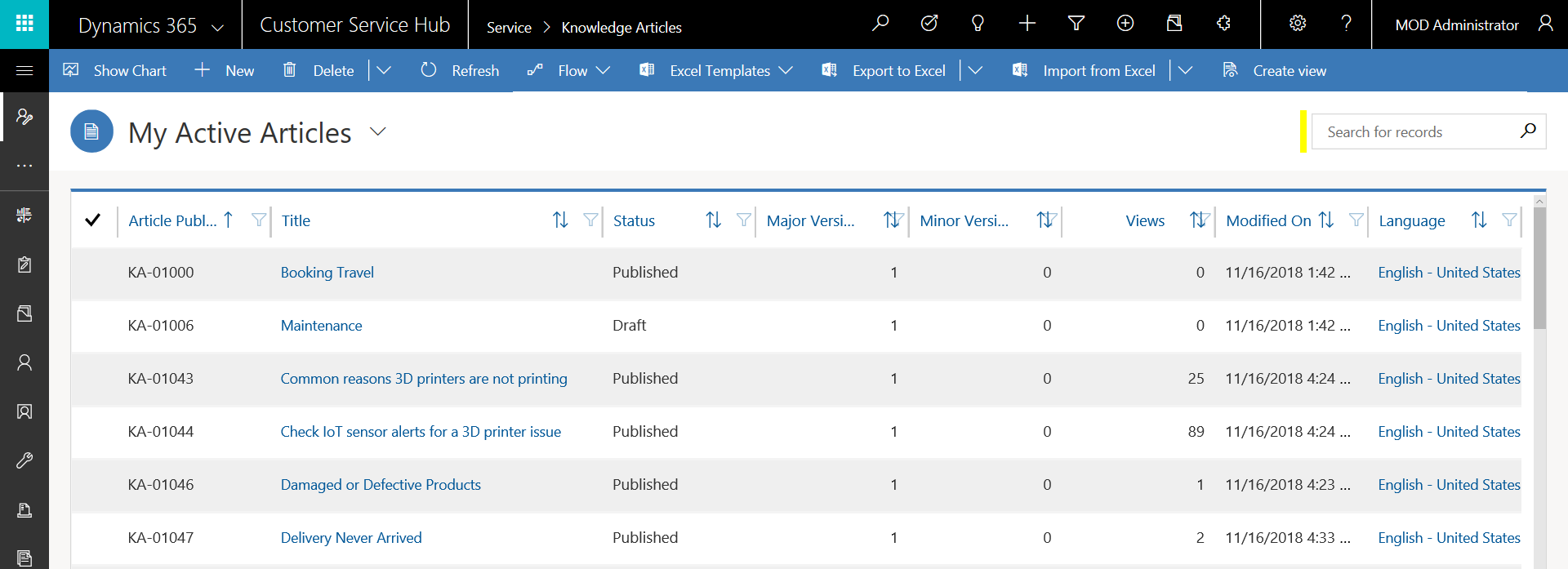
In Customer Service Hub, you can search for knowledge articles using the quick find view:
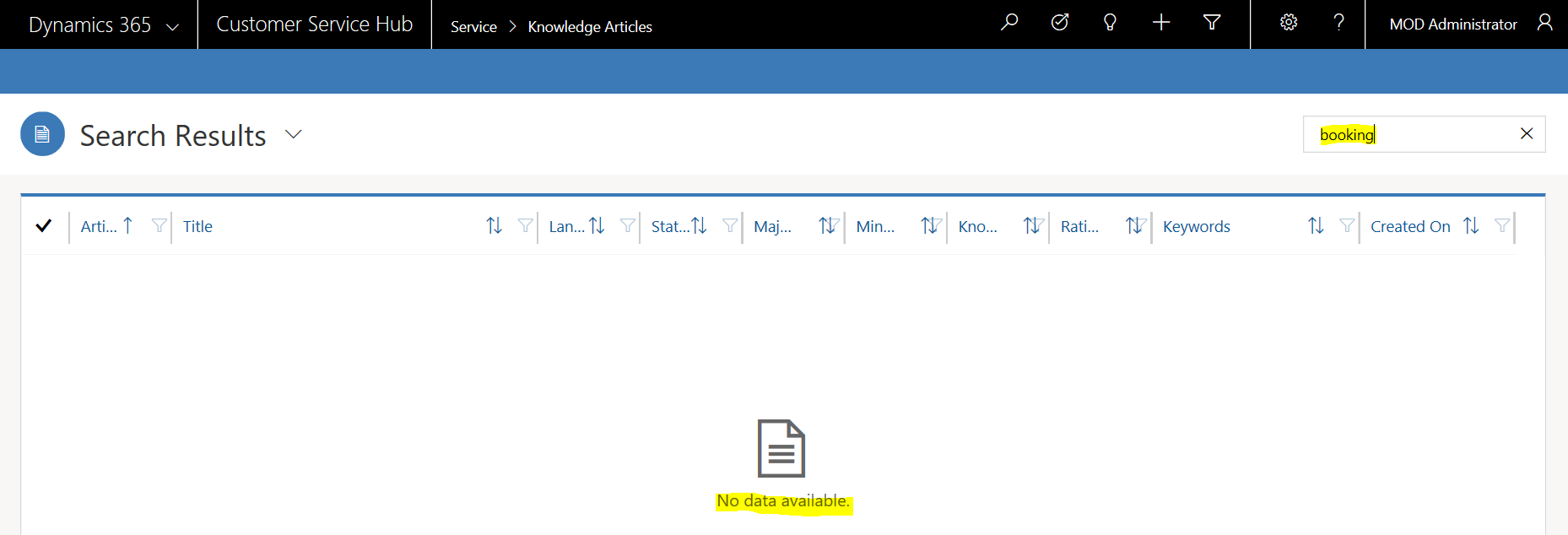
In some cases, searching for keywords may not produce any results:
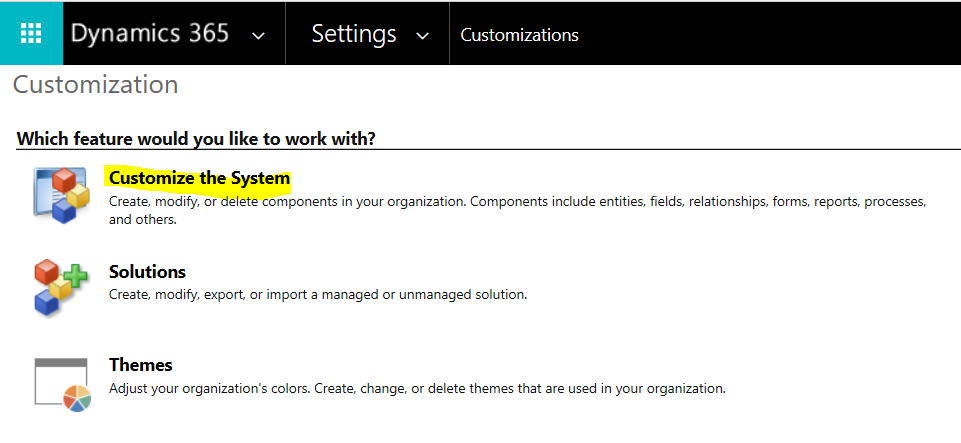
One thing to check in these situations is the quick find view fields have been properly configured. Open Customize the System:
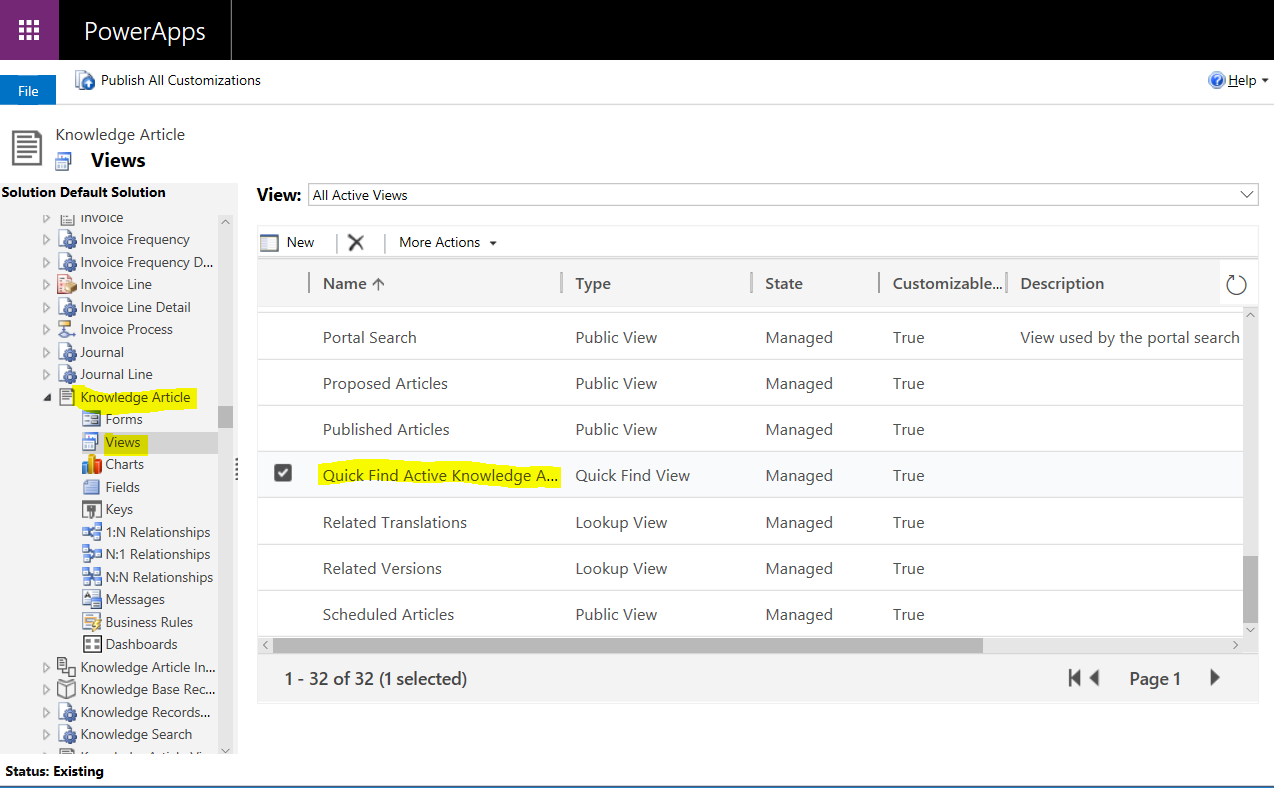
Select the Knowledge Article entity and go to Views. Select Quick Find Active Knowledge Articles:
Click on Add Find Columns:
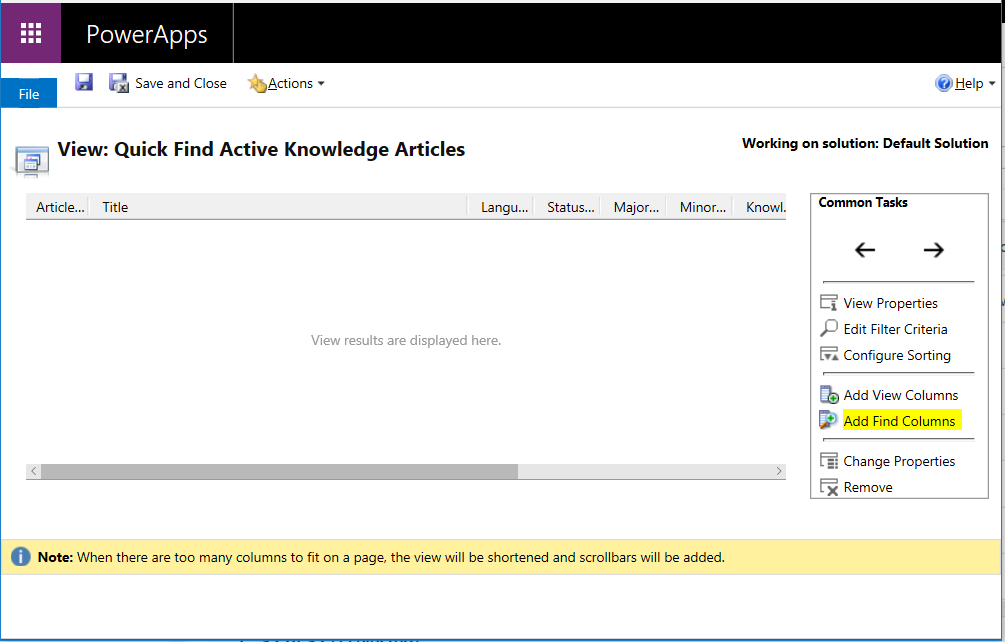
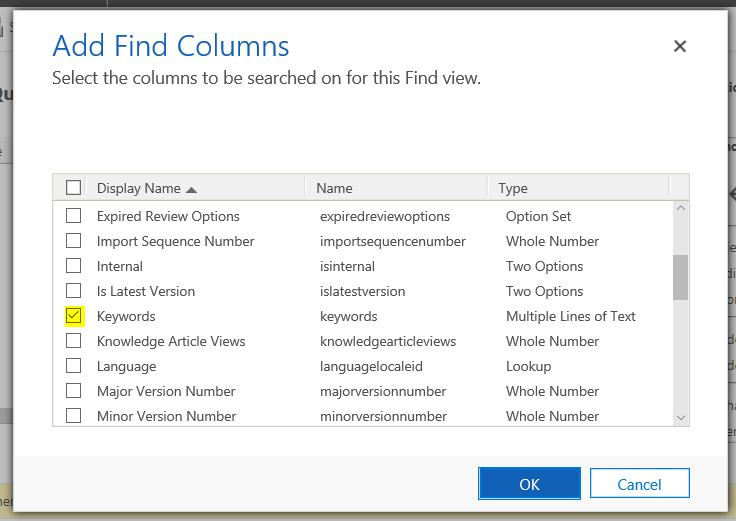
Ensure the relevant fields are selected for search, such as Keywords, Title etc:
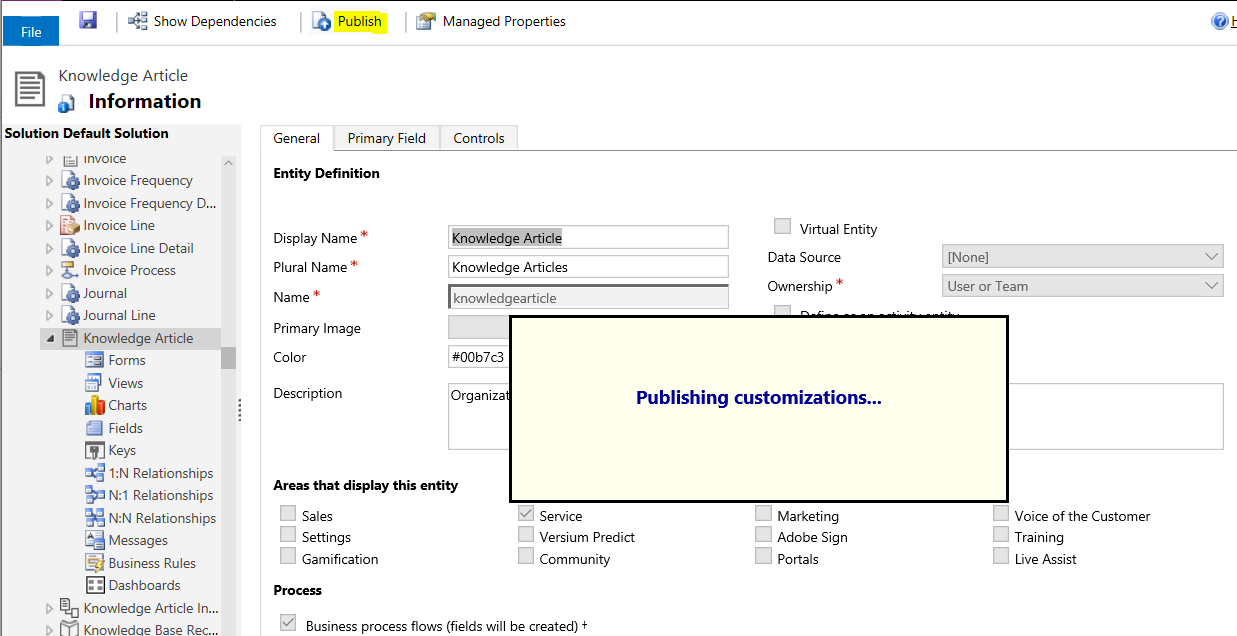
Click OK and Publish:
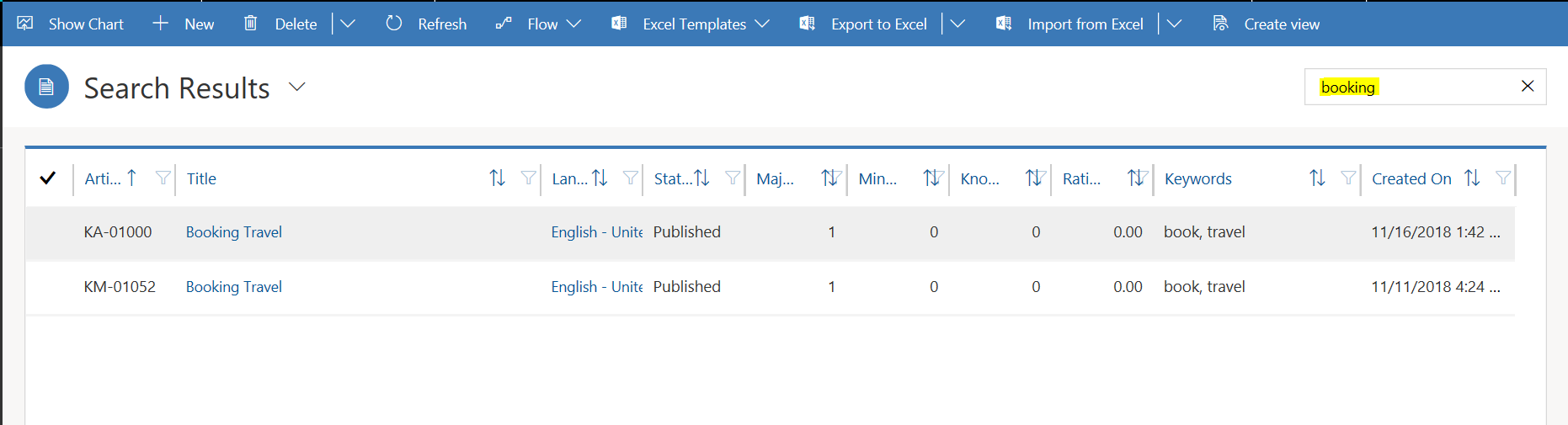
Now when you repeat the search, you will see the articles appear:

Keep learning. Keep building.
Explore AI, agents & Microsoft technology.
I share practical ideas, tutorials, and videos about AI, AI agents, Microsoft technologies, and the Power Platform.
Subscribe on YouTube →Carl de Souza Enterprise Architect at Microsoft · AI Technology Expert
