In USD, we have the ability to display a dashboard from CRM. Let’s go through an example of how to do this.
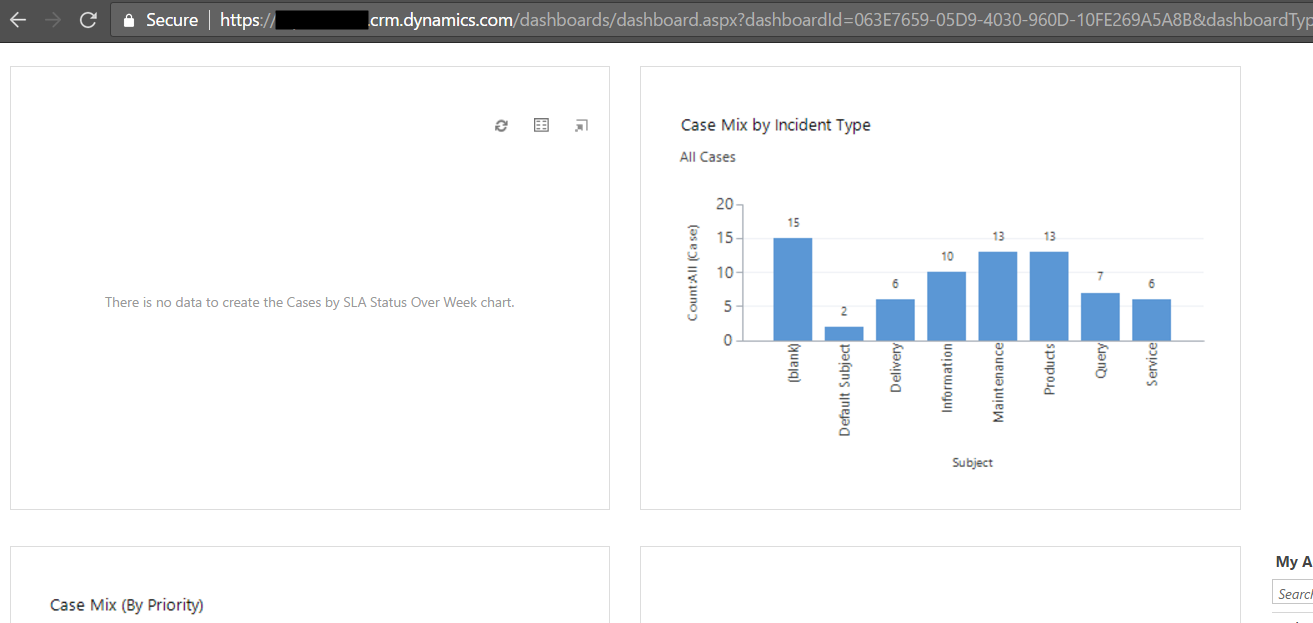
Firstly, determine the URL of the Dynamics CRM dashboard you want to use. You can do this here. In our case, we will be showing the Customer Service Representative Social Dashboard:
Let’s access this through a Toolbar in USD. Go to Toolbars and open the existing Main toolbar.
We will add to main in this example but you can use the same logic to add to a different toolbar. Click to add a new button:
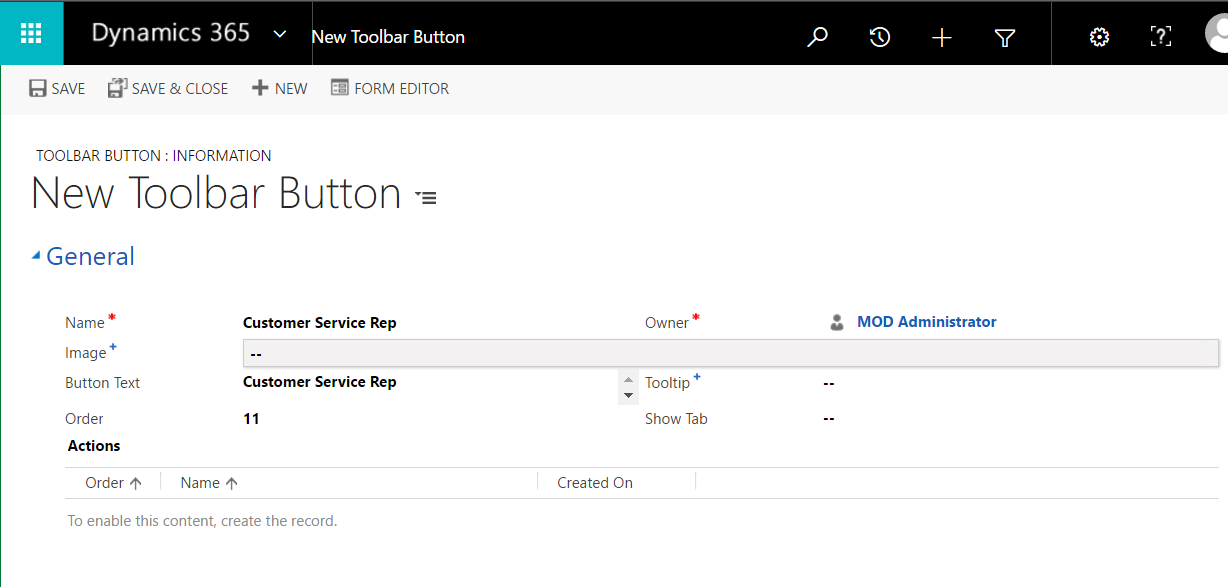
Save the toolbar to enable the Actions. Add a new action:
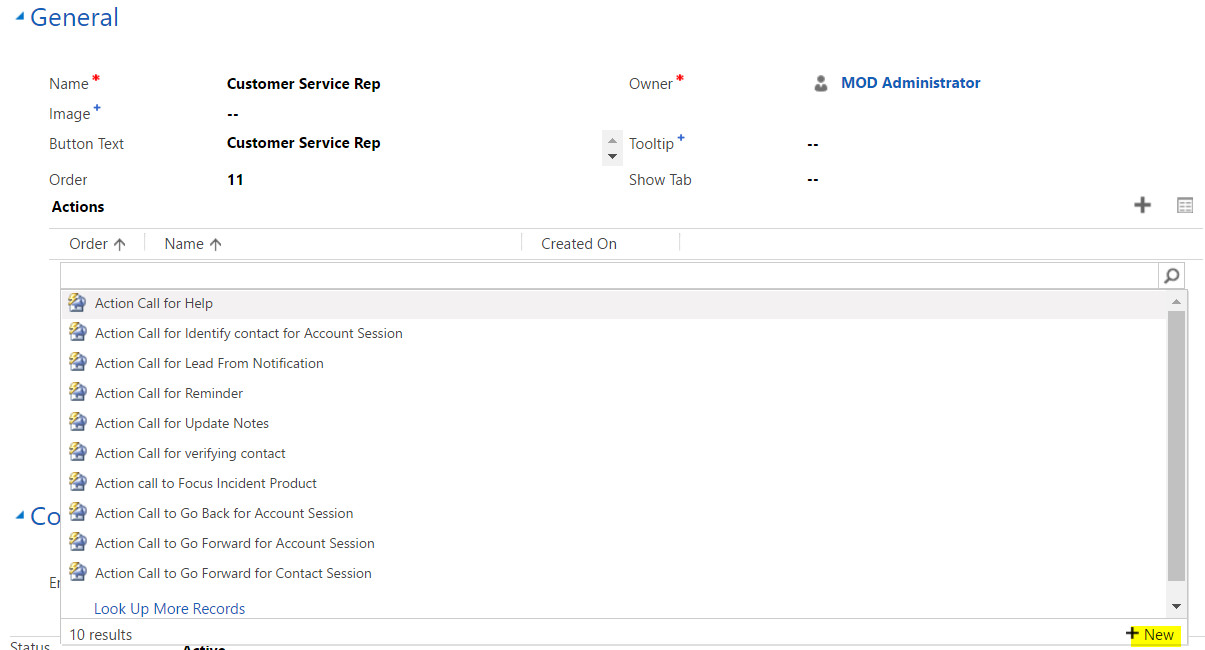
Select Dashboard as the Hosted Control, and Navigate as the Action:
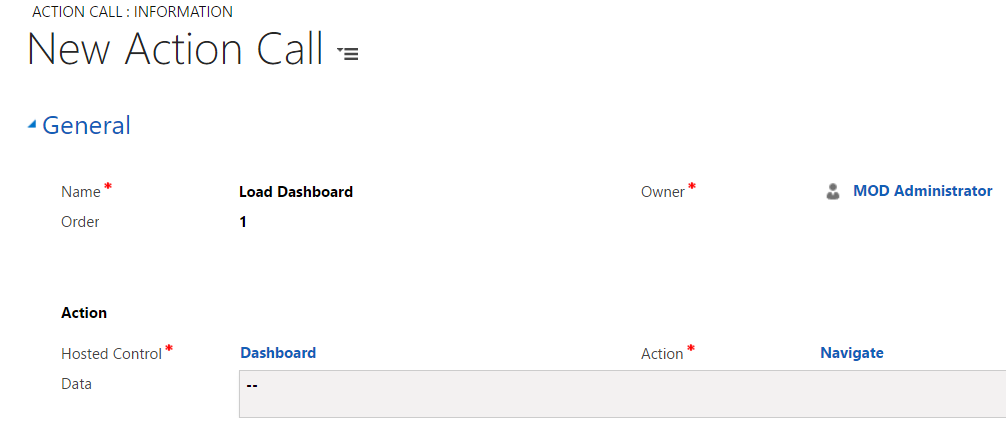
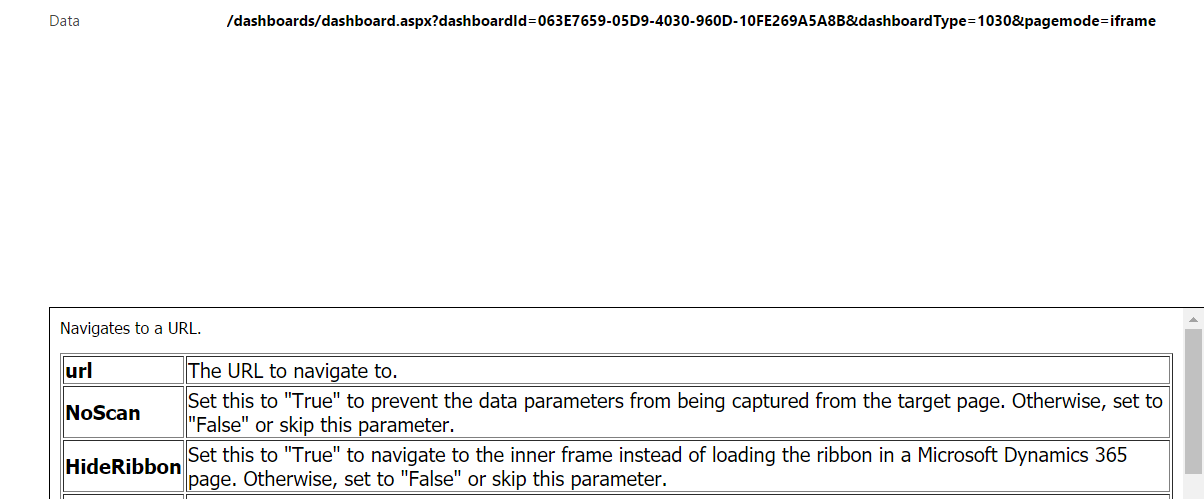
In the Data, we are going to put the URL of the CRM dashboard, as per the action instructions:
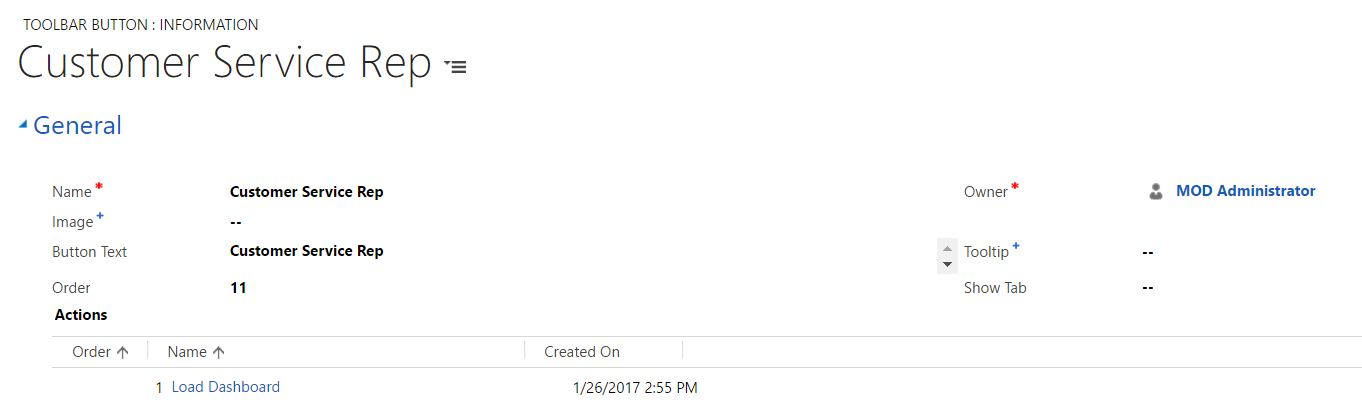
Add the action to the Toolbar Button. This isn’t done automatically after the action is created:
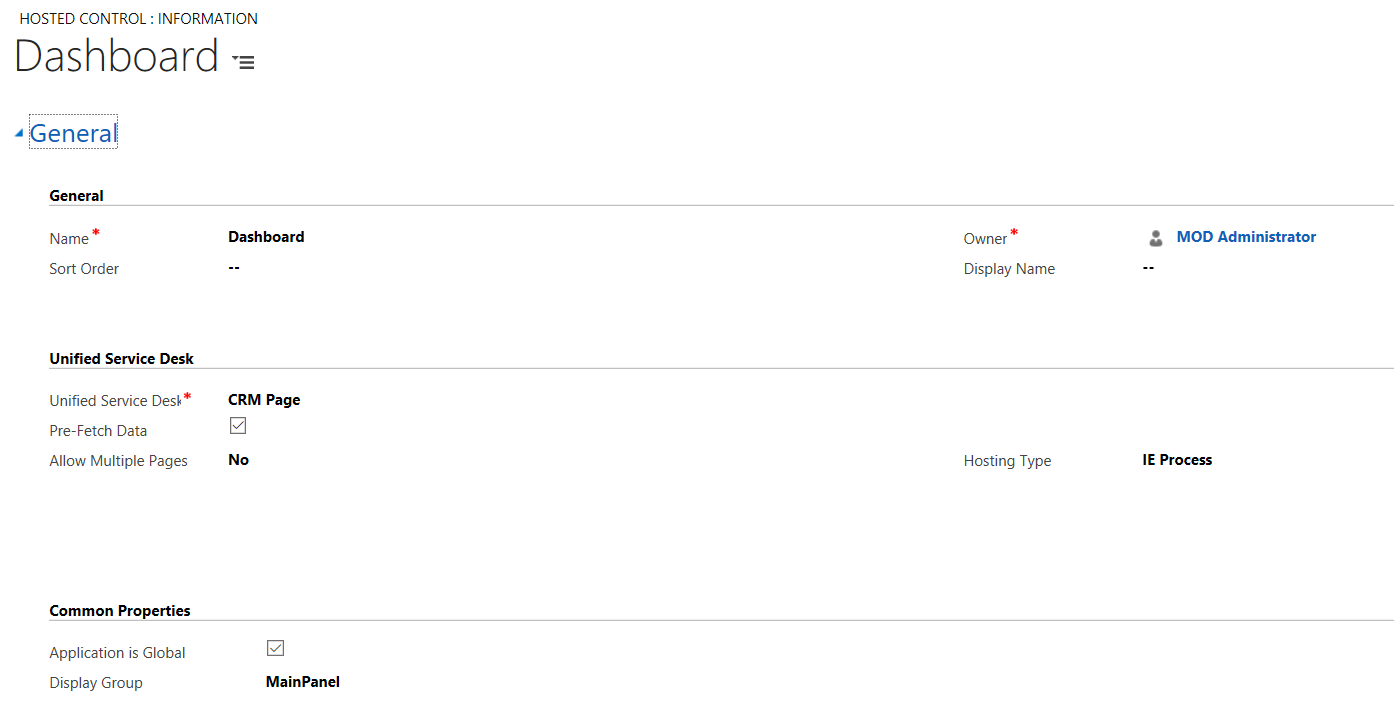
Note – confirm the Dashboard Hosted Control is set to Application is Global, in order to open it outside a session:
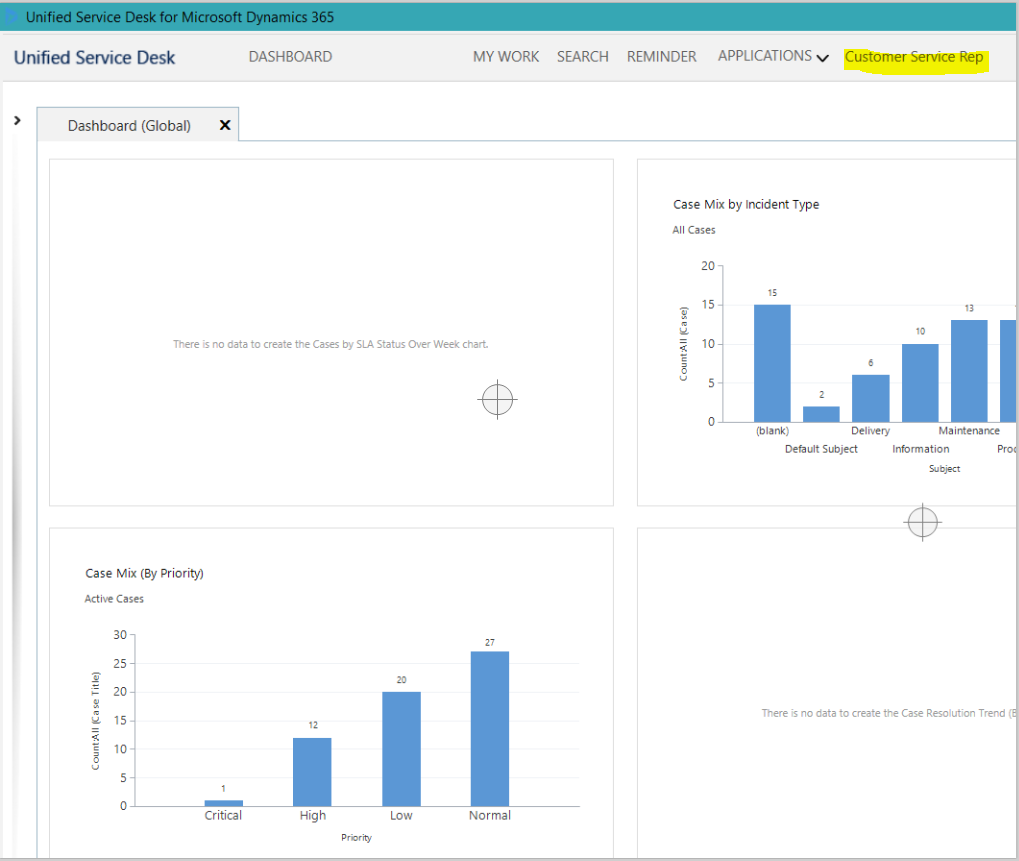
Open USD. You will now see the Customer Service Rep toolbar button. Clicking this opens the Customer Service Rep dashboard from CRM:
In Summary, we did:
- Open toolbars
- Select an existing toolbar (you can also add a new one)
- Add a new button to the toolbar. Give it a name
- Add an action to the button
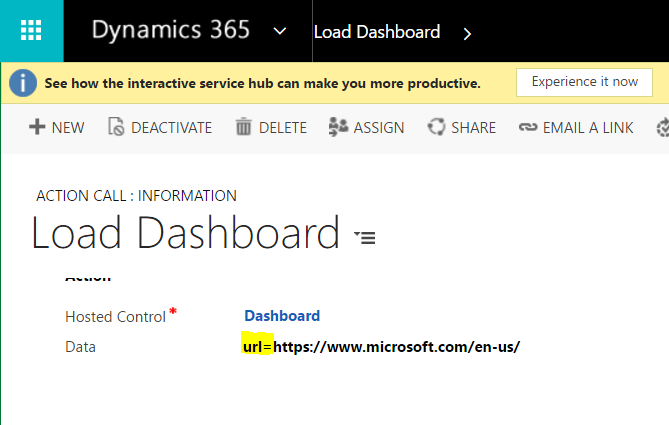
Now, let’s say we want to open any other web page instead of this. We can simply put a website URL into the step above.
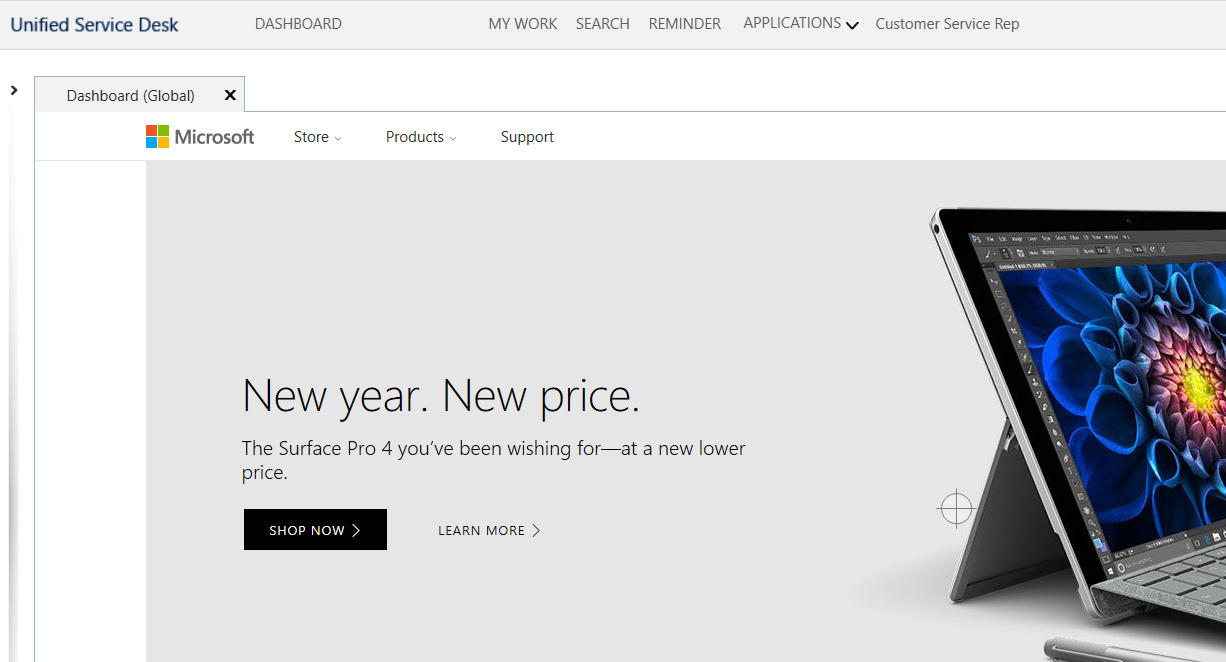
Restart USD and you will see the changes:

Explore AI, agents & Microsoft technology.
I share practical ideas, tutorials, and videos about AI, AI agents, Microsoft technologies, and the Power Platform.
Subscribe on YouTube →
[…] https://carldesouza.com/unified-service-desk-add-crm-dashboard-webpage/ […]