USD contains a hosted control for Activity Reminders. On opening USD, you will see a reminder icon. Clicking the icon will display the Activity Reminder hosted control:
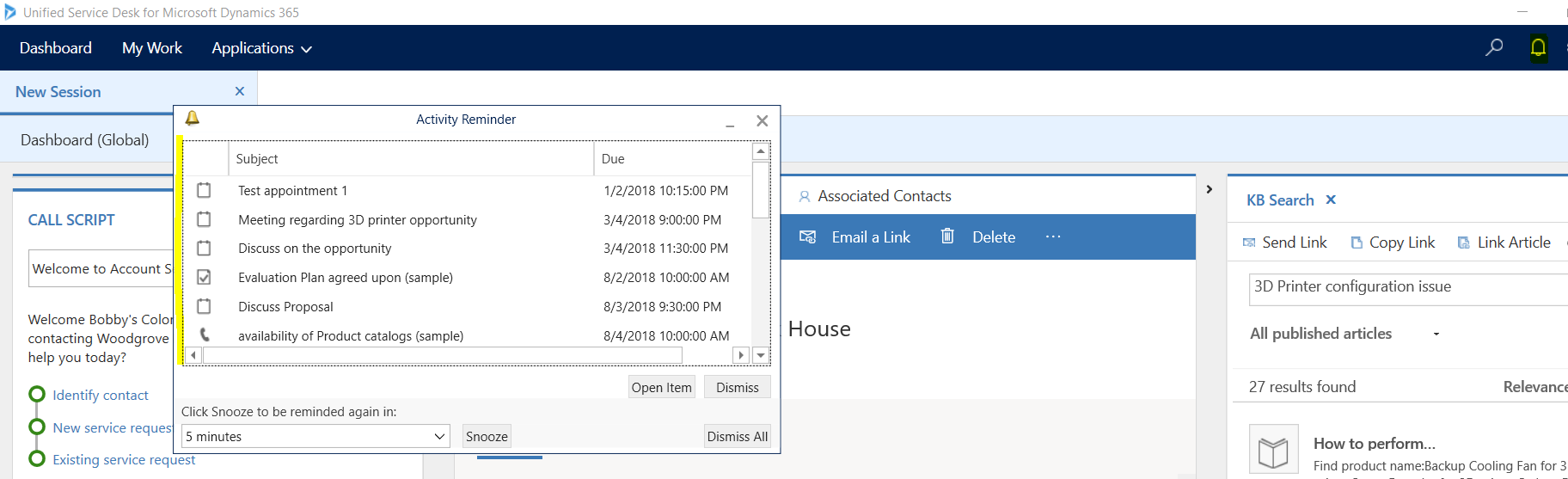
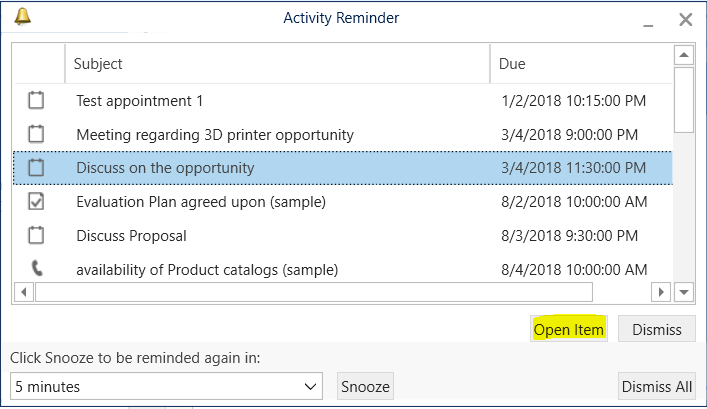
This will display activities where the state code is open or scheduled on or before today’s date for this user:
The FetchXML is something like:
[sourcecode language=”XML”] <fetch distinct="true" ><entity name="activitypointer" >
<attribute name="subject" />
<attribute name="activityid" />
<attribute name="scheduledstart" />
<attribute name="regardingobjectid" />
<attribute name="prioritycode" />
<attribute name="scheduledend" />
<attribute name="activitytypecode" />
<attribute name="instancetypecode" />
<order attribute="scheduledend" descending="false" />
<filter type="and" >
<condition attribute="statecode" operator="in" >
<value>0</value>
<value>3</value>
</condition>
<condition attribute="isregularactivity" operator="eq" value="1" />
</filter>
<link-entity name="activityparty" from="activityid" to="activityid" alias="ab" >
<filter type="and" >
<condition attribute="partyid" operator="eq-userid" />
</filter>
<link-entity name="activitypointer" from="activityid" to="activityid" alias="ad" >
<filter type="and" >
<condition attribute="scheduledend" operator="on-or-before" value="[[DATETIME]]" />
</filter>
</link-entity>
</link-entity>
</entity>
</fetch>
[/sourcecode]
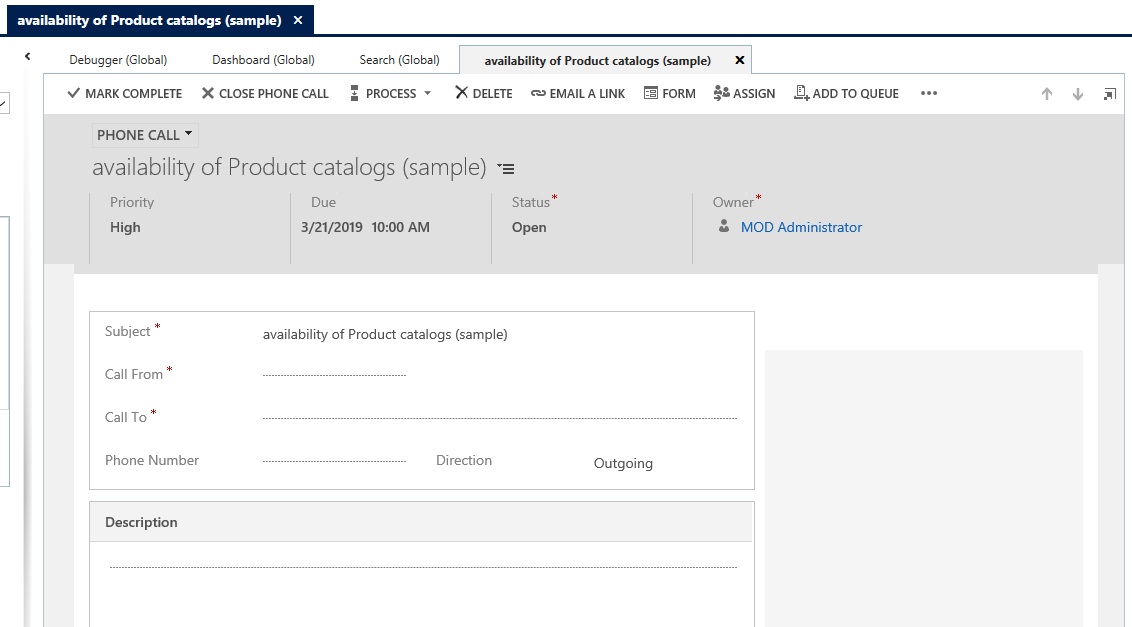
On clicking on Open Item, the item will be displayed something like below:

Keep learning. Keep building.
Explore AI, agents & Microsoft technology.
I share practical ideas, tutorials, and videos about AI, AI agents, Microsoft technologies, and the Power Platform.
Subscribe on YouTube →Carl de Souza Enterprise Architect at Microsoft · AI Technology Expert

Does the “Open Item” button work for you? Every other button is working in our environment other than that one. I’d like to use this hosted control to deliver a business requirement but can’t without the ability to open the item.
Hi Xavier, it works for me. Can you check if you have a windows navigation rule for Reminder set up? I have updated above with a screen shot of what should happen when a user clicks on Open Item.
Hi Carl, I have just installed a brand new USD with this reminder set up, but no activities are showing in it even though I have plenty of them created with statecode “open” and assigned to me. Is there some way to modify the FetchXML or the Hosted Control to manage what is showing in the window?
Thanks in advance