You may have a scenario where you have a table on your webpage and you would like to add an event through JavaScript to capture when a user double-clicks on a row.
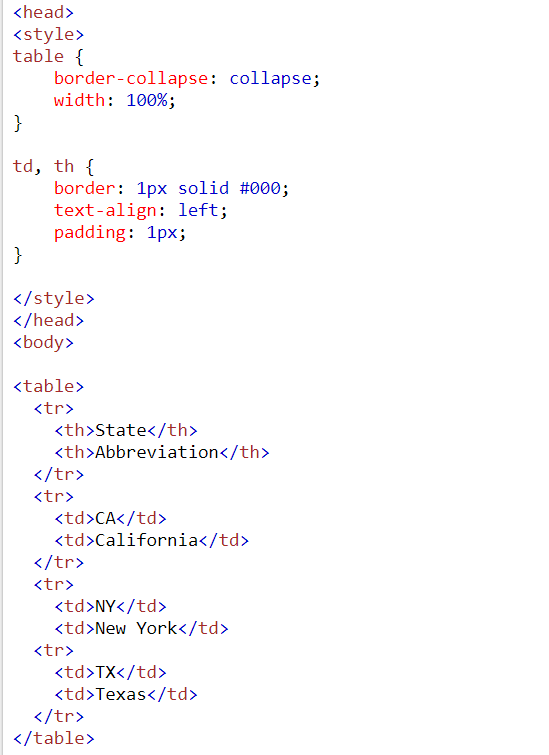
Let’s say we have an HTML table, like below:

Code:
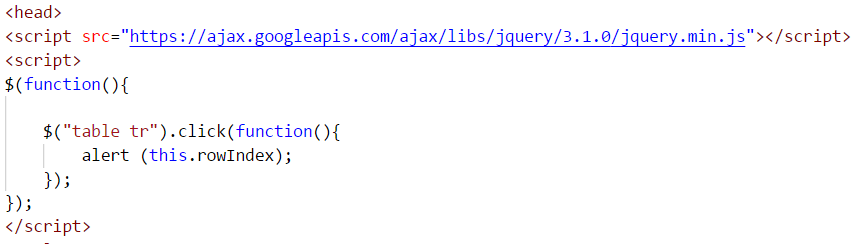
Now, let’s add click event to this.
Let’s say when a user clicks, we want to display the row number they are clicking on. Add a reference to jquery, and then add the code for the click event of the table row:
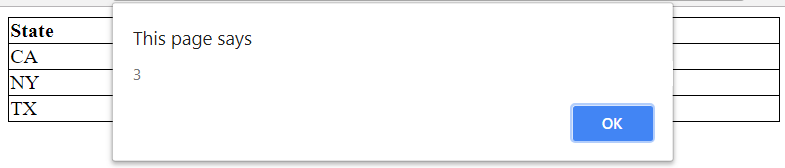
Clicking on NY produces:
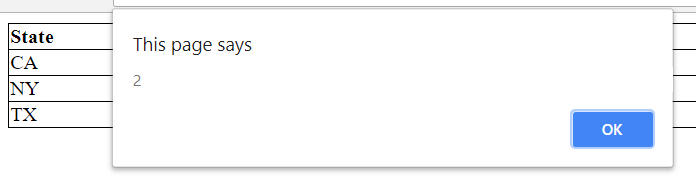
Note the table is 0-index based, and there is also a row for the heading.
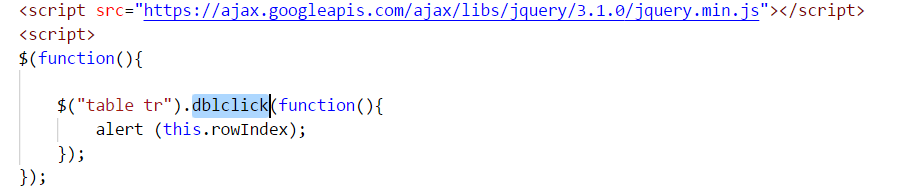
Now let’s change this to double click. We just need to change the click event to dblclick:
Clicking on TX produces:

Keep learning. Keep building.
Explore AI, agents & Microsoft technology.
I share practical ideas, tutorials, and videos about AI, AI agents, Microsoft technologies, and the Power Platform.
Subscribe on YouTube →Carl de Souza Enterprise Architect at Microsoft · AI Technology Expert
