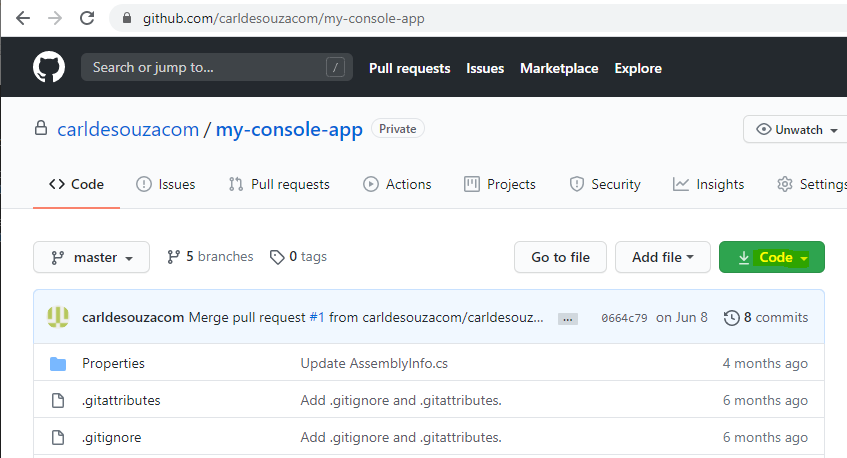
Let’s clone the GitHub repo located here. Click on Code:
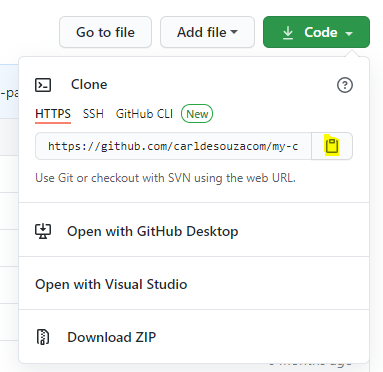
And copy the link:
Make sure you have Git installed.
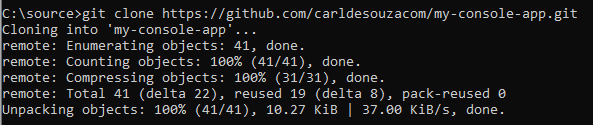
Now open a command prompt, browse to the directory you want to clone the repo, and type in:
git clone <paste your clipboard here>
This will download the repo:
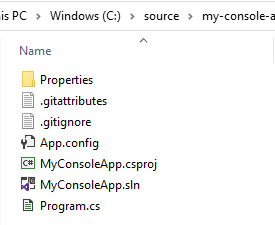
And the files will be downloaded:

Keep learning. Keep building.
Explore AI, agents & Microsoft technology.
I share practical ideas, tutorials, and videos about AI, AI agents, Microsoft technologies, and the Power Platform.
Subscribe on YouTube →Carl de Souza Enterprise Architect at Microsoft · AI Technology Expert