C# applications are often required to implement multithreaded functionality. Thanks to the .NET Framework, implementing threading is not difficult.
In C# there are different ways we can create threads. Here we will look at using Thread.
The Thread class is part of System.Threading. It is useful in that you can control many aspects of threads, such as whether to run in the foreground or background, the thread pool etc.
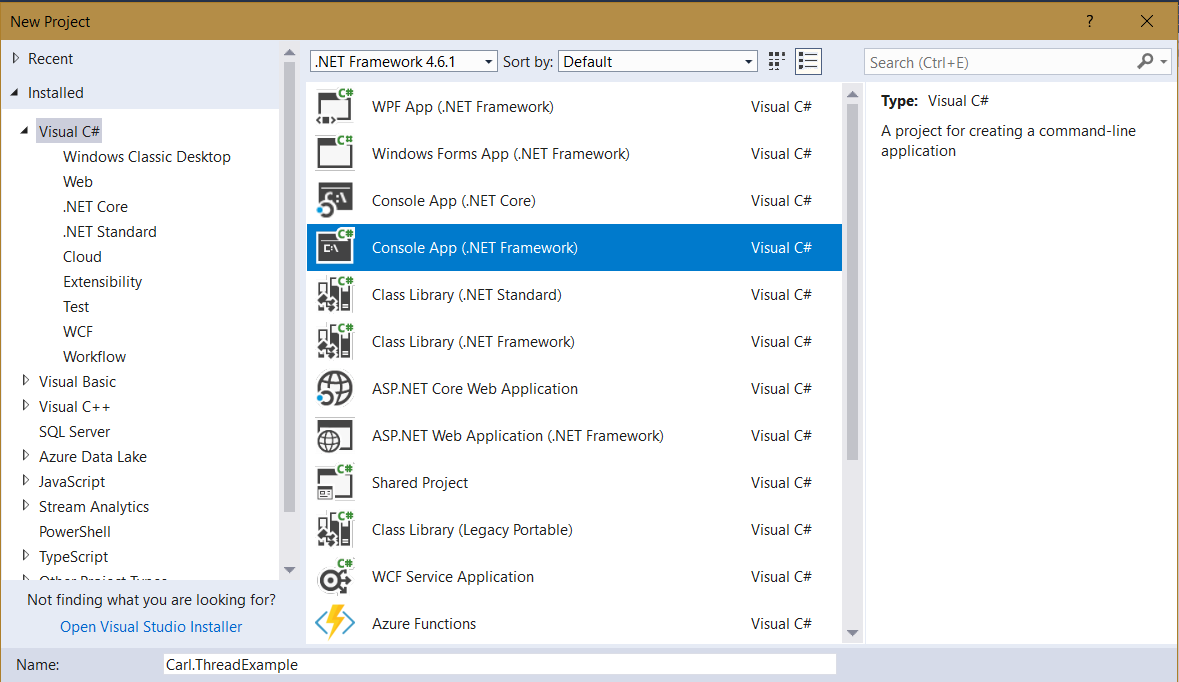
We will go through an example of creating a thread. Create a new console app in Visual Studio:
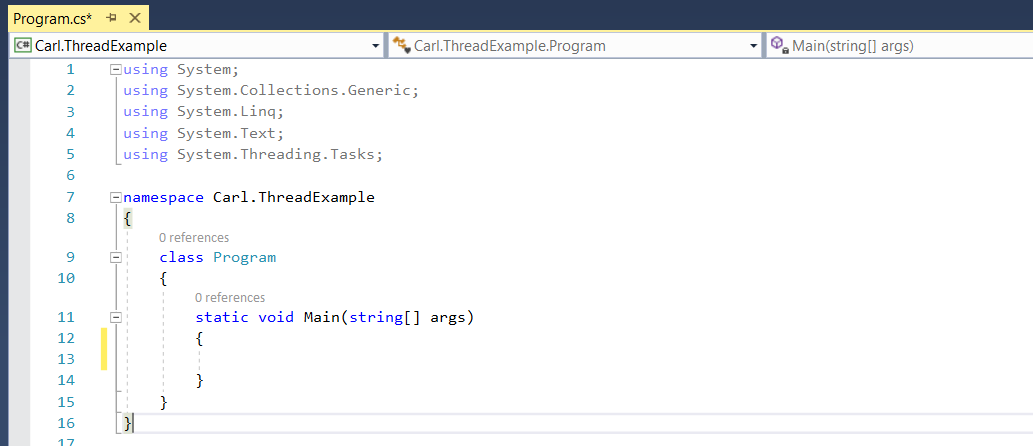
Note we are using:
using System.Threading.Tasks;
We will also add:
using System.Threading;
And the code:
 static void Main(string[] args)
 {
 Thread t = new Thread(() =>
 {
 Console.WriteLine("Thread is running");
 });
 t.Start();
 }
 }
Note the notation, we can also write this as:
            new Thread(() =>
            {
                Console.WriteLine("Thread is running");
            }).Start();
When we run this, we can see there are several attributes to our thread:
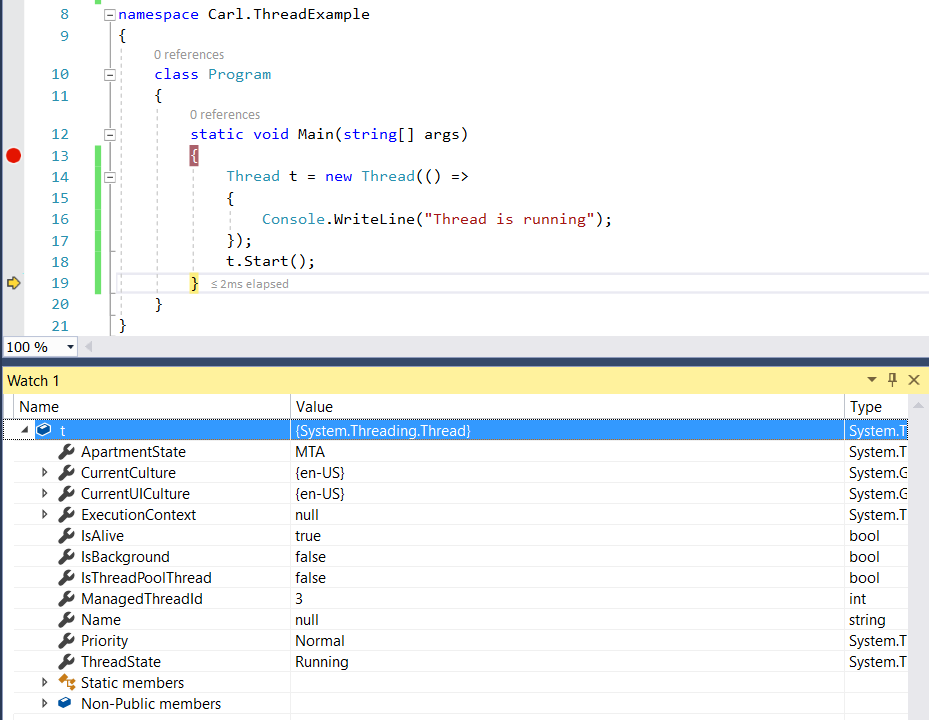
We can see in the debug window, the thread has a Main Thread, and a Worker Thread. The thread has defaulted to run in the foreground. Foreground threads run even if the application itself has exited. Background threads will exit with the application:
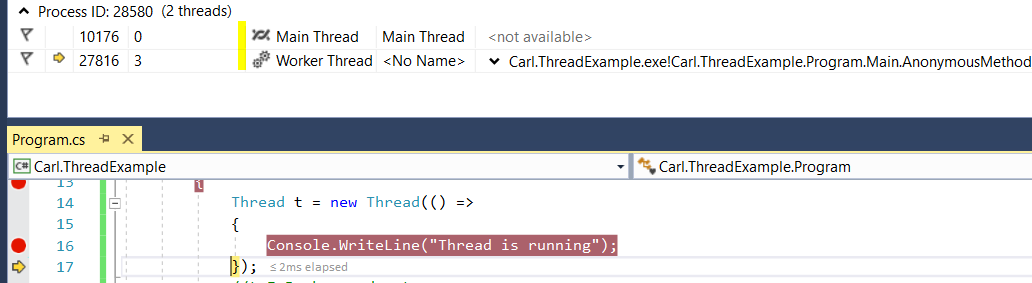
We can switch this to a background thread by setting the property:
 Thread t = new Thread(() =>
 {
 Console.WriteLine("Thread is running");
 });
 t.IsBackground = true;
 t.Start();
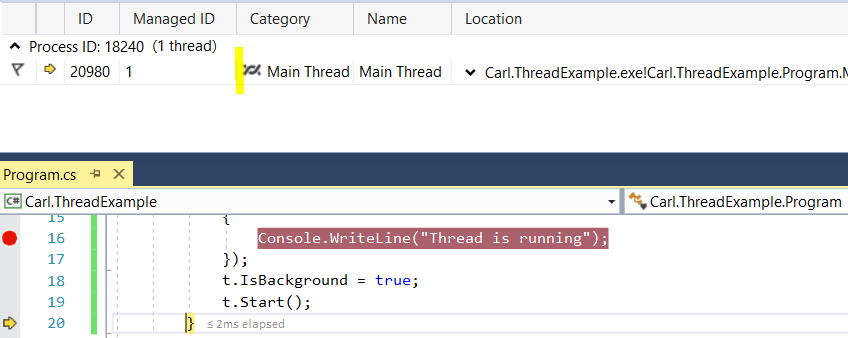
Running this, we can see one main thread:

Explore AI, agents & Microsoft technology.
I share practical ideas, tutorials, and videos about AI, AI agents, Microsoft technologies, and the Power Platform.
Subscribe on YouTube →