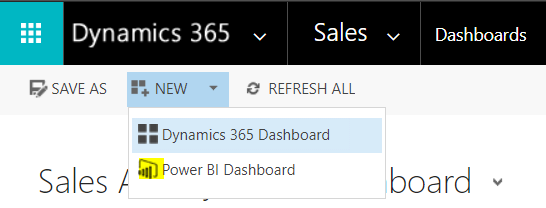
Dynamics 365 can show a whole Power BI dashboard. To do this, create a dashboard in Power BI. Then, in Dynamics 365, select New->Power BI Dashboard:
You will see your dashboards, with the option to enable for mobile:
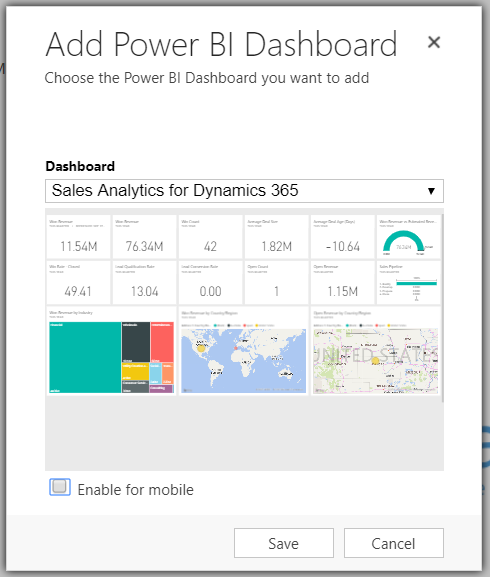
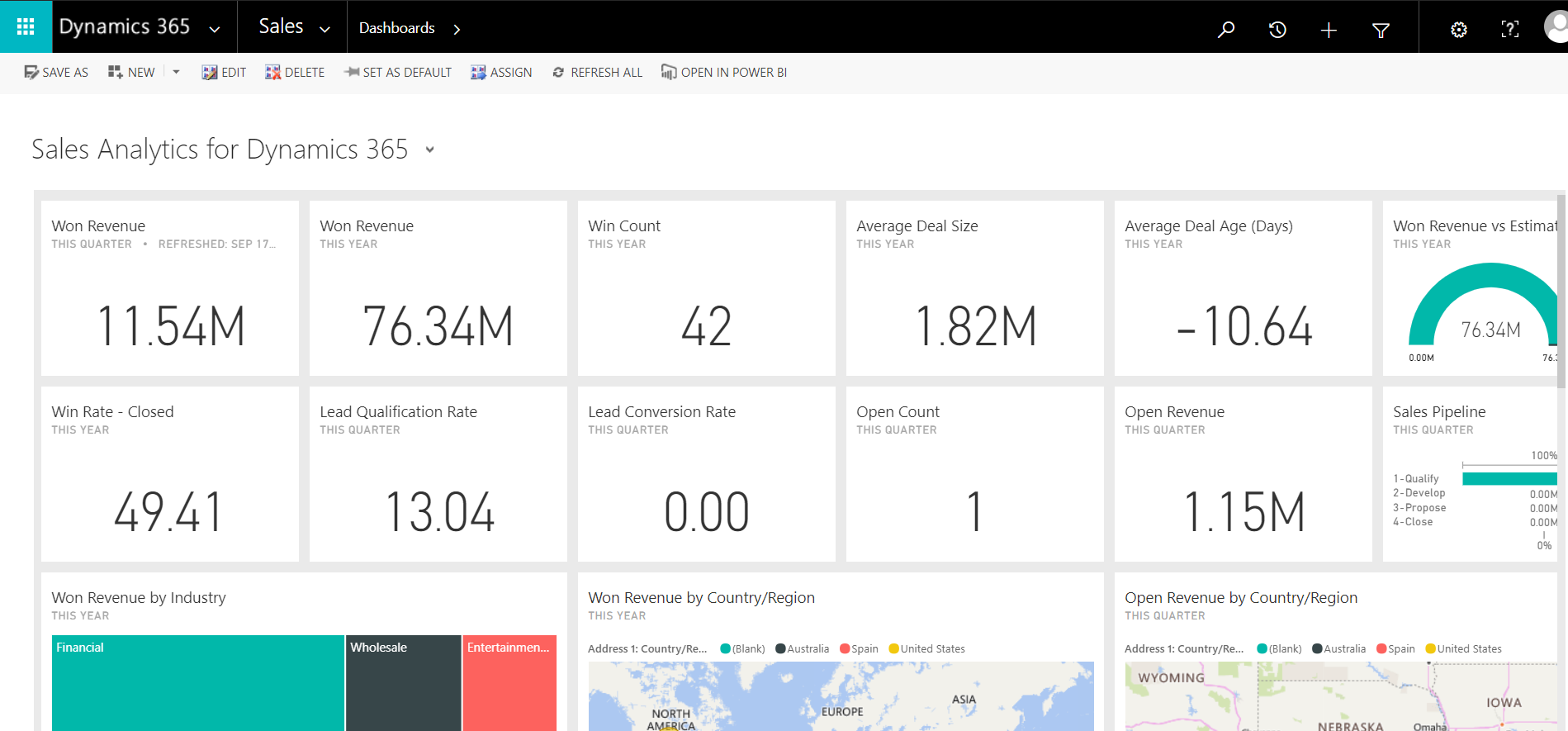
Click Save. The dashboard will now appear fully in Dynamics 365.

Keep learning. Keep building.
Explore AI, agents & Microsoft technology.
I share practical ideas, tutorials, and videos about AI, AI agents, Microsoft technologies, and the Power Platform.
Subscribe on YouTube →Carl de Souza Enterprise Architect at Microsoft · AI Technology Expert
