In Unified Service Desk, there are several panels in the client application. These panels can be collapsed and expanded through USD configuration.
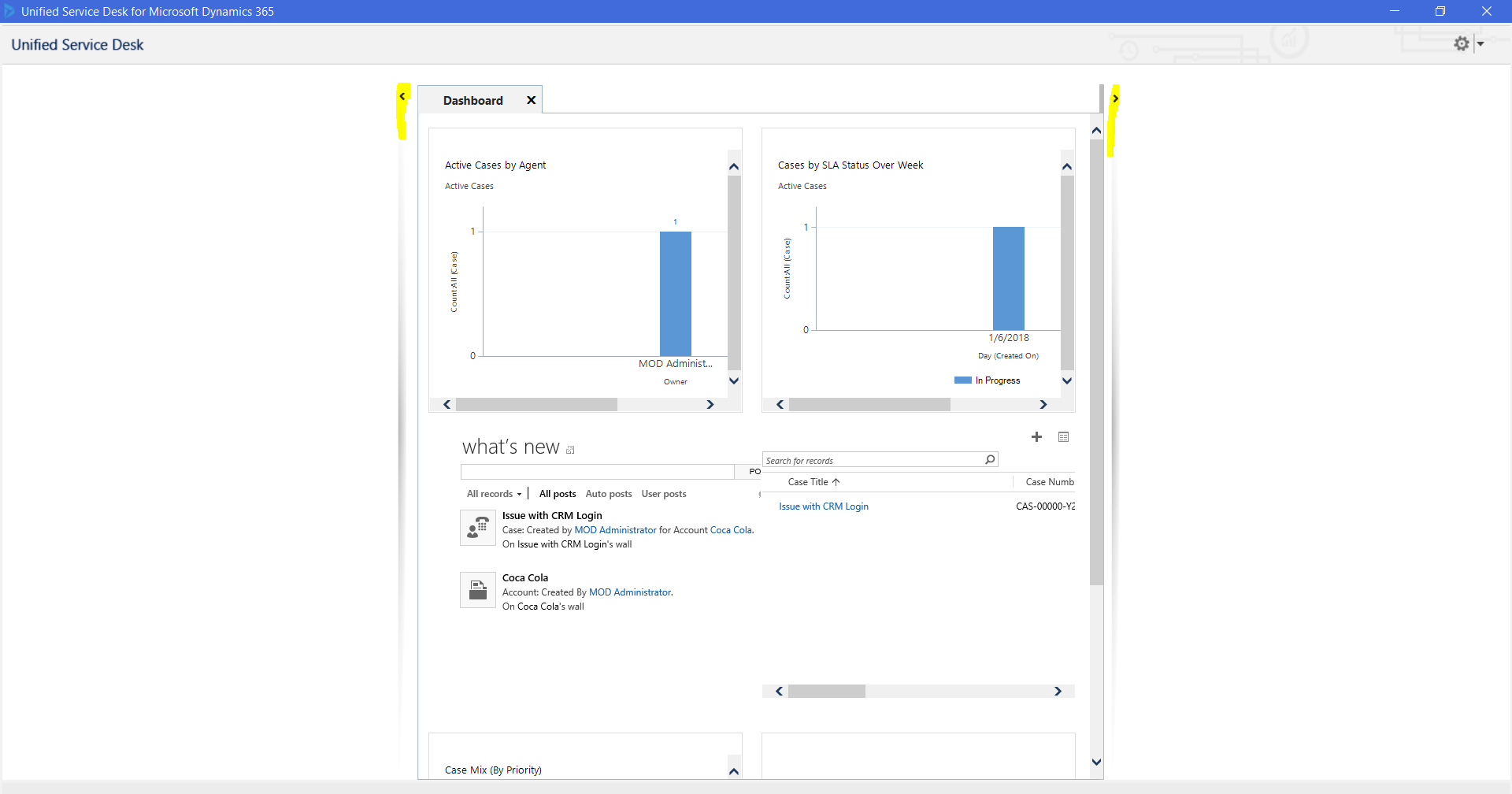
For example, when you open USD, here you can see the left and right panel have been opened:
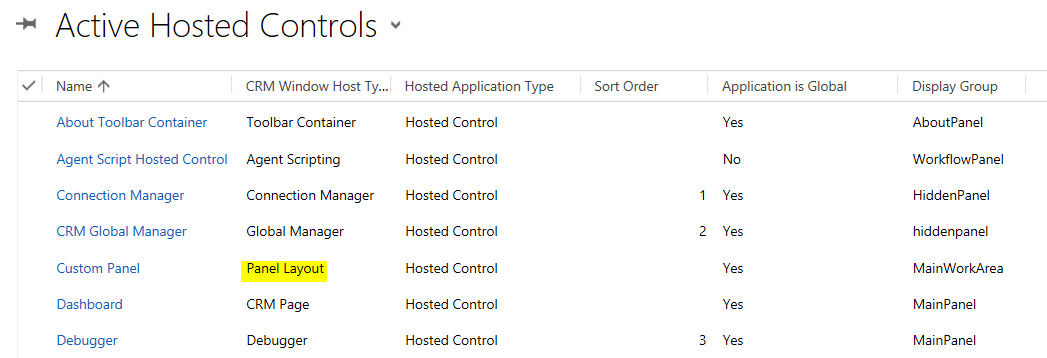
In order to set the defaults, first confirm the hosted control of type panel layout:
Next, go to the event you would like to run this from, for example DesktopReady or Session New, and add an action. We will add an action for the Custom Panel hosted control using the SetVisualProperty. We can set this to true to collapse the panel and false to expand it:
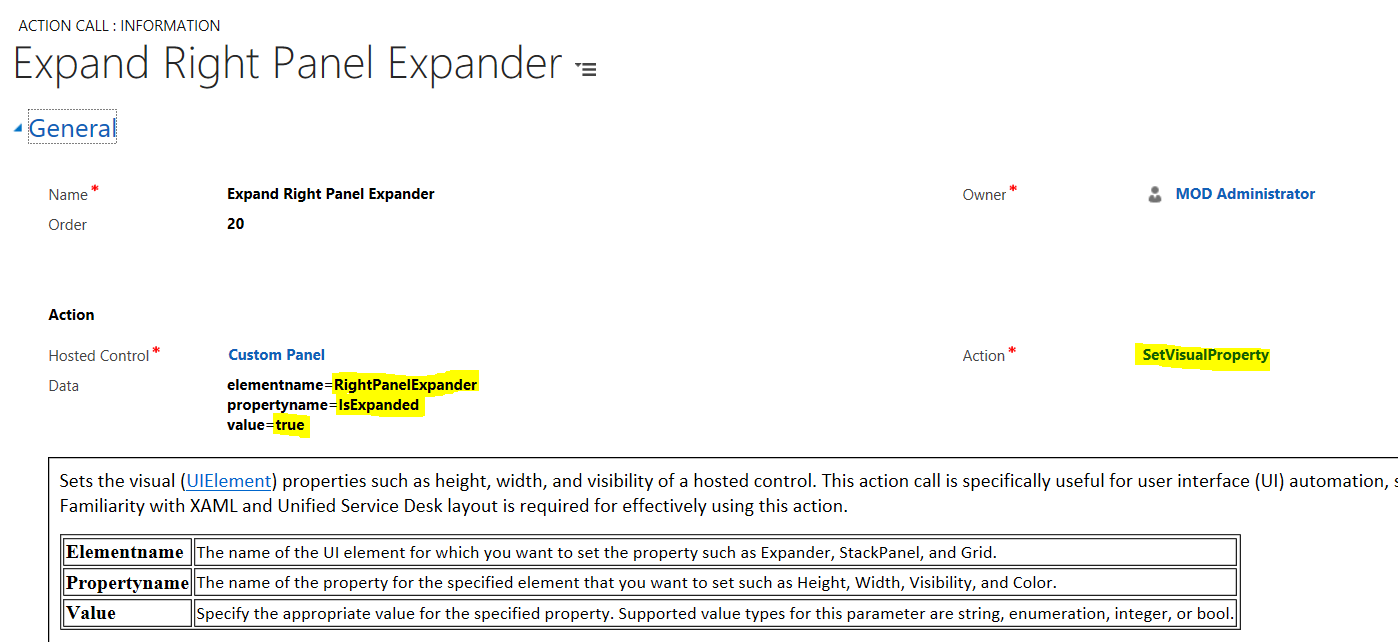
That’s it. When the event occurs, the panel will be expanded or collapsed.

Explore AI, agents & Microsoft technology.
I share practical ideas, tutorials, and videos about AI, AI agents, Microsoft technologies, and the Power Platform.
Subscribe on YouTube →