In this example, we will show how to use the FaultException when catching errors in a WCF service.
First, create a new WCF service:
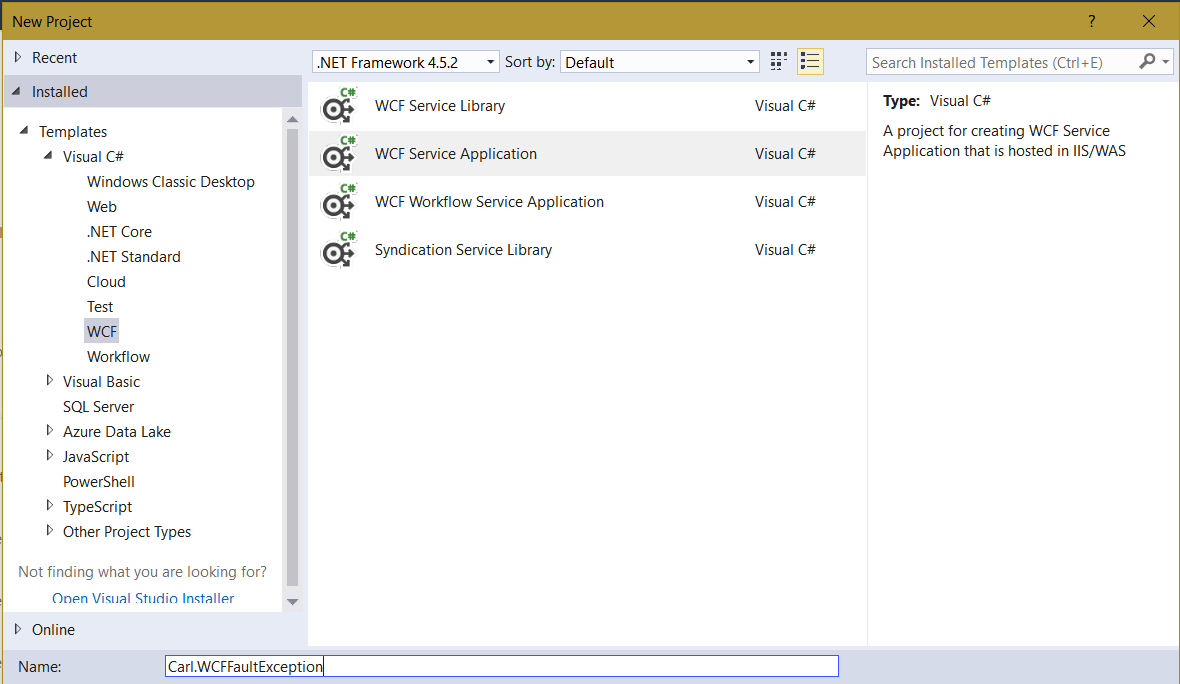
Our service will be a calculator, that will perform a divide operation. We will rename the files created so we have:
- Calculator.svc
- ICalculator.cs
In ICalculator, change the code to be below. This is our service contract and operation contract:
using System;
using System.Collections.Generic;
using System.Linq;
using System.Runtime.Serialization;
using System.ServiceModel;
using System.ServiceModel.Web;
using System.Text;

namespace Carl.WCFFaultException
{
    [ServiceContract]
    public interface ICalculator
    {
        [OperationContract]
        int Divide(int i1, int i2);
    }
}
Now in the Calculator.cvs.cs file, we will add the code to perform our actual operation:
using System;
using System.Collections.Generic;
using System.Linq;
using System.Runtime.Serialization;
using System.ServiceModel;
using System.ServiceModel.Web;
using System.Text;

namespace Carl.WCFFaultException
{
    public class Calculator : ICalculator
    {
        public int Divide(int i1, int i2)
        {
            return i1/i2;
        }
    }
}
Change Calculator.svc to use the renamed Calculator service:
<%@ ServiceHost Language="C#" Debug="true" Service="Carl.WCFFaultException.Calculator" CodeBehind="Calculator.svc.cs" %>
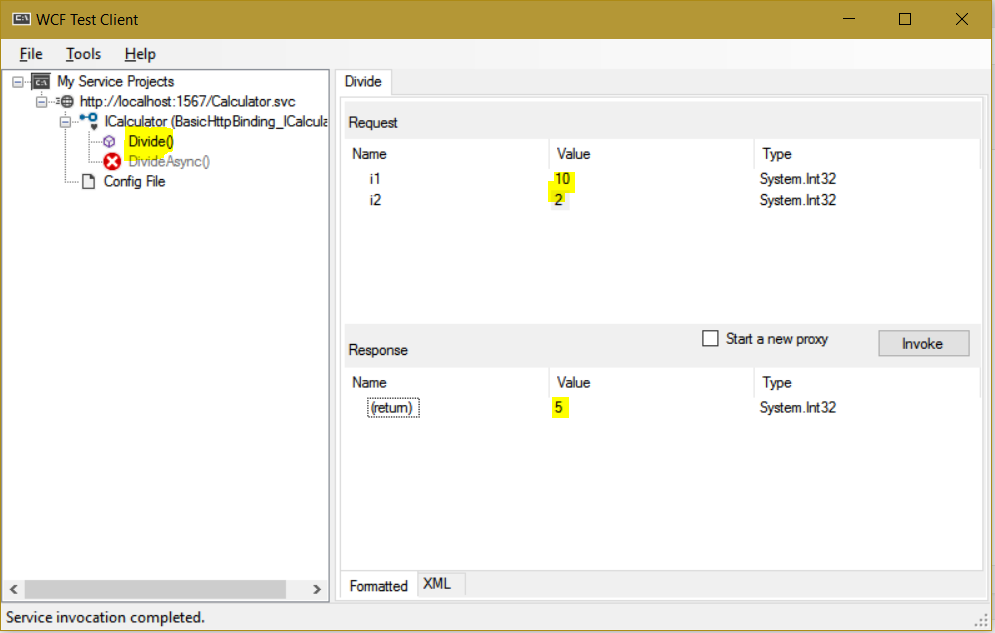
With the service file selected, press F5 to run the service and open the WCF Test Client. Perform a simple divide operation:
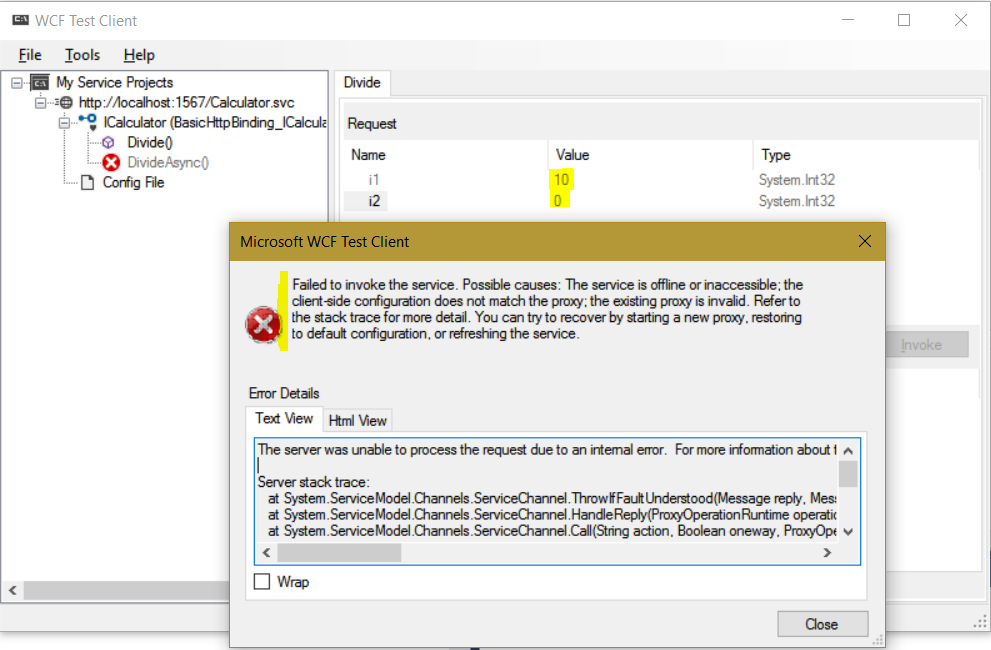
Now let’s throw an exception. Divide by 0. You can see the exception reported is below, which is not the actual error:
Now let’s add our code to catch the exception. We can use Exception or DivideByZeroException to catch the error:
using System;
using System.Collections.Generic;
using System.Linq;
using System.Runtime.Serialization;
using System.ServiceModel;
using System.ServiceModel.Web;
using System.Text;

namespace Carl.WCFFaultException
{
    public class Calculator : ICalculator
    {
        public int Divide(int i1, int i2)
        {
            try
            {
                return i1 / i2;
            }
            catch(Exception ex)
            {
                throw new FaultException(ex.ToString());
            }
        }
    }
}
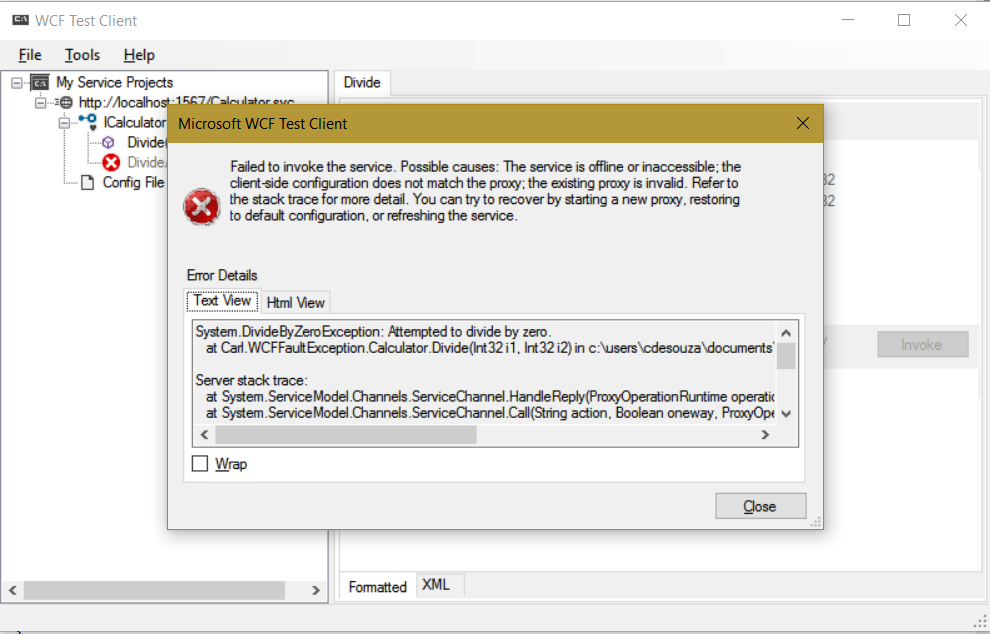
On rerunning, we can see the exception is now “Attempted to divide by zero”:
In another post, we will look at using the FaultContract to throw a custom exception.

Explore AI, agents & Microsoft technology.
I share practical ideas, tutorials, and videos about AI, AI agents, Microsoft technologies, and the Power Platform.
Subscribe on YouTube →