In this post, we will look at how to get the Omnichannel Conversation Id and Session Id context variables in an incoming chat. This is useful if you want to tie the conversation to a custom entity or use it in an integration. Let’s go through an example of how to do this.
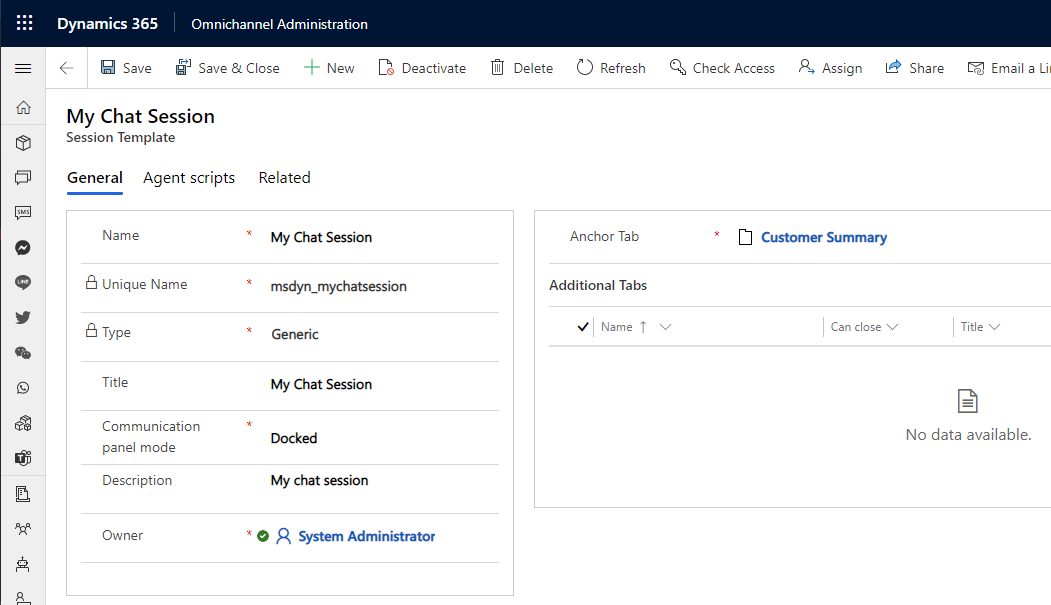
We will create a new session template in the Omnichannel Administrator app, which will load in an incoming chat:
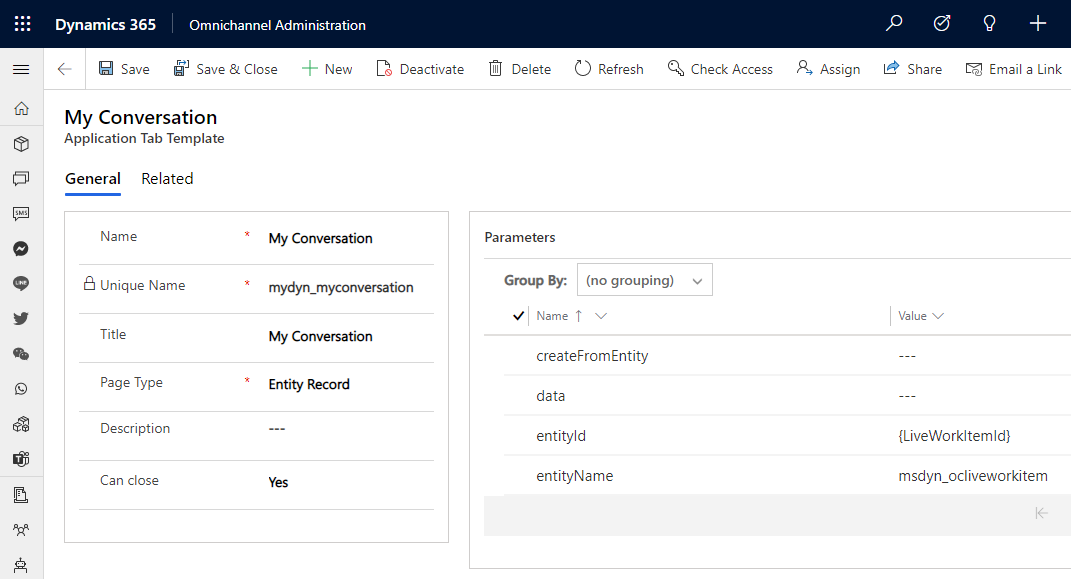
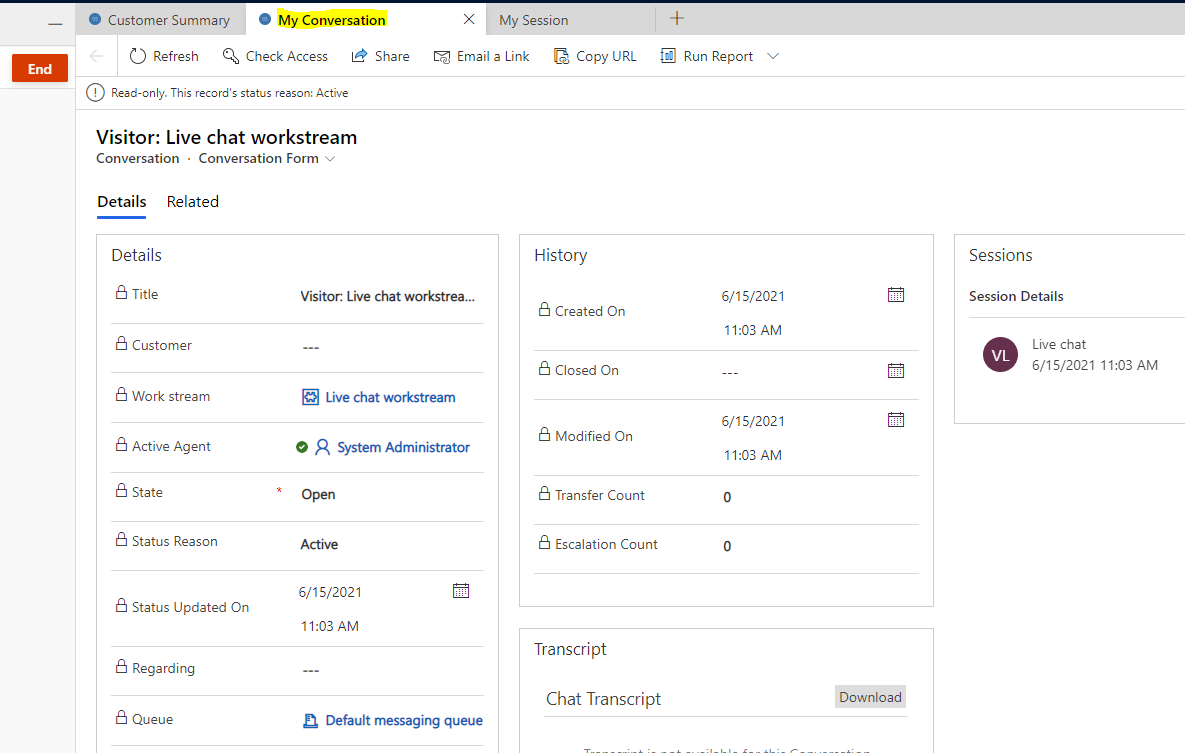
Next, let’s add a new Application Tab Template to demonstrate getting and using the Conversation Id. We will display an Entity Record, and actually display the Conversation record by passing it the current Conversation Id. The conversation table is msdyn_ocliveworkitem, and the format for the entityId we want is {LiveWorkItemId}:
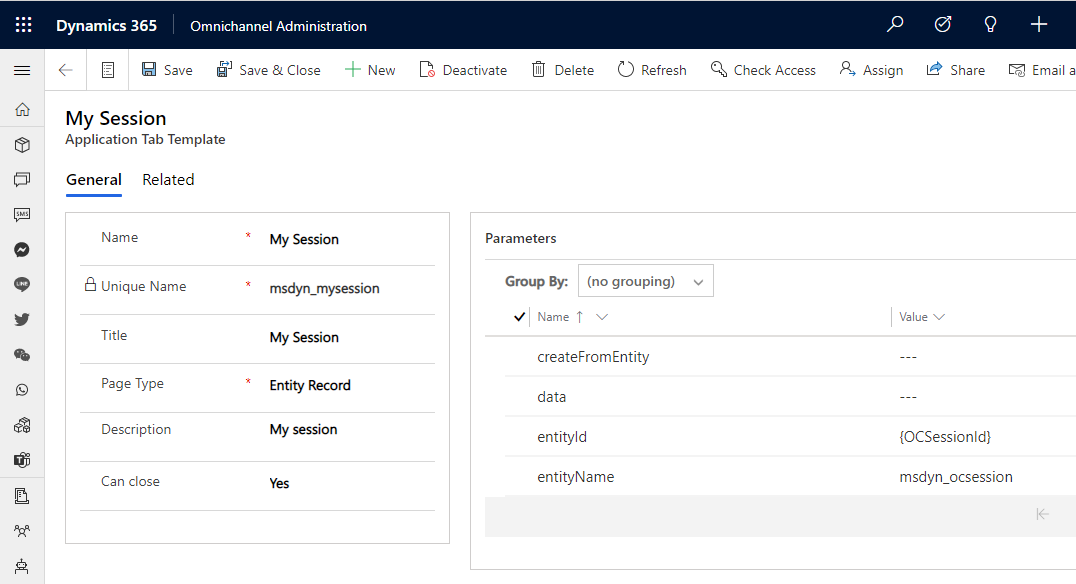
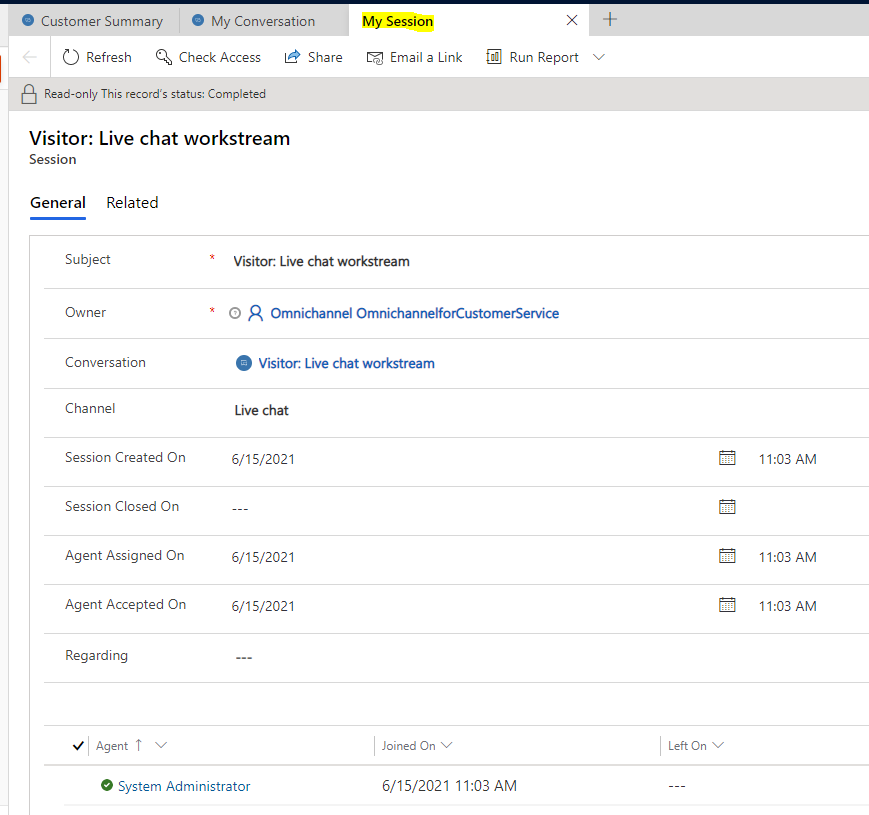
Let’s also create one for the Session Id. In a similar way, the Session table is msdyn_ocsession, and the entityId is {OCSessionId}:
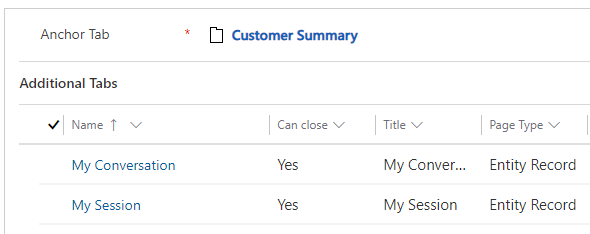
Our template should now look like this:
And when a call comes in, we can see our Conversation loads using the Id we have dynamically passed:
That’s it. You can now apply these variables to the scenarios that meet your needs.

Explore AI, agents & Microsoft technology.
I share practical ideas, tutorials, and videos about AI, AI agents, Microsoft technologies, and the Power Platform.
Subscribe on YouTube →