Dynamics CRM provides the ability to do a quick search. To do this, click on the search icon and enter your search terms:

This will open the search screen below:
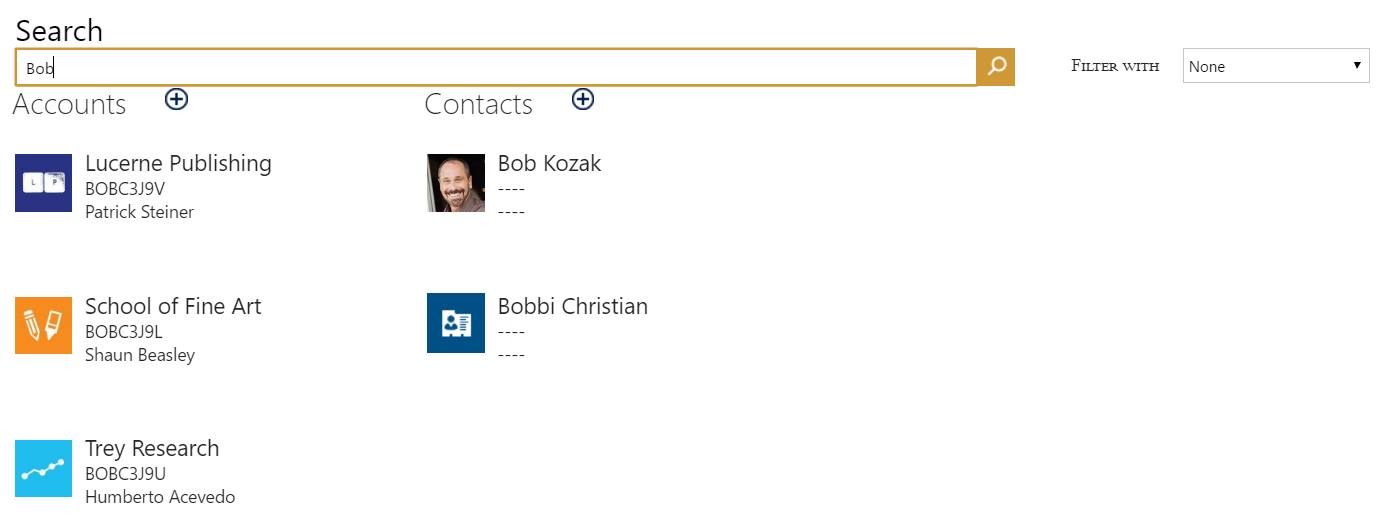
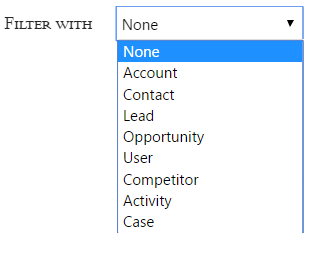
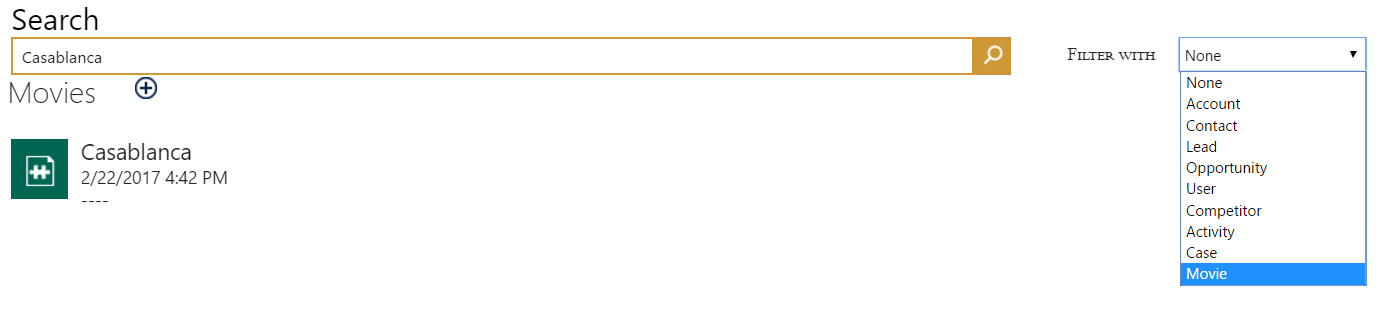
You have the ability to filter based on the entities that are being searched. Note that there are only a select few entities that the search applies to:
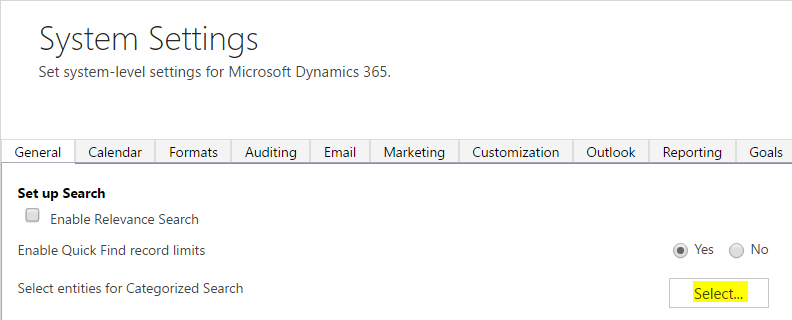
To add and remove entities, go to Dynamics CRM system settings and click Select:
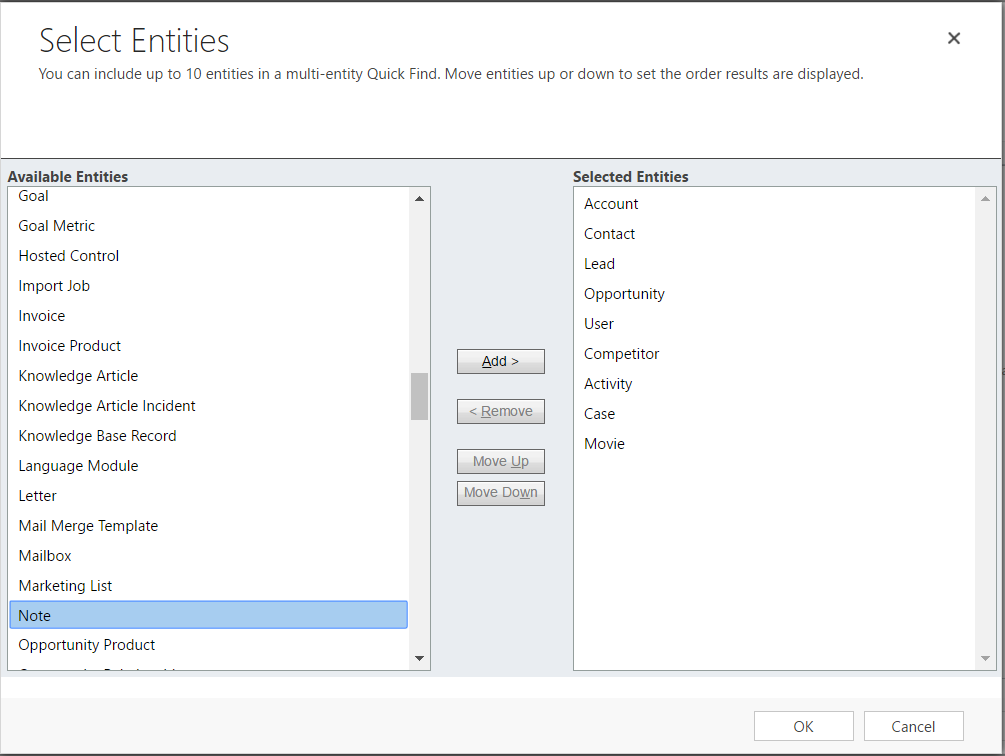
Here you will see the entities that are already selected:
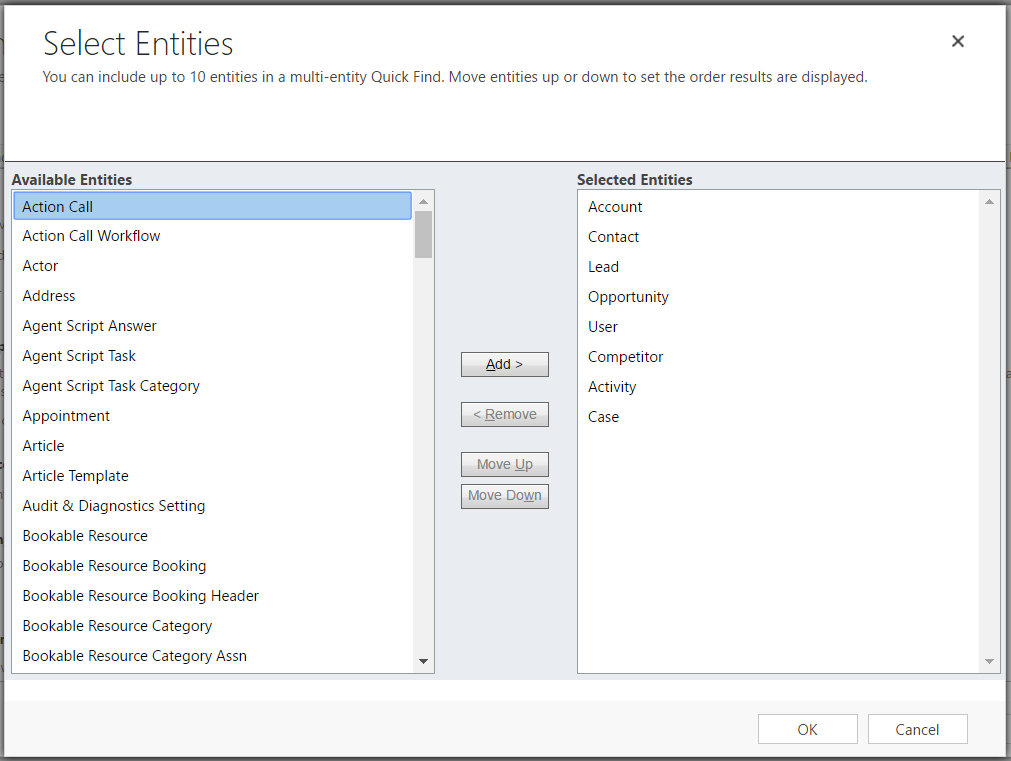
You can add custom entities to this list, for example I have a Movie entity created:
The search now applies to records in the custom entity:

Keep learning. Keep building.
Explore AI, agents & Microsoft technology.
I share practical ideas, tutorials, and videos about AI, AI agents, Microsoft technologies, and the Power Platform.
Subscribe on YouTube →Carl de Souza Enterprise Architect at Microsoft · AI Technology Expert