The Dynamics CRM SDK Templates are used for creating Visual Studio projects for Dynamics 365 and Unified Service Desk.
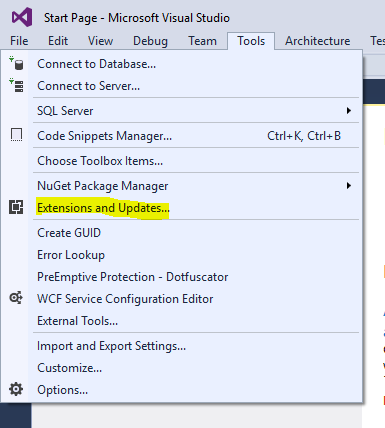
To install the Dynamics CRM SDK Templates Extension in Visual Studio 2015, open Visual Studio and go to Tools->Extensions and Updates:
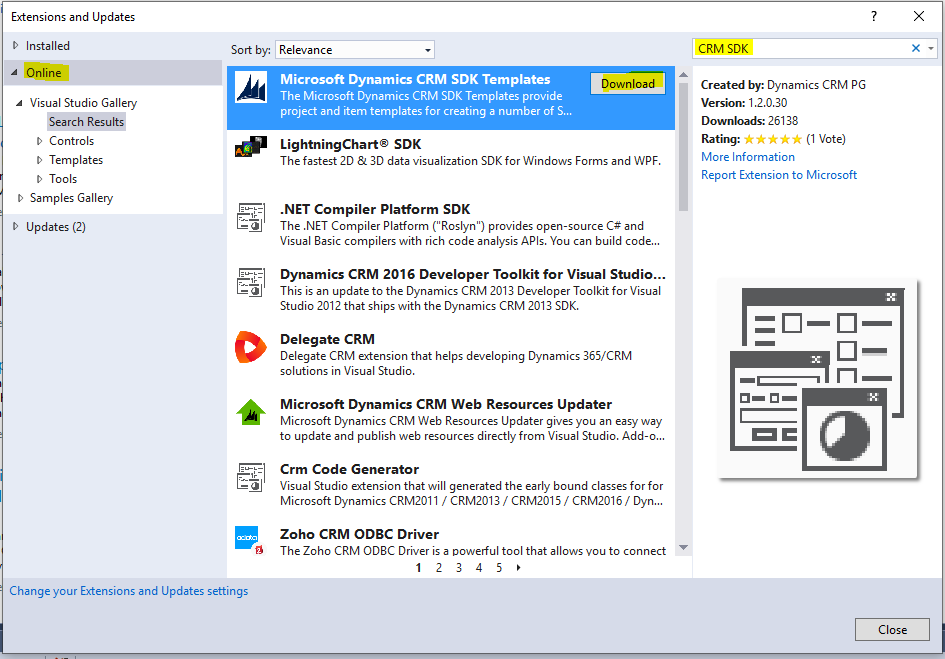
Select Online, then search for CRM SDK and find Dynamics CRM SDK Templates, then click Download:
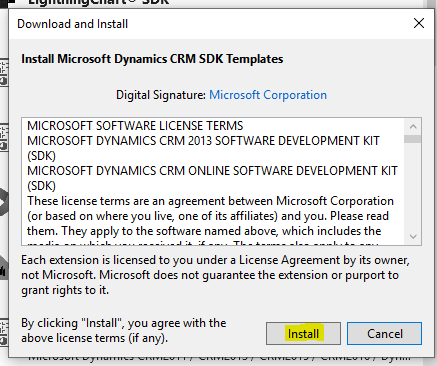
Click Install:
The extension will be installed:

Click Close.
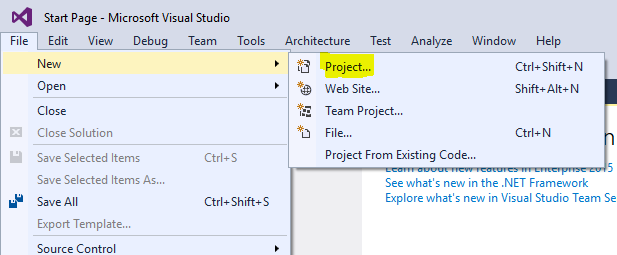
Create a new Project:
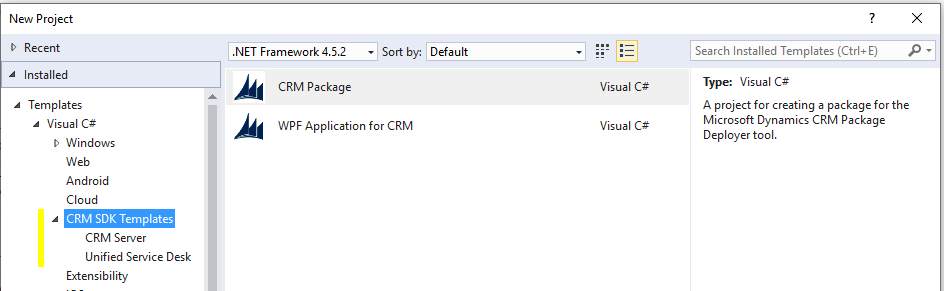
We see the CRM SDK Templates are installed:

Keep learning. Keep building.
Explore AI, agents & Microsoft technology.
I share practical ideas, tutorials, and videos about AI, AI agents, Microsoft technologies, and the Power Platform.
Subscribe on YouTube →Carl de Souza Enterprise Architect at Microsoft · AI Technology Expert
