FetchXML is a language used in Dynamics 365 to retrieve data. Here we will look at FetchXML queries.
A simple way to view a FetchXML query is through the Advanced Find menu. Go to Advanced Find and create a simple query, for example, show all Accounts. You will see a small FetchXML icon:
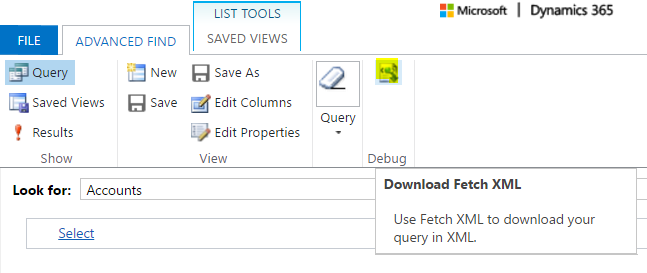
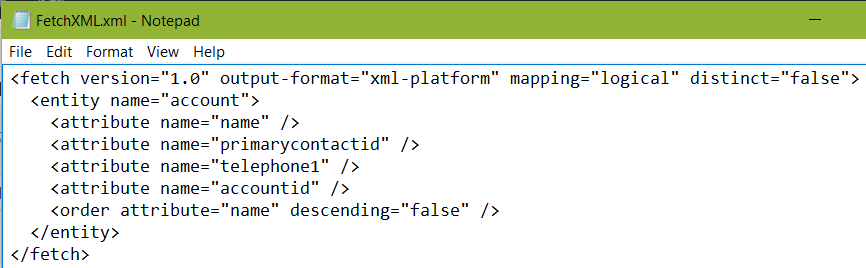
Select the icon, and the FetchXML query will be downloaded. You can see the XML created is straight forward and easy to read. The query is selecting the fields to fetch from the account entity:
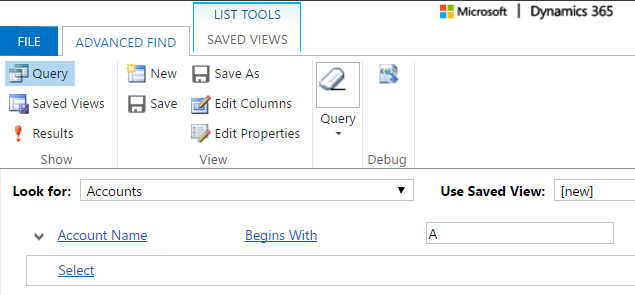
Let’s add a filter criteria. Select only accounts that begin with “A”:
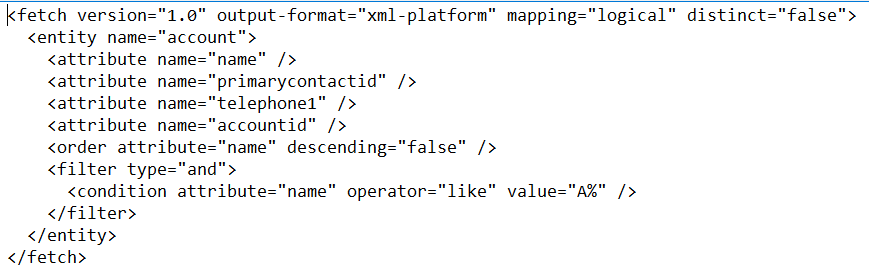
You can see the FetchXML now contains a filter condition:
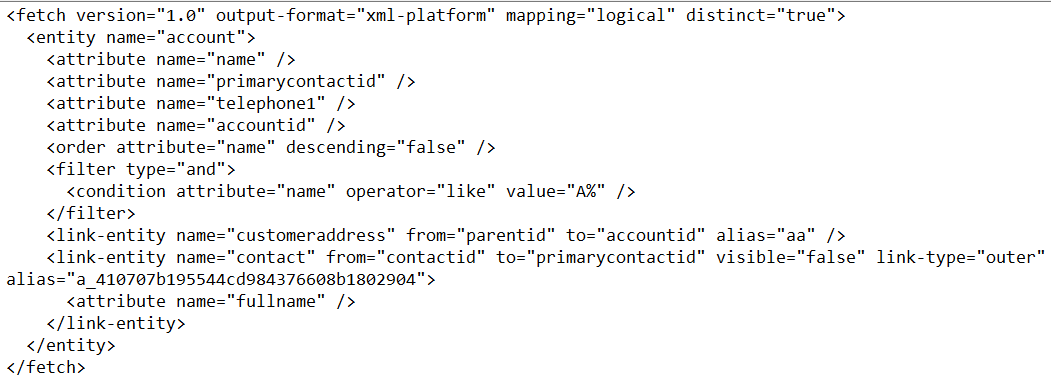
Now, what if we want the full name of the primary contact? We can add the primary contact to the advanced find and add the full name field. The FetchXML query now looks like below, with the link-entity contact:
There are a number of tools out there that help with the writing of FetchXML, so you can use these in queries to get data from Dynamics 365. We will look at these in later posts.

Explore AI, agents & Microsoft technology.
I share practical ideas, tutorials, and videos about AI, AI agents, Microsoft technologies, and the Power Platform.
Subscribe on YouTube →